Framework Laptops for Linux Users in 2026
The laptop market has long been dominated by machines that become obsolete within a few years, designed to be replaced rather than repaired. For Linux users who value control, customization, and sustainability, Framework Computer offers something refreshingly different. In 2026, Framework’s modular, upgradeable laptops have matured into genuine contenders that deserve serious consideration from anyone running open-source operating systems.
This comprehensive guide examines Framework’s 2026 lineup through the lens of Linux compatibility, performance, and long-term value. Whether you’re a developer spending eight hours daily in terminal windows, a student learning programming, or a power user pushing the boundaries of what portable computing can achieve, understanding how Framework laptops work with Linux will help you make an informed decision.
Framework Laptops for Linux Users: Quick Overview
Framework laptops are modular, repairable notebooks designed with Linux compatibility and long-term ownership in mind. Unlike traditional laptops, they allow you to upgrade RAM, storage, ports, and even the mainboard—making them a strong choice for developers, power users, and Linux enthusiasts in 2026.
What Makes Framework Different from Traditional Laptop Brands
Framework Computer launched in 2021 with a radical proposition: laptops should be upgradeable, repairable, and designed to last a decade rather than just a few years. Founded by Nirav Patel, who previously worked at Apple and Oculus, the company positioned itself as a champion of the right-to-repair movement.
The core innovation lies in Framework’s modular architecture. Unlike traditional laptops where components are soldered and glued together, Framework machines feature easily accessible components secured with standard screws. Need more storage? Swap in a new SSD in minutes. Want to upgrade your processor? Replace the mainboard while keeping everything else. Broken screen? Order a replacement and install it yourself with just a screwdriver.
This philosophy resonates deeply with Linux users who already embrace open-source principles. Just as Linux gives you control over your software stack, Framework gives you control over your hardware. The company actively supports the Linux community, deliberately choosing components that work well with open-source drivers and publishing detailed hardware documentation.
Framework’s expansion card system deserves special mention. Rather than being stuck with whatever ports the manufacturer decides to include, you choose exactly which ports you want and where they go. Need four USB-C ports today but might need HDMI and Ethernet tomorrow? Just swap the expansion cards. This flexibility mirrors the modularity Linux users appreciate in their software environments.
Framework Laptop Models Available in 2026
Framework currently offers three distinct laptop models, each targeting different user needs and budgets. Understanding the differences helps you choose the right machine for your Linux workflow.
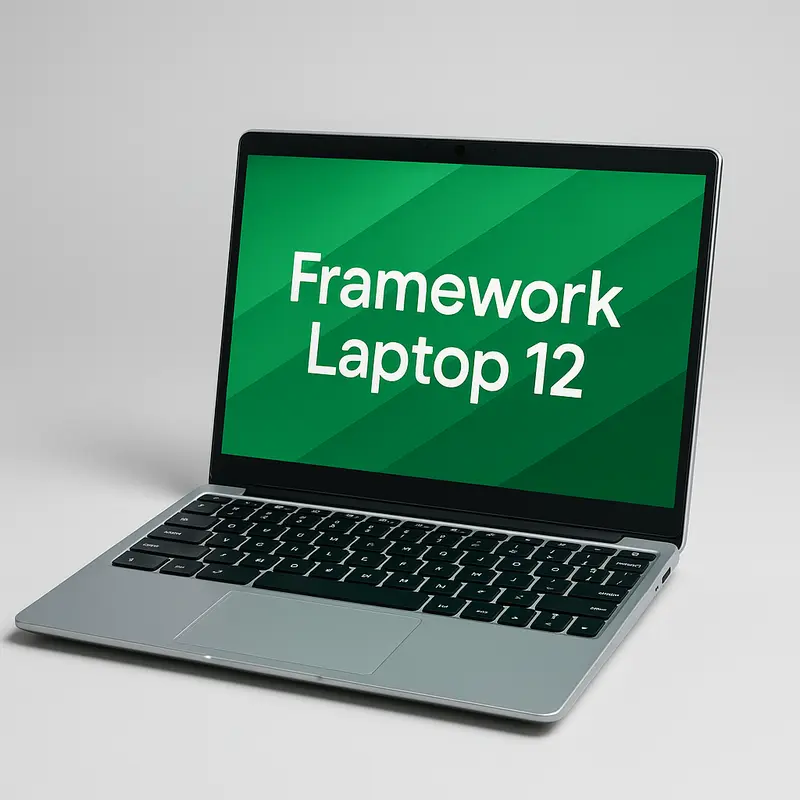
Framework Laptop 12: Compact Convertible for Portability
The Framework Laptop 12, announced in February 2025 and shipping since mid-2025, marks Framework’s first step into the 2-in-1 convertible laptop category. This 12.2-inch touchscreen device features a 360-degree hinge, stylus support, and comes in five color options: Black, Gray, Lavender, Bubblegum, and Sage.
Under the hood, the Laptop 12 is powered by 13th-generation Intel Core processors (Core i3-1315U or i5-1334U), paired with up to 48GB DDR5-5200 RAM and 2TB NVMe storage. The 1920×1200 display delivers over 400 nits of brightness, making it usable outdoors, while USI 2.0 stylus support enables note-taking and light creative workflows on Linux.
- Display: 12.2″ touchscreen, 1920×1200, 400+ nits
- Processors: Intel Core i3-1315U / i5-1334U
- Memory: Up to 48GB DDR5-5200
- Storage: Up to 2TB NVMe SSD
- Battery: 50Wh
- Form factor: 360-degree convertible with stylus support
This model is clearly aimed at students, travelers, and highly mobile Linux users. The shock-absorbing TPU chassis adds durability for daily commutes and classroom use. However, while capable, the 13th-gen Intel CPUs are no longer cutting-edge in 2026, and the 50Wh battery offers only moderate endurance.
Best For
- Linux users who need extreme portability
- Students and education environments
- Touchscreen and stylus-based workflows
- Users who prioritize durability over raw performance
Not Ideal For
- Heavy code compilation
- Linux gaming
- Running multiple virtual machines
- High-end creative or compute-intensive workloads
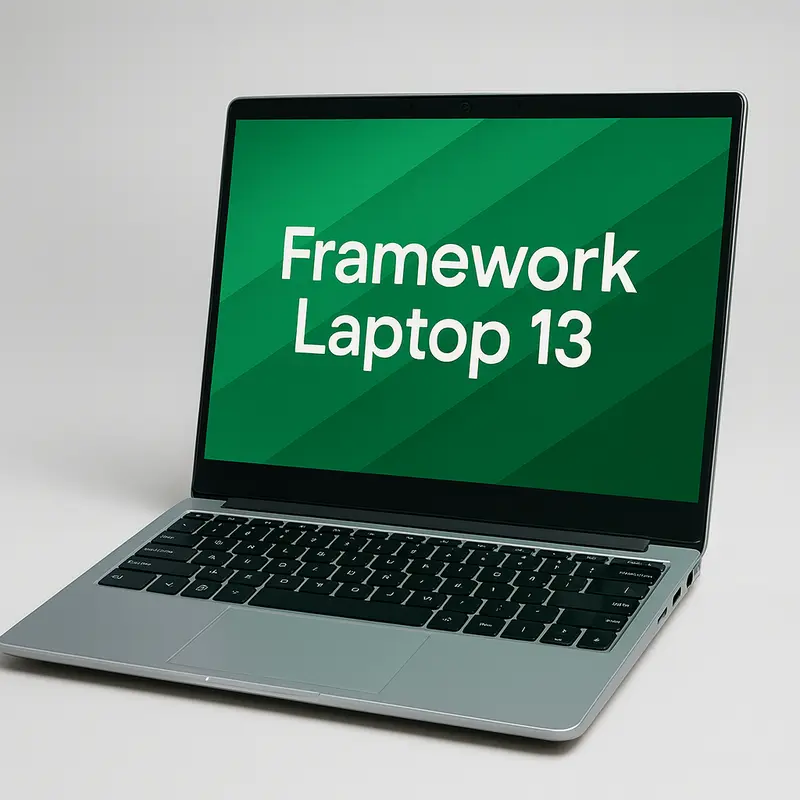
Framework Laptop 13: The All-Purpose Linux Workhorse
The Framework Laptop 13 is the company’s flagship and most popular model, now in its seventh generation. The 2025 refresh introduced AMD Ryzen AI 300 Series processors, bringing a substantial leap in Linux performance and integrated graphics compared to earlier Intel-based versions.
Buyers can choose between three AMD processor options: Ryzen AI 5 340 (6 cores / 12 threads, up to 4.8GHz), Ryzen AI 7 350 (8 cores / 16 threads, up to 5.0GHz), or the high-end Ryzen AI 9 HX 370 (12 cores / 24 threads, up to 5.1GHz). Integrated Radeon graphics scale from the 840M to the 890M, delivering enough power for moderate Linux gaming and GPU-accelerated workloads without requiring a discrete GPU.
- Display: 13.5″, 3:2 aspect ratio
- Resolutions: 2256×1504 (60Hz) or 2880×1920 (120Hz)
- Processors: AMD Ryzen AI 5 340 / AI 7 350 / AI 9 HX 370
- Graphics: Radeon 840M–890M integrated GPU
- Battery: 61Wh
- Connectivity: Wi-Fi 7, up to four external displays
The 3:2 matte display is optimized for productivity, offering more vertical space for coding and documents while remaining comfortable in bright environments. Battery life is solid thanks to the 61Wh battery, especially when paired with efficient Linux distributions.
Framework also redesigned the thermal system for this generation, using a single 10mm heat pipe with Honeywell PTM7958 phase-change TIM. The result is a noticeably quieter and cooler system under sustained load, a welcome improvement for developers and power users.
Best For
- Professional Linux developers
- General productivity and daily work
- Moderate gaming without a discrete GPU
- Users wanting one balanced, long-term Linux laptop
Not Ideal For
- High-end 3D rendering
- Machine learning training workloads
- AAA gaming at high or ultra settings
- Users who require a discrete GPU
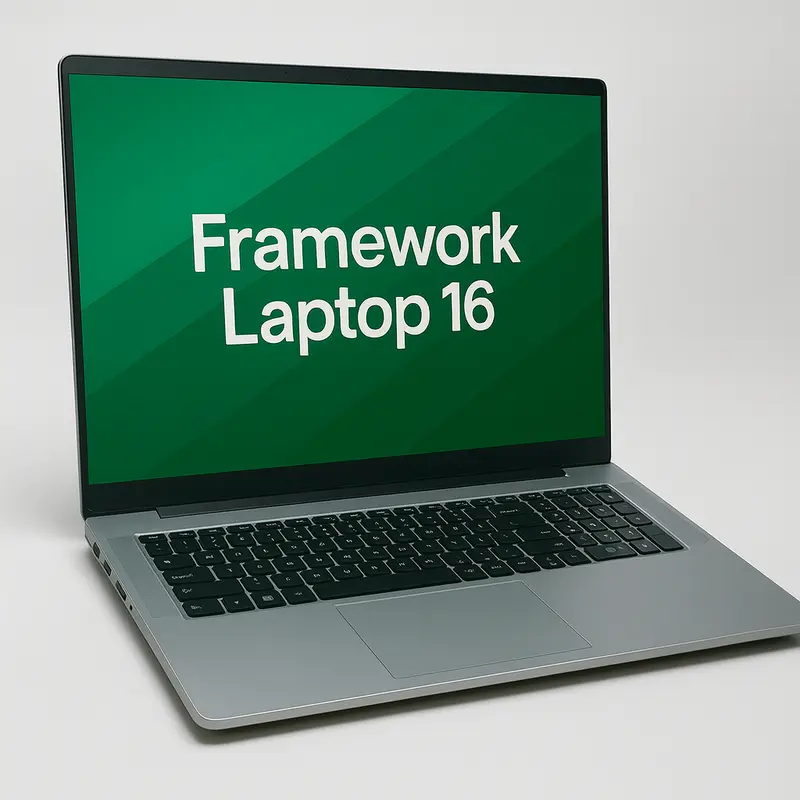
Framework Laptop 16: Maximum Performance with Discrete Graphics
The Framework Laptop 16, updated in August 2025, brings desktop-class performance to Framework’s modular ecosystem. This larger chassis supports AMD Ryzen AI 300 Series processors and introduces an optional expansion bay GPU module featuring the NVIDIA GeForce RTX 5070—a true discrete GPU in a modular form factor.
The 16-inch display offers ample screen space for complex development environments, timelines, and multi-pane workflows. One of its standout features is the customizable input deck, which allows users to add macro pads, LED matrices, or other modular components between the keyboard and trackpad.
Thanks to the expansion bay system, users can start with integrated graphics and upgrade to the discrete GPU later as workloads or budgets evolve—an approach that aligns perfectly with long-term Linux usage and hardware longevity.
- Display: 16″ high-resolution panel
- Processors: AMD Ryzen AI 300 Series
- Graphics: Integrated Radeon or optional RTX 5070 module
- Expansion: Modular GPU bay & customizable input deck
- Use case: Desktop replacement–class performance
With the RTX 5070 installed, the Laptop 16 becomes a serious machine for machine learning workloads, 3D modeling, video editing, and Linux gaming at high frame rates. These capabilities come with trade-offs, however—the Laptop 16 is noticeably larger, heavier, and more expensive than the Framework Laptop 12 or 13.
Best For
- Data scientists running local AI or ML models
- Game developers and Linux gamers
- Video editors and 3D artists
- Users seeking a true Linux desktop replacement
Not Ideal For
- Budget-conscious buyers
- Frequent travelers prioritizing portability
- Light workloads that don’t justify a discrete GPU
- Users sensitive to size and weight
Framework Laptop 12
Compact, convertible 2-in-1 laptop ideal for students and portability-focused Linux users.
Check Latest Price Official Framework StoreFramework Laptop 13
The most popular all-round Framework laptop for Linux developers and professionals.
Check Latest Price Official Framework StoreFramework Laptop 16
High-performance modular laptop with optional discrete GPU for power users.
Check Latest Price Official Framework StoreLinux Hardware Compatibility in 2026
Framework deliberately designs for Linux compatibility, selecting components that work well with open-source drivers. In 2026, the Linux experience on Framework laptops is mature and stable, though some models work better than others.
What Works Out of the Box
Wi-Fi and Bluetooth: Framework’s AMD-based laptops use the AMD RZ717 wireless card with Wi-Fi 7 support. Linux kernel 6.8 and newer include full driver support, providing stable connectivity across the 2.4GHz, 5GHz, and 6GHz bands. The Intel laptops use Intel AX210 or AX211 cards, which have had excellent Linux support for years through the iwlwifi driver.
Audio: The Realtek ALC295 audio codec works immediately on modern distributions. Speaker output, microphone input, and headphone jack detection all function correctly. Some users report slightly better audio quality after installing proprietary Realtek firmware packages, but the difference is minimal.
Webcam: The 1080p camera appears as a standard UVC device and works with any video application that supports Video4Linux2. No proprietary drivers required. Quality is good for video calls, though as with most laptop webcams, it’s not winning any photography awards.
Display Scaling: Both the 2K and 2.8K displays work well with modern desktop environments. GNOME, KDE Plasma, and other Wayland-based compositors handle fractional scaling smoothly. X11 users may need to adjust scaling factors manually, but the 3:2 aspect ratio provides excellent vertical space for terminals and code editors regardless of scaling settings.
USB4 and DisplayPort: All USB ports function correctly with appropriate kernel versions. The four-display output capability on AMD Ryzen AI 300 models works as advertised, making it easy to set up elaborate multi-monitor configurations.
Known Issues and Workarounds
Fingerprint Reader: The fingerprint sensor uses the Goodix driver, which requires enrolling prints from within the operating system where you plan to use them. If you previously enrolled fingerprints in Windows, you must unenroll them there before fprintd will work correctly in Linux. Once properly configured, authentication works reliably with PAM-based login systems.
Suspend and Resume: Suspend-to-RAM generally works well on current kernel versions, but some distributions benefit from adding specific kernel parameters. Users running Arch or other rolling-release distros occasionally encounter wake-from-suspend issues after major kernel updates, though these typically resolve within days as patches arrive.
Battery Life Optimization: Out-of-the-box power management varies by distribution. Installing TLP or power-profiles-daemon can extend battery life by 15-30% depending on workload. The AMD models show better idle power consumption than equivalent Intel systems, translating to longer real-world battery endurance.
Firmware Updates: Framework supports the Linux Vendor Firmware Service (LVFS), allowing BIOS and firmware updates directly from Linux using fwupd. The older 11th Gen Intel boards have fewer stable updates available, but all AMD boards and newer Intel models receive regular firmware updates through standard Linux update mechanisms.
Best Linux Distributions for Framework Laptops in 2026
Framework officially tests and supports several distributions, but the reality is that nearly any modern Linux distro works well on Framework hardware. The following distributions represent optimal choices for different use cases.
Choosing the Right Linux Distribution for Framework Laptops
Framework laptops work well with most modern Linux distributions, but the best experience depends on your hardware and workflow. Newer kernels and up-to-date Mesa drivers tend to deliver better performance, battery life, and hardware compatibility—especially on AMD-based models.
- Ubuntu LTS: Best for beginners and long-term stability
- Fedora Workstation: Excellent out-of-the-box hardware support
- Arch Linux: Ideal for advanced users who want full control
- Pop!_OS: Developer-friendly with strong power management
- Debian: Rock-solid stability with minimal changes
Ubuntu and Ubuntu-Based Distros
Ubuntu LTS (24.04 and newer) provides rock-solid stability with hardware enablement kernels that bring newer drivers to LTS releases. Framework explicitly tests Ubuntu compatibility, and the company’s documentation includes Ubuntu-specific installation guides. Pop!_OS 24.04, based on Ubuntu but maintained by System76, adds enhanced Intel and AMD graphics support out of the box.
For users wanting Ubuntu stability with more frequent updates, Linux Mint offers an excellent experience. Mint’s conservative approach to change makes it ideal for users transitioning from Windows who want a familiar desktop experience.
Best for: New Linux users, enterprise environments requiring support contracts, or anyone who prioritizes stability over cutting-edge features.
Fedora Workstation
Fedora Workstation is Framework’s other officially supported distribution. The Fedora team works closely with Framework on hardware testing, and Framework CEO Nirav Patel specifically shouted out Fedora during product launches. Fedora ships recent kernels and modern versions of desktop environments, providing an excellent balance between stability and current software.
Fedora Silverblue, the immutable variant, has gained traction among Framework users for its reliability and rollback capabilities. Recent reports from Framework 13 AMD users praise Silverblue’s resilience—if an update breaks something, you simply boot into the previous image.
Best for: Developers who want recent software without the instability of rolling releases, Red Hat ecosystem users, or anyone interested in exploring immutable desktop systems.
Arch Linux and Derivatives
Arch Linux offers maximum control and currency but requires more manual configuration. The ArchWiki maintains detailed documentation specifically for Framework laptops, covering model-specific quirks and optimization tips. Once configured, Arch runs excellently on Framework hardware.
Manjaro provides a more accessible Arch experience with a graphical installer and pre-configured drivers. EndeavourOS offers a similar middle ground, giving you Arch Linux with sensible defaults and a helpful installer.
Best for: Experienced Linux users who want bleeding-edge software and enjoy tinkering with system configuration.
Debian
Debian stable releases prioritize rock-solid reliability over recent features. For users running critical workloads where system stability matters more than having the latest kernel or desktop environment, Debian delivers. The stable branch may require manually installing firmware packages for wireless cards, but once configured, Debian rarely causes problems.
Best for: Servers, development environments where consistent behavior matters more than new features, or users who prefer set-it-and-forget-it systems.
Before Installing Linux on a Framework Laptop
Even though Framework laptops offer excellent Linux compatibility, it’s still important to verify hardware support for your chosen distribution. This step helps avoid issues with Wi-Fi, graphics, power management, and peripherals.
Check Hardware Compatibility Before Installing LinuxDistribution Recommendations by Framework Model
Framework Laptop 12: Ubuntu LTS or Fedora Workstation. The 13th Gen Intel processors benefit from stable, well-tested kernels rather than bleeding-edge releases.
Framework Laptop 13 (AMD): Fedora Workstation, Ubuntu 24.04+, or Arch Linux. These distros provide excellent AMD graphics support and recent enough kernels to fully utilize Ryzen AI 300 features.
Framework Laptop 16: Fedora Workstation or Ubuntu with the latest HWE kernel. NVIDIA driver support is mature on both platforms, and both handle hybrid graphics configurations well.
Installing Linux on Framework Laptops
Installing Linux on Framework hardware is straightforward, particularly if you purchase the DIY Edition without Windows pre-installed. The process differs slightly depending on whether you’re doing a clean Linux install or dual-booting with Windows.
⚠️ Important: Read Before Installing Linux
While Framework laptops are highly Linux-friendly, skipping a few preparation steps can lead to avoidable issues during or after installation. Take a moment to review the following before proceeding.
- Update the BIOS/firmware to the latest version before installing.
- Use a recent Linux kernel (6.x or newer) for best hardware support.
- Disable Secure Boot if your chosen distribution does not support it properly.
- Back up your data before modifying partitions or dual-boot setups.
- Check Wi-Fi, audio, and power management support for your specific model.
Pre-Installation: BIOS/UEFI Configuration
Boot into the BIOS by pressing F2 during startup. Most settings work fine at defaults, but consider these adjustments:
Secure Boot: Framework supports Secure Boot with Linux, but many distributions work more smoothly with it disabled initially. You can enable it later after installing a distribution that supports signed kernels (like Ubuntu or Fedora).
Boot Order: Set your USB installation media as the first boot device temporarily, or use F12 to select boot devices manually.
Power Management: The default settings work well, but power users may want to explore advanced power management options to optimize battery life.
Disk Partitioning Strategies
Linux-Only Setup: The simplest configuration uses one large partition for root (/) and a separate swap partition. Modern distributions handle everything else, including the EFI System Partition, automatically.
Dual-Boot Configuration: If keeping Windows, shrink the Windows partition first using Windows Disk Management, then install Linux into the free space. Most installers detect Windows automatically and configure GRUB accordingly.
Advanced Layouts: Consider separating /home to a dedicated partition, allowing you to reinstall or swap distributions while preserving personal files. Users with large datasets might mount separate partitions for /var or /opt.
First Boot Checklist
After installation completes and you reboot into your new Linux system:
- Update everything: Run your distribution’s update mechanism to ensure all packages are current.
- Install firmware updates: Run sudo fwupdmgr refresh && sudo fwupdmgr update to check for BIOS and component firmware updates through LVFS.
- Configure power management: Install TLP (sudo apt install tlp on Ubuntu) or verify power-profiles-daemon is running (systemctl status power-profiles-daemon).
- Test hardware: Verify webcam, audio, wireless, suspend/resume, and external displays all function correctly.
- Install development tools: Set up your preferred development environment, shell configuration, and essential utilities.
| Feature | Framework Laptop 12 | Framework Laptop 13 (AMD AI 300) | Framework Laptop 16 (AMD + RTX 5070) |
|---|---|---|---|
| Processor | Intel Core i3 / i5 (13th Gen) | AMD Ryzen 5 / 7 / 9 AI 300 | AMD Ryzen 9 AI 300 + NVIDIA RTX 5070 |
| Screen Size | 12.2″ Touchscreen | 13.5″ | 16″ |
| Resolution | 1920 × 1200 | 2256 × 1504 or 2880 × 1920 | 2560 × 1600 |
| RAM Support | Up to 48GB DDR5-5200 | Up to 96GB DDR5-5600 | Up to 96GB DDR5-5600 |
| Graphics | Intel UHD Graphics | AMD Radeon 840M / 860M / 890M | Radeon 890M + RTX 5070 |
| Battery | 50Wh | 61Wh | 85Wh |
| Weight | ~2.4 lbs | ~2.87 lbs | ~4.9 lbs |
| Linux Compatibility | Excellent | Excellent | Excellent |
| Upgrade Path | Limited (Mainboard) | Full (RAM, Storage, Board) | Full + GPU Module |
| Starting Price (DIY) | $549 | $899 | $1,899 |
| Best For | Portability, Students, Education | Daily Development, Linux Power Users | Heavy Workloads, Gaming, Creators |
Real-World Performance on Linux
Performance metrics matter less than real-world experience, so let’s examine how Framework laptops handle typical Linux user workflows.
Development Workloads
Compiling Large Projects: The Framework Laptop 13 with Ryzen AI 9 HX 370 compiles the Linux kernel in approximately 8 minutes using all 24 threads—comparable to many desktop workstations from just a few years ago. The Laptop 12 takes roughly twice as long due to fewer cores, but remains adequate for most development tasks.
Running Virtual Machines: The Laptop 13 handles multiple VMs smoothly, particularly with 32GB or more RAM. Docker containers run efficiently, and KVM-based virtualization performs well. The Laptop 16 excels here, supporting memory-hungry workflows like running multiple Kubernetes clusters locally.
IDE Performance: Modern IDEs like VSCode, IntelliJ IDEA, and CLion run smoothly on all models. The high-resolution displays provide ample space for split layouts, and the 3:2 aspect ratio gives you more vertical space for code compared to traditional 16:9 laptops.
Battery Life Across Distributions
Battery endurance varies significantly based on workload and distribution configuration. Testing with brightness at 50%, Wi-Fi enabled, and light development work:
Framework Laptop 13 (Ryzen AI 7 350):
- Fedora Workstation 41: 8-9 hours
- Ubuntu 24.04 with TLP: 9-10 hours
- Arch Linux (optimized): 10-11 hours
Framework Laptop 12 (i5-1334U):
- Fedora Workstation: 6-7 hours
- Ubuntu 24.04: 7-8 hours
Framework Laptop 16 (with RTX 5070):
- Light workloads (iGPU only): 6-7 hours
- Mixed workloads (occasional dGPU): 4-5 hours
- Heavy gaming/rendering: 2-3 hours
The AMD Ryzen AI 300 models show notably better battery efficiency than previous Intel generations, particularly during idle periods and light workloads.
Linux Gaming Performance
The Radeon 890M integrated graphics in the Ryzen AI 9 HX 370 configuration delivers surprising gaming capability. Using Steam with Proton on the Framework Laptop 13:
- Indie titles (Hollow Knight, Celeste, Stardew Valley): 60+ FPS at native resolution
- Older AAA games (Witcher 3, Dark Souls 3): 30-45 FPS at 1080p medium settings
- Modern AAA games (Cyberpunk 2077): 25-35 FPS at 1080p low settings
The Framework Laptop 16 with RTX 5070 handles modern titles at high settings and high frame rates, making it a genuine gaming laptop that happens to also be fully repairable and upgradeable.
Upgradeability: Why Framework Excels for Long-Term Linux Users
The true value of a Framework laptop for Linux users becomes clear over time. Instead of replacing your entire system every few years, Framework lets you upgrade only what you need, when you need it.
- Year 1 (2025) Buy a Framework Laptop 13 with Ryzen AI 5 340, 16GB RAM, and 512GB storage to keep upfront costs low.
- Year 2 (2026) Add another 16GB RAM module (32GB total) for smoother multitasking — estimated cost ~$60.
- Year 3 (2027) Upgrade to a 2TB SSD as prices fall — estimated cost ~$120.
- Year 4 (2028) Swap in a next-generation mainboard when Framework releases new AMD or Intel options — estimated cost $450–$700.
Compare this to buying a $1,500 laptop every three years, and Framework’s long-term value becomes obvious.
Mainboard Upgrades
Framework’s mainboard upgrade path is genuinely revolutionary. The same chassis that housed an 11th Gen Intel Core processor in 2021 can accept a 2025 AMD Ryzen AI 300 mainboard, transforming performance completely while keeping your screen, keyboard, battery, and case.
For Linux users, this means:
- No need to reconfigure your favorite hardware tweaks
- Familiar keyboard and trackpad you’ve already adapted to
- Preservation of any physical modifications or custom expansion cards
- Reduced e-waste as you only replace what actually needs upgrading
RAM and Storage Upgrades
Framework uses standard SO-DIMM DDR5 memory modules and M.2 NVMe SSDs—no proprietary formats or soldered components. Upgrading is as simple as:
- Remove five screws from the bottom panel
- Lift the input cover to access the internals
- Swap the RAM or SSD
- Reassemble and boot
The entire process takes under 10 minutes even for first-timers. Framework includes QR codes next to each component that link to video guides.
Expansion Card Flexibility
The expansion card system deserves special attention for Linux users. Available cards include:
- USB-C (for charging or data)
- USB-A (for legacy peripherals)
- HDMI (video output)
- DisplayPort (video output)
- Ethernet (wired networking)
- MicroSD (removable storage)
- Audio (3.5mm combo jack)
Community developers have created additional cards: RP2350 GPIO cards for hardware hacking, Debug cards for low-level development, and various storage expansion options. The open specifications mean you can design and 3D print custom cards if you have specific needs.
Framework for Linux Developers and Professionals
Professional developers have specific requirements that Framework hardware addresses well.
Terminal-Intensive Workflows
The 3:2 aspect ratio provides 33% more vertical pixels than traditional 16:9 displays at the same diagonal measurement. This translates to more visible lines of code, longer terminal histories, and less scrolling. The matte display finish reduces eye strain during long coding sessions, and the backlit keyboard works well in various lighting conditions.
Containerization and Virtualization
Framework laptops handle modern DevOps workflows smoothly. The Ryzen AI 9 HX 370 configuration with 32GB+ RAM runs local Kubernetes clusters, multiple Docker containers, and development databases without breaking a sweat. Thermal management keeps the system quiet enough for video calls even under moderate load.
External Display Support
Framework Laptop 13 AMD models support up to four external displays simultaneously, making it viable for elaborate office setups. The laptop seamlessly transitions between single-screen mobile use and multi-monitor desktop arrangements. Linux display managers like GNOME’s new display configuration tool make it easy to save and restore different monitor configurations.
Docking Solutions
While Framework laptops work with most USB-C docks, users report excellent results with:
- CalDigit TS4 (Thunderbolt 4)
- Anker PowerExpand Elite (USB-C)
- Dell WD19TB (Thunderbolt 3)
The ability to drive power and four displays through a single cable means coming back to your desk requires just one connection.
Is a Framework Laptop Worth It for Linux Users in 2026?
After examining Framework’s lineup comprehensively, let’s assess who should buy and who might look elsewhere.
Compelling Reasons to Choose Framework
Long-term value: The upgrade path means your initial investment stays relevant for 5-10 years rather than 2-3 years.
Linux-first design philosophy: Framework actively supports the Linux community rather than treating it as an afterthought.
Right to repair: Full access to schematics, spare parts, and repair guides means you fix problems yourself rather than shipping to a depot.
Environmental impact: Upgrading rather than replacing reduces e-waste significantly. Framework has prevented thousands of otherwise functional laptops from ending up in landfills.
Community support: Active Framework Community forums provide Linux-specific troubleshooting, optimization tips, and hardware hacking inspiration.
Considerations Before Buying
Initial cost: Framework laptops aren’t budget devices. DIY editions start at $549-899, but realistic configurations cost $1,200-1,800 once you add RAM, storage, and expansion cards.
Build quality quirks: While generally solid, some users report minor issues like slightly flexible deck sections or occasional expansion card looseness. These rarely affect functionality but feel less premium than MacBooks or ThinkPads.
Battery life trade-offs: Framework prioritizes upgradeability over maximum battery density. Comparable Dell XPS or ThinkPad models often achieve 10-12 hours of battery life where Framework delivers 7-9 hours.
Limited AMD options: The Laptop 12 only comes with Intel processors. Users wanting the smallest form factor must accept Intel’s lower efficiency compared to AMD alternatives.
Availability: Framework ships to 32 countries as of 2026, but international shipping can double the price of small accessories like expansion cards.
Who Should Buy a Framework Laptop?
✅ Ideal Buyers
- Software developers who appreciate open hardware and Linux-first design.
- Linux enthusiasts who enjoy tinkering, upgrades, and customization.
- Professionals who need dependable hardware that lasts 5+ years.
- Users who value sustainability, repairability, and reduced e-waste.
- People who want one laptop that grows with their skills and workloads.
⚠️ Consider Alternatives If You:
- Need maximum battery life above all else (Dell XPS or ThinkPad may suit you better).
- Want the thinnest and lightest laptop possible (traditional ultrabooks win here).
- Require specialized features like large-screen active digitizer touch support.
- Have a tight budget and need strong hardware immediately (older ThinkPads often offer better value).
- Live outside Framework’s current shipping regions.
What to Buy Later vs. Now
Buy now:
- The mainboard/processor (can’t easily upgrade)
- Enough RAM for your current workload (though upgradeable)
- Sufficient storage for your immediate needs (very easy to upgrade)
Save money by buying later:
- Maximum RAM (prices drop over time)
- Largest storage (SSD prices decrease rapidly)
- Extra expansion cards (buy as you discover needs)
Accessories That Improve the Linux Experience
Essential:
- USB-C power adapter for travel (Framework’s 60W adapter is good, but having a spare helps)
- Protective sleeve (Framework doesn’t include one)
Recommended:
- USB-C dock for desktop setups (CalDigit or Anker)
- External SSD for backups (Framework makes this easy to swap)
Optional:
- Framework Stylus (Laptop 12 users)
- Extra expansion cards for different use cases
- Cooler Master Mainboard Case (repurpose old mainboards as mini PCs)
Where to Buy a Framework Laptop
Framework laptops are sold directly through the official Framework website at frame.work. The company does not use traditional retail channels, which helps keep prices competitive and ensures you receive the exact configuration you choose.
Buyers can select between pre-built systems and the popular DIY Edition. Pre-built models typically ship within a few days, while DIY editions ship immediately since no factory assembly is required.
- 30-day return policy on all Framework laptops
- One-year warranty included on all parts
- Extended warranty options available at checkout
- Direct access to official replacement parts & upgrades
💡 Buying directly from Framework is the best option for Linux users who want guaranteed compatibility, easy upgrades, and long-term hardware support.
Frequently Asked Questions
Does Framework officially support Linux?
Yes, Framework officially supports Ubuntu and Fedora, providing installation guides and testing hardware compatibility with these distributions. The DIY Edition ships without an operating system specifically to accommodate Linux users.
Which Framework laptop is best for Arch Linux?
The Framework Laptop 13 with AMD Ryzen AI 300 works excellently with Arch. The ArchWiki maintains detailed Framework-specific documentation, and the AMD graphics drivers integrate smoothly with Arch’s rolling release model.
Is Framework good for Linux gaming?
The Laptop 13 with Ryzen AI 9 HX 370 handles indie games and older titles well, while the Laptop 16 with RTX 5070 provides genuine gaming laptop performance. Both support Steam’s Proton compatibility layer effectively.
Does everything work without proprietary drivers?
Nearly everything works with open-source drivers. The wireless cards, audio, webcam, and display all function with in-kernel drivers. The optional RTX 5070 in the Laptop 16 benefits from NVIDIA’s proprietary drivers for optimal performance.
Is Framework better than Dell XPS or ThinkPad for Linux?
Framework offers superior upgradeability and repairability compared to XPS or ThinkPad models. However, XPS provides better battery life, and ThinkPads offer more corporate support options. The best choice depends on whether you prioritize longevity and customization (Framework) or maximum battery endurance (XPS) or enterprise features (ThinkPad).
Can I use Framework with eGPU setups?
Yes, the USB4 ports support external GPUs over Thunderbolt. However, the Laptop 16’s internal GPU module provides better performance and integration than most eGPU setups.
How long does the battery last on Linux?
Battery life ranges from 6-11 hours depending on model, configuration, workload, and distribution. AMD Ryzen AI 300 models achieve the longest endurance, particularly on optimized distributions like Arch or Fedora with TLP configured.
Do firmware updates work on Linux?
Yes, Framework supports LVFS (Linux Vendor Firmware Service), enabling firmware updates through fwupd without booting into Windows or DOS. This makes maintaining Framework laptops on Linux easier than most alternatives.
Final Verdict: Framework Laptops and Linux in 2026
Framework Computer has matured from an interesting startup into a company delivering genuinely competitive laptops that happen to be fully repairable and upgradeable. For Linux users in 2026, Framework represents one of the best hardware choices available.
The Framework Laptop 13 with AMD Ryzen AI 300 Series stands out as the optimal choice for most users. It balances performance, portability, price, and upgradeability better than any competitor. The Linux compatibility is excellent, the hardware is well-documented, and the community support is outstanding.
If you need maximum portability, the Laptop 12 delivers Framework’s philosophy in a compact, convertible form. And if you refuse to compromise on performance, the Laptop 16 with discrete graphics provides desktop-class power in a modular, repairable package.
The higher initial price compared to generic laptops pays dividends over time. When you can upgrade rather than replace, when every component is documented and available, when the manufacturer actively supports your operating system—Framework’s value proposition becomes clear.
Linux users have always championed software freedom and user control. Framework extends those same principles to hardware. In 2026, that combination makes Framework laptops the most philosophically aligned choice for the open-source community.
If you value longevity over planned obsolescence, control over lock-in, and sustainability over disposability, Framework deserves serious consideration. These aren’t perfect laptops, but they’re laptops you can perfect yourself—which might just be the best option of all.
Disclaimer
This guide is based on publicly available information as of December 2025. Specifications, pricing, and availability are subject to change. Always verify current details on Framework’s official website before making a purchase. This article contains no affiliate links and represents independent analysis.
About the Author