How to Build a Custom Linux Laptop
The traditional laptop market has long been dominated by Windows and macOS machines, but a growing number of users are discovering that learning how to build a custom Linux laptop offers unprecedented control over their computing environment. Whether you’re a developer who needs specific hardware configurations, a privacy-conscious user seeking open-source firmware, or simply someone tired of proprietary operating systems, building a custom Linux laptop in 2026 has become more accessible than ever before.
This comprehensive guide walks through everything you need to know about how to build a custom Linux laptop, from understanding your hardware options to selecting compatible components and choosing the right approach for your skill level and budget. Unlike off-the-shelf consumer laptops that often require workarounds for Linux compatibility, purpose-built Linux laptops are designed from the ground up to work seamlessly with open-source operating systems.
The custom Linux laptop market has matured significantly over the past few years. Major manufacturers now offer modular laptop platforms, while specialized vendors provide Linux-first machines with guaranteed hardware compatibility. This guide is written for anyone considering a custom Linux laptop: experienced Linux users looking to upgrade their hardware, developers who need reliable Unix-like environments, system administrators who require specific testing configurations, and even Windows or macOS users curious about making the switch to open-source computing.
Understanding Your Two Main Options
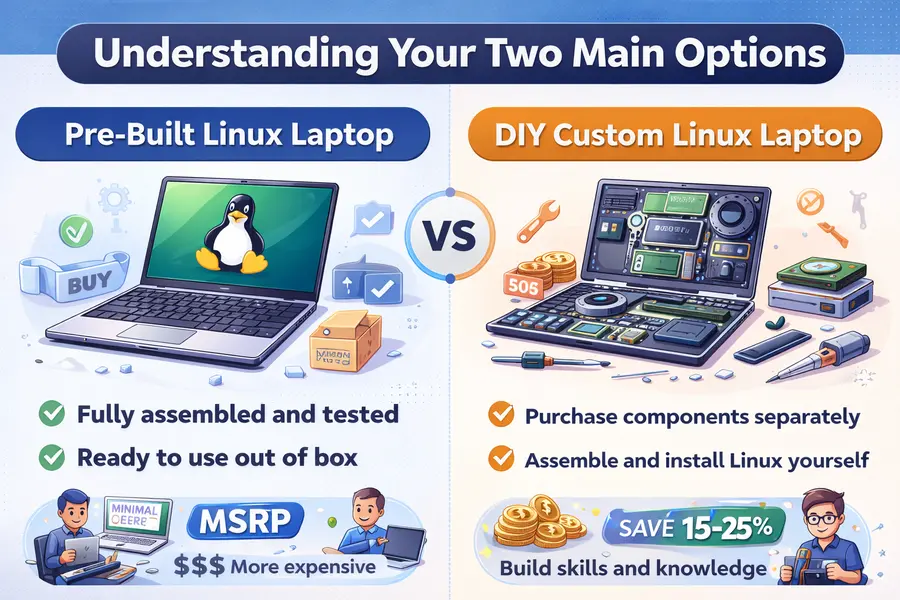
When you set out to build a custom Linux laptop, you face a fundamental choice that will shape your entire experience. The market offers two distinct approaches, each with clear advantages and tradeoffs.
Option 1: Pre-Built Custom Linux Laptops
Pre-built custom Linux laptops arrive fully assembled with Linux pre-installed and tested. Companies like System76, Tuxedo Computers, and Framework (with their pre-configured Linux editions) ship complete systems where every component has been validated for Linux compatibility.
These machines typically feature immediate usability where you unbox the laptop, power it on, and start working. The vendor has already handled driver installation, firmware configuration, and system optimization. You get professional warranty and support with a single point of contact. The manufacturer supports both the hardware and the operating system, eliminating the finger-pointing that can occur when running Linux on non-certified hardware.
Vendors select components known to work well together under Linux. They’ve tested power management, suspend/resume functionality, and peripheral compatibility before shipping. You save significant time with no assembly required, no troubleshooting installation issues, and no hunting for compatible firmware. You pay a premium for this convenience, but you avoid hours of potential configuration work.
Current examples in the USA market include the System76 Lemur Pro (starting around $1,199), Tuxedo InfinityBook Pro 14 (approximately $1,099 when available through their USA shipping), and the Framework Laptop 13 with Ubuntu pre-installed (base configuration around $849).
Option 2: DIY Custom Linux Laptops
DIY custom Linux laptops require you to purchase components separately and assemble them yourself, similar to building a desktop PC. The Framework Laptop DIY Edition represents the most prominent example of this approach, though traditional barebone laptop kits also exist.
This approach offers maximum customization where you select every component based on your specific needs and budget. Want 96GB of RAM but a modest processor? You can build exactly that configuration. By sourcing components individually, you can shop for deals, reuse parts from previous builds, or allocate budget precisely where you need it. DIY configurations often cost 15-25% less than equivalent pre-built systems.
Assembling a laptop teaches you about hardware architecture, component compatibility, and system integration. This knowledge proves invaluable for future upgrades and troubleshooting. Since you built the system, you understand how to modify it, making component replacement straightforward when you need more storage or faster RAM.
The Framework Laptop DIY Edition starts around $749 for the base mainboard and chassis, with final costs depending entirely on your component selections. Traditional barebone kits from Clevo resellers typically range from $500-$800 for the base system.
Step-by-Step Guide to Building Your Custom Linux Laptop
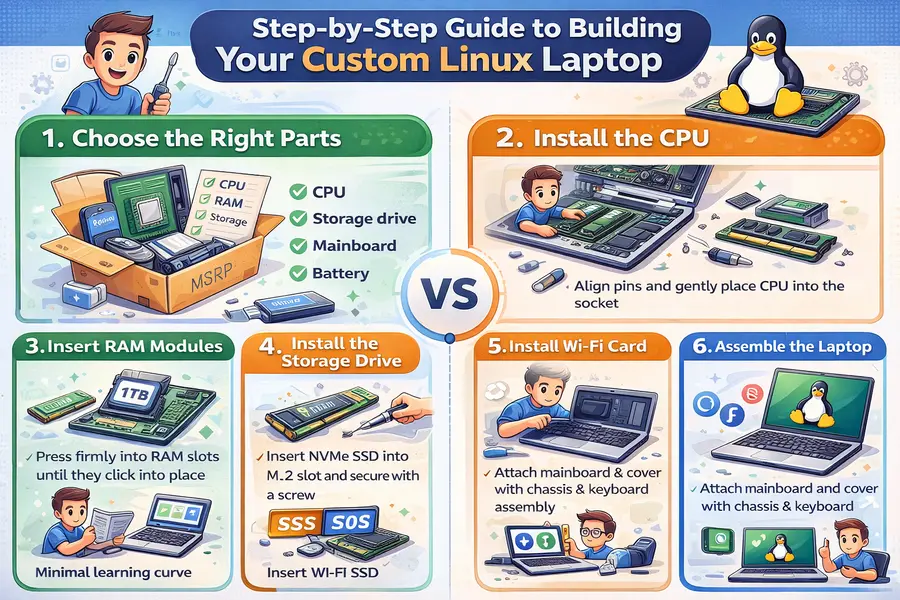
Step 1: Choosing Your Platform
Your first major decision involves selecting the foundation for your build. In 2026, several viable platforms exist for custom Linux laptops.
Framework Laptop 13 and 16 feature swappable ports, upgradeable mainboards, and extensive Linux community support. Framework officially supports Ubuntu and Fedora, with active community testing on Arch, NixOS, and other distributions. The 13-inch model suits portability-focused users, while the 16-inch version accommodates discrete graphics modules. Framework mainboards use Intel 13th Gen or AMD Ryzen 7040 series processors. Prices for the DIY chassis kit start at $749, with complete builds ranging from $1,100 to $2,400 depending on specifications.
Clevo barebone laptops are sold through various resellers and offer extensive customization options. Models like the NH55 and NH58 series provide solid Linux compatibility at competitive prices. Clevo systems typically use Intel or AMD mobile processors and accept standard SO-DIMM RAM and M.2 storage. Barebone kits range from $500-$800.
System76 platforms use Coreboot firmware and offer excellent out-of-box Linux support. The Lemur Pro (ultraportable), Gazelle (balanced performance), and Oryx Pro (high-performance) cover different use cases. These systems are typically purchased pre-built but offer upgrade paths for RAM and storage.
Step 2: Processor Selection
The CPU determines your laptop’s performance ceiling and significantly impacts battery life and thermal characteristics.
Intel 13th and 14th Generation mobile processors dominate the current laptop market. Models like the Core i5-1340P (12 cores, up to 4.6GHz boost) offer balanced performance at moderate power consumption, typically 28W TDP. Intel processors generally offer mature Linux support through the i915 graphics driver and established power management frameworks.
AMD Ryzen 7040 series processors provide competitive performance with excellent integrated graphics. The Ryzen 7 7840U features 8 cores, Radeon 780M graphics, and impressive power efficiency. AMD’s Linux support has improved dramatically, with the AMDGPU driver providing solid performance.
Compatibility considerations matter more than raw performance for Linux builds. Verify that your chosen processor has stable mainline kernel support, working power management, and compatible integrated graphics drivers. The Linux kernel 6.7 and later provides excellent support for both Intel 13th Gen and AMD 7040 series processors.
Step 3: Memory Configuration
RAM selection for Linux laptops follows different priorities than Windows machines due to how Linux handles memory management.
DDR5 RAM has become standard in 2026 for new builds. SO-DIMM DDR5-5600 modules offer the best balance of performance and compatibility. Crucial and Kingston dominate the reliable mid-range market, with 32GB kits (2x16GB) costing approximately $85-$120 and 64GB kits running $180-$240.
Capacity recommendations depend on your workload. Software developers running multiple containers or virtual machines should target 32GB minimum, preferably 64GB. General users and web developers can work comfortably with 16GB, though 32GB provides better future-proofing.
Check your mainboard specifications for supported speeds and maximum capacity. Framework laptops support up to 96GB DDR5-5600, while many Clevo models max out at 64GB.
Step 4: Storage Selection
Storage drives directly impact system responsiveness and application loading times.
NVMe SSDs are mandatory for custom Linux laptops in 2026. The Samsung 990 Pro represents the performance tier, offering 7,450 MB/s reads with excellent 4K random performance. A 1TB model costs approximately $90-$110, while 2TB runs $160-$190.
Mid-range alternatives like the WD Black SN850X (1TB around $80, 2TB around $140) and Crucial P5 Plus (1TB approximately $75) deliver excellent performance for most workloads. The difference between top-tier and mid-range drives rarely manifests in real-world desktop use.
Most users should target 512GB minimum, with 1TB being the sweet spot for price-to-capacity ratio. Content creators, data analysts, or users maintaining multiple distributions should consider 2TB drives.
Step 5: Wireless Connectivity
Wireless hardware represents one of the most common Linux compatibility pain points.
Intel AX series cards provide the most reliable Linux experience. The Intel AX210 (Wi-Fi 6E with Bluetooth 5.3) costs approximately $25-$35 and works out-of-box with kernel 5.10 and later. Intel maintains excellent Linux driver support through their iwlwifi driver.
Avoid Realtek wireless cards if possible. While support exists, it’s often community-maintained and less stable than Intel options. Broadcom cards should also be avoided due to their proprietary driver requirements.
Step 6: Display Considerations
While displays typically come integrated with your chassis choice, understanding specifications helps with platform selection.
Resolution and size should match your workflow. 1920×1200 on 13-14 inch displays provides excellent usability with standard DPI scaling. 2560×1600 and 3840×2400 displays offer more screen real estate but require fractional scaling, which has improved dramatically in GNOME 45+, KDE Plasma 6, and other modern desktop environments.
Panel technology matters for color-critical work. IPS panels offer good color accuracy and viewing angles, with modern panels covering 100% sRGB as standard.
Step 7: Battery and Power Management
Battery capacity determines mobile runtime and varies significantly across platforms. Framework Laptop batteries are model-specific, with the Framework 13 including a 61Wh battery and the Framework 16 accommodating an 85Wh battery.
Linux power management requires active tuning for optimal battery life. Tools like TLP, auto-cpufreq, and PowerTOP help maximize runtime. Expect to invest time configuring power profiles if battery life is critical.
Step 8: Firmware and BIOS Considerations
Firmware determines low-level hardware behavior and significantly impacts Linux compatibility. Verify that your platform supports disabling Secure Boot (required for some custom kernels) and offers manual fan control through UEFI settings.
Coreboot support represents the gold standard for Linux laptops. System76 ships all their laptops with Coreboot, providing open-source firmware that boots significantly faster than traditional UEFI. Framework offers experimental Coreboot support for users comfortable with firmware flashing.
Step 9: Linux Distribution Selection
Your distribution choice affects driver availability, package freshness, and maintenance overhead.
Ubuntu 24.04 LTS offers broad hardware support, stable packages, and long-term support through 2029. It’s the safest choice for Framework laptops, System76 hardware, and most Clevo systems.
Fedora Workstation 43 provides newer kernel versions and up-to-date packages while maintaining reasonable stability. Fedora works excellently on Framework laptops and includes the latest GNOME features.
Arch Linux gives experienced users complete control and access to bleeding-edge packages. It’s ideal if you need the absolute latest drivers or want to customize every aspect of your system.
Pop!_OS 22.04 (from System76) includes custom power management tools and automatic graphics switching for hybrid GPU systems.
Real Products and Components: USA Market Availability
Complete Pre-Built Systems
Framework Laptop 13 (AMD Ryzen 7 7840U, Pre-Built)
Available directly from Framework’s USA website at $1,399 for the base configuration with 16GB RAM and 512GB storage. Includes Ubuntu 24.04 LTS or Fedora 41 pre-installed.
System76 Lemur Pro
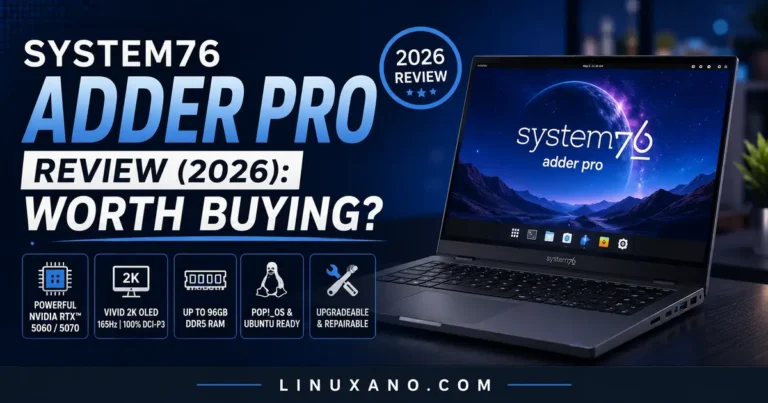
Available from System76’s USA website starting at $1,199 with Intel Core i5-1340P, 16GB DDR5 RAM, and 500GB NVMe storage. Ships with Pop!_OS or Ubuntu.
Tuxedo InfinityBook Pro 14
Available through Tuxedo’s website with USA shipping for approximately $1,099 base configuration. Features AMD Ryzen 7 7840U or Intel 13th Gen processors.
DIY Platforms and Barebone Kits
Framework Laptop 13 DIY Edition
Base price $749 for the mainboard and chassis assembly (AMD Ryzen 7040 series). Does not include RAM, storage, power adapter, or operating system.
Framework Laptop 16 DIY Edition
Base price starting around $949 for the chassis and mainboard. Supports optional discrete graphics modules (additional $400–$800 depending on GPU).
Individual Components (USA Availability)
RAM Modules
- Crucial DDR5-5600 32GB Kit (2x16GB): $95–$110 at Amazon, Newegg, Micro Center
- Kingston Fury Impact DDR5-5600 64GB Kit (2x32GB): $190–$220 at Amazon, Newegg
Storage Drives
- Samsung 990 Pro 1TB: $95–$115 at Amazon, Best Buy, Newegg, Micro Center
- WD Black SN850X 1TB: $75–$90 at Amazon, Best Buy, Newegg
- Crucial P5 Plus 1TB: $70–$85 at Amazon, Newegg, Micro Center
Wireless Cards
- Intel AX210 Wi-Fi 6E: $25–$35 at Amazon, Newegg
Power Adapters
- Framework 60W USB-C Adapter: $39 from Framework website
- Anker 735 GaNPrime 65W: $45–$55 at Amazon
Where to Purchase
Official manufacturer websites offer the most direct purchasing option. Framework , System76 (system76.com), and Tuxedo (tuxedocomputers.com) all ship to USA addresses.
Amazon stocks most individual components with fast shipping. Prime members benefit from free two-day shipping on eligible items.
Newegg specializes in computer components and often has competitive pricing on SSDs, RAM, and wireless cards.
Micro Center operates physical stores in major USA metro areas and offers in-person component purchasing with knowledgeable staff.
Pre-Built vs DIY Custom Linux Laptop Comparison
| Factor | Pre-Built Custom Linux Laptop | DIY Custom Linux Laptop |
|---|---|---|
| Upfront Cost | $1,199–$2,500 for complete system | $1,100–$2,200 (components purchased separately) |
| Cost Savings | No savings, pay full MSRP | Typically 15–25% less than equivalent pre-built |
| Required Skill Level | None, works out of box | Moderate to advanced, requires hardware assembly knowledge |
| Assembly Time | 0 hours, arrives ready to use | 1–3 hours for first-time builders |
| Customization Options | Limited to vendor configurations | Complete control over every component choice |
| Warranty Coverage | Full system warranty, typically 1–2 years | Individual component warranties, must troubleshoot which part failed |
| Technical Support | Comprehensive vendor support for hardware and software | Community support for Linux, individual vendors for component issues |
| Upgrade Flexibility | Usually limited to RAM and storage | Complete flexibility, can replace any modular component |
| Linux Compatibility | Guaranteed by vendor, all drivers pre-configured | Requires research and verification for each component |
| Power Management | Pre-optimized for battery life | Requires manual tuning with TLP or similar tools |
| Time to Productivity | Immediate, unbox and start working | 1–2 days including assembly and OS configuration |
| Learning Value | Minimal, black box experience | Significant, learn hardware architecture and system integration |
Common Mistakes to Avoid When Building a Custom Linux Laptop
Hardware Compatibility Errors
Purchasing incompatible wireless cards ranks as the most frequent mistake. Many builders assume all M.2 wireless cards work with Linux, then discover their Realtek-based card requires obscure drivers. Always verify driver support in mainline kernel before purchasing wireless hardware. Stick with Intel AX series cards to avoid this problem entirely.
Mixing incompatible RAM speeds causes system instability or prevents boot entirely. Purchase matched kits when possible to avoid timing issues.
Ignoring NVMe drive compatibility with older BIOS versions leads to boot failures. Update your mainboard BIOS before installing storage if working with older barebone systems.
Driver and Firmware Issues
Assuming Windows driver equivalents exist for Linux causes disappointment with peripheral devices. Fingerprint readers, Windows Hello cameras, and proprietary RGB lighting controls often lack Linux support.
Skipping firmware updates leaves performance on the table and may cause stability issues. Framework regularly releases firmware updates that improve battery life and fix hardware bugs.
Neglecting to verify suspend and resume functionality results in systems that can’t reliably sleep. Test suspend/resume thoroughly with your chosen distribution before relying on the laptop for critical work.
Overspending and Budget Mistakes
Paying premium prices for components that don’t improve Linux performance wastes money. RGB RAM provides zero benefit under Linux since lighting control software rarely works outside Windows.
Underestimating total project cost when building DIY systems happens frequently. A $749 Framework chassis seems affordable until you add $120 for RAM, $100 for storage, $30 for wireless, and $45 for a power adapter.
Ignoring warranty implications of self-assembly can prove expensive. Pre-built systems typically include 1-2 year full system warranties. DIY builds require you to warranty claim individual components with separate vendors.
Configuration and Setup Errors
Installing distributions without necessary firmware leads to non-functional hardware. Ubuntu and Fedora include necessary firmware by default, but Debian and some minimal distributions require manually installing firmware-iwlwifi and similar packages.
Failing to configure power management results in poor battery life. Linux won’t automatically optimize power consumption without configuration. Install TLP or auto-cpufreq immediately on laptop systems.
Skipping thermal testing under load hides thermal throttling issues until critical moments. Run sustained CPU stress tests while monitoring temperatures before deploying for production work.
Who Should Choose Which Option
Pre-Built Custom Linux Laptops Are Best For:
Professionals who need reliable systems immediately should purchase pre-built. If your laptop is a business tool rather than a hobby project, the time savings and guaranteed compatibility justify the premium cost.
First-time Linux users benefit enormously from pre-built systems. The learning curve for Linux itself is steep enough without adding hardware assembly and driver debugging.
Users who value warranty coverage and support should strongly consider pre-built options. When hardware fails on a mission-critical laptop, having a single vendor handle diagnosis and repair minimizes downtime.
Organizations purchasing multiple units should absolutely use pre-built systems. Standardized configurations simplify IT management and bulk purchase discounts offset the pre-built premium.
DIY Custom Linux Laptops Are Best For:
Experienced Linux users and hardware enthusiasts gain the most from DIY builds. If you’ve built desktop PCs, compiled custom kernels, or managed Linux servers, you possess the skills to successfully assemble and configure a DIY laptop.
Users with specific component requirements benefit from DIY flexibility. Need 96GB of RAM for container workloads? Want a specific 4TB Samsung 990 Pro for large datasets? DIY building accommodates these requirements.
Budget-conscious buyers willing to invest time can save 15-25% through DIY assembly. A $1,400 pre-built Framework system can be assembled from components for approximately $1,100-$1,200, saving $200-$300.
Learners who want deep system understanding should strongly consider DIY. The knowledge gained assembling a laptop, installing firmware, and optimizing power management proves invaluable for system administration and embedded Linux work.
Conclusion
Learning how to build a custom Linux laptop in 2026 offers compelling advantages over purchasing generic consumer hardware and retrofitting Linux support. Whether you choose a pre-built system from vendors like Framework or System76, or opt for a DIY approach assembling components yourself, custom Linux laptops provide superior compatibility, better long-term support, and genuine hardware control.
The pre-built route delivers immediate productivity with guaranteed compatibility and comprehensive warranty coverage. These systems work flawlessly out of the box, making them ideal for professionals, Linux newcomers, and anyone prioritizing reliability over customization. Expect to invest $1,199-$2,500 for quality pre-built custom Linux laptops from reputable vendors.
The DIY approach rewards technical users with 15-25% cost savings, complete component control, and valuable learning experiences. These builds require moderate to advanced technical skills, several hours of assembly and configuration time, and tolerance for potential troubleshooting. Total costs typically range from $1,100-$2,200 depending on component selections.
Both paths lead to Linux laptops with superior firmware support, better power management potential, and more upgrade flexibility than consumer Windows laptops running Linux as an afterthought. The custom Linux laptop market has matured to the point where users can genuinely choose between excellent options rather than accepting compromises.
Success with custom Linux laptops requires careful component selection, verifying Linux kernel support for chosen hardware, and investing time in power management configuration. The reward is a laptop that runs Linux as it was intended: with full hardware support, optimal performance, and complete user control over the computing environment.
Disclaimer
Hardware prices and availability are subject to change based on market conditions, supply chain factors, and regional variations. Component specifications mentioned in this guide reflect information current as of January 2026. Readers should verify current prices, specifications, and compatibility information with vendors before making purchase decisions. Linux kernel and distribution support can vary; always check current documentation for your specific hardware configuration.
A Practical Note for Readers
This guide is intended to be used as a reference, not just a one-time read. Whether you are comparing pre-built systems or planning a full DIY Linux laptop, revisiting specific sections during the build process can help avoid common mistakes.
Hardware compatibility, power management, and upgrade planning are often overlooked at the beginning, but they make a noticeable difference in daily use over time.
Related reading from this guide series:
Updated for 2026 • Written for Linux users and hardware enthusiasts
About the Author