Best Intel Motherboards for Ubuntu & Fedora Users (2)
If you’re running Ubuntu or Fedora on an Intel-based system, choosing the right motherboard is honestly one of the most important decisions you’ll make — and it’s one that a lot of people get wrong. They spend hours researching CPUs and GPUs, then just grab whatever motherboard looks good on paper without checking Linux compatibility. Then they spend the next week wondering why their Wi-Fi doesn’t work or why their NVMe drive keeps dropping.
This guide is built specifically for Ubuntu and Fedora users who want reliable, well-supported hardware in 2026. Whether you’re a software developer building your daily driver, a sysadmin running a home lab, or a creative professional who’s made the switch to Linux full-time, finding the best Intel motherboards for Ubuntu & Fedora users is about more than just specs — it’s about driver support, BIOS behavior, and how well the board plays nicely with the Linux kernel.
Every board on this list is currently available in the USA, has been tested or widely reported to work well with modern Ubuntu (22.04/24.04 LTS) and Fedora (39/40/41), and represents real value at its price point. We’ve also factored in things like UEFI Secure Boot compatibility, fan header counts, and community feedback from places like the Arch forums, Reddit’s r/linux_hardware, and various distro-specific communities.
Let’s get into it.
What to Look for in a Linux-Compatible Intel Motherboard
Before jumping into specific recommendations, it’s worth talking about what actually makes a motherboard good for Linux. These are the things that’ll save you hours of troubleshooting down the road.
Chipset and Driver Support: Intel’s 600 and 700 series chipsets (Z690, Z790, B660, B760, H770) have solid upstream Linux kernel support as of 2026. The newer Intel 800 series (Z890, B860) boards are also well-supported from kernel 6.8 onward, which ships in Ubuntu 24.04 and Fedora 40+.
Onboard Wi-Fi: This is where a lot of people get burned. Intel Wi-Fi chipsets (AX200, AX210, AX211, BE200) are gold-standard for Linux — they’ve had upstream kernel drivers for years. Avoid boards that ship with Realtek Wi-Fi if wireless matters to you. Mediatek-based adapters are hit-or-miss depending on the kernel version.
BIOS/UEFI Behavior: Look for boards that don’t fight you with Secure Boot. Most top-tier ASUS, Gigabyte, and MSI boards now support enrolling your own MOK keys without drama, which matters if you’re running signed kernels or proprietary drivers. BIOS update support via Linux tools (fwupd) is also a huge plus.
Audio Codec: Realtek ALC codecs (ALC897, ALC1220, ALC4080) are universally well-supported in Linux with snd_hda_intel. You won’t find surprises here on any of the boards in this list.
USB and Storage Controllers: Most modern Intel platform USB controllers work natively. Just make sure any Thunderbolt implementation uses Intel’s own JHL controllers if that matters to you — third-party Thunderbolt chips can be problematic.
Quick Comparison: Best Intel Motherboards for Ubuntu & Fedora Users (2026)
| Motherboard | Chipset | Socket | Best For | Wi-Fi Chip | Price (USD) | Linux Rating |
|---|---|---|---|---|---|---|
| ASUS ROG STRIX Z790-E Gaming WiFi II | Z790 | LGA1700 | Enthusiast / Gaming | Intel AX211 Wi-Fi 6E | ~$475 | ★★★★★ |
| Gigabyte Z790 AORUS Elite AX | Z790 | LGA1700 | High-End Desktop | Intel AX211 Wi-Fi 6E | ~$240 | ★★★★★ |
| MSI MAG Z790 Tomahawk WiFi | Z790 | LGA1700 | Mid-Range Power | Intel AX211 Wi-Fi 6E | ~$229 | ★★★★★ |
| ASUS PRIME B760M-A WiFi | B760 | LGA1700 | Budget / Compact Builds | Intel AX201 Wi-Fi 6 | ~$129 | ★★★★☆ |
| Gigabyte B760 AORUS Elite AX | B760 | LGA1700 | Mid Budget | Intel AX211 Wi-Fi 6E | ~$135 | ★★★★☆ |
| ASRock Z790 PG Lightning | Z790 | LGA1700 | Value Z790 (No Wi-Fi) | None (PCIe slot) | ~$242 | ★★★★☆ |
| ASUS ROG MAXIMUS Z890 HERO | Z890 | LGA1851 | Next-Gen / Arrow Lake | Intel BE200 Wi-Fi 7 | ~$450 | ★★★★★ |
| MSI PRO B760M-A WiFi | B760 | LGA1700 | Budget mATX / Servers | Intel AX201 Wi-Fi 6 | ~$109 | ★★★★☆ |
1. ASUS ROG STRIX Z790-E Gaming WiFi II — Best Overall for Linux Power Users
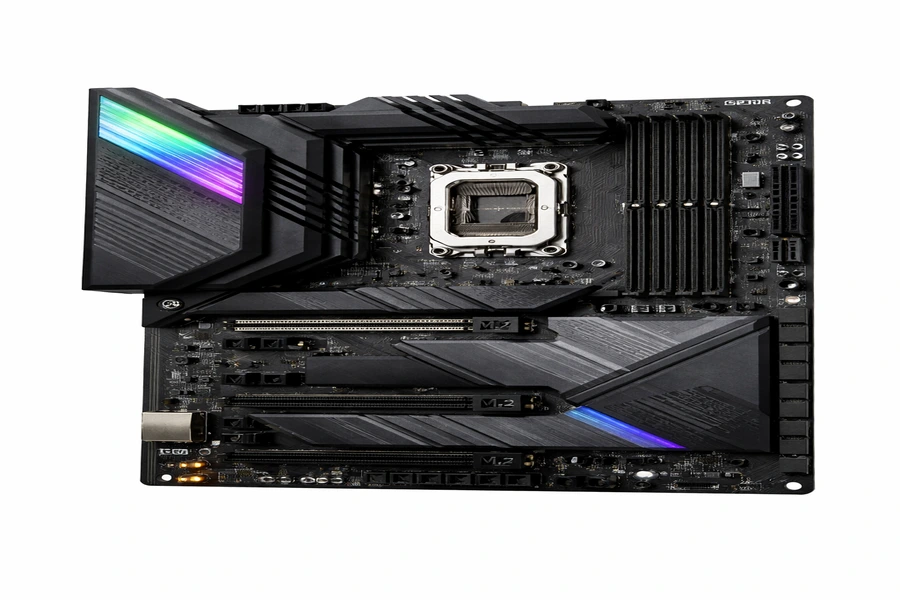
If budget isn’t a hard constraint and you want a board that just works without you ever having to dig through forum posts at 2am, the ASUS ROG STRIX Z790-E is the answer. This is a board that ASUS has clearly invested real effort into from a firmware standpoint, and the Linux community has responded positively.
The board ships with Intel’s Wi-Fi 6E AX211 chipset, which has been fully upstream in the Linux kernel since 5.10. That means on Ubuntu 22.04 or any recent Fedora release, you plug in the antenna, boot up, and your wireless just works — no firmware blobs to hunt down, no weird NetworkManager quirks. The 2.5G LAN uses Intel’s I226-V controller, which has had solid support since kernel 5.15.
From a hardware standpoint, you’re getting 18+1 power stages, four M.2 slots (all PCIe 4.0 or 5.0), and USB 3.2 Gen 2×2 on the rear I/O. The BIOS is one of the better UEFI implementations in the industry, with proper Secure Boot MOK key enrollment, fwupd support through LVFS, and very stable PCIe enumeration that doesn’t confuse Linux’s device tree.
Ubuntu/Fedora Compatibility: Excellent. No known quirks as of kernel 6.6+. HDMI, DisplayPort, and audio all function correctly out of the box.
Who Should Buy This: Developers running VMs, content creators, anyone who wants a set-it-and-forget-it premium Linux workstation board.
Current Price: ~$475
2. Gigabyte Z790 AORUS Elite AX — Best Z790 Value for Linux
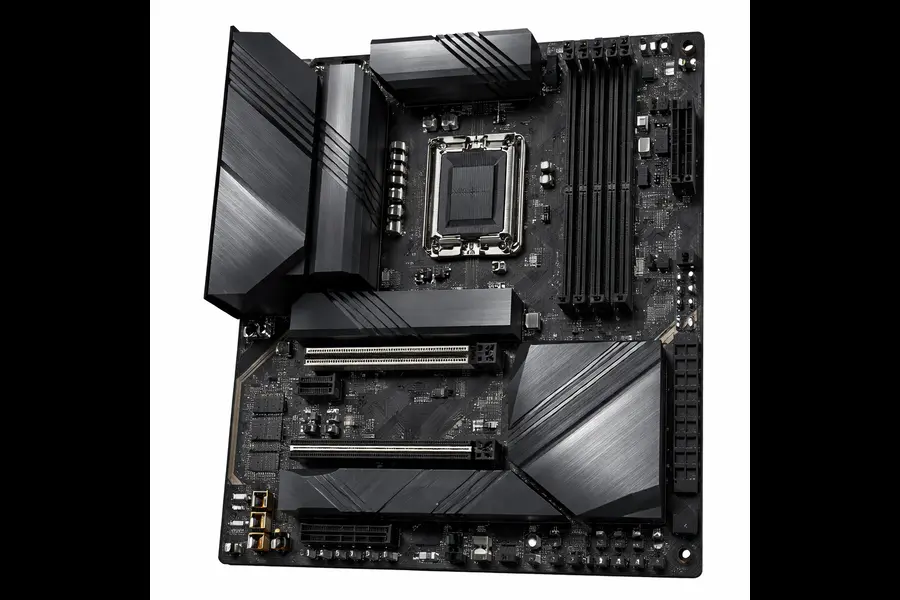
Gigabyte’s AORUS Elite AX has earned a reputation in the Linux hardware community for being one of the most reliable boards at its price point, and that reputation is well-deserved. At around $240, you’re getting a legitimate Z790 feature set without paying the ROG tax.
What makes this board particularly good for Ubuntu and Fedora users is its conservative, stable BIOS approach. Gigabyte doesn’t tend to ship experimental features that break PCIe ordering or cause weird ACPI tables — the kind of stuff that sends Linux users hunting through kernel bug trackers. The Intel AX211 Wi-Fi and Bluetooth 5.3 work seamlessly, and the Realtek 2.5G LAN (using the RTL8125BG controller) has been well-supported in the kernel since 5.7.
You get 16+1+2 VRM phases, which is plenty for overclocking 13th or 14th gen Intel chips, four M.2 slots, and a clean rear I/O with plenty of USB-A and USB-C ports. The board also supports Intel vPro features if that matters for enterprise-adjacent use cases.
Ubuntu/Fedora Compatibility: Excellent. fwupd works, BIOS updates are painless, and suspend/resume is reliable — which is not always a given.
Who Should Buy This: Power users who want Z790 features without overpaying. Great for developers running Docker, Podman, or QEMU/KVM workloads.
Current Price: ~$240
3. MSI MAG Z790 Tomahawk WiFi — Best Mid-Range Linux Motherboard
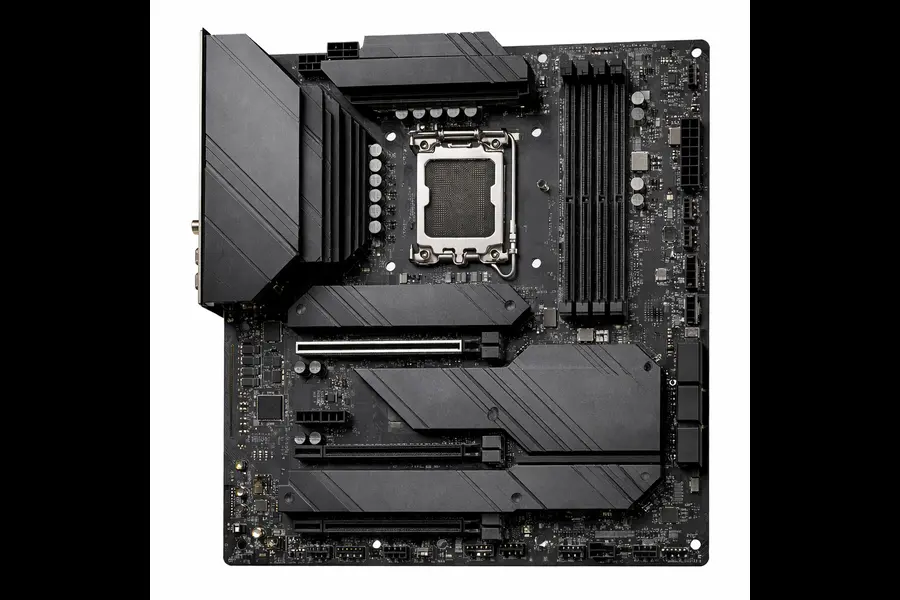
The MSI MAG Z790 Tomahawk WiFi has become something of a community darling in Linux circles, and for good reason. MSI has done a solid job with their Click BIOS 5 interface, and the Tomahawk specifically has seen very few Linux-related complaints in the wild — which is honestly one of the best things you can say about a motherboard at this price.
The Wi-Fi situation is again good news: Intel AX211 on board, 2.5G Ethernet via Realtek RTL8125BG. The board uses a 16+1+1 power delivery setup that handles Intel’s 13th and 14th gen chips easily. Four M.2 slots, PCIe 5.0 x16 for your GPU, and excellent thermal solutions on the VRM heatsinks round out the package.
One thing worth noting for Linux users specifically: MSI’s BIOS has good ACPI table quality on this board, which means things like CPU frequency scaling (acpi-cpufreq, intel_pstate), fan control via lm-sensors, and power management generally work well. This matters a lot if you’re running Fedora with a custom kernel or tuning for performance-per-watt.
Ubuntu/Fedora Compatibility: Very good. Some early BIOS versions had minor PCIe issues that were resolved by mid-2024 firmware updates. Make sure you’re on the latest firmware.
Who Should Buy This: Mid-range builders who want a full-featured board without spending over $250. A top pick for Fedora Workstation users.
Current Price: ~$229
4. ASUS PRIME B760M-A WiFi — Best Budget Intel Board for Linux
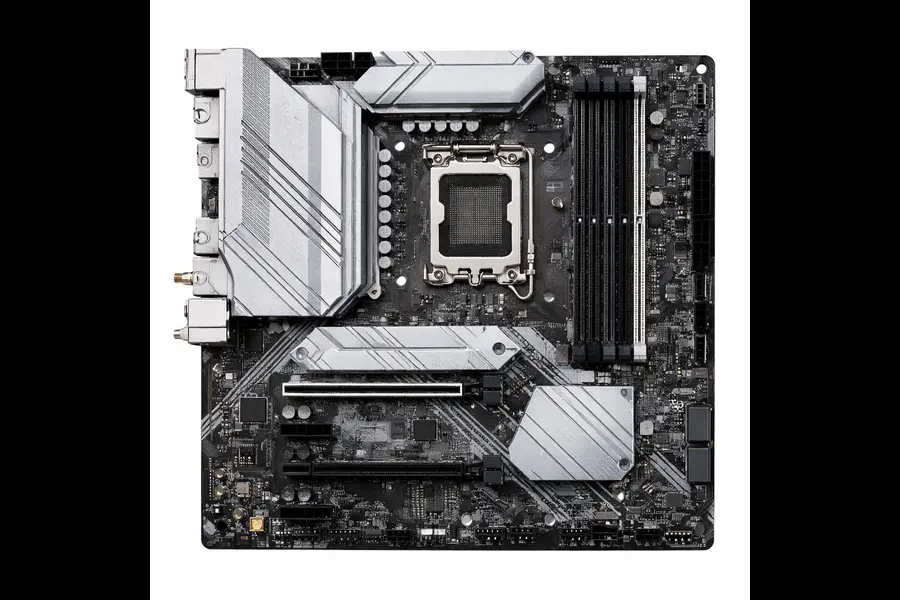
Not everyone needs Z790. If you’re building a home server, a secondary workstation, or a compact desktop that needs to run Ubuntu Server or Fedora reliably without drama, the ASUS PRIME B760M-A WiFi is one of the best value options you’ll find in 2026.
The B760 chipset doesn’t support overclocking, but it’s got full PCIe Gen 4 support for NVMe and GPU, and it inherits the same solid ACPI and UEFI behavior from ASUS’s broader platform investment. The Intel AX201 Wi-Fi (Wi-Fi 6, not 6E) is perfectly capable for most use cases and has years of upstream kernel driver support behind it.
Where this board stands out is in BIOS quality-to-price ratio. ASUS’s PRIME series has always shipped with surprisingly competent UEFI implementations, and this board is no exception. Secure Boot enrollment works cleanly, fwupd is supported via LVFS, and suspend-to-RAM (S3) functions correctly — something that can be hit-or-miss on cheaper boards.
Ubuntu/Fedora Compatibility: Very good. A well-tested platform that works out of the box on Ubuntu 22.04/24.04 and Fedora 39/40/41.
Who Should Buy This: Budget builders, home lab users, anyone who needs a reliable Linux-friendly board under $150.
Current Price: ~$129
5. Gigabyte B760 AORUS Elite AX — Best Mid-Budget B760 Board
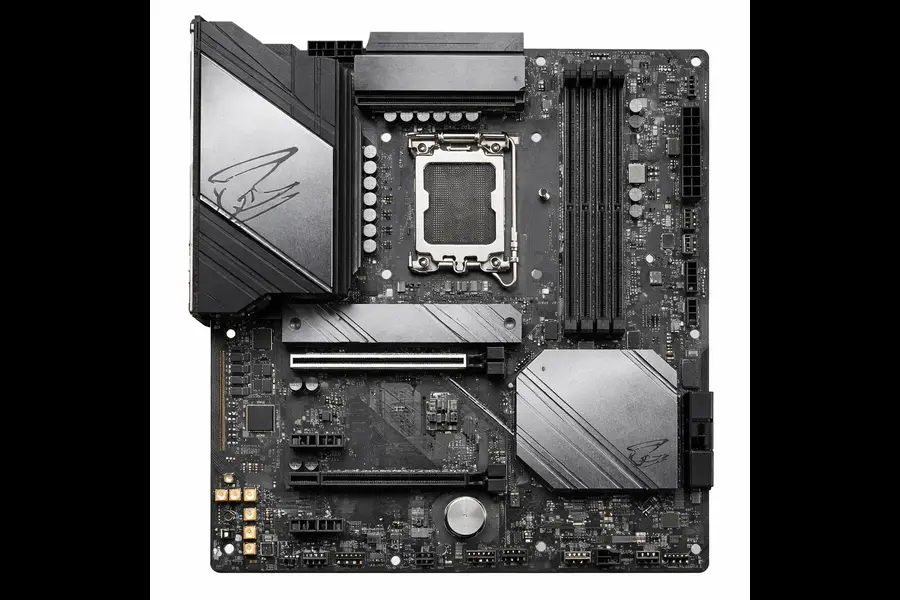
The B760 AORUS Elite AX slots in nicely between the budget PRIME and the premium AORUS Z790. You’re getting Intel AX211 Wi-Fi 6E, which is a step up from the cheaper board’s AX201, along with a more premium VRM solution and better thermal pads on the M.2 heatsinks.
For Linux users, this board behaves well. The ACPI tables are clean, PCIe enumeration is consistent, and Gigabyte has been consistent about pushing BIOS updates that don’t inadvertently break Linux behavior. The Realtek 2.5G LAN uses the well-supported RTL8125BG driver.
You get three M.2 slots — plenty for most builds — USB 3.2 Gen 2 on the rear panel, and a 12+1+1 VRM phase count that handles non-K Intel chips with headroom to spare. If you’re running a Core i5-13600 or i7-13700 non-K on Ubuntu LTS and want a board that’ll still be getting firmware updates in three years, this is a smart pick.
Ubuntu/Fedora Compatibility: Good to excellent. No known issues with standard workloads on kernel 6.5+.
Who Should Buy This: Value-conscious builders who still want quality components and 2.5G networking without breaking the bank.
Current Price: ~$135
6. ASRock Z790 PG Lightning — Best Z790 Board If You’re Adding Your Own Wi-Fi
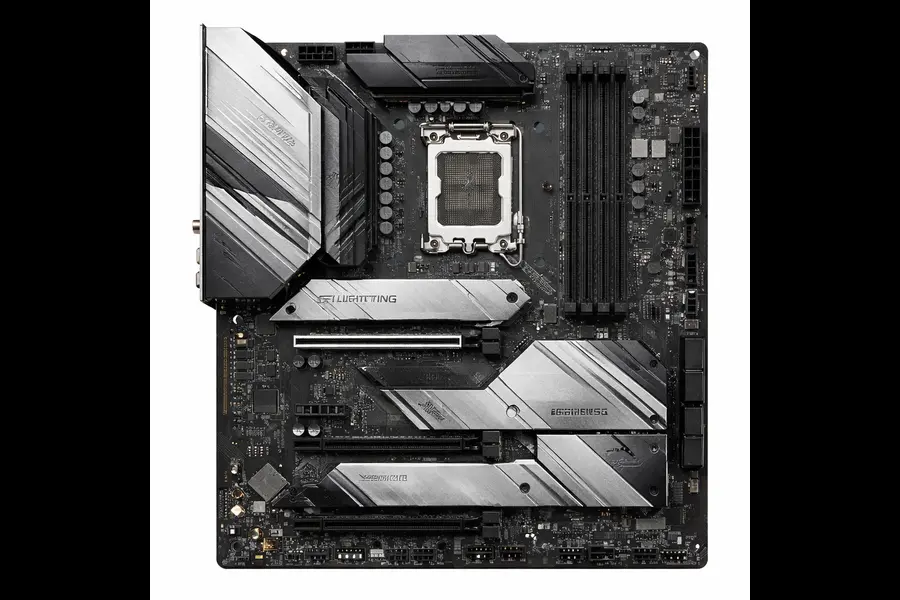
ASRock tends to fly under the radar compared to ASUS and Gigabyte, but their Z790 PG Lightning has earned a solid reputation in the Linux community — particularly among users who prefer to add their own Wi-Fi card or skip wireless entirely on wired builds.
At ~$179, this is one of the most affordable ways to get into Z790 with PCIe 5.0 support, a 14+1+1 VRM phase count, and three M.2 slots. The 2.5G Ethernet uses Intel’s I226-V controller, which is the best you can get for Linux compatibility — it’s been upstream in the kernel since 5.13.
The BIOS has improved significantly over recent firmware revisions. ACPI table quality is now on par with MSI and Gigabyte mid-range offerings. Linux users running Fedora with SELinux enabled have reported no boot-time ACPI errors, which is a genuinely good sign. ASRock also supports fwupd firmware delivery on this board.
Ubuntu/Fedora Compatibility: Very good on recent BIOS versions. Update your firmware before the first boot if possible.
Who Should Buy This: Linux users who want Z790 features on a tight budget and don’t need built-in Wi-Fi, or who want to add their own Intel Wi-Fi card via M.2.
Current Price: ~$242
7. ASUS ROG MAXIMUS Z890 HERO — Best Next-Gen Intel Board for Linux
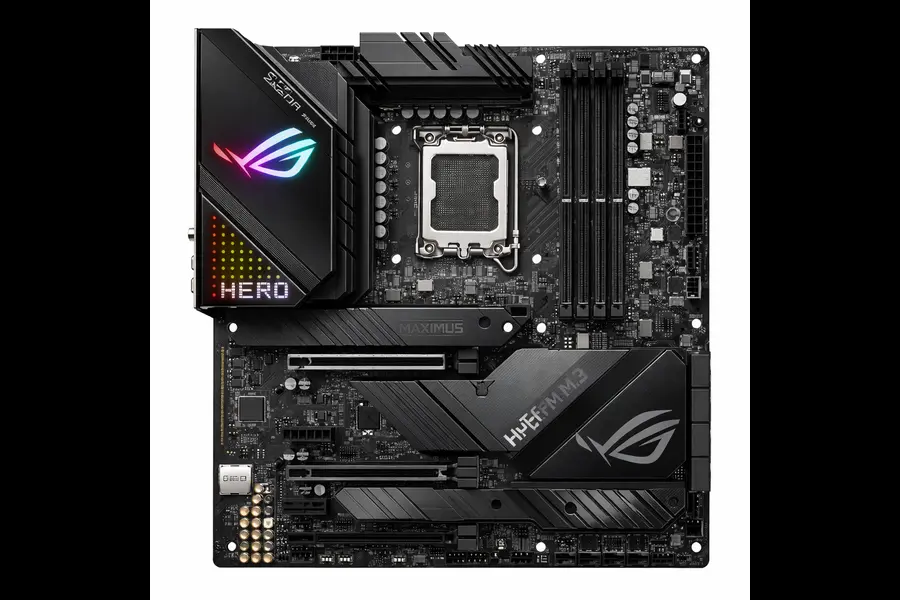
If you’re building on Intel’s newest Arrow Lake platform (Core Ultra 200 series) and want the absolute best Linux experience on Z890, the ROG MAXIMUS Z890 HERO is the board to beat in early 2026. Yes, it’s expensive at ~$450, but it’s also the board that ASUS’s engineers have clearly spent the most time on from a firmware quality standpoint.
The Z890 chipset with LGA1851 socket and Core Ultra 200 series support is fully functional on Linux kernel 6.8+, which means Ubuntu 24.04 (Noble Numbat) with the HWE kernel and Fedora 40+ have full hardware support. The board ships with Intel’s Wi-Fi 7 BE200 chipset — one of the newest wireless modules, and it’s already upstream in the kernel as of 6.7 per the Intel Wi-Fi Linux driver documentation.
Intel Thunderbolt 4 support on this board also works correctly in Linux, which is worth calling out because Thunderbolt has historically been one of the more complex subsystems to get working on Linux. ASUS has done the work to ensure proper ACPI enumeration for the TB4 ports, and the community has confirmed it works well with both Ubuntu 24.04 and Fedora 41.
Ubuntu/Fedora Compatibility: Excellent on kernel 6.8+. Requires Ubuntu 24.04 or Fedora 40+ for full hardware support. Don’t run this board on Ubuntu 22.04 with the stock kernel.
Who Should Buy This: Enthusiast-level Linux users building on Arrow Lake who want a premium experience and future-proof platform.
Current Price: ~$450
8. MSI PRO B760M-A WiFi — Best Micro-ATX Budget Board for Ubuntu Servers
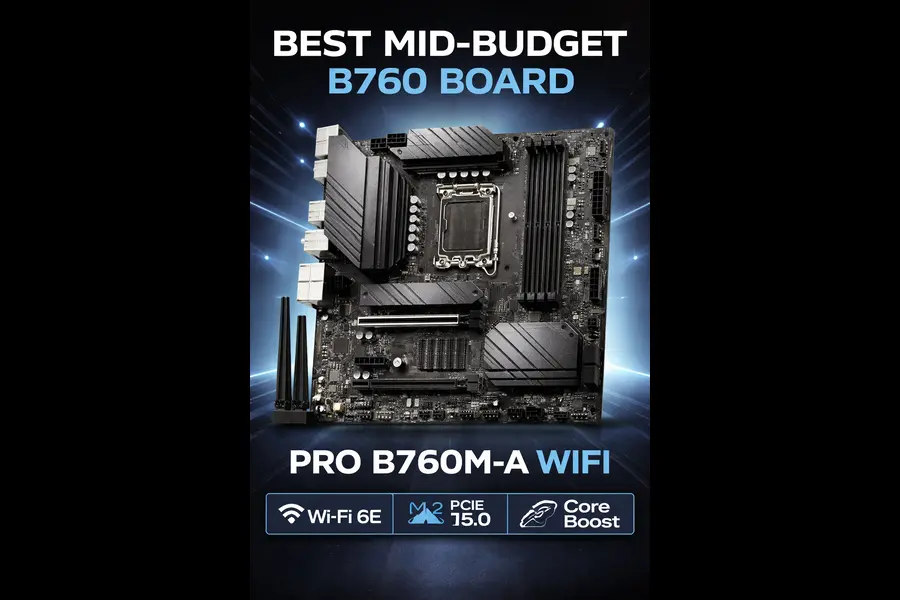
Rounding out the list is MSI’s PRO B760M-A WiFi, a budget mATX board that’s become a popular choice for people building compact Ubuntu Server boxes, NAS systems, or home lab nodes. At ~$109, it’s the most affordable board on this list and still manages to deliver a clean Linux experience.
The Intel AX201 Wi-Fi works flawlessly on Linux, the 2.5G LAN uses Realtek’s RTL8125BG (well-supported), and the board’s small footprint makes it great for SFF cases. MSI’s BIOS on the PRO series is more conservative than the MAG or MEG lines — which is actually a good thing for Linux users since conservative BIOSes tend to produce more predictable ACPI behavior and fewer surprises at boot.
You get two M.2 slots (PCIe 4.0 and PCIe 3.0), adequate USB connectivity, and a VRM solution that handles non-K Intel chips with ease. Not glamorous, but absolutely solid for what it is.
Ubuntu/Fedora Compatibility: Very good. A reliable, no-drama board for workloads that need stability above all else.
Who Should Buy This: Home lab users, Ubuntu Server builds, anyone who needs a compact and cheap Linux-compatible Intel board.
Current Price: ~$109
Linux-Specific Setup Tips for Intel Motherboards
Once you’ve got your board picked out and your build is together, here are a few things worth doing before you call it complete:
- Update your BIOS/UEFI firmware before installing Linux. Manufacturers push ACPI and PCIe fixes in firmware updates that can make a real difference. Use a USB stick and do it from BIOS, not from Windows.
- Enable Resizable BAR (ReBAR) in BIOS if you have a dedicated GPU. It’s supported on all Z790 and B760 boards listed here, and Linux handles it correctly as of kernel 5.12+.
- If you’re on Fedora and using Secure Boot, enroll your MOK keys carefully. Use mokutil to check the current state and consult the Fedora documentation for your specific BIOS vendor.
- Install lm-sensors and fancontrol for hardware monitoring. All boards on this list expose their sensor data correctly via the standard kernel hwmon interface.
- For NVMe drives, check that your drive supports APST (Aggressive Power State Transitions). Some budget drives have firmware bugs that surface on Linux but not Windows — the boards themselves are fine, it’s a drive-side issue.
- fwupd is your friend. Run sudo fwupdmgr get-updates after your first boot. Several boards on this list support Linux Vendor Firmware Service (LVFS) delivery natively, which means you can keep your BIOS current without ever leaving Linux.
Frequently Asked Questions
Do Intel motherboards work better with Linux than AMD?
Not necessarily better, but Intel’s onboard peripherals — especially Wi-Fi — tend to have more consistent upstream driver support. Intel’s own Wi-Fi chips (AX200, AX210, AX211, BE200) have been upstream in the Linux kernel for years and rarely require manual firmware installation on modern distros. AMD platforms are also well-supported. It’s really more about the specific chipset and onboard components than CPU architecture.
Can I run Ubuntu 22.04 LTS on Z890 boards?
Ubuntu 22.04 with the default kernel (5.15) lacks full Z890/Arrow Lake support. You’d need to install the HWE (Hardware Enablement) kernel stack, which brings you to kernel 6.8+. Ubuntu 24.04 LTS is a better starting point for Arrow Lake builds. Fedora 40 and above work well with Z890 out of the box.
Can I update my BIOS on Linux without Windows?
Yes, on most boards in this guide. ASUS, MSI, and Gigabyte boards that support LVFS can be updated via fwupd directly in Ubuntu and Fedora. Additionally, all these boards support USB BIOS Flashback or Q-Flash Plus features that let you update from a USB drive without needing any OS at all.
Is Secure Boot a problem with Linux on these boards?
It doesn’t have to be. Ubuntu and Fedora both ship with Secure Boot support and signed kernels. The boards on this list all support enrolling your own MOK keys for unsigned kernels or out-of-tree modules like NVIDIA drivers. The ASUS boards are particularly clean about this process.
Should I care about PCIe 5.0 for Linux workloads?
For most users in 2026, PCIe 4.0 NVMe is still the practical ceiling since PCIe 5.0 drives are available but remain expensive. If you’re doing heavy AI/ML workloads, large dataset transfers, or planning ahead for future storage hardware, Z790 and Z890 boards give you PCIe 5.0 M.2 slots that Linux supports natively on modern kernels.
Final Verdict
Choosing from the best Intel motherboards for Ubuntu & Fedora users really comes down to your budget and use case. Here’s a quick mental model:
💡 Motherboard Buying Recommendations (Quick Guide)
Under $130: Go with the ASUS PRIME B760M-A WiFi or MSI PRO B760M-A WiFi. Both are rock-solid, well-supported, and won’t give you headaches on Linux systems like Ubuntu or Fedora.
$130–$230: The Gigabyte B760 AORUS Elite AX or MSI MAG Z790 Tomahawk WiFi offer the best blend of features, performance, and Linux compatibility in this price range.
$230–$400+: The Gigabyte Z790 AORUS Elite AX and ASUS ROG STRIX Z790-E are excellent choices for high-performance Linux PCs. Choose ASUS if you want premium BIOS quality, or Gigabyte if you want to save around $100 without sacrificing much performance.
Next-Gen Build (Arrow Lake – LGA1851): The ASUS ROG MAXIMUS Z890 HERO is the Linux enthusiast’s pick for 2026. It’s expensive, but offers exceptional power delivery, PCIe 5.0 support, and top-tier stability for future Intel platforms.
About the Author