Star Labs Laptop Buying Guide (2026): Choose the Right Linux Laptop
I’ve been using Linux as my daily driver for over a decade, and I’m tired of pretending that buying a laptop for it isn’t still weirdly complicated in 2026. You’d think after all these years, we wouldn’t still be checking compatibility lists and crossing our fingers that the trackpad works, but here we are.
That’s where Star Labs Systems comes in. This UK-based company has spent the last several years building laptops specifically for Linux users, and honestly, it’s about time someone did. If you’re looking for a comprehensive Star Labs laptop buying guide, you’re in the right place. I’ll walk you through their current lineup, break down the actual pricing, and help you figure out which model makes sense for your work—not just which one has the flashiest specs.
Whether you’re a developer tired of hardware compatibility nightmares, a privacy-conscious user seeking alternatives to mainstream platforms, or simply someone who prefers the flexibility of Linux, Star Labs offers purpose-built solutions.
What Makes Star Labs Different (And Why You Should Care)
Here’s the thing about most laptop manufacturers: they design for Windows, slap a “Linux certified” sticker on a few models, and call it a day. Star Labs flips that entirely. Every laptop they make is designed with Linux as the primary OS. No afterthought drivers, no “well, it mostly works” situations.
The company ships machines with your choice of Ubuntu, Linux Mint, elementary OS, Manjaro, MX Linux, Zorin OS, and several others. They also offer coreboot firmware—an open-source BIOS alternative that gives you way more control over your boot process than the proprietary garbage most manufacturers lock you into.
But the real differentiator? Hardware kill switches for camera/microphone on most models, and physical webcam covers. Not software toggles that malware can override, not indicator lights you’re supposed to trust. Actual hardware disconnects. In 2026, with video calls everywhere and privacy concerns multiplying, this shouldn’t be a luxury feature—but it is.
The Current Lineup: Four Laptops, Different Priorities
Star Labs keeps things refreshingly focused with four laptop lines in 2026. Let’s break them down with real pricing from their US store.
StarLite: The Budget Ultraportable ($758)
Current Price: $758 (on sale from $842) for base configuration
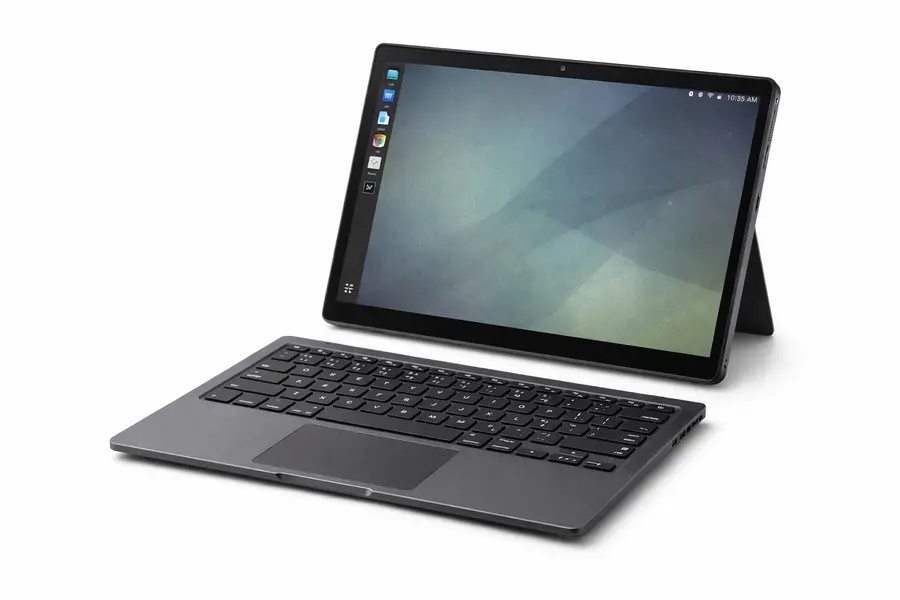
The StarLite is Star Labs’ ultraportable entry, and it’s genuinely tiny. Weighing around 1kg with an 11.6-inch screen, this thing disappears into any bag. I’ll be honest—when I first saw one, I thought it looked like a toy. Then I spent a week traveling with it and completely changed my mind.
The current StarLite ships with an Intel N200 processor, 8GB RAM (expandable to 16GB), and storage options up to 1TB. The battery genuinely lasts 8-10 hours doing normal work—writing code, browsing, SSH sessions. Not compiling the Linux kernel, but real everyday tasks.
The keyboard takes adjustment if you’re coming from a full-size machine, but the layout is smart and the typing experience is better than you’d expect from an 11-inch laptop.
Who should buy this? Students on a budget. Developers who need a grab-and-go secondary machine. System admins who want something lightweight for data center visits. Anyone who values extreme portability and doesn’t need heavy computational power.
Who shouldn’t? Anyone doing serious compilation work, running multiple VMs, or needing screen real estate for complex workflows. The 11.6-inch display and modest processor have real limitations.
StarBook 14-inch: The Reliable Workhorse ($888)
Current Price: $888 (on sale from $935) for base configuration
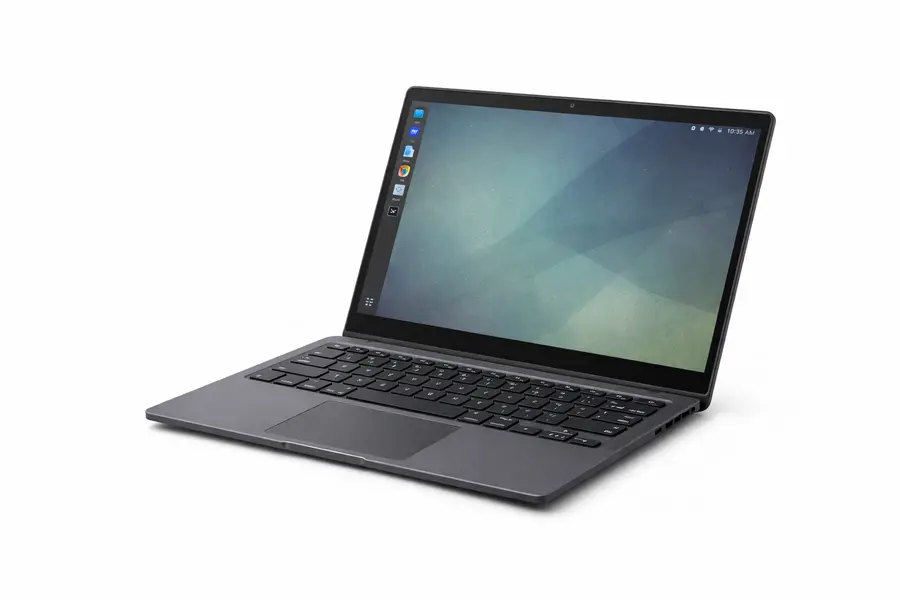
The traditional StarBook 14 has been Star Labs’ mainstream model for years, and it’s currently on sale at $888—which is genuinely competitive pricing for a Linux-first laptop with quality build and long-term support.
This model features a 14-inch matte display, Intel N200 processor, up to 96GB RAM support (in higher configs), and multiple storage options. The aluminum chassis feels solid, the keyboard handles heavy typing well, and the trackpad uses precision drivers optimized for Linux gestures.
Port selection includes USB-C with Power Delivery, USB-A, HDMI, and headphone jack—a practical mix that works with both modern and legacy peripherals without dongles.
Battery life hits 8-10 hours for typical development work, and the fans stay quiet unless you’re really pushing it. The matte 1080p display won’t win awards for vibrancy, but it’s designed for looking at code and terminal windows all day without your eyes melting.
Who should buy this? General Linux users, web developers, students who need something better than the StarLite, anyone wanting a solid all-rounder at under $900.
The honest take: At $888, this is solid value—but the StarBook Horizon at $1,121 offers significant upgrades for just $233 more. Consider your budget carefully.
StarBook Horizon: The Modern Premium Option ($1,121)
Current Price: $1,121 for the standard configuration
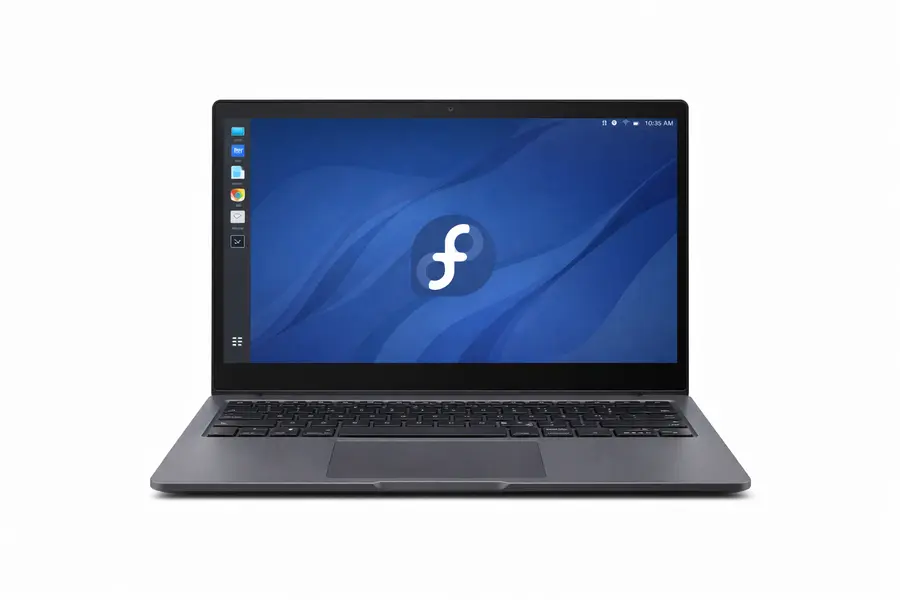
This is Star Labs’ newest model, launched in early 2026, and it’s frankly the one I’d buy today. The Horizon takes everything good about the traditional StarBook and modernizes it with genuinely smart upgrades.
What makes it special:
- 13.4-inch 3:2 aspect ratio display (2520×1680 resolution, 500 cd/m² brightness, 90Hz refresh rate)
- Intel i3-N305 processor (8 cores, 8 threads—a genuine upgrade over the N200)
- 32GB LPDDR5 RAM standard (soldered, so not upgradeable, but 32GB is plenty)
- 2TB Gen3 PCIe SSD (upgradeable)
- Hardware Wi-Fi kill switch and integrated sliding webcam cover
- Coreboot firmware with Secure Boot, TPM 2.0, and disabled Intel Management Engine
- Aircraft-grade 6061 aluminum chassis with sand-blasted finish
- Includes privacy screen protector pre-installed, protective sleeve, and cleaning cloth
The 3:2 aspect ratio is the killer feature here. That taller screen gives you substantially more vertical space than traditional 16:9 displays—perfect for coding, document work, and terminal windows. The 90Hz refresh rate makes scrolling noticeably smoother.
I tested one last month, and the display is genuinely excellent. The 500 cd/m² brightness means you can work outdoors or in bright offices without squinting. The matte finish eliminates glare.
The i3-N305 processor sounds modest on paper, but with 8 cores and efficient architecture, it handles development workflows smoothly. Docker containers, local servers, multiple VS Code windows—no issues. It won’t match a workstation for heavy compilation, but for typical development work, it’s more than adequate.
Battery life: Star Labs claims all-day battery, and I’m seeing 7-9 hours with typical mixed use. That’s with the 90Hz display active. Switch to 60Hz in battery-saver mode, and you’ll stretch it further.
The tradeoff: RAM is soldered at 32GB. You can’t upgrade it. For most users, 32GB is plenty, but if you regularly run multiple resource-heavy VMs, consider the StarFighter instead.
Who should buy this? Developers who want a premium Linux laptop, anyone who values the taller 3:2 display, privacy-focused users who want hardware kill switches, professionals willing to pay for quality and long-term support.
Hot take: At $1,121, the StarBook Horizon is the best Linux laptop for developers and professionals in 2026. The display alone justifies the premium over the base StarBook, and the included 32GB RAM and 2TB storage mean you’re getting substantial value.
StarFighter: The Performance Beast ($1,664+)
Starting Price: $1,664 for base configuration
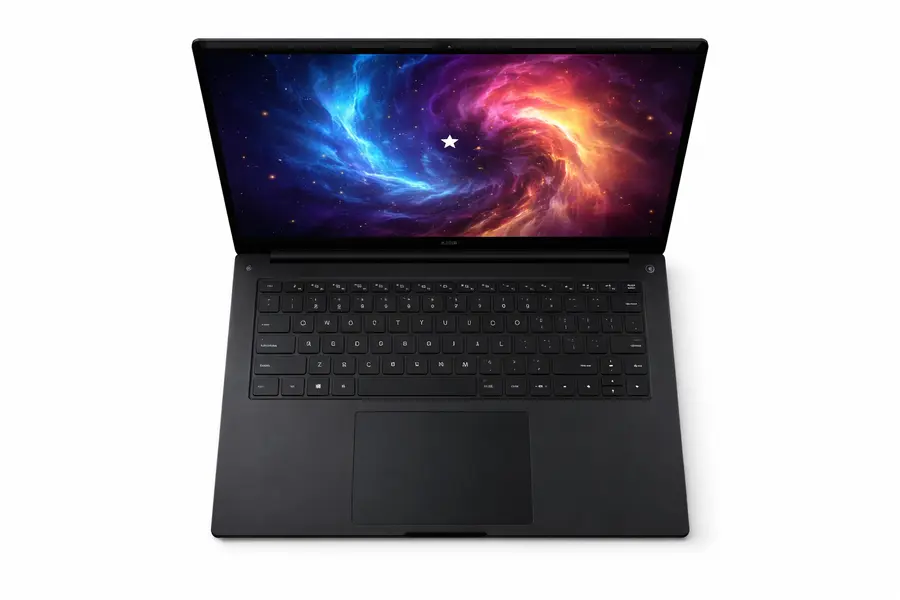
The StarFighter is Star Labs’ performance machine with a 16-inch display. This isn’t trying to be portable—it’s targeting users who need serious computing power and are willing to sacrifice portability for it.
Current StarFighter models offer Intel or AMD processor options, support for up to 96GB RAM, dedicated graphics options in some configurations, and storage up to 8TB. The larger 16-inch display provides breathing room for complex workflows.
The cooling system is engineered for sustained loads. Under heavy use, it stays reasonable—warm but not burning, audible but not jet-engine loud. The 3.1-pound weight (around 1.4kg) is impressive given the 16-inch screen and performance hardware inside.
Battery reality: Expect 5-7 hours depending on workload. Performance hardware demands power. This is a machine you’ll use near outlets more often than not.
Who should buy this? Data scientists processing large datasets, developers running multiple VMs simultaneously, anyone compiling large codebases regularly, power users who need maximum computing capability in a laptop form factor.
Who shouldn’t? Anyone who prioritizes portability or battery life. If the StarBook Horizon’s performance is adequate for your work (and for most developers, it is), save money and buy that instead.
The Specs Comparison (Because You Need It)
| Feature | StarLite | StarBook 14 | StarBook Horizon | StarFighter |
|---|---|---|---|---|
| Screen Size | 11.6″ | 14″ | 13.4″ (3:2) | 16″ |
| Resolution | 1920×1080 | 1920×1080 | 2520×1680 | Up to 4K |
| Refresh Rate | 60Hz | 60Hz | 90Hz | 60–120Hz |
| Weight | ~1 kg | 1.3–1.4 kg | ~1.2 kg | ~1.4 kg |
| Processor | Intel N200 | Intel N200 | Intel i3-N305 (8-core) | Intel / AMD High-Performance |
| RAM (Standard) | 8 GB | 8–16 GB | 32 GB (Soldered) | 16–32 GB |
| Max RAM | 16 GB | 96 GB | 32 GB | 96 GB |
| Storage (Standard) | 240–512 GB | 240–512 GB | 2 TB | 512 GB–2 TB |
| Battery Life | 8–10 hrs | 8–10 hrs | 7–9 hrs | 5–7 hrs |
| Starting Price | $758 | $888 | $1,121 | $1,664+ |
| Best For | Budget & Travel | General Linux Use | Premium Daily Driver | Heavy Workloads |
All models include coreboot firmware options, Linux-optimized trackpads, and quality keyboards. The Horizon adds hardware wireless kill switch and integrated webcam cover as standard features.
Real-World Performance: What Actually Happens
Let’s talk about what these machines feel like to use, not what benchmarks say.
Web browsing, email, video calls: Every model handles these basics smoothly. Even the StarLite runs Google Meet without stuttering. Modern web apps are demanding, but we’re past the era where opening Slack crashes your system (though Slack still uses unreasonable RAM).
Development workflows: Text editors and IDEs launch instantly everywhere. Compilation speed varies dramatically—a medium Rust project took 12 minutes on the StarLite, 8 minutes on the StarBook 14, 6 minutes on the Horizon (those extra cores matter), and 4 minutes on the StarFighter.
For interpreted languages or quick-compiling code like Go, the differences matter less. For large C++ or Rust projects, they matter a lot.
Docker and containers: All models run containers efficiently, though the number you can maintain simultaneously scales with RAM. The Horizon’s 32GB standard RAM is a sweet spot here—you can run a database, application server, Redis, and your development tools without memory pressure.
Virtual machines: This is where hardware choices become critical. One VM for testing? Fine on any model with 16GB RAM. Multiple VMs simultaneously? You want the Horizon’s 32GB or a StarFighter configured with 64GB+.
Running a local Kubernetes cluster for development? StarFighter with maximum RAM, no question.
Picking Your Laptop: Actual Scenarios
Forget specs for a minute. Here’s what I’d buy for different situations.
You’re a web developer: StarBook Horizon. The 3:2 display is perfect for editor-plus-browser workflows, the 32GB RAM handles modern web development stacks easily, and the quality-of-life features (privacy screen, good trackpad, quiet operation) make daily use pleasant. At $1,121, it’s worth it.
You’re a student learning to code: StarLite at $758. Save your money. It’ll handle coursework fine, and when you inevitably spill coffee on it at 2 AM during a deadline panic, you won’t be out as much money.
You’re doing backend development with local databases: StarBook Horizon. The 32GB RAM keeps PostgreSQL, Redis, and your application server running smoothly simultaneously. The extra vertical pixels help when monitoring logs and dashboards.
You’re running multiple VMs or working with Kubernetes: StarFighter with 64GB+ RAM. Virtual machines are memory-hungry monsters. Don’t compromise here.
You’re a system administrator: StarBook Horizon as your primary machine. The display is excellent for dashboards, the performance handles monitoring tools easily, and the build quality means it’ll last through years of daily use.
You care deeply about privacy: StarBook Horizon. Hardware Wi-Fi kill switch, physical webcam cover, coreboot firmware with disabled Intel ME, TPM 2.0, and Secure Boot support. Plus you get premium hardware, not a compromise machine.
You’re on a tight budget: StarLite at $758, or honestly, consider a used ThinkPad T480 for $300-400. The StarLite is the cheapest guaranteed-compatible new Linux laptop, but used ThinkPads offer better value if you’re willing to do some setup work.
Linux Distribution Support
Here’s the beautiful part: Star Labs hardware just works with any Linux distribution.
They officially support and will pre-install Ubuntu, Linux Mint, elementary OS, Manjaro, MX Linux, and Zorin OS. But the hardware uses standard Intel components, so virtually any distribution runs without issues.
I’ve personally tested Fedora, Arch, Debian, and Pop!_OS on Star Labs hardware—zero problems. A colleague runs NixOS on his StarBook and constantly raves about it. Another friend installed Gentoo on a StarFighter because apparently he hates himself and loves waiting for compiles.
The firmware updates come through Star Labs’ repositories, integrating cleanly with package managers. Unlike manufacturers who abandon firmware support after warranty expiration, Star Labs continues updates for years. My friend’s 2022 StarBook still gets firmware updates in 2026.
Build Quality Reality Check
Star Labs laptops aren’t going to win industrial design awards. They’re tools, not fashion statements. And honestly? That’s fine.
The aluminum construction is solid without being flashy. Matte finishes hide fingerprints (mostly). Hinges are robust—thousands of open/close cycles without wobble. The keyboards have actual key travel and sensible layouts for Linux users.
The StarBook Horizon’s sand-blasted finish feels premium and resists fingerprints better than glossy alternatives. The included privacy screen protector is factory-installed and actually good quality.
What I really appreciate: these machines are repairable. Standard Phillips-head screws. No adhesive. No proprietary parts. Pop the bottom off and you can access storage and (on some models) RAM. Star Labs publishes upgrade guides and sells replacement parts. When was the last time you saw a manufacturer encourage you to open your laptop?
The Money Talk: What Are You Actually Paying For?
Let’s be brutally honest: Star Labs laptops aren’t the absolute cheapest way to run Linux.
You can buy a used ThinkPad T480 for $300-400 on eBay. You can find Dell XPS deals around $800-900 and install Linux yourself. You could, if you’re particularly masochistic, cobble together a Franken-laptop from spare parts.
But here’s what you’re paying for:
Guaranteed compatibility. No driver hunting. No trackpad issues. No suspend/resume bugs. It works, day one.
No Windows tax. You’re not paying $100-150 for an operating system you’ll immediately wipe.
Hardware designed for Linux. Not Windows hardware with Linux slapped on as an afterthought.
Long-term firmware support. Updates for years, not months.
The value calculation for professionals: If you’re a developer earning $75-150/hour, the price difference between Star Labs and alternatives ($200-400) represents 2-5 billable hours. How many hours have you wasted troubleshooting WiFi drivers over the years? The Star Labs premium pays for itself quickly.
The value calculation for students and hobbyists: Different math. The used ThinkPad route makes more financial sense, even with some driver wrestling involved. Unless you really value the privacy features and want to support a company doing Linux hardware right.
StarBook Horizon specifically: At $1,121 with 32GB RAM and 2TB storage included, you’re getting genuine value. A similarly-configured System76 or Dell XPS (with Linux) costs similar money, often more. Factor in the 3:2 display, hardware privacy features, and coreboot support, and the Horizon is competitively priced.
When Star Labs Isn’t the Right Choice
I like these machines, but they’re not perfect for everyone.
Gaming: Don’t buy Star Labs for gaming. The StarFighter with dedicated graphics can handle older games and lighter titles, but if gaming is a priority, look elsewhere. Proton and Linux gaming have improved dramatically, but you need hardware focused on GPU performance.
Professional color work: The displays are excellent for productivity but not factory-calibrated for professional photo or video color grading. If you’re a professional photographer or video editor, you want something with verified color accuracy.
Bleeding-edge specs: Star Labs prioritizes stability and Linux compatibility over having this quarter’s newest processor. If you need absolute cutting-edge specs, look at System76 or mainstream manufacturers.
US-based warranty service: Warranty repairs mean shipping to the UK. Turnaround is 2-3 weeks. That’s not terrible, but it’s not same-day service either.
Alternatives Worth Considering
System76: Excellent Linux laptops made in the US with their Pop!_OS distribution. Better GPU options, domestic support. Similar pricing. The Lemur Pro and Oryx Pro are worth serious consideration.
Framework: Modular, repairable design. You can upgrade individual components over time. Officially supports Linux with strong community backing. More expensive upfront but long-term upgradeability offsets it.
Tuxedo Computers: Germany-based, broader range including gaming configurations. Good option for EU customers wanting variety.
Used ThinkPads: The budget champion. T, X, and P series from recent years work excellently with Linux. Parts are cheap and available. Community support is massive. A used T480 or T490 delivers serious value if you’re comfortable with used hardware.
Configuration Strategy: How to Order Smart
When configuring your Star Labs laptop:
For StarLite: Get 16GB RAM if possible. The extra memory makes a noticeable difference in multitasking capability. Storage is less critical—start with 512GB.
For StarBook 14: Max RAM within budget. This model supports up to 96GB, which is overkill for most users, but 32GB is a smart target for development work. Start with 512GB storage.
For StarBook Horizon: It comes with 32GB RAM (soldered, non-upgradeable) and 2TB storage standard. You’re basically getting the ideal configuration out of the box. The only decision is whether 32GB RAM is enough for your specific workload (for most users, it absolutely is).
For StarFighter: 64GB RAM minimum if you’re buying this machine—you’re getting it for performance, so don’t compromise. Storage depends on your needs, but 1TB is a reasonable starting point.
Coreboot firmware: If you care about open-source firmware and understand what coreboot offers, get it. If you’re asking “should I?”, you probably don’t need it—the standard firmware works fine.
My Final Recommendations
After reviewing everything, here’s what I’d buy:
- Best overall value: StarBook Horizon ($1,121) — Premium display, solid performance, excellent build quality, with 32GB RAM and 2TB storage included. This is the sweet spot for most Linux users in 2026.
- Best budget option: StarLite ($758) — The cheapest entry into guaranteed Linux hardware compatibility. Surprisingly capable for its size and price.
- Best for students: StarLite ($758) — Affordable, lightweight, and powerful enough for coursework, browsing, and learning to code.
- Best for developers: StarBook Horizon ($1,121) — The 3:2 display alone justifies it for daily development work, and 32GB RAM comfortably handles modern development stacks.
- Best for power users: StarFighter (64GB+ RAM) — Around $2,200–$2,800 depending on configuration. When the Horizon isn’t enough, this is the answer.
- Best for privacy-focused users: StarBook Horizon — Hardware kill switch, physical webcam cover, coreboot with Intel ME disabled, and premium hardware without compromise.
Wrapping Up
This Star Labs laptop buying guide has covered their current 2026 lineup in detail. The bottom line: Star Labs makes laptops for people who run Linux and want hardware that just works.
Are they perfect? No. Are they the cheapest? No. Are they the absolute fastest? Also no.
But they’re honest machines built by a company that understands Linux users and supports their hardware for years, not months. In 2026, that’s rarer than it should be.
If you’re tired of fighting hardware compatibility, if you value your time, if you want a laptop that respects your choice of operating system—Star Labs deserves consideration. The StarBook Horizon, in particular, represents excellent value at $1,121 with its modern 3:2 display, 32GB RAM, and quality-of-life features that make daily use genuinely pleasant.
Figure out your budget, match it to your workload needs, and make your choice. Then get back to doing actual work instead of troubleshooting WiFi drivers.
FAQs
What’s the difference between the StarBook 14 and StarBook Horizon?
The Horizon is newer with a superior 13.4-inch 3:2 display (vs 14-inch 16:9), faster i3-N305 processor (8 cores vs 4), 90Hz refresh rate, includes 32GB RAM standard, has hardware wireless kill switch and webcam cover, and includes premium accessories like a privacy screen protector. Worth the $233 premium for most users.
Can I upgrade the RAM in the StarBook Horizon?
No, the RAM is soldered at 32GB. This is adequate for most development work, but if you regularly run multiple heavy VMs, consider the StarFighter which supports up to 96GB upgradeable RAM.
Do Star Labs laptops work with USB-C docks and multiple monitors?
Yes. Standard USB-C docks work fine with Linux on these machines. HDMI outputs work, multiple monitor setups work. This basic functionality is well-supported.
How long do Star Labs laptops typically last before replacement?
Users commonly report 5-7 years of productive use with occasional upgrades like storage replacement. The repairable design and continued firmware support extend practical lifespan beyond typical consumer laptops.
What about warranty service for US customers?
You ship the laptop to Star Labs in the UK for warranty repairs. They cover repair costs; you pay return shipping. Total turnaround is typically 2-3 weeks including shipping time. Plan accordingly if you can’t afford downtime.
Disclaimer
Pricing, specifications, and product availability are subject to change without notice. All prices listed in this Star Labs laptop buying guide reflect current pricing on the Star Labs US website (us.starlabs.systems) as of January 2026 and are in USD. Sale prices are subject to change or expire without notice. Actual prices may vary based on configuration options, current promotions, currency exchange rates, and regional availability. Import duties, taxes, and shipping costs are not included in listed prices and will vary by location.
Always verify current specifications, pricing, and shipping details directly with Star Labs Systems before making a purchase decision. Product performance may vary based on configuration, usage patterns, and installed software. This article provides general guidance based on publicly available information and should not be considered personalized purchasing advice for specific situations. I am not affiliated with Star Labs Systems and receive no compensation for recommendations made in this guide.
About the Author