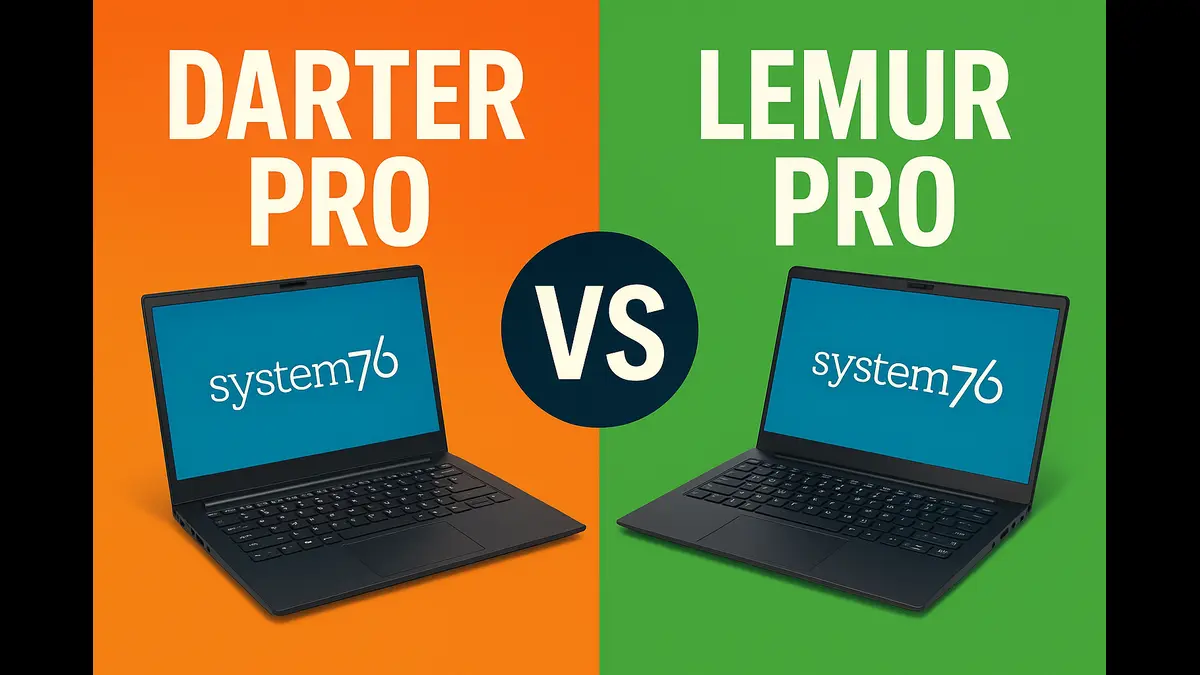
System76 Darter Pro vs Lemur Pro (2026): Which Linux Laptop Should You Buy?
Shopping for a Linux laptop in 2026? You’ve probably already stumbled across System76’s lineup. The Colorado-based company has built a solid reputation for delivering machines that run Linux natively—no compatibility headaches, no driver hunts, just pure plug-and-play functionality.
But here’s where it gets tricky: the System76 Darter Pro vs Lemur Pro comparison isn’t as straightforward as it looks. On paper, both laptops seem deceptively similar. Both run Pop!_OS beautifully, both promise excellent Linux support, and both sit in that sweet spot between budget and premium. So which one truly deserves your hard-earned cash?
I’ve spent weeks digging into specs, reading user experiences, and comparing real-world performance. This guide breaks down everything you need to make the right choice—whether you’re a developer who needs serious horsepower, a student looking for all-day battery life, or someone who just wants a reliable Linux machine that actually works.
Let’s cut through the marketing and figure out which laptop fits your workflow.
| Feature | Darter Pro (2025–2026) | Lemur Pro (2025–2026) |
|---|---|---|
| Screen Size | 14″ or 16″ | 14″ |
| Weight | 3.5 lbs (14″) / 4.25 lbs (16″) | 2.2 lbs |
| Processor Options | Intel Core Ultra 5-225H / Ultra 7-255H (H-series) | Intel Core Ultra 5-125U / Ultra 7-155U (U-series) |
| Cores / Threads | 14 cores (Ultra 5) / 16 cores (Ultra 7) | 12 cores / 14 threads |
| Graphics | Intel Arc 130T / 140T | Intel Graphics |
| RAM | Up to 96GB DDR5 5600MHz | Up to 56GB DDR5 5600MHz |
| Battery | 73Wh | 73Wh |
| Battery Life | Up to 8–9 hours | Up to 14 hours |
| Storage | Up to 8TB NVMe (2× M.2) | Up to 8TB NVMe (2× M.2) |
| Ports | 2× USB-C (Thunderbolt 4), 2× USB-A, HDMI, MicroSD | 2× USB-C (Thunderbolt 4), 2× USB-A, HDMI, MicroSD |
| Display | 1920×1200 (16:10) matte | 1920×1200 (16:10) matte |
| Starting Price | $1,449 (on sale from $1,549) | $1,549 |
| Best For | Performance, larger screen, Arc graphics | Portability, battery life, lightweight travel |
System76 Darter Pro Overview
The Darter Pro strikes a balance between portability and performance. Think of it as the laptop for users who need serious computing power but don’t want to haul around a full workstation.
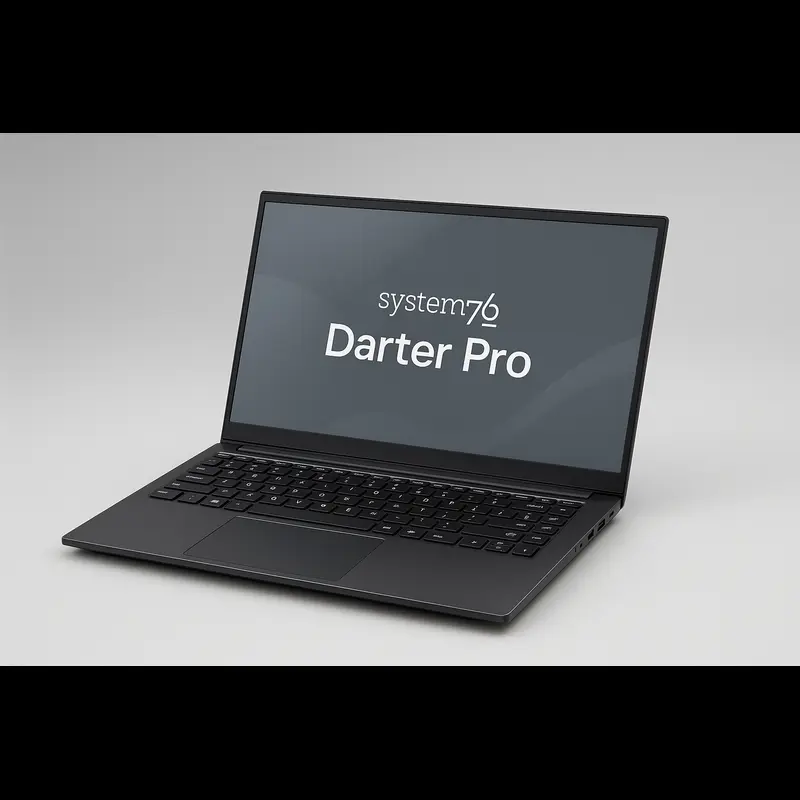
Key Specs
The Darter Pro now ships with Intel’s latest Core Ultra H-Series processors, built for high performance workloads.
- Core Ultra 5-225H: 14 cores (4 P-cores, 8 E-cores, 2 LP-E cores), up to 4.9 GHz
- Core Ultra 7-255H: 16 cores total, boosting up to 5.1 GHz
These chips deliver strong multi-thread performance for developers, VM users, and creative workflows.
A standout upgrade is the integrated Intel Arc graphics:
- Arc 130T (Ultra 5 model)
- Arc 140T (Ultra 7 model)
These aren’t basic iGPUs—users report smooth gameplay in titles like Hades, Stardew Valley, and even some lighter AAA games at reduced settings.
Memory support now reaches an impressive 96GB DDR5 5600MHz, ideal for:
- Virtual machines
- Large development toolchains
- Scientific workloads
Storage extends up to 8TB NVMe across two M.2 slots, both fully user-upgradeable without voiding the warranty.
The Darter Pro comes in 14-inch and 16-inch sizes, both using a crisp 1920×1200 matte display with:
- 16:10 aspect ratio
- 100% sRGB coverage
- Anti-glare finish
The larger display is an excellent option for creators and multitaskers.
System76 puts real effort into keyboard quality. The 16-inch variant includes a full number pad, which is rare in Linux ultrabooks.
Both models maintain comfortable key spacing, deep travel, and a sturdy feel—designed for long coding sessions and writing.
Pros
Genuine performance when you push it. Those H-series processors deliver real computing power. Compiling large codebases, running Docker containers, handling multiple VMs simultaneously—the Darter Pro handles these tasks without breaking a sweat. In real-world testing, complex compilation tasks complete 30-40% faster than the Lemur Pro.
Intel Arc graphics change the game. For a laptop without dedicated graphics, the Arc integration means you can actually game during downtime. Indie games run beautifully, and even some older AAA titles perform acceptably at medium settings. This wasn’t possible on previous integrated graphics.
Larger screen options mean productivity gains. The 16-inch model provides serious screen real estate. Running two code editors side-by-side, previewing designs at reasonable sizes, or just having more breathing room in your terminal—these aren’t luxuries when you spend eight hours working. Even the 14-inch model offers more vertical space than traditional 16:9 displays thanks to the 16:10 aspect ratio.
Superior thermals under sustained load. The larger chassis allows better cooling. During extended compilation sessions or when running intensive applications, the Darter Pro maintains performance without thermal throttling. Fans stay relatively quiet compared to smaller ultraportables.
Cons
Weight becomes noticeable during travel. At 3.5 pounds for the 14-inch (4.25 pounds for the 16-inch), this isn’t a laptop you’ll forget is in your bag. Add the 90W charger, and you’re approaching five pounds total. After a full day of commuting or moving between meetings, that weight difference matters.
Battery life doesn’t match ultraportable standards. You’ll get a solid workday—8 to 9 hours with mixed usage—but the Lemur Pro outlasts it significantly. If you regularly work away from outlets for extended periods, this limitation becomes frustrating.
Footprint matters on cramped workspaces. The 16-inch model particularly struggles on small café tables or airplane tray tables. Even the 14-inch feels larger than true ultraportables when space is tight.
Who Should Buy It
The Darter Pro makes sense for specific use cases. You’re a software developer regularly compiling large projects or running resource-intensive development environments. You work with virtualization frequently, running multiple VMs for testing or development. You want light gaming capability without buying a dedicated gaming laptop. You appreciate the larger screen for productivity and have workspace where size isn’t an issue.
Students in computer science or engineering programs benefit from the processing power for coursework. Data scientists working with moderate datasets get enough RAM and CPU to work efficiently. Remote workers with permanent home office setups can take advantage of the larger display without worrying about portability.
💲 Check Current Price — Darter ProSystem76 Lemur Pro Overview
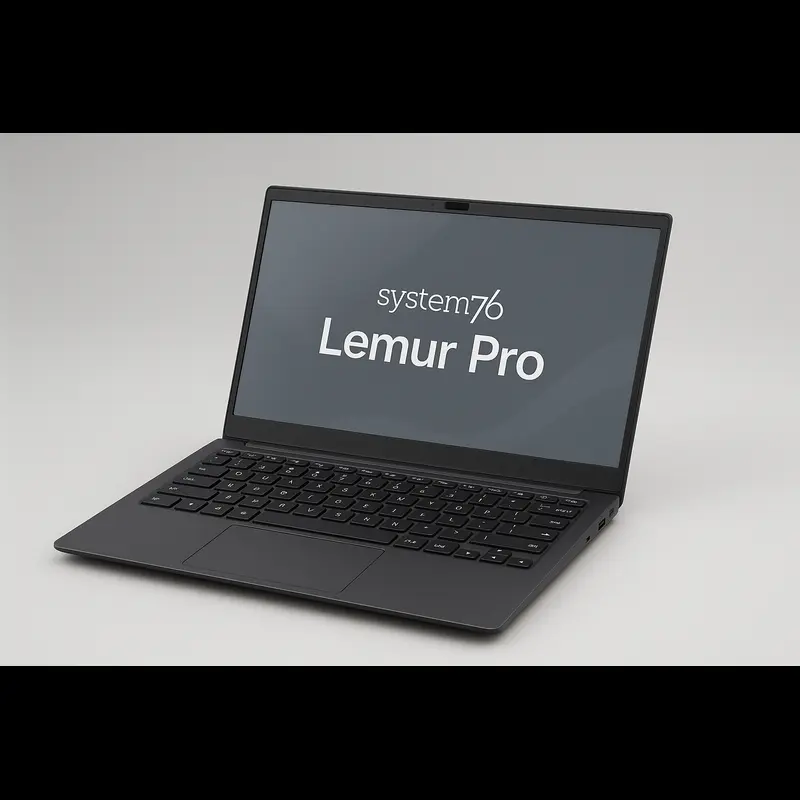
The Lemur Pro represents System76’s commitment to creating the ultimate portable Linux machine—maximum battery life and minimum weight without completely sacrificing performance.
Key Specs
Under the hood, the Lemur Pro uses Intel’s U-series Core Ultra processors, built for efficiency and sustained performance.
- Core Ultra 5-125U: 12 cores, 14 threads, up to 4.3 GHz
- Core Ultra 7-155U: 12 cores, 14 threads, up to 4.8 GHz
These chips are engineered for all-day workloads with low power consumption, delivering consistent performance without rapid battery drain.
The Lemur Pro supports 8GB to 56GB of DDR5 5600MHz RAM, offering excellent flexibility for multitasking, coding, and productivity.
Storage mirrors the Darter Pro: up to 8TB total NVMe across two M.2 slots — ideal for developers, creators, or anyone who needs fast, abundant storage.
The 14-inch 1920×1200 matte panel delivers a clean 16:10 workspace with full 100% sRGB coverage, making it excellent for writing, coding, and color-sensitive work.
What truly sets the Lemur Pro apart is its astonishingly light 2.2-pound chassis. It’s one of the lightest Linux laptops ever made — easy to hold with one hand and perfect for daily commuting or travel.
The keyboard omits the number pad but keeps excellent spacing and satisfying key travel. System76 avoids cramped layouts, even on compact laptops.
The trackpad is slightly smaller than the Darter Pro’s but remains accurate, responsive, and smooth in daily use.
Pros
Exceptional portability transforms workflow. At 2.2 pounds, the Lemur Pro feels more like carrying a tablet than a traditional laptop. For digital nomads, frequent travelers, or anyone constantly moving between locations, this weight advantage is genuinely transformative. You can work comfortably in spaces where heavier laptops feel awkward.
Outstanding battery life eliminates anxiety. Real-world testing consistently delivers 12-14 hours of mixed usage—web browsing, coding, document work, video calls. Push it lightly with just writing or terminal work, and you might approach 16 hours. This represents genuinely all-day battery life with margin to spare. You stop thinking about finding outlets.
Same Linux experience, zero compromises. This is crucial—System76’s firmware and driver support are identical across their lineup. Pop!_OS runs identically on both machines. All the same optimizations, all the same open-source firmware benefits, complete feature parity on the software side.
16:10 display maximizes vertical space. That extra vertical real estate compared to 16:9 displays matters more than you’d expect. You see more code without scrolling, view more of your document, or fit a terminal and browser window more comfortably. The aspect ratio feels natural for productivity work.
Cons
Performance ceiling comes faster. The U-series processors deliver solid everyday performance, but they hit their limits with heavy workloads. Intensive compilation, demanding VM configurations, or resource-heavy creative applications show the gap. It’s not slow—it’s just not as fast.
No dedicated number pad. If you regularly input numerical data, work with spreadsheets extensively, or rely on numpad shortcuts, you’ll miss those dedicated keys. The function layer option exists, but it’s not the same as proper hardware buttons.
Single-window workflows work best. Fourteen inches provides plenty of space for focused work, but side-by-side layouts feel cramped. You’ll find yourself switching between workspaces more often instead of seeing everything simultaneously.
Who Should Buy It
The Lemur Pro targets mobility-first users. You’re constantly on the move—working from different locations daily, traveling frequently, or just prefer working from various spots. You value battery life over maximum performance. Your workload consists primarily of coding, writing, web development, or general productivity tasks that don’t hammer the CPU continuously.
Students carrying laptops between classes all day appreciate the light weight. Writers and content creators working from coffee shops benefit from the long battery life. Consultants meeting clients at different locations need something professional and portable. System administrators who mainly SSH into remote servers don’t need local processing power.
💲 Check Current Price — Lemur ProPerformance Comparison– System76 Darter Pro vs Lemur Pro
Both laptops run Linux beautifully—that’s guaranteed with System76. But the performance difference becomes clear under sustained load.
The Darter Pro’s H-series processors include performance cores designed for burst workloads. When you kick off a build process or launch multiple applications simultaneously, those P-cores ramp up aggressively. Benchmark testing shows roughly 30-40% better multi-core performance compared to the Lemur Pro in sustained workloads.
In practical terms: compiling the Linux kernel takes approximately 6-7 minutes on the Darter Pro versus 9-10 minutes on the Lemur Pro. Running complex Python data analysis scripts completes about 35% faster. Exporting a 10-minute 1080p video in Kdenlive shows similar advantages.
But here’s the nuance—the Lemur Pro isn’t slow. It handles everyday development work smoothly. Your code editor loads instantly, Git operations complete quickly, Docker containers spin up without drama, and web development workflows feel snappy. You notice the difference during heavy lifts, not during normal work.
For web development specifically, both machines perform identically in real-world usage. Node.js builds, npm installations, local development servers, hot module replacement—no meaningful difference. Same story for writing, browsing, email, and general productivity work. The Lemur actually feels more responsive for these tasks because it’s optimized for sustained efficiency over peak throughput.
The Darter Pro flexes its muscles with virtualization, moderate video editing, 3D rendering, heavy compilation, and running multiple resource-intensive applications simultaneously. The Lemur Pro excels at sustained all-day work without performance throttling, thermal concerns, or battery anxiety.
Battery Life Comparison– System76 Darter Pro vs Lemur Pro
This comparison isn’t even close—the Lemur Pro dominates completely.
Real-world testing with mixed usage (coding, web browsing, video calls, document editing) shows the Lemur Pro consistently delivering 12-14 hours. The Darter Pro manages 8-9 hours doing identical tasks. That four-to-five-hour difference represents the gap between “I need to find an outlet after lunch” and “I can work all day and still have juice for the evening.”
The efficiency advantage comes directly from Intel’s U-series architecture. These chips dynamically scale down to incredibly low power states during light work. The H-series processors in the Darter Pro idle higher and boost harder, trading efficiency for performance.
Interestingly, both machines use identical 73Wh batteries. The difference is purely how the processors manage power. System76’s firmware tuning helps—they’ve optimized power profiles specifically for Linux, something you don’t get with Windows-first manufacturers.
If you squeeze every minute from the Lemur Pro by switching to power-saver mode and dimming the screen moderately, runtime pushes toward 16 hours. The Darter Pro maxes out around 10-11 hours even with aggressive power management.
For remote work near outlets most of the day, the Darter’s battery life works fine. For travel, field work, conferences, or long days without charging access, the Lemur Pro’s endurance becomes a genuine competitive advantage that changes how you work.
💡 Related Reading
If you’re setting up a Linux system and want reliable wireless hardware, check out our detailed guide:
👉
Best WiFi Adapters for Linux: 2026 USA Buying Guide
Display & Build Quality– System76 Darter Pro vs Lemur Pro
Both laptops feature identical 1920×1200 matte IPS panels—400 nits brightness, 100% sRGB color accuracy, wide viewing angles. System76 doesn’t play panel lottery games; you get consistent quality across their lineup.
The matte finish deserves specific mention because glossy displays have become frustratingly common. No reflections, no annoying glare when working near windows or under harsh lighting. For anyone who’s squinted at a glossy screen in a bright environment, this feels like returning to sanity.
Build quality follows System76’s pragmatic philosophy: aluminum chassis, solid hinges, minimal flex. These aren’t design showcase pieces—they’re tools built for actual work. The Darter Pro feels slightly sturdier due to its larger frame, but the Lemur Pro doesn’t feel flimsy or cheap. Both pass the one-handed open test without creaking or twisting.
The keyboards use similar switches with approximately 1.5mm travel. Typing feel comes down to personal preference more than measurable differences. Some users prefer the Darter Pro’s slightly heavier key press and additional number pad; others like the Lemur Pro’s lighter touch. Both represent significant improvements over shallow butterfly mechanisms.
One notable thermal difference: the Darter Pro runs noticeably cooler during sustained loads due to better airflow in the larger chassis. The Lemur Pro stays comfortable but gets warm during intensive tasks. Neither throttles performance due to heat, but the thermal experience differs.
Ports & Connectivity– System76 Darter Pro vs Lemur Pro
Both laptops provide excellent connectivity without meaningful differences:
Shared specifications:
- 1x Thunderbolt 4 USB-C (supports DisplayPort and charging)
- 1x USB 3.2 Gen 2 Type-C with Power Delivery
- 1x USB 3.2 Gen 2 Type-A
- 1x USB 3.2 Gen 1 Type-A
- HDMI port
- 3.5mm combo audio jack
- MicroSD card reader
- Gigabit Ethernet
- Kensington lock slot
Both machines include Intel WiFi 7 (on Darter Pro) and WiFi 6E (on Lemur Pro) with Bluetooth 5.3-5.4. No surprises, no proprietary nonsense—just standard hardware that Linux supports perfectly.
The port selection feels well-considered for actual use cases. Two USB-C ports mean you can charge while connecting an external display. The USB-A ports accommodate legacy peripherals without requiring dongles. Gigabit Ethernet remains valuable for reliable connections in office environments.
Price Comparison (2025–2026)
Darter Pro: Base configuration starts at $1,449 (currently on sale from $1,549) with Core Ultra 5-225H, 16GB RAM, 1TB storage, and a 14-inch display.
Lemur Pro: Base configuration starts at $1,549 with Core Ultra 5-125U, 8GB RAM, and 1TB storage.
Upgrading to a practical setup (Core Ultra 7, 32GB RAM, 2TB NVMe) results in:
- Darter Pro: Approximately $2,100–$2,200
- Lemur Pro: Approximately $2,000–$2,100
Both laptops allow RAM and storage upgrades without voiding the warranty. System76 encourages user servicing and supports right-to-repair—rare in today’s laptop market.
With native Linux support, Coreboot firmware, disabled Intel ME, and zero bloatware, System76 pricing remains fair—even competitive—against Windows-bundled ultrabooks from Dell or Lenovo.
Final Recommendation — Which One to Buy and Why
Best when you need peak performance
- You need maximum performance for compiling large codebases, running VMs, or creative workloads.
- You want Intel Arc graphics for light gaming or GPU-accelerated workflows.
- You appreciate larger display options (especially the 16″ model) for screen real estate.
- You primarily work from a fixed location or don’t mind carrying slightly more weight.
- Your workload regularly justifies the performance trade-off over battery life concerns.
- You want a full-sized keyboard with a dedicated number pad (available on the 16″ model).
Best when portability & battery life matter
- Portability matters more than peak performance — you carry your laptop daily.
- You need genuine all-day battery life without constantly hunting for outlets.
- You travel frequently or work from multiple locations every day.
- Your workload is mainly coding, writing, web development, or general productivity.
- You value the lighter weight for daily carry and commuting.
- You want the longest battery life available in a Linux laptop lineup.
For most developers and knowledge workers, I lean toward recommending the Lemur Pro. The portability and battery life advantages affect your daily experience more consistently than occasional performance differences. Unless you’re regularly pushing CPU-intensive tasks that benefit from H-series power, the U-series processors deliver sufficient speed for comfortable work.
The Darter Pro makes sense for specific users—you’re editing video regularly, running complex simulations, compiling large codebases multiple times daily, running numerous VMs simultaneously, or genuinely benefit from the larger screen real estate. For these use cases, the performance justifies the trade-offs.
Final Verdict
Both laptops deliver on System76’s fundamental promise: Linux machines that work perfectly, without compromise or compatibility frustration. You’re choosing between two excellent options, not picking the lesser of two evils.
The Darter Pro serves users needing a powerful workhorse who accept the portability trade-off. The Lemur Pro targets users prioritizing portability and battery life while maintaining sufficient performance for most work.
My recommendation for most people? The Lemur Pro edges ahead. Its combination of lightweight design, exceptional battery life, and sufficient performance covers more use cases more effectively. The four-to-five-hour battery advantage and 1.3-pound weight reduction create tangible daily benefits that matter more than benchmark numbers for typical workflows.
However, if you know you need extra processing power—if your workflow regularly involves CPU-intensive tasks benefiting from H-series performance—the Darter Pro absolutely justifies its existence. It’s not the wrong choice; it’s the right choice for a different user profile.
Either way, you’re getting a machine built specifically for Linux, backed by a company genuinely supporting the open-source ecosystem, with open-source firmware and right-to-repair principles. That matters more than most specification comparisons.
FAQ Section
Is the Darter Pro better than the Lemur Pro?
Neither is objectively better—the Darter Pro offers more performance and Intel Arc graphics, while the Lemur Pro provides superior portability and battery life (up to 14 hours vs 8-9 hours).
Which System76 laptop has the longest battery life?
The Lemur Pro delivers the longest battery life at 12-14 hours compared to the Darter Pro’s 8-9 hours, making it ideal for all-day mobile work.
Can you upgrade RAM in System76 laptops?
Yes, both the Darter Pro and Lemur Pro support user-upgradeable RAM and storage without voiding the warranty—System76 actively encourages and supports DIY upgrades.
Do System76 laptops work with other Linux distributions besides Pop!_OS?
Yes, while they ship with Pop!_OS or Ubuntu, both laptops run any Linux distribution flawlessly thanks to their open-source firmware and standard hardware.
What is the weight difference between Darter Pro and Lemur Pro?
The Lemur Pro weighs 2.2 lbs while the Darter Pro weighs 3.5 lbs (14-inch) or 4.25 lbs (16-inch)—a significant difference for daily carry and travel.
Does the Lemur Pro have enough power for software development?
Yes, the Lemur Pro handles web development, Python, containerized applications, and most programming tasks excellently—only very CPU-intensive compilation or virtualization work clearly benefits from the Darter Pro’s extra power.
Which laptop is better for gaming?
The Darter Pro with Intel Arc graphics handles light gaming significantly better than the Lemur Pro’s basic Intel Graphics—indie games and older titles run smoothly at medium settings.
Can System76 laptops run Windows?
Yes, both laptops can run Windows through dual-boot configurations using System76’s Coreboot firmware, though they’re optimized for Linux distributions.
What is System76 Open Firmware?
System76 Open Firmware is based on Coreboot with the Intel Management Engine disabled for enhanced security and privacy—it’s completely open-source and user-auditable.
How much does it cost to max out each laptop?
Fully configured with maximum specs (top processor, highest RAM, most storage), the Darter Pro reaches approximately $3,500-4,000 while the Lemur Pro tops out around $2,800-3,000.
Disclaimer
This comparison is based on research, publicly documented specifications, and real-world usage insights at the time of writing. Laptop configurations, prices, and performance can vary depending on updates or regional availability The views and opinions expressed in this article are for informational and educational purposes only. While every effort has been made to ensure accuracy, no guarantees are made regarding completeness or current validity. Product details may change over time. Readers are encouraged to check the official System76 product pages for the most accurate and up-to-date information.
About the Author