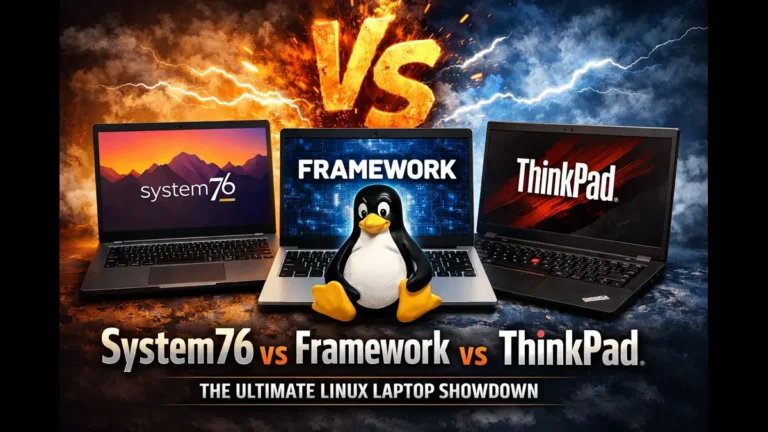
System76 vs Framework vs ThinkPad: The Ultimate Linux Laptop Showdown (2026)
If you’ve been going down the Linux laptop rabbit hole lately, you’ve probably already landed on the same three names that keep coming up in every forum thread, subreddit, and YouTube comment section: System76 vs Framework vs ThinkPad. These three represent very different philosophies about what a Linux laptop should be — and choosing the wrong one for your workflow could leave you frustrated for years.
This isn’t a surface-level spec comparison. We’re digging into real-world Linux compatibility, repairability, firmware openness, value for money, and the day-to-day experience of living with each of these machines. Whether you’re a developer, a privacy-conscious power user, or just someone who’s finally fed up with Windows, this guide will help you pick the right machine.
Quick Overview: Who Makes What
Before diving deep, here’s the lay of the land in early 2026:
- System76 is a Denver-based company that designs and sells Linux-only machines running their own Pop!_OS or Ubuntu. Their hardware runs Coreboot open firmware, and they’ve recently launched the COSMIC desktop environment as part of Pop!_OS 24.04.
- Framework is the modular laptop company that lets you swap out ports, upgrade RAM and SSDs yourself, and — uniquely on the Laptop 16 — even replace the discrete GPU. They ship Linux-friendly machines but primarily target DIY builders.
- ThinkPad (by Lenovo) is the enterprise workhorse that’s been a darling of the Linux community for two decades. ThinkPads ship with Windows but run Linux beautifully, and models like the X1 Carbon Gen 13 and T14s Gen 6 represent the current generation.
Each one has earned its fans. Each one also has real tradeoffs.
System76: The True Linux-First Experience
Who It’s For
System76 is for users who want their hardware and software to be designed together from the ground up. You’re not installing Linux — the machine is Linux. Drivers are pre-tuned, power profiles are optimized for Pop!_OS, and you never have to wonder if your Wi-Fi card is going to work after a kernel update.
🚀 System76 Laptop Lineup (2026)
Discover powerful Linux laptops for developers, creators, and professionals — from lightweight machines to high-end workstations.
Ultraportable with Intel Core Ultra, only 2.2 lbs, up to 14 hours battery, and a crisp 16:10 matte display.
💲 Starting at $1,699Developer-friendly laptop with up to 56GB RAM, 8TB storage, and powerful Intel Core Ultra performance.
💲 Starting at $1,599AMD Ryzen 9 powerhouse with up to 96GB RAM, 16TB storage, and 120Hz high-resolution display.
💲 Starting at $1,699Budget-friendly laptop with RTX 5050 GPU — great for machine learning, students, and casual gaming.
💡 Affordable PerformanceUltimate workstation with Intel Core Ultra 9, RTX 5070 Ti, up to 96GB RAM, and a 240Hz display.
💲 Starting at $3,499What Makes System76 Stand Out
Open firmware is the headline feature. System76’s Intel-based laptops run Coreboot — a BIOS replacement that’s fully open source. They’ve also disabled the Intel Management Engine on compatible models, which matters enormously if you care about security and firmware auditing. No other mainstream laptop vendor ships Coreboot by default.
The software ecosystem is equally intentional. Pop!_OS 24.04 LTS with the COSMIC desktop arrived in 2025 and represents a genuinely fresh take on the Linux desktop — written in Rust, fast, tiling-window-manager friendly, and with zero telemetry. Everything from the keyboard firmware to power management is tuned specifically for these machines.
Repairability is solid. System76 provides detailed repair guides, sells replacement parts directly, and their support team (US-based) is highly rated. You can upgrade RAM and storage yourself without voiding anything.
The privacy angle is also real. Privacy kill switches on models like the Pangolin let you physically cut power to the webcam. Encryption is configured during setup, not as an afterthought.
System76 Cons
- No AMD Coreboot yet — AMD models like the Pangolin don’t currently run Coreboot (that’s still Intel-only in their lineup). AMD Open Firmware support is in progress but not ready.
- Industrial aesthetics — These aren’t beautiful machines. The build quality is functional, not premium. If you care about a sleek carbon fiber chassis or a gorgeous OLED panel, System76 won’t impress you visually.
- Display options are limited — Most models top out at IPS panels. You won’t find an OLED display option in the System76 lineup as of early 2026.
- Only sold direct — No Amazon, no Best Buy, no physical retail. If something goes wrong, you’re shipping it back to Denver.
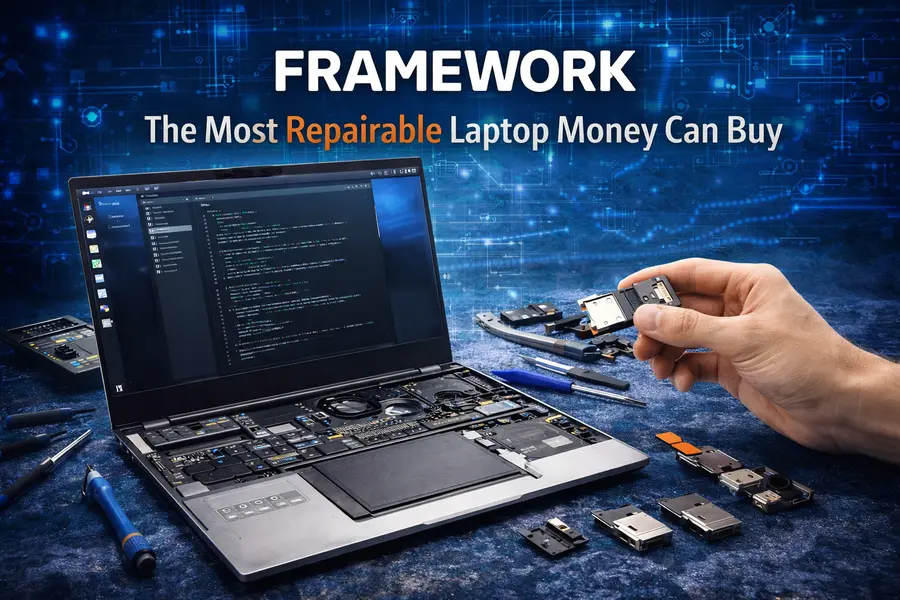
Framework: The Most Repairable Laptop Money Can Buy
Who It’s For
Framework is for people who are tired of planned obsolescence. The pitch is simple: buy it once, upgrade it forever. The 2021 Framework 13 chassis can accept a 2025-generation mainboard. You can swap ports with expansion cards. On the Laptop 16, you can upgrade the GPU module when the next generation drops. No other laptop in the world offers that.
🔧 Framework Laptop Lineup (2026)
Modular, repairable, and upgradeable laptops designed for the future — perfect for developers, students, and tech enthusiasts.
13.5-inch modular laptop with AMD Ryzen AI 300 series processors, 3:2 display (up to 2880×1920), and 4 customizable expansion slots.
💲 $769 (DIY) / $899 (Prebuilt)Powerful 16-inch modular machine with Ryzen AI 9 HX 370, swappable RTX 5070 GPU, Wi-Fi 7, and customizable keyboard system.
💲 $1,499 (DIY) / $1,799 (Prebuilt)Compact 12.2-inch convertible with stylus support — ideal for students, note-taking, and lightweight everyday tasks.
💲 Starting at $549What Makes Framework Stand Out
The upgrade path is genuinely unprecedented. When Intel or AMD releases a better chip, Framework sells a replacement mainboard for the Laptop 13 in the $600–$700 range. That means the machine you buy today isn’t obsolete in three years — it’s just waiting for a new heart. The Framework Laptop 16 takes this further with a swappable discrete GPU: the RTX 5070 module slots in and out, and when RTX 6000 series arrives, you’ll be able to upgrade just the GPU instead of buying a whole new laptop. That’s never existed before in the laptop market.
Linux support is excellent. Framework has cultivated strong community relationships with Fedora, Ubuntu, and NixOS teams. Their expansion card system’s embedded controller firmware is open source on GitHub. Linux works well out of the box on both the 13 and 16.
The 3:2 display on the Laptop 13 is a genuine productivity advantage. Tall screens mean more vertical real estate — less scrolling through code, documents, and web pages. The 2.8K panel option at 120Hz is sharp and crisp.
Port flexibility is a day-to-day joy. Four expansion card slots mean you configure your ports how you want them: USB-C, USB-A, HDMI, DisplayPort, Ethernet, microSD — mix and match for your setup, then swap when your needs change.
Framework Cons
- Battery life is the weak link. The Framework Laptop 13 averaged around 11 hours in video playback tests and roughly 8 hours under realistic workloads at 50% brightness. That’s acceptable, but the ThinkPad T14s Gen 6 blows past 20 hours, and that gap is hard to ignore for road warriors.
- Build quality is good, not great. There’s a visible seam between the chassis panels, the hinge wiggles a little after adjustment, and the overall feel is “sturdy and purposeful” rather than “premium.” Framework’s design is shaped by repairability, and some aesthetic compromises come with that.
- Pricing has crept up. A fully configured Laptop 13 (Ryzen AI 9, 32GB, 2.8K display) runs close to $1,800–$1,900. A fully loaded Laptop 16 with the RTX 5070 pushes past $2,500. Framework also doesn’t discount or sell through third-party retailers, so you won’t find it on sale.
- Tariff uncertainty — Framework was among the first laptop companies to pause some base-model sales and delay launches in 2025 due to US tariff changes on imported goods. Pricing remains subject to change.
- The Laptop 16 is heavy — At over 4.6 lbs, the 16-inch model isn’t something you’ll want to carry in a backpack daily unless you really need the GPU horsepower.
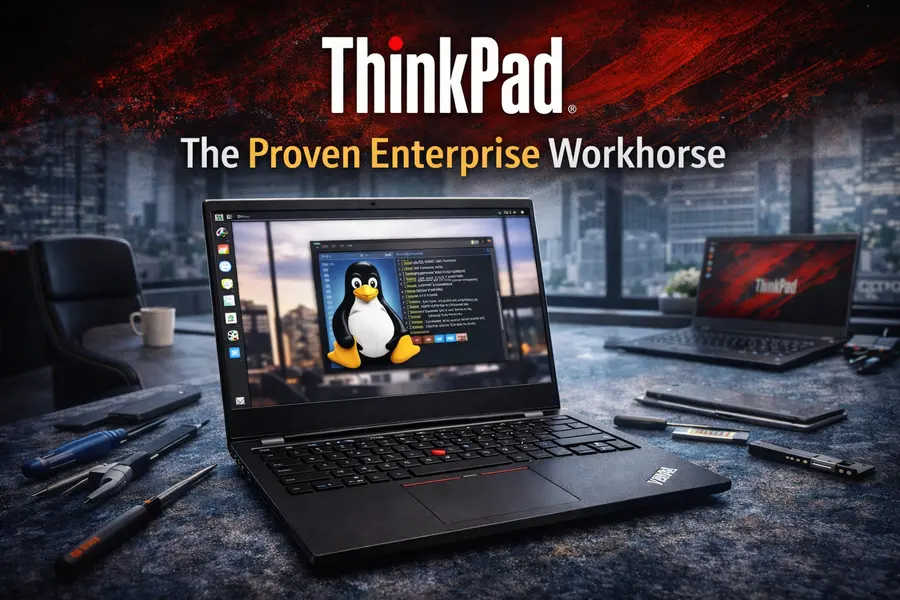
ThinkPad: The Proven Enterprise Workhorse
Who It’s For
ThinkPads are for people who need battle-tested reliability, legendary keyboards, enterprise-grade security features, and the widest possible ecosystem of Linux community support. If something breaks, Lenovo has authorized service centers everywhere. If you need Linux to run perfectly, the ThinkPad line has 20+ years of community-tested kernel patches proving it does.
🧠 ThinkPad Lineup Worth Considering (2026)
Premium business laptops known for durability, performance, and legendary keyboards — ideal for professionals and enterprise users.
Flagship ultraportable with Intel Core Ultra 7, stunning 2.8K OLED 120Hz display, and ultra-light 2.17 lbs design — perfect for executives on the go.
💲 $2,400–$2,500 (often $1,800–$2,000 on sale)High-efficiency productivity machine with Ryzen AI PRO or Snapdragon X Elite, offering incredible 21+ hour battery life and Wi-Fi 7 connectivity.
💲 $1,300–$1,800 depending on configurationPractical and upgrade-friendly laptop with a slightly thicker build, lower starting price, and user-replaceable RAM — great for long-term use.
💡 Best Value Business ChoiceWhat Makes ThinkPad Stand Out
The keyboard is still best-in-class. This isn’t fanboy talk — independent testers consistently rank the ThinkPad keyboard as the best on any Windows-sold laptop. Good key travel, excellent tactile feedback, and the iconic TrackPoint pointing device that lets you navigate without moving your hands off the home row. Developers who spend 8+ hours a day typing notice the difference.
Linux compatibility is rock solid. Lenovo has worked with the Linux kernel community for years. The X1 Carbon line in particular has extensive documentation, community support, and kernel patches going back through multiple generations. When you install Fedora 42 or Ubuntu 25.04 on an X1 Carbon Gen 13, things just work — Bluetooth, Wi-Fi, suspend/resume, everything.
Battery life on the T14s is unmatched in this comparison. The Snapdragon X Elite version hit over 21 hours in testing, while the AMD Ryzen AI version still gets a class-leading 15+ hours. The X1 Carbon Gen 13 is more modest at around 11–12 hours in real use, but that’s still competitive.
Build quality is premium. Carbon fiber and magnesium alloy chassis, military-spec durability testing (MIL-SPEC 810H), and genuine feel-in-hand quality that System76 and Framework haven’t quite matched. The X1 Carbon Gen 13 at 2.17 lbs is remarkably light for a 14-inch machine with an OLED display.
Enterprise features are unparalleled. ThinkShield security suite, hardware-level TPM, IR webcam for facial recognition, optional 4G/5G WWAN cards, Thunderbolt 4, and global on-site warranty options are standard in the enterprise world. System76 and Framework simply don’t operate at this scale.
ThinkPad Cons
- Ships with Windows. You have to install Linux yourself or use Lenovo’s Linux images if available. This isn’t a dealbreaker, but it’s a contrast to System76’s out-of-the-box experience.
- Soldered RAM on the X1 Carbon. The Gen 13 Aura Edition maxes out at 32GB on-package LPDDR5x. You can’t upgrade it. For most users that’s fine, but for developers running VMs or large Docker environments, this ceiling arrives sooner than expected.
- No open firmware. ThinkPads run standard UEFI. There’s no Coreboot option, no disabled Intel ME, and no firmware auditing. If firmware transparency matters to you, this is a real gap.
- Premium pricing with limited configs. The X1 Carbon Gen 13 starts at $2,500 from Lenovo and, even months after release, configuration options have been limited. You’re paying a flagship price and getting flagship constraints.
- Not built to be repaired by the user. Unlike Framework, a ThinkPad isn’t designed for easy home repair. Lenovo has authorized service centers, and the laptops are more serviceable than a MacBook, but swapping a mainboard yourself isn’t the expectation.
⚖️ System76 vs Framework vs ThinkPad (2026 Comparison)
Which One Should You Actually Buy?
Buy System76 If…
You want the deepest Linux integration possible, you care about open firmware and firmware transparency, and you don’t mind a machine that prioritizes function over form. The Lemur Pro is perfect for a developer who wants a featherweight travel machine with a long battery. The Pangolin is excellent if you want AMD power without paying a workstation premium. The Serval WS is the go-to if you need RTX GPU horsepower alongside a full Linux stack.
The System76 experience is particularly compelling if you’re already sold on Pop!_OS or if you want a machine where the OS and hardware were designed by the same team. The COSMIC desktop in Pop!_OS 24.04 is genuinely exciting for tiling window manager fans — it’s fast, keyboard-driven, and doesn’t collect your data.
Buy Framework If…
You want a machine that you can upgrade for five-plus years, you’re interested in building or configuring your own hardware, and you’re comfortable with the Linux community for support. The Laptop 13 with Ryzen AI 9 HX 370 is a killer daily driver for developers — fast, modular, and the 3:2 display is great for coding. The Laptop 16 with RTX 5070 is the only laptop in the world where you can swap the GPU, making it ideal if you do creative work or ML training and want long-term flexibility without buying a whole new machine.
Framework’s value proposition gets stronger the longer you keep the machine. If you tend to hold onto laptops for 4+ years and want to upgrade components over time, the economics of a Framework purchase become very compelling.
Buy ThinkPad If…
You need rock-solid enterprise reliability, the best keyboard in the business laptop market, proven Linux compatibility across every major distro, and you want a machine that Lenovo will support with on-site warranty options for years. The X1 Carbon Gen 13 is the pick for road warriors who want an ultra-light machine with a stunning OLED display and great Linux support. The T14s Gen 6 is the pick if battery life is your single most important criterion — nothing else in this comparison comes close to 21 hours.
ThinkPads are also the easiest recommendation if you work in a corporate or enterprise environment that expects specific security certifications, warranty terms, or compatibility with IT management tools. System76 and Framework simply don’t serve that market the same way.
System76 vs Framework vs ThinkPad: The Bottom Line
The System76 vs Framework vs ThinkPad comparison doesn’t have a single winner — it has three different winners depending on what you value most.
System76 wins on Linux-first integration, firmware openness, and privacy features. It’s the machine for true open-source believers who want software and hardware to be designed together.
Framework wins on repairability, upgradeability, and long-term value. If planned obsolescence bothers you at a philosophical level, Framework is the most coherent answer to that problem.
ThinkPad wins on build quality, battery life, keyboard experience, and enterprise trust. It’s the machine you hand to someone who needs something that just works, runs Linux, and won’t let them down.
All three are available in the USA, all three run Linux excellently, and all three are genuinely excellent machines in their respective lanes. The worst choice would be buying the wrong one for your actual workflow — so think carefully about whether you prioritize openness, upgradability, or reliability, and let that decision lead you.
Frequently Asked Questions
Is System76 worth it compared to ThinkPad for Linux?
Yes, if open firmware and a native Linux experience matter to you. System76 ships with Coreboot and Pop!_OS pre-tuned for the hardware, while ThinkPads ship with Windows and standard UEFI — though both run Linux very well.
Can Framework laptops run Linux without issues?
Yes. Framework has worked closely with Fedora and Ubuntu teams, and both the Laptop 13 and Laptop 16 run major Linux distributions out of the box with strong community documentation available.
What is the best ThinkPad for Linux in 2026?
The ThinkPad X1 Carbon Gen 13 is excellent for developers who want an ultra-light premium machine, while the T14s Gen 6 (AMD Ryzen AI 7 PRO 350 version) offers better multi-core performance and outstanding battery life.
Does Framework support Pop!_OS?
Framework laptops don’t come with any OS by default on the DIY edition, but Pop!_OS installs and runs well on Framework hardware. System76 even offers a Pop!_OS download compatible with non-System76 machines.
Is the Framework Laptop 16 good for Linux gaming?
Yes. With the RTX 5070 GPU module and AMD Ryzen AI 9 HX 370, the Laptop 16 (2025) is a capable Linux gaming machine — especially with Valve’s Proton layer making the Steam library broadly accessible.
Which laptop has the best battery life for Linux users?
The ThinkPad T14s Gen 6 with Snapdragon X Elite leads at 21+ hours; the AMD version still delivers 15+ hours. System76’s Lemur Pro hits up to 14 hours. Framework Laptop 13 manages around 8–11 hours depending on workload.
Are System76 laptops available in the US?
Yes — System76 is a US-based company (Denver, Colorado) and sells directly through their website at system76.com with US-based support and shipping.
Is Framework or System76 better for privacy?
System76 has the edge: Coreboot firmware, disabled Intel Management Engine, hardware kill switches on some models, and zero-telemetry Pop!_OS. Framework’s embedded controller firmware is open source, but the main firmware isn’t Coreboot, and they don’t disable the Intel ME.
Disclaimer
This article is for informational purposes only. Prices, specs, and availability are based on publicly available data as of early 2026 and may change without notice. We have no affiliation with System76, Framework, or Lenovo. Always verify current pricing and specifications directly on the manufacturer’s official website before making a purchase decision.
🔗 Related Linux Laptop Guides
Explore more detailed guides and comparisons to choose the best Linux laptop for your needs.
💻 Framework Laptops for Linux Users → 🧠 Top Ubuntu Certified ThinkPads for Developers → ⚙️ System76 Darter Pro vs Lemur Pro →About the Author