Top Ubuntu-Certified ThinkPads for Developers
If you’re a developer hunting for a reliable Linux laptop, you already know the drill — not every machine plays nicely with Ubuntu out of the box. Drivers misbehave, suspend/resume breaks, and you end up burning hours troubleshooting instead of shipping code. That’s exactly why Canonical’s Ubuntu hardware certification program matters, and why the top Ubuntu-certified ThinkPads for developers deserve a dedicated breakdown before you spend your money.
Lenovo’s ThinkPad lineup has long been a favorite in developer circles, and for good reason. The keyboards are excellent, the build quality holds up, and Lenovo has been proactively working with Canonical to certify hardware for Ubuntu compatibility. As of February 2026, there are well over 100 Lenovo ThinkPad configurations listed on Ubuntu’s official certified hardware catalog — meaning Canonical’s QA team has run 500+ OS compatibility tests on each of them, covering audio, Ethernet, Wi-Fi, TPM, Bluetooth, USB, firmware, and power management.
This guide is written for developers based in the USA who want to buy today — every model on this list is currently available through Lenovo’s US store, Amazon, or major US retailers. Prices are approximate as of February 2026 and may fluctuate. We’re not pushing one model over another; what matters is matching the right machine to your actual workload and budget.
Why Ubuntu Certification Actually Matters for Developers
Before getting into specific models, it’s worth understanding what “Ubuntu certified” actually means in practice. It’s not just a rubber stamp. Canonical engineers work with Lenovo to validate that every major hardware component functions correctly on Ubuntu LTS releases. When you buy a certified ThinkPad and install Ubuntu, things like sleep/wake cycles, fingerprint readers, IR cameras, Wi-Fi 7 adapters, and Thunderbolt docks are tested and verified.
This is different from “it mostly works” — which is what you get with most random laptops. With a certified machine, you’re getting something closer to a guarantee that your workflow won’t be disrupted by a kernel update breaking your Wi-Fi or suspend failing after a system upgrade.
Lenovo also upstreams drivers directly to the Linux kernel, which means fixes and new hardware support land in mainline Linux rather than requiring out-of-tree patches. For a developer who cares about a clean, stable environment, this matters a lot.
What to Look for Before Buying
A few things worth sorting out before you read the model breakdowns:
Your workload type. Are you doing web development, data science, compiling large Rust or C++ projects, running Docker containers, or working with ML models locally? Each of these has different CPU, RAM, and thermal requirements. A backend developer writing Go has very different needs than someone running PyTorch locally.
Portability vs. screen real estate. The 13-inch machines are genuinely light to carry but small for multi-window coding setups. The 14-inch models hit a sweet spot for most people. The 16-inch options are more desktop replacements.
RAM ceiling. Some of these machines have soldered RAM with no upgrade path. Know your maximum before you buy, because you can’t add more later on many of these thin-and-light models.
Budget honesty. Ubuntu-certified ThinkPads start around $820 and run well past $2,500 for the flagship configs. There’s no single “best” — there’s best for your situation.
1. Lenovo ThinkPad X1 Carbon Gen 13
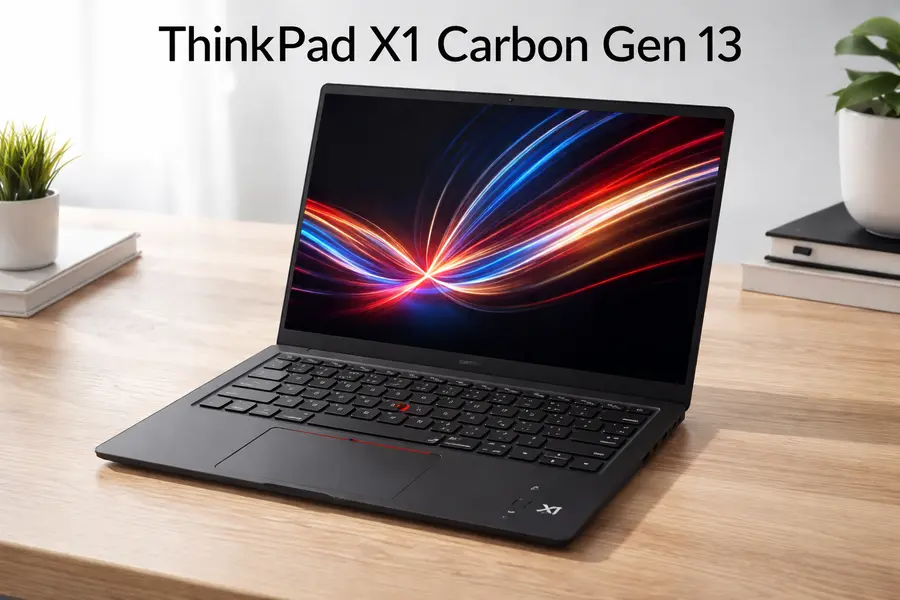
Starting price: ~$1,850 (Arrow Lake / Intel Core Ultra) to ~$2,000+ (Lunar Lake / Aura Edition)
Ubuntu certified: Yes — both the Intel Lunar Lake (LNL) and Intel Arrow Lake (ARL) variants are officially certified on Ubuntu
The X1 Carbon Gen 13 is one of the most refined business ultrabooks you can buy, and it’s the ThinkPad that most developers point to when budget isn’t the primary concern. At just 2.17 pounds, it’s remarkably light — lighter than a MacBook Air — while maintaining a 14-inch screen with options up to a 2.8K OLED display running at 120Hz with 100% DCI-P3 color coverage.
There are two distinct variants of the Gen 13 worth knowing about. The Lunar Lake (Aura Edition) version uses Intel’s Core Ultra 7 258V processor, which is optimized for efficiency. It maxes out at 32GB of RAM because Lunar Lake uses on-package memory — you can’t go beyond 32GB on this variant, and there’s no upgrade path. The Arrow Lake version uses Intel Core Ultra U-series processors, supports up to 64GB of RAM, and adds WWAN/5G options, though it’s heavier and less efficient than the Lunar Lake counterpart. According to NotebookCheck’s December 2025 review, the Arrow Lake version starts at $1,850 on Lenovo.com.
For most developers, the keyboard alone makes this machine worth considering. ThinkPad keyboards have always been a differentiator, and the X1 Carbon’s keyboard is consistently praised across virtually every review. The TrackPoint is there if you like it; the touchpad is spacious enough if you don’t. Connectivity includes two Thunderbolt 4 ports, two USB-A ports, HDMI 2.1, and Wi-Fi 7.
What developers like about it: Featherweight portability, best-in-class keyboard, excellent display options, rock-solid Ubuntu compatibility.
Honest caveats: The Lunar Lake version is limited to 32GB RAM — a dealbreaker if you regularly run memory-hungry workloads. Battery life hasn’t been stellar compared to other Lunar Lake machines in testing. And the price is genuinely high; if someone else isn’t paying for it, the value proposition gets harder to justify relative to the T14s.
Best for: Frontend developers, technical writers, DevOps engineers who travel constantly and need maximum portability without giving up a quality display or keyboard.
2. Lenovo ThinkPad T14s Gen 6
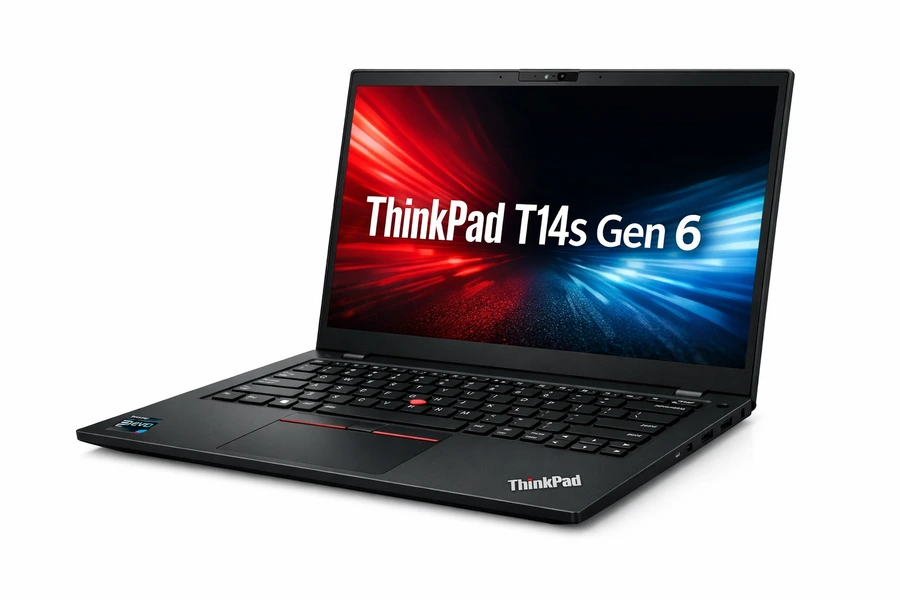
Starting price: ~$1,100–$1,400 (varies by configuration)
Ubuntu certified: Yes — both the AMD Ryzen AI variant and the Intel Lunar Lake variant are officially certified on Ubuntu
The T14s Gen 6 is where the value equation gets really interesting for developers. It’s a 14-inch machine that runs AMD Ryzen AI 7 PRO 350 (or Ryzen AI 9 HX PRO 370 in higher configs) and offers Ubuntu as an official OS option directly from Lenovo. The AMD variant in particular is a Copilot+ PC with strong AI-accelerated processing.
What makes the T14s Gen 6 stand out is its price-to-capability ratio. You’re getting a machine that’s only a bit heavier than the X1 Carbon (around 2.73 pounds) at a noticeably lower price point. RAM goes up to 64GB on the AMD version (up to 96GB on some P-series configs), which is a major advantage for developers who run multiple Docker containers, local databases, and a heavy IDE simultaneously.
The display is a WUXGA (1920×1200) IPS panel on base configurations, with better panel options available at higher tiers. It supports Wi-Fi 7, has Thunderbolt 4 ports, and ships with Lenovo’s ThinkShield security suite. The T14s also clears MIL-STD-810H durability testing, so it’s not fragile despite being thin.
One thing worth noting: the AMD variant tends to get stronger reviews for multithreaded performance, which matters for compilation-heavy workflows. If you’re building large codebases or working in data science with local compute, the AMD Ryzen AI Pro chips have shown impressive integrated graphics performance that also benefits tasks like running lightweight ML inference locally.
What developers like about it: Excellent value, Ubuntu certified, 64GB RAM ceiling, strong AMD performance for compile-heavy work, good port selection.
Honest caveats: The base display is adequate but not as impressive as the X1 Carbon’s OLED option. Some configurations ship with Windows, so confirm you’re ordering an Ubuntu or FreeDOS SKU if you want to avoid paying the Windows license fee.
Best for: Backend developers, data scientists, developers who want a capable 14-inch daily driver without paying flagship premiums. Particularly strong choice if you regularly compile large projects or run Docker-heavy workflows.
3. Lenovo ThinkPad P14s Gen 6 (AMD)
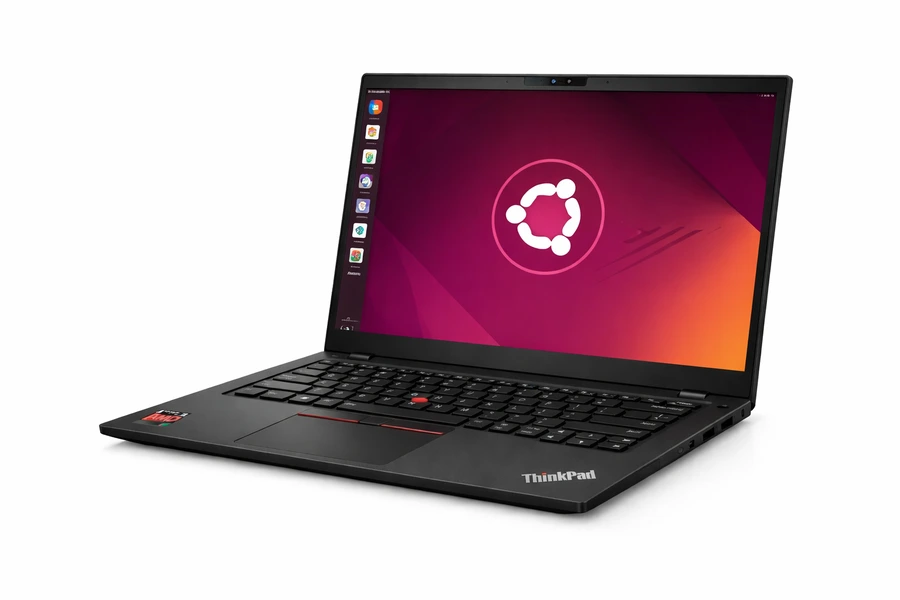
Starting price: ~$1,100
Ubuntu certified: Yes — the AMD variant ships officially with Ubuntu as an OS option
The ThinkPad P-series designates mobile workstations, and the P14s Gen 6 AMD is Lenovo’s thinnest and lightest mobile workstation to date, starting at 1.39kg (about 3.06 pounds). It was announced in April 2025 and has been available in the US since May 2025.
What separates the P14s Gen 6 from the T14s Gen 6 isn’t just branding — it’s the ISV certifications for professional applications like CAD and BIM software, and the way the AMD Ryzen AI PRO 300 series processors are tuned and validated for these workloads. Engineers, architects, and developers working with professional simulation or design tools will find the P14s a more validated choice.
The processor goes up to the AMD Ryzen AI 9 HX PRO 370 (12 cores, up to 5.1GHz, 50 NPU TOPS), which is a legitimate powerhouse for compile-heavy development, running ML models, or engineering simulation. RAM goes up to 96GB DDR5, and storage maxes out at 2TB PCIe Gen 4 NVMe. Display options include a 1920×1200 IPS or a 2880×1800 OLED panel.
The AMD RDNA 3.5 integrated graphics on this platform are notably strong for a laptop without discrete GPU. If you’re doing GPU-accelerated development (CUDA alternatives via ROCm, Vulkan, OpenCL), the integrated Radeon 890M is meaningfully capable without carrying around a heavy discrete GPU machine.
This is also a Copilot+ PC with up to 82 TOPS of heterogeneous AI processing, though that’s more relevant for Windows AI features than Ubuntu-specific use cases today.
What developers like about it: Mobile workstation-grade performance in a 14-inch form factor, Ubuntu as a shipping OS option, high RAM ceiling (96GB), excellent CPU for demanding workloads, ISV certifications.
Honest caveats: More expensive than the T14s for comparable specs. The workstation designation matters most if you actually use ISV-certified software — otherwise, the T14s Gen 6 offers very similar performance at lower cost. Some users find the cooling aggressive under sustained load.
Best for: Engineers and developers who run professional software (CAD, simulation, scientific computing), data scientists who need local compute headroom, or developers who want workstation reliability in a portable form factor.
4. Lenovo ThinkPad P16s Gen 4 (AMD)
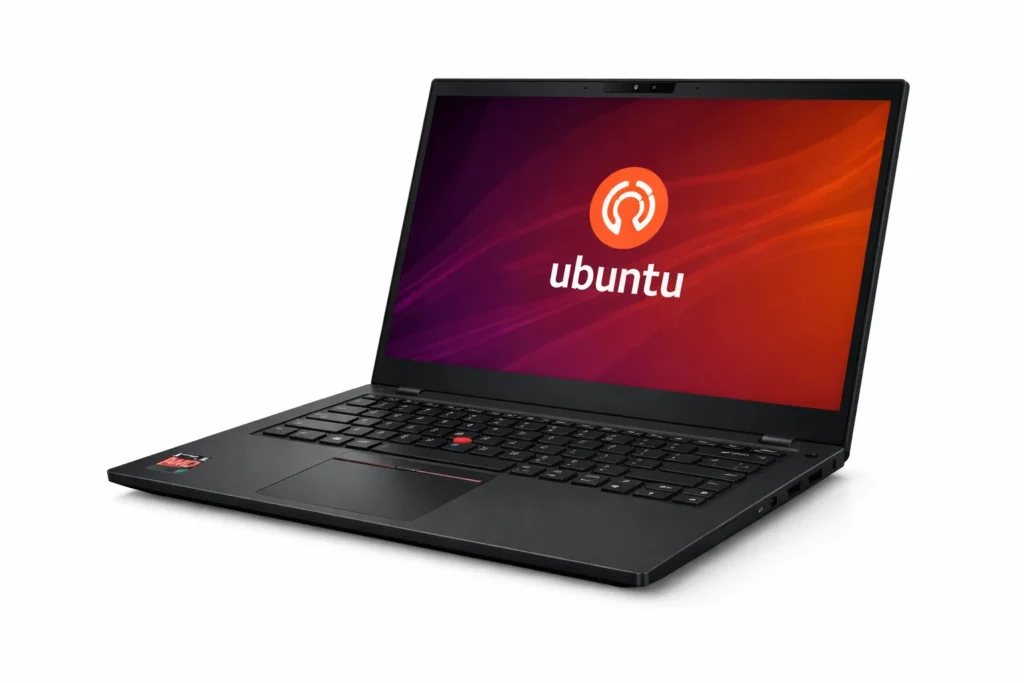
Starting price: ~$1,150
Ubuntu certified: Yes — ships with Ubuntu as an official OS option from Lenovo
For developers who need a bigger screen and don’t mind carrying a slightly heavier machine, the ThinkPad P16s Gen 4 is worth a serious look. It’s a 16-inch mobile workstation using the same AMD Ryzen AI PRO 300 series processors as the P14s Gen 6, with the same 96GB RAM ceiling and up to 2TB of SSD storage.
The 16-inch form factor gives you more room for multi-panel coding setups, which is something you feel during a long day of development work. Display options include a 1920×1200 IPS or — for those who want a premium visual experience — a 3840×2400 OLED panel. At that resolution on a 16-inch screen, you can realistically have multiple terminal windows, a browser, and an IDE all on screen simultaneously without things feeling cramped.
The P16s Gen 4 weighs in at around 3.77 pounds (1.71kg), which is substantial for daily commuting but manageable if your bag goes between desk and car or desk and home. It’s 0.71 inches thick, and Lenovo describes it as ISV-certified for key professional graphics and engineering applications.
The connectivity lineup is solid: multiple USB-C with Thunderbolt, USB-A, HDMI, and an optional 5G WWAN slot depending on configuration. Like all P-series machines, it clears MIL-STD-810H testing.
What developers like about it: Large high-res display options (including OLED), same powerful AMD Pro processors as the P14s, 96GB RAM support, proper mobile workstation pedigree with Ubuntu support.
Honest caveats: At 3.77 pounds, it’s not a bag-friendly commuter machine. If you need true portability, the P14s is the better call. The starting price is close to the P14s, but fully configured units can get expensive quickly.
Best for: Developers who work primarily from a desk or in one location, need the extra screen real estate, and want a Linux-certified workstation-class machine for demanding tasks like scientific computing, large-scale simulation, or ML development.
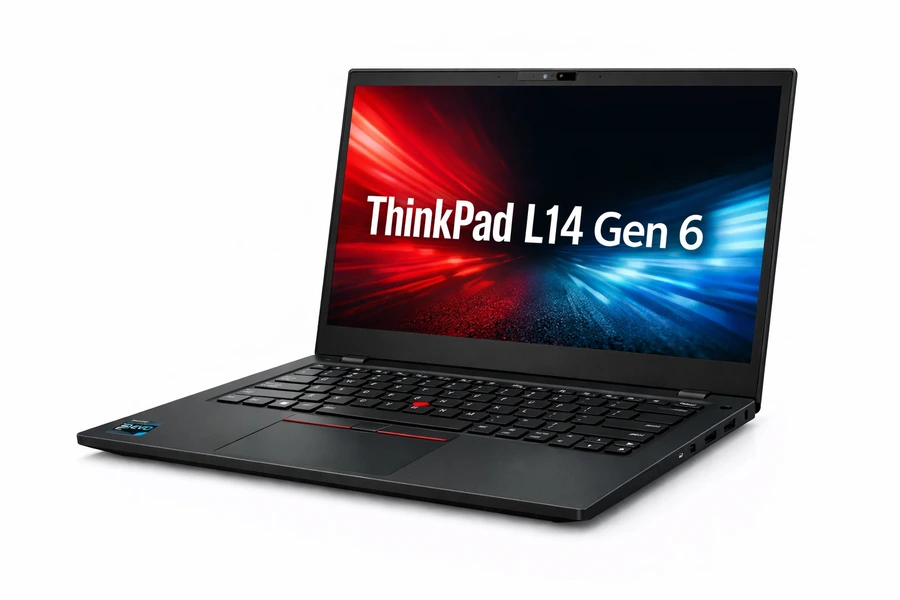
5. Lenovo ThinkPad L14 Gen 6
Starting price: ~$820
Ubuntu certified: Yes — multiple configurations (Intel and AMD) are listed on Ubuntu’s certified hardware catalog
If budget is a real constraint and you need a dependable Ubuntu-certified laptop without compromise on reliability or build quality, the ThinkPad L14 Gen 6 is worth serious consideration. It launched in June 2025 with Intel Core Ultra 200U series and AMD Ryzen AI processor options, and it carries the same ThinkPad DNA with a lower price of entry.
The L-series has always been Lenovo’s more affordable business line — it uses slightly more plastic in the chassis compared to the T or X1 series, and the display options are less premium. But the fundamentals are solid: full keyboard, good port selection, MIL-SPEC durability testing, Ubuntu compatibility, and a 14-inch form factor that doesn’t overstay its welcome in a bag.
RAM goes up to 64GB depending on configuration, and storage maxes at 2TB. The processor options won’t win benchmark competitions, but for everyday development work — writing code, running tests, managing containers, SSH sessions, Git operations — the L14 Gen 6 does the job reliably.
There’s also an L13 Gen 6 (starting at ~$1,509) and an L16 Gen 2 for those who want a smaller or larger screen respectively, all Ubuntu certified.
What developers like about it: Lowest price of entry among the Ubuntu-certified ThinkPads on this list, solid reliability, legitimate business-class features including ThinkShield, available with Ubuntu directly from Lenovo.
Honest caveats: Display options aren’t as crisp as the T or X1 series. The build quality uses more plastic and feels less premium. CPU performance is behind the AMD Pro variants in the P and T series.
Best for: Students, early-career developers, teams buying in bulk, or anyone who needs a dependable Ubuntu machine and wants to keep costs down without buying something that will feel limiting within a year.
Side-by-Side Comparison
| Model | Starting Price | Weight | Max RAM | Display Options | Ubuntu Certified |
|---|---|---|---|---|---|
| X1 Carbon Gen 13 (Lunar Lake) | ~$2,000+ | 2.17 lbs | 32GB | 2.8K OLED | Yes |
| X1 Carbon Gen 13 (Arrow Lake) | ~$1,850 | ~2.56 lbs | 64GB | WUXGA IPS / OLED | Yes |
| T14s Gen 6 (AMD) | ~$1,100+ | ~2.73 lbs | 64GB | WUXGA IPS | Yes |
| P14s Gen 6 (AMD) | ~$1,100 | 3.06 lbs | 96GB | WUXGA IPS / OLED | Yes |
| P16s Gen 4 (AMD) | ~$1,150 | 3.77 lbs | 96GB | WUXGA IPS / OLED | Yes |
| L14 Gen 6 | ~$820 | ~3.1 lbs | 64GB | WUXGA IPS | Yes |
Frequently Asked Questions
Can I order these with Ubuntu pre-installed?
Yes, for most of these models. Lenovo’s US website allows you to configure select ThinkPads with Ubuntu 22.04 or 24.04 LTS pre-installed, or with FreeDOS (which means no Windows license fee, and you install Ubuntu yourself). The P-series models especially tend to have Ubuntu as an explicit OS option in the configurator.
Is Ubuntu 24.04 LTS supported on all of these?
The Ubuntu certification pages on ubuntu.com list the specific Ubuntu versions each device is certified against. Most of the newer Gen 5 and Gen 6 models are certified for Ubuntu 24.04 LTS. It’s worth checking the specific certification page for your exact model before purchasing if you need a particular LTS version.
What about Fedora or other distros?
Lenovo’s Linux partnerships extend to Fedora and Red Hat Enterprise Linux as well, particularly for the P-series workstations. If you’re a Fedora user, many of these machines will work well — but the formal Ubuntu certification means Canonical has specifically validated the hardware, which provides an additional layer of assurance specific to the Ubuntu ecosystem.
Should I get Windows + install Ubuntu myself, or order with Ubuntu pre-installed?
There’s a legitimate argument for ordering with Ubuntu pre-installed (or FreeDOS), because you’re not paying a Windows license fee and you get a clean Ubuntu image validated for your hardware. However, if you expect to occasionally need Windows for specific software or client requirements, dual-boot configurations are also an option. That decision is more about your specific workflow than about hardware quality.
Where can I buy these in the US?
Lenovo’s own website (lenovo.com) is the primary source and lets you customize configurations most extensively. Major US retailers including Amazon, Best Buy (for select models), and B&H Photo carry ThinkPad models. Micro Center carries some configurations in-store. For business purchases, Lenovo’s Pro pricing and education discounts are worth checking — they can meaningfully reduce the cost.
Final Thoughts
There’s no single “best” Ubuntu-certified ThinkPad for developers in 2026 — it genuinely depends on what you’re building and how you work. The X1 Carbon Gen 13 earns its place if you travel frequently and want the lightest possible machine without giving up keyboard quality or display options. The T14s Gen 6 AMD is probably the most balanced choice for most developers who need solid performance and a reasonable price. The P14s and P16s Gen 6 are the right call if you’re running demanding local workloads — scientific computing, ML, CAD — and want Ubuntu certified on a mobile workstation with serious RAM headroom. And the L14 Gen 6 is the pragmatic pick when budget matters without wanting to leave the ThinkPad ecosystem.
Whatever you choose from this list, you’re getting hardware that’s been formally validated for Ubuntu — not just “it should work,” but actually tested and certified. For a developer who values their time, that peace of mind is part of what you’re paying for.
Check the official Ubuntu certified hardware catalog at ubuntu.com/certified before finalizing your purchase, and cross-reference with Lenovo’s US store for current pricing and configuration options.
Disclaimer
The information provided in this buying guide is for general informational purposes only. Prices, availability, and product specifications listed are approximate as of February 2026 and may change without notice. Always verify current pricing and availability directly with Lenovo or authorized US retailers before making a purchase. Ubuntu certification status should be confirmed on Canonical’s official hardware catalog at ubuntu.com/certified, as certification listings are updated regularly. We are not affiliated with Lenovo, Canonical, or any retailer mentioned in this guide, and no compensation was received for featuring any product. This guide does not constitute professional or financial advice — purchase decisions should be based on your own research and requirements.
Recommended Linux Laptop Guides
About the Author