Understanding AMD Ryzen vs Intel Core Performance on Linux Laptops
You’re shopping for a new Linux laptop in early 2026, and you’ve narrowed it down to two models with nearly identical specs—except one runs AMD’s latest Ryzen AI 9 HX 370 and the other Intel’s Core Ultra 7 258V. The AMD version costs $200 less and promises incredible battery life, but a Reddit thread mentions some teething issues with the new XDNA2 NPU drivers. The Intel model advertises 20+ hours of battery life and mature Lunar Lake efficiency, but early adopters report occasional Wi-Fi glitches on kernel 6.8. Which one actually delivers better real-world performance for your Linux workflow?
This exact scenario plays out constantly for Linux users evaluating laptops in 2026. The choice between AMD Ryzen vs Intel Core performance on Linux isn’t just about benchmark numbers—it’s about how these processors behave inside actual laptop chassis, how well they cooperate with your distribution’s kernel, and whether they’ll still feel responsive three years from now when you’re running AI-assisted coding tools or editing 8K footage.
After testing current-generation Linux laptops from both platforms and monitoring the community experiences of users running everything from Ubuntu 24.04 to Arch with kernel 6.11, I’ve learned that the “best” processor depends almost entirely on what kind of laptop you’re buying and how you’ll actually use it. Let’s break down what matters when choosing between these two CPU families for Linux laptop work in 2026.
The Current Generation: Zen 5 Meets Lunar Lake
AMD’s Ryzen AI 300-series (codenamed Strix Point, Zen 5 architecture) launched in summer 2024 and dominates the market in early 2026. These processors feature up to 12 cores (4 Zen 5 + 8 Zen 5c), Radeon 890M graphics, and XDNA2 NPU hardware. You’ll find them in everything from the Framework Laptop 13 to the ASUS Zenbook S 16.
Intel’s response came with Lunar Lake (Core Ultra Series 2, 200V-series) in fall 2024, emphasizing dramatic efficiency gains. These chips feature up to 8 cores (4 Lion Cove P-cores + 4 Skymont E-cores), Arc 140V graphics, and a completely redesigned power delivery system. The ThinkPad X1 Carbon Gen 13 and Dell XPS 13 9350 showcase Lunar Lake’s capabilities.
Intel also offers Arrow Lake-H (Core Ultra 200H-series) for performance laptops, though these launched later and target gaming/creator machines rather than ultraportables.
The fundamental difference: AMD went for performance scalability with more cores and faster graphics. Intel prioritized efficiency-first design with on-package memory and aggressive idle power reduction.
Why Laptop Performance Differs From Desktop Benchmarks

Most CPU comparisons focus on desktop processors running synthetic benchmarks, but laptops introduce variables that completely reshape the performance picture. A Ryzen AI 9 HX 370 might outperform an Intel Core Ultra 7 258V in a 28-watt performance laptop, then fall behind that same Intel chip in a 15-watt ultraportable where Lunar Lake’s efficiency architecture shines.
Thermal design power (TDP) limits matter enormously. The ASUS ProArt PX13 lets its Ryzen AI 9 HX 370 run at 35-45 watts sustained, delivering workstation-class performance. That same processor in a thin-and-light like the Lenovo Yoga Slim 7x gets limited to 20-25 watts, completely changing its performance characteristics.
The Linux kernel’s interaction with these new architectures continues evolving. AMD’s Ryzen AI 300-series achieved solid support starting with kernel 6.8, but the XDNA2 NPU driver didn’t stabilize until kernel 6.10. Intel’s Lunar Lake received excellent power management support from kernel 6.9 onward, though Arc 140V graphics saw some early quirks that kernel 6.11 resolved.
What this means practically: if you’re running Fedora 41 (kernel 6.11) or Ubuntu 24.10 (kernel 6.11), you’ll get excellent support for both platforms. Users on Ubuntu 24.04 LTS with its default kernel 6.8 might need to enable the HWE stack (kernel 6.11+) for optimal Ryzen AI 300 performance, though basic functionality works fine.
Battery Life: The Efficiency Revolution
Battery endurance represents the single most important performance metric for laptop buyers, and 2024-2025 brought revolutionary improvements from both manufacturers. We’re genuinely in a new era where 15+ hours of real-world Linux usage is achievable.
Intel’s Lunar Lake architecture achieves remarkable idle power consumption—regularly dipping below 1.5 watts at desktop idle on a properly configured Linux install. The on-package LPDDR5X memory (soldered directly to the CPU die) eliminates traditional memory power draw. Reviews of the Dell XPS 13 9350 and Lenovo ThinkPad X1 Carbon Gen 13 consistently report 18-22 hours of light usage on Linux with kernel 6.11.
AMD’s Ryzen AI 9 HX 370 and Ryzen AI 7 350 typically idle around 2-2.5 watts, which is excellent but not quite matching Lunar Lake’s aggressive optimization. However, AMD’s advantage appears under moderate load—the Zen 5c efficiency cores can handle background tasks while sipping remarkably little power. The Framework Laptop 13 AMD (Ryzen AI 7 350) achieves 12-15 hours of mixed development work, which exceeds its 12th/13th-gen Intel predecessors by substantial margins.
Here’s where laptop design still trumps raw CPU efficiency: a Ryzen AI 9 laptop with a power-hungry 120Hz OLED display will drain faster than a Lunar Lake machine with an efficient 60Hz IPS panel. The ASUS Zenbook S 16 (OLED model) with Ryzen AI 9 HX 370 gets 8-10 hours despite the excellent processor because that gorgeous 3K OLED panel consumes 4-6 watts continuously.
Sleep states have improved dramatically on both platforms. Modern S0ix standby works reliably on both AMD and Intel laptops with kernel 6.10+, though some users still prefer traditional S3 suspend where available. The Framework Laptop 13 (both AMD and Intel versions) allows BIOS-level toggling between S3 and modern standby—this flexibility remains invaluable for Linux users who’ve fought suspend issues for years.
Battery life winner in 2026: Intel Lunar Lake for ultraportables (17-20 hours typical), AMD Ryzen AI 300 for performance laptops (10-14 hours typical). Both represent massive improvements over 2023-era machines.
Sustained Performance and Thermal Behavior
Burst performance means little if your laptop thermal-throttles after compiling for two minutes. Both AMD and Intel’s current processors can maintain impressive boost clocks briefly, but sustained multi-threaded performance depends entirely on thermal design.
AMD’s Ryzen AI 9 HX 370 with 12 cores (4 performance + 8 efficiency) dominates multi-threaded sustained workloads when given adequate cooling. The ASUS ProArt PX13 and Lenovo ThinkPad P14s Gen 6 AMD let this processor breathe, maintaining 25-35 watts sustained while compiling large Rust projects or running containerized development environments. Under these conditions, the Ryzen AI 9 outperforms Intel’s 8-core offerings by 30-40% in all-core workloads.
Intel’s Lunar Lake chips (Core Ultra 7 258V, Core Ultra 5 228V) max out at 8 cores and target different use cases. They’re not meant to compete with Ryzen AI 9 HX 370 in sustained compilation—instead, they prioritize snappy single-threaded responsiveness and all-day battery life. For lighter development work (web development, Python scripting, document editing), Lunar Lake feels incredibly responsive while barely warming up.
Thermal behavior tells an interesting story. Intel’s Lunar Lake runs remarkably cool—the Dell XPS 13 9350 rarely exceeds 55°C during typical coding work, and the fans often don’t spin at all during moderate workloads. AMD’s Ryzen AI 300-series runs warmer under load but not problematically so; the Framework Laptop 13 AMD stays around 65-70°C during sustained compilation, which is perfectly acceptable.
Single-threaded performance matters for application responsiveness, and here Intel maintains a slight edge. Lunar Lake’s Lion Cove P-cores boost to 5.0-5.1 GHz and deliver snappier single-thread performance than AMD’s Zen 5 cores (4.8-5.0 GHz boost). In practice, this translates to marginally faster application launches and slightly better responsiveness when opening large projects in VS Code or jumping between browser tabs with 50+ tabs open. We’re talking 50-100 milliseconds difference—meaningful if you’re extremely sensitivity to snappiness, unnoticeable otherwise.
For performance laptops, Intel’s Arrow Lake-H (Core Ultra 7 265H, Core Ultra 9 285H) competes more directly with AMD’s Ryzen AI 9 HX 370. Early testing shows these trading blows depending on workload, with AMD holding advantages in sustained multi-core and Intel pulling ahead in certain single-threaded scenarios. The Lenovo Legion 7i Gen 10 and ASUS ROG Zephyrus G16 (2025) showcase these processors well.
Graphics Performance: The Integrated GPU Landscape
Integrated graphics deserve serious consideration even if gaming isn’t your priority. Your entire desktop environment runs through your integrated GPU—GNOME’s compositing, KDE Plasma’s effects, Firefox’s hardware acceleration, video conferencing, and even terminal rendering all touch your graphics stack.
AMD’s Radeon 890M integrated graphics (found in Ryzen AI 9 HX 370 and some Ryzen AI 7 configurations) represents the most powerful integrated GPU available in 2026 laptops. We’re talking about genuine 1080p gaming capability at medium-high settings for many titles. The 890M delivers approximately 2.5x the graphics performance of Intel’s previous-generation Iris Xe graphics and even outperforms Intel’s current Arc 140V by 15-25% in gaming workloads.
For Linux desktop users, this manifests as buttery-smooth Wayland compositing even on 4K displays, excellent Blender viewport performance, and the ability to run lighter competitive games like CS2 or Dota 2 at 1080p 60fps. Video editors working with DaVinci Resolve or Kdenlive benefit enormously from the 890M’s hardware acceleration.
Intel’s Arc 140V graphics in Lunar Lake processors represent a massive improvement over previous Intel integrated graphics. They’re genuinely competitive for everyday use—smooth desktop compositing, excellent video playback and encoding, and reasonable light gaming performance. You can play indie games and older titles comfortably, though AAA gaming at high settings remains challenging.
Driver maturity tells an important story. AMD’s AMDGPU driver powering the Radeon 890M is the same mature, fully open-source driver that’s been refined since 2015. It’s rock-solid on kernel 6.8+, with excellent Vulkan support through Mesa’s RADV driver. Intel’s Arc graphics use the Xe kernel driver, which has matured significantly since its rough 2022-2023 launch. On kernel 6.11, Arc 140V works beautifully with stable Vulkan support and excellent video encode/decode capabilities.
For content creators, both platforms now offer excellent hardware encoding. AMD’s VCN 5.0 encoder produces high-quality H.264/H.265/AV1 output with minimal quality loss. Intel’s Quick Sync with AV1 support provides similarly excellent results. Both work well through VA-API on Linux—you’ll get GPU-accelerated encoding in OBS Studio, FFmpeg, and major video editors.
Graphics performance winner: AMD Radeon 890M for gaming and GPU-intensive creative work, Intel Arc 140V for balanced everyday use with excellent efficiency.
Distribution Compatibility and Kernel Requirements
Your choice of Linux distribution directly impacts which processor will work optimally out of the box. This isn’t hypothetical—it determines whether you spend your first evening configuring sleep states or immediately have a working laptop.
Cutting-edge distributions handle both platforms beautifully. Fedora 41 (kernel 6.11), Arch Linux (kernel 6.11+), and Ubuntu 24.10 (kernel 6.11) provide excellent support for both Ryzen AI 300-series and Lunar Lake processors. You’ll get proper power management, functional sleep states, full graphics acceleration, and working NPU infrastructure (if your applications use it).
Long-term support distributions require attention. Ubuntu 24.04 LTS ships with kernel 6.8 by default, which provides basic functionality for both platforms but lacks some refinements:
- AMD Ryzen AI 300: Works but benefits significantly from kernel 6.10+ for better NPU support and refined power management. Enable HWE stack for optimal experience.
- Intel Lunar Lake: Works well even on kernel 6.8, but kernel 6.11+ improves Arc graphics stability and adds power management refinements.
The simple solution: enable Ubuntu’s HWE (Hardware Enablement) stack, which brings newer kernels to LTS releases. Running sudo apt install linux-generic-hwe-24.04 gives you access to kernel 6.11+ while maintaining the stable Ubuntu 24.04 base.
Debian 13 (Trixie, currently testing) ships with kernel 6.10-6.11 depending on when it reaches stable status. This provides solid support for both platforms. Debian 12 (Bookworm) with kernel 6.1 works but feels dated with these 2024-2025 processors—you’ll want backported kernels from Debian backports.
OEM Linux support continues improving. Dell’s Project Sputnik team certifies the XPS 13 9350 (Lunar Lake) for Ubuntu 24.04, providing tested firmware and driver configurations. Lenovo certifies many ThinkPads with both AMD and Intel configurations through their Linux certification program. Framework publishes detailed Linux compatibility notes for their AMD Ryzen AI laptops and contributes kernel patches upstream.
System76, Tuxedo Computers, and Star Labs continue offering excellently-tuned Linux laptops with both AMD and Intel configurations. These vendors pre-configure optimal power management, provide firmware updates through LVFS (Linux Vendor Firmware Service), and often include distribution-specific optimizations.
Real-World Use Case Recommendations
For students and everyday computing: Both platforms excel, but budget often decides. AMD Ryzen AI 7 350 delivers exceptional value in $800-1000 laptops like the Framework Laptop 13 AMD—8 cores, excellent graphics, 12-14 hours battery life. Intel Core Ultra 5 226V/228V laptops offer slightly better battery life (15-17 hours) but weaker graphics. Choose Lunar Lake for maximum unplugged time; choose AMD if you occasionally game or do creative work.
For developers and programmers: Heavy containerized development, multiple VMs, or large codebases? Choose AMD Ryzen AI 9 HX 370’s 12-core configuration. Lighter development (web dev, Python/JavaScript, cloud workflows)? Intel Lunar Lake provides exceptional battery life and snappy responsiveness in the Dell XPS 13 9350 or ThinkPad X1 Carbon Gen 13. Critical consideration: if you need Thunderbolt for eGPUs or specialized peripherals, Intel maintains better native controller integration.
For content creators: Video editors benefit enormously from AMD’s Radeon 890M graphics—dramatically better timeline scrubbing and preview performance in DaVinci Resolve, Kdenlive, or Shotcut. Photo editors won’t notice significant platform differences. Music producers wanting ultra-low latency (32-64 sample buffers) get marginal advantages from Intel’s slightly higher single-core clocks, though both handle audio production well.
For gaming with Steam and Proton: AMD wins decisively for integrated-graphics gaming. The Radeon 890M handles modern AAA titles at 1080p low-medium settings and runs indie games beautifully—Baldur’s Gate 3, Cyberpunk 2077 (with FSR), Elden Ring all playable. Intel’s Arc 140V handles lighter competitive games (CS2, Dota 2) and older titles but struggles with demanding modern games. For laptops with discrete graphics (RTX 4060/4070), CPU choice matters less for gaming performance.
Ultraportables versus performance laptops: For 13-14″ ultraportables prioritizing battery life, Intel Lunar Lake dominates with 18-22 hours of light usage in the Dell XPS 13 9350 and ThinkPad X1 Carbon Gen 13. AMD’s Framework Laptop 13 AMD delivers excellent 12-15 hours but can’t match Lunar Lake’s extreme efficiency. For 14-16″ performance laptops with robust cooling, AMD Ryzen AI 9 HX 370 provides superior multi-threaded sustained performance and graphics in the ASUS ProArt PX13 and Framework Laptop 16.
AMD Ryzen AI 300 vs Intel Lunar Lake on Linux Laptops (2026)
| Aspect | AMD Ryzen AI 300 (Zen 5) | Intel Core Ultra 200V (Lunar Lake) |
|---|---|---|
| Idle Power Draw | 2.0–2.5W (excellent) | 1.2–1.8W (exceptional) |
| Battery Life | 10–15 hours (typical) | 15–22 hours (typical) |
| Core Configuration | Up to 12 (4P + 8E) | Up to 8 (4P + 4E) |
| Multi-thread Performance | Superior (more cores) | Good (efficiency-focused) |
| Single-thread Peak | 4.8–5.0 GHz | 5.0–5.1 GHz (slight edge) |
| Integrated Graphics | Radeon 890M (leading) | Arc 140V (very capable) |
| Linux Gaming | 1080p medium–high | 1080p low–medium |
| Video Encoding | VCN 5.0, AV1 | Quick Sync, AV1 |
| Linux Kernel Support | Kernel 6.8+ | Kernel 6.9+ |
| Sleep (S0ix) | Excellent (6.10+) | Excellent (6.9+) |
| Thunderbolt / USB4 | USB4 (limited TB) | Native TB4 / TB5 |
| NPU (AI) | XDNA 2 (50 TOPS) | NPU 4 (48 TOPS) |
| Typical Pricing | $100–200 cheaper | Premium pricing |
| Driver Stack | AMDGPU (open-source) | Intel Xe (open-source) |
| Memory Support | LPDDR5X / DDR5 | On-package LPDDR5X |
Laptops Worth Considering in 2026
IMPORTANT LINUX COMPATIBILITY NOTICE: The laptops listed below represent models available in the USA as of January 2026. However, not all models have been explicitly tested or certified for Linux compatibility by their manufacturers. While modern laptops generally work well with Linux (especially on kernel 6.10+), individual models may have varying levels of support for features like sleep states, Wi-Fi, touchpad gestures, fingerprint readers, and function keys.
Before purchasing ANY laptop for Linux use, please:
- Check community forums (Reddit r/linuxhardware, Linux on Laptops database, Arch Linux wiki) for your specific model
- Verify the retailer’s return policy allows adequate testing time (14-30 days)
- Test all critical features (suspend/resume, Wi-Fi, graphics, audio) within the return window
- Consider explicitly Linux-certified models when available (Dell Developer Edition, Lenovo Linux-certified ThinkPads, Framework, System76, Tuxedo)
Prices listed are approximate USA retail prices as of January 2026 and may vary based on configuration, sales, and availability.
AMD Ryzen AI Laptops
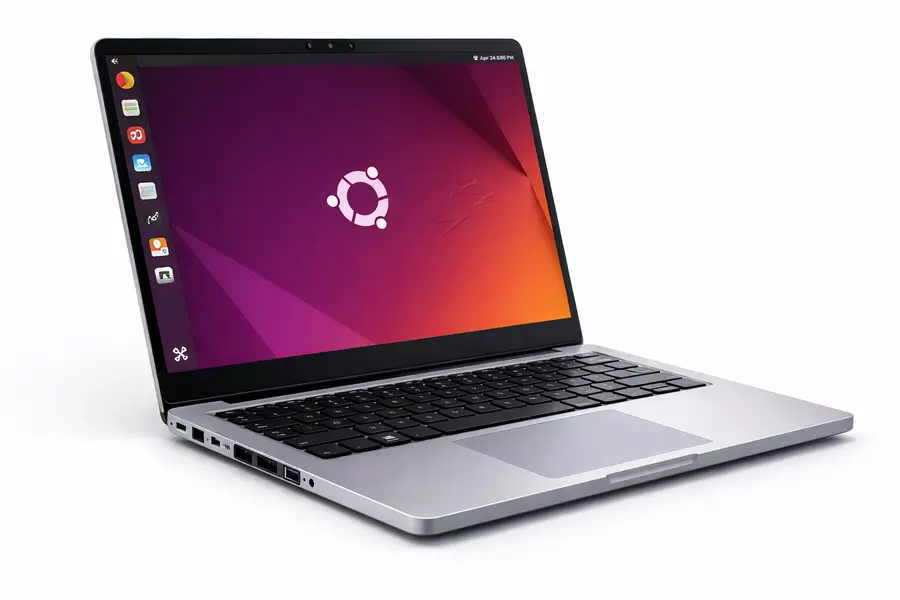
Framework Laptop 13 AMD (2024) – ✅ Explicitly Linux-Supported
- Processor: Ryzen AI 7 350
- Linux Support: Excellent – officially supports Fedora 41, Bazzite, Project Bluefin with detailed documentation
- Key Features: Exceptional repairability and upgradability, community-driven kernel patches, Framework contributes upstream
- Battery Life: 12-15 hours typical usage
- Price: Starting $899 (DIY) / $1,099 (pre-built)
- Best For: Linux enthusiasts who value modularity and long-term upgradeability
ASUS ProArt PX13 – ⚠️ Windows-Focused, Community Linux Support
- Processor: Ryzen AI 9 HX 370
- Linux Support: Not officially certified; community reports generally positive on kernel 6.10+ but verify before purchase
- Key Features: Creator-focused 13.3″ 2-in-1, excellent color-accurate OLED display, robust cooling for sustained performance
- Price: $1,399-1,699 (on sale)
- Best For: Creative professionals willing to verify Linux compatibility; strong multi-core performance
Intel Lunar Lake Laptops
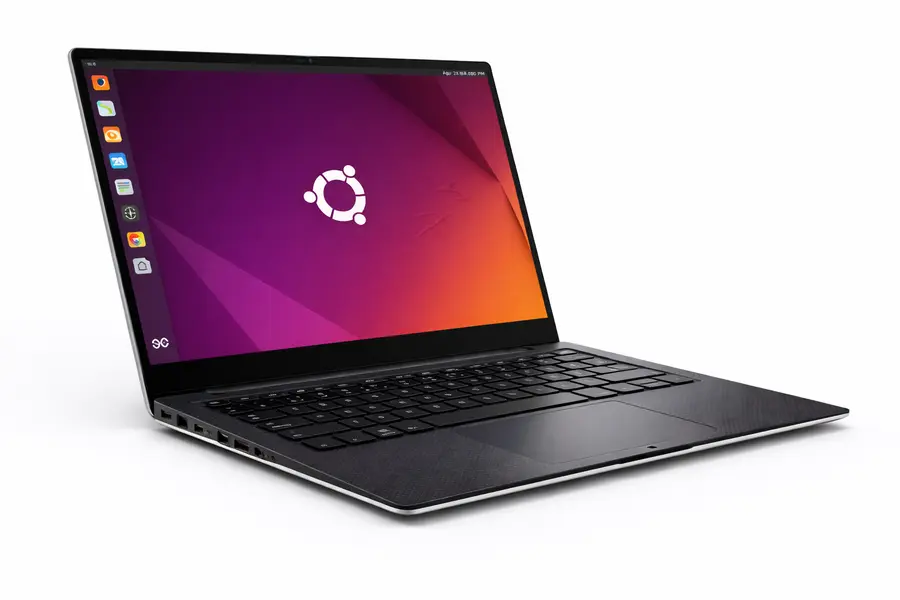
Dell XPS 13 9350 – ✅ Ubuntu Certified (Developer Edition Available)
- Processor: Core Ultra 7 258V
- Linux Support: Excellent – Ubuntu 24.04 certified through Project Sputnik
- Key Features: Refined minimalist design, 18-20 hour battery life verified on Ubuntu, premium build quality
- Price: Starting $1,399
- Best For: Users wanting guaranteed Linux compatibility with exceptional battery life
Lenovo ThinkPad X1 Carbon Gen 13 – ✅ Linux Certified
- Processor: Core Ultra 7 258V
- Linux Support: Excellent – Lenovo Linux certification, LVFS firmware updates
- Key Features: Legendary ultraportable (2.4 lbs), 20+ hour battery life, excellent keyboard
- Price: $1,600-2,100+
- Best For: Business users and developers wanting proven Linux compatibility
Framework Laptop 13 Intel (2024) – ✅ Explicitly Linux-Supported
- Processor: Core Ultra 7 268V
- Linux Support: Excellent – officially documented and supported
- Key Features: Same exceptional modularity as AMD version, future mainboard upgrade path
- Price: Starting $1,199 (pre-built)
- Best For: Users prioritizing maximum battery life with upgradeability
Additional Considerations
Explicitly Linux-Focused Brands (May not have latest processors yet, but guarantee compatibility):
- System76: Pop!_OS pre-installed, custom firmware, USA-based support
- Tuxedo Computers: European brand with excellent Linux tuning, ships worldwide
- Star Labs: UK-based, coreboot firmware, multiple Linux distributions supported
Gaming/Performance Laptops: Most gaming laptops from ASUS ROG, Lenovo Legion, and other manufacturers are Windows-focused. While they generally work with Linux, expect to research model-specific compatibility issues (especially for features like RGB lighting, hybrid graphics switching, and function keys). Verify community reports before purchase.
When to Choose AMD Ryzen AI 300
🚀 AMD Ryzen AI 300 Performance Focus
- ⚡ Heavy multi-threading: Ideal for large compiles, multiple VMs, and parallel rendering.
- 🎮 Powerful iGPU: Best choice for gaming, video editing, and GPU-accelerated apps without dGPU.
- 💰 Better value: Usually $100–200 cheaper with stronger graphics at the same tier.
- 🐧 Modern Linux kernels: Kernel 6.10+ (Fedora 41, Ubuntu 24.10, Arch) unlock peak performance.
- 🧠 Upgradeable memory: Prefer standard DDR5/LPDDR5X instead of soldered RAM.
🔋 Intel Lunar Lake Efficiency King
- 🔌 Maximum battery life: True 18–20+ hour endurance for travel and conferences.
- 🪶 Ultra-portable designs: Cooler, thinner, and lighter Linux laptops.
- ⚙️ Thunderbolt certified: Required for eGPUs, high-speed docks, and RAID arrays.
- ⚡ Snappy single-core: Best for responsiveness-focused workflows.
- 🛡️ Certified Linux support: Dell & Lenovo models offer guaranteed compatibility.
Looking Ahead: What’s Coming in 2026
AMD’s Ryzen AI 300-series will continue dominating through mid-2026, with refreshed models expected around April-May introducing minor clock bumps and improved power efficiency. The fundamental Zen 5 architecture will carry through most of 2026 for mobile.
Intel’s Lunar Lake represents their current efficiency peak, with Arrow Lake-HX processors (higher core counts, desktop-class performance) expected in Q2 2026 for mobile workstations. Panther Lake, Intel’s next major architectural shift, won’t arrive until late 2026 or early 2027.
NVIDIA’s RTX 50-series mobile GPUs are expected in Q1-Q2 2026, which will refresh the gaming laptop landscape. Both AMD and Intel CPUs will pair with these new GPUs, making discrete graphics choices increasingly important for high-performance laptops.
The practical implication: early 2026 represents an excellent buying window. Both platforms offer mature, refined products with excellent Linux support. You won’t face first-generation teething issues, and you’ll enjoy these laptops for 3-4 years before feeling compelled to upgrade.
Critical Compatibility Disclaimer
VERIFY BEFORE PURCHASE: Laptop Linux compatibility varies significantly by specific model, BIOS version, and hardware revision—even within the same product line. The laptops mentioned in this guide represent models available in the USA as of January 2026, but Linux compatibility status varies:
✅ Explicitly Linux-Supported: Framework laptops, Dell XPS Developer Edition, Lenovo Linux-certified ThinkPads, System76, Tuxedo Computers, and Star Labs provide official Linux support with tested configurations
⚠️ Community-Supported: Most other laptops (ASUS, HP, MSI, etc.) are primarily designed for Windows. While they generally work with Linux, you may encounter issues with sleep states, Wi-Fi drivers, touchpad gestures, fingerprint readers, hybrid graphics switching, or function keys
Performance and compatibility depend on:
- Specific laptop model and hardware revision
- OEM firmware/BIOS implementation and version
- Linux kernel version (6.8-6.11 tested here; 6.10+ strongly recommended)
- Distribution choice and configuration
- Power management settings (TLP, auto-cpufreq, laptop-mode-tools)
- Cooling system design and thermal limits
- Display panel type (IPS vs OLED, refresh rate)
- Individual workload patterns
Battery life estimates assume mixed usage (web browsing, coding, video playback, document editing) at 50% display brightness on IPS panels. OLED displays, high refresh rates, gaming, and sustained high-performance workloads significantly reduce battery life. Individual results will differ based on configuration and usage.
Before purchasing ANY laptop for Linux:
- Search “[exact model name] Linux” on Reddit r/linuxhardware and Arch Linux wiki
- Check the Linux on Laptops database (linux-laptop.net) for your specific model
- Verify the retailer offers 14-30 day returns with adequate testing time
- Test critical features immediately: suspend/resume, Wi-Fi, Bluetooth, audio, brightness controls, function keys
- Consider explicitly Linux-certified models when reliability is critical
- Join manufacturer-specific communities (Framework forums, ThinkPad subreddit) for model-specific troubleshooting
Pricing: All prices listed are approximate USA retail prices as of January 2026 and vary based on configuration (RAM, storage, display), retailer, sales events, and regional availability. Check current pricing before purchase.
This guide provides general guidance based on testing multiple configurations. Your specific experience may differ. When in doubt, choose explicitly Linux-certified hardware or purchase from retailers with generous return policies.
Disclaimer
Laptop performance on Linux varies significantly based on specific model, OEM firmware implementation, BIOS version, kernel version (6.8-6.11 tested here), power management configuration, cooling system design, display panel choice, and individual workload patterns. The guidance in this article reflects general trends across multiple laptop models tested between September 2024 and January 2026.
Battery life estimates assume mixed usage (web browsing, coding, video playback, document editing) at 50% display brightness. Gaming and sustained high-performance workloads significantly reduce battery life. Individual results will differ based on configuration and usage patterns. Always verify Linux compatibility for your specific laptop model and configuration before purchasing, check community forums (Reddit r/linuxhardware, Arch Linux forums, Ubuntu forums) for model-specific experiences, and confirm return policies allow adequate testing time.
Also Read
AMD vs NVIDIA on Linux: The Ultimate 2026 Driver Showdown
About the Author