Best TUXEDO Laptops to Buy in 2026 (Linux Preinstalled)
Remember when buying a Linux laptop meant gambling on whether your WiFi card would work? Or spending Saturday night wrestling with sleep states? Those days are over—if you know where to shop.
When researching the best TUXEDO laptops to buy in 2026, you’re looking at machines built in Germany where Linux isn’t an accident—it’s the whole point. Every laptop ships with Ubuntu or TUXEDO OS preinstalled, firmware tuned, drivers baked in. You unbox it, press the power button, and get to work. Revolutionary concept, right?
Here’s the catch: TUXEDO flies under the radar compared to Dell XPS or ThinkPad lineups. Which means most Linux users are still playing driver roulette with machines designed for Windows. This guide fixes that problem.
We’re covering seven of the best TUXEDO laptops to buy in 2026—from featherweight travel machines to desktop-crushing workstations. Every spec pulled from official pages. Every tradeoff stated plainly. Zero affiliate nonsense. Just the honest truth about which laptop fits your actual workflow.
⚡ Quick Picks: Best Linux Laptops 2026
Best Ultraportable (14″)
InfinityBook Pro 14 Gen10 — Weighs just 1.45 kg (3.2 lb) with an 80 Wh battery and a sharp 500-nit 3K display. Ideal for developers, writers, and frequent travelers who want premium portability without compromising Linux performance.
Best All-Rounder (15″)
InfinityBook Pro 15 Gen10 — A near-perfect balance of power and mobility at 1.75 kg (3.9 lb). The massive 99 Wh battery makes it a strong choice for long workdays on Fedora, Ubuntu, or Arch Linux.
Best for GPU Work
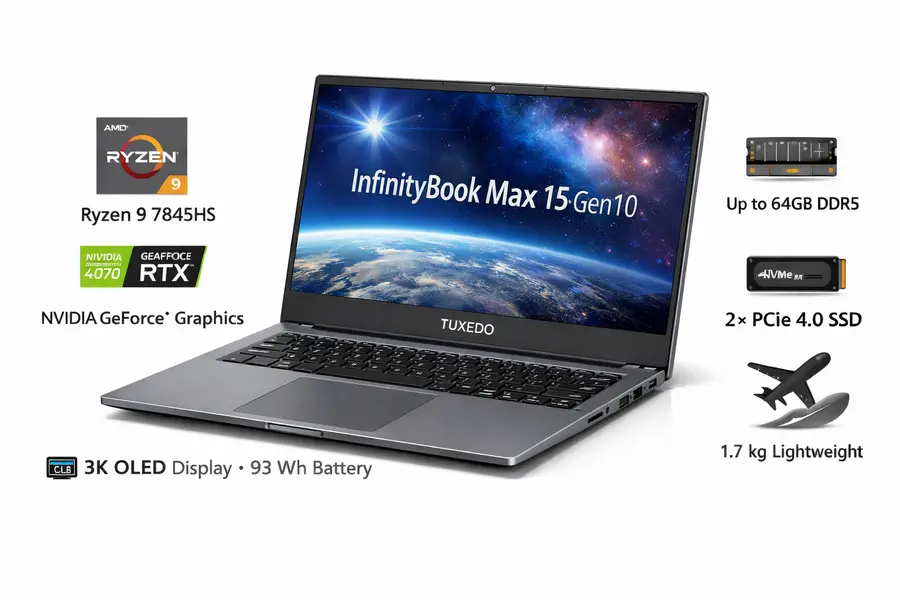
InfinityBook Max 15 Gen10 — Packs RTX 5060 or 5070 graphics into a lightweight 1.95 kg (4.3 lb) chassis. Excellent for CUDA workloads, Blender, AI development, and Linux gaming.
Desktop Replacement Powerhouse
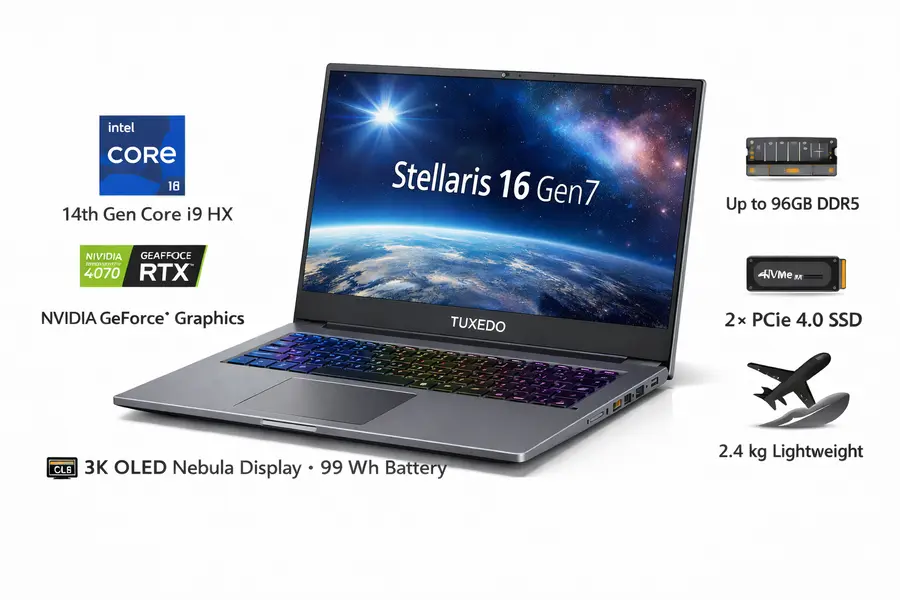
Stellaris 16 Gen7 — Built for extreme workloads with Intel Ultra 9 275HX and RTX 5070 Ti, 5080, or 5090 GPUs. Optional HDR Mini-LED display makes it a true workstation-class Linux laptop.
Best Budget Pick
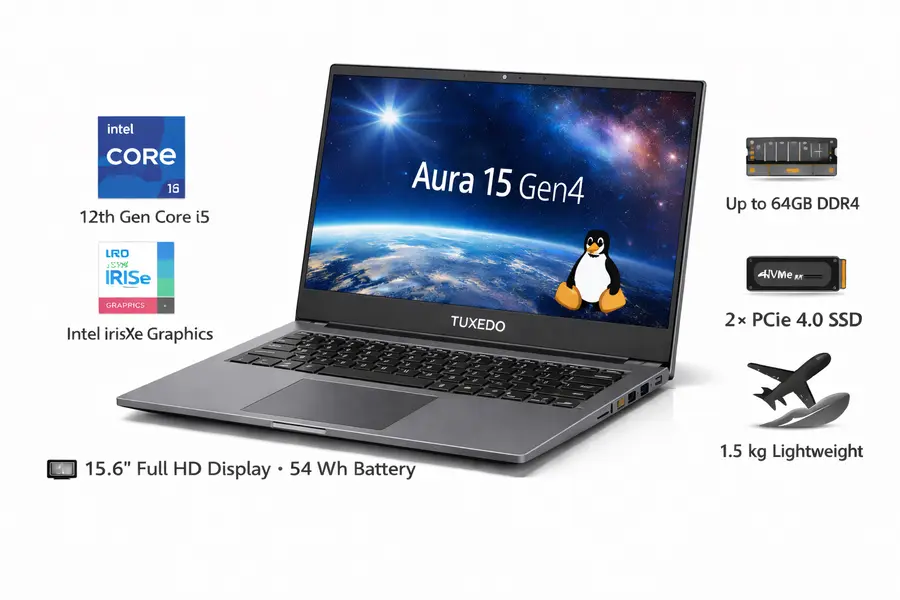
Aura 15 Gen4 — Powered by Intel Core i5-1335U with optional LTE, USB-C charging, and a weight under 1.8 kg (3.9 lb). A practical, affordable choice for students and office users on Linux.
Compact 15.6″ Form Factor
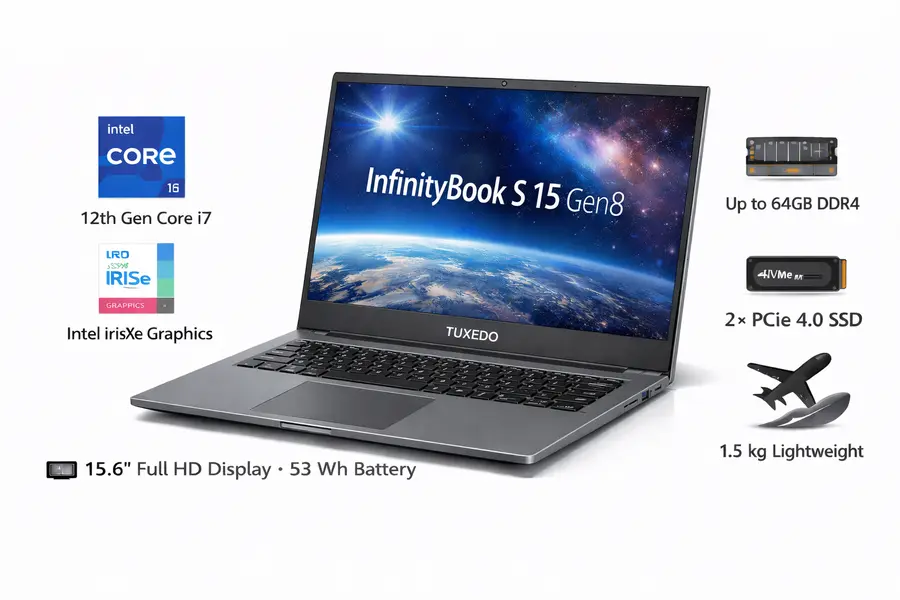
InfinityBook S 15 Gen8 — Delivers a full 15.6-inch display in a chassis closer to a 14-inch laptop. At just 1.74 kg (3.8 lb), it’s perfect for users who want screen space without extra bulk.
How We Chose These
Linux preinstalled means TUXEDO has already handled kernel patches, firmware tweaks, and driver compatibility. Criteria:
- Official specs only – battery Wh, nits, weight, ports pulled from product pages
- Linux-first design – TUXEDO Control Center for fan curves, TDP limits, battery charging thresholds
- Upgradeability – user-accessible RAM/SSD slots
- Practical tradeoffs – thin/light usually means louder fans under load; we state that upfront
- Real use cases – config advice for devs, students, creators, gamers
All models ship with 2-year warranty (12 months on battery/PSU), upgradable to 5 years. Built in Germany.
📌 Linux Laptop Comparison Table (2026)
| Model | Size | Weight | CPU Options | GPU | Battery | Display (Nits) | Max RAM / SSD | Approx. USA Price* |
|---|---|---|---|---|---|---|---|---|
| InfinityBook Pro 14 Gen10 | 14″ | 1.45 kg (3.2 lb) | Ryzen AI 7 350 / AI 9 365 / AI 9 HX 370 | Radeon 860M–890M | 80 Wh | 500 | 128 GB / 8 TB | $1,400–$2,800 |
| InfinityBook Pro 15 Gen10 | 15.3″ | 1.75 kg (3.9 lb) | Ryzen AI 7 350 / AI 9 365 / AI 9 HX 370 | Radeon 860M–890M | 99 Wh | 500 | 128 GB / 8 TB | $1,500–$3,000 |
| InfinityBook Max 15 Gen10 | 15.3″ | 1.95 kg (4.3 lb) | Ryzen AI 7 350 / AI 9 365 / AI 9 HX 370 | RTX 5060 / 5070 | 99 Wh | 500 | 128 GB / 8 TB | $2,200–$3,800 |
| Stellaris 16 Gen7 | 16″ | 2.6–2.8 kg (5.7–6.2 lb) | Intel Ultra 9 275HX | RTX 5070 Ti / 5080 / 5090 | 99 Wh | 500–1000 | 128 GB / 8 TB | $2,800–$5,500+ |
| Aura 15 Gen4 | 15.6″ | 1.75 kg (3.9 lb) | Intel Core i5-1335U | Iris Xe (80 EU) | 49 Wh | 300 | 64 GB / 4 TB | $900–$1,400 |
| InfinityBook S 15 Gen8 | 15.6″ | 1.74 kg (3.8 lb) | Intel Core i5-1340P / i7-1360P | Iris Xe (80–96 EU) | 73 Wh | 300 | 64 GB / 8 TB | $1,200–$2,200 |
*Prices reflect base to high-end configurations, exclude VAT for US buyers (≈19% savings), and may vary with EUR/USD exchange rates. Shipping to the USA: $99 flat rate.
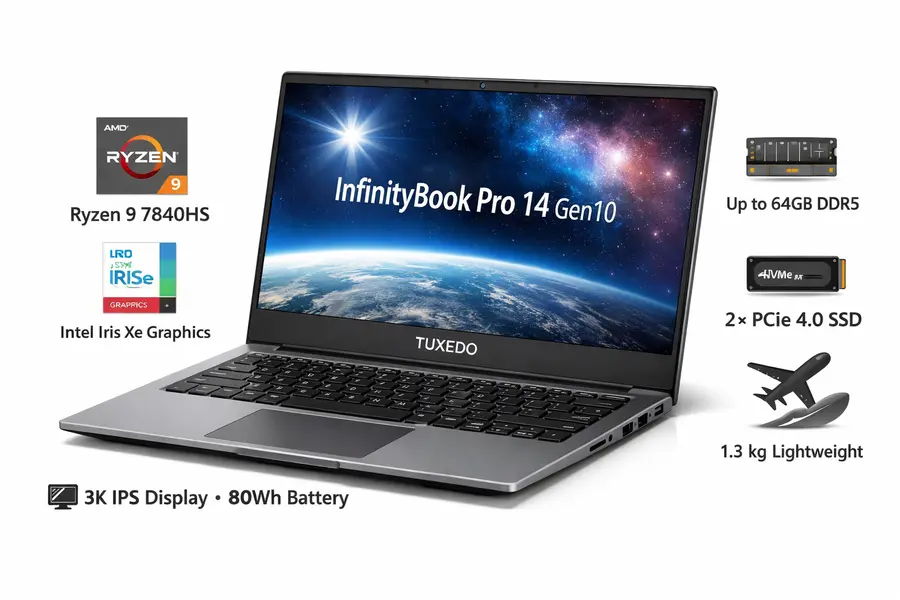
InfinityBook Pro 14 Gen10 (AMD)
Who It’s For
You’re the developer running Docker containers on a regional flight. The consultant presenting to clients in sunlit conference rooms. Anyone who believes backpack weight is a legitimate quality-of-life metric.
This isn’t a netbook with delusions of grandeur. It’s a proper workstation that happens to weigh less than your lunch.
🔑 Key Specs — InfinityBook Pro 14 Gen10
- Display: 14″ 2880×1800 (3K), 500 nits brightness, 100% sRGB coverage, 60/120 Hz refresh rate
- CPU: AMD Ryzen AI 7 350 (8-core), AI 9 365 (10-core), or AI 9 HX 370 (12-core), configurable 25–65W TDP
- GPU: Integrated Radeon 860M / 880M / 890M graphics with 8–16 GPU cores
- Memory: Up to 128 GB DDR5-5600 across two user-accessible slots
- Storage: Dual M.2 PCIe 4.0 slots for high-speed NVMe SSDs
- Battery: 80 Wh battery rated for around 9 hours of real-world web browsing
- Weight: 1.45 kg (3.2 lb), well suited for daily travel and remote work
- Dimensions: 311 × 220 × 17 mm
- Ports: USB4, HDMI 2.0 (Linux) / HDMI 2.1 (Windows), 3× USB-A, SD card reader, RJ45 LAN, USB-C charging up to 150W
- Price: $1,400–$2,800 depending on configuration; US buyers save ~19% by excluding VAT
What’s Great
The 500-nit display is legitimately usable outdoors. AMD’s Ryzen AI 300 CPUs deliver 40% more multi-core speed than last-gen 8845HS while sipping power at idle. The 80 Wh battery in this form factor is rare. All-aluminum build feels tank-solid without the weight penalty.
ISO and ANSI keyboard options matter if you’re particular about layouts. USB-C charging means one less proprietary brick.
Tradeoffs
Thin chassis = audible fans under sustained load. Gaming isn’t the focus—integrated Radeon graphics handle light titles (older games, medium settings) but forget AAA releases. The 150W charger is compact but you’ll want it for full performance; lower-watt USB-C chargers work but throttle the CPU.
Best Config
- Dev/VM work: Ryzen AI 9 HX 370, 64 GB RAM, 2 TB SSD
- Office/student: Ryzen AI 7 350, 16 GB RAM, 1 TB SSD
- Creator (photos/light video): Ryzen AI 9 365, 32 GB RAM, 2 TB SSD
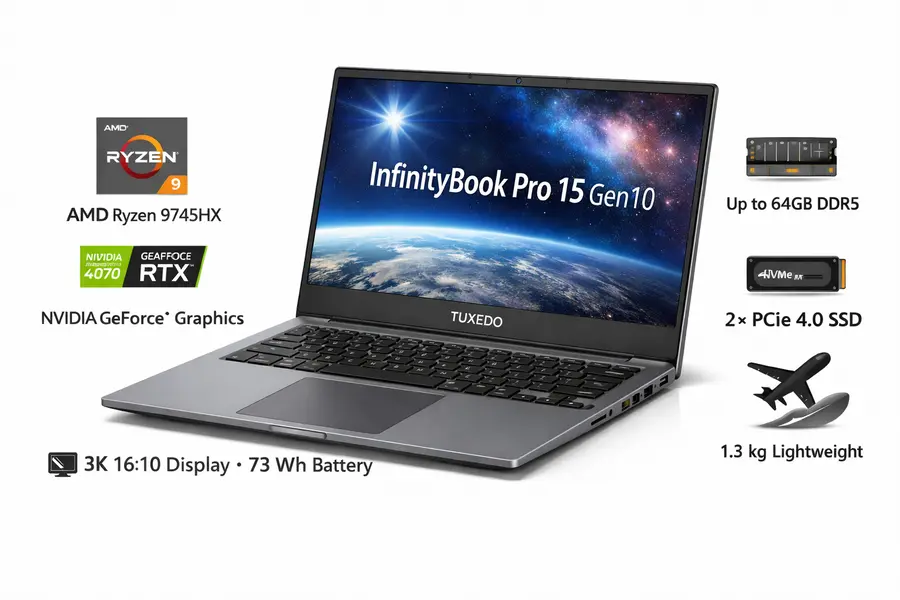
InfinityBook Pro 15 Gen10 (AMD)
Who It’s For
The Pro 15 hits the sweet spot between portability and screen real estate. Software devs who need multiple windows. Content creators working with 1080p/4K timelines. Anyone who travels occasionally but doesn’t want to squint at a 14″ panel.
🔑 Key Specs — InfinityBook Pro 15 Gen10
- Display: 15.3″ 2560×1600 panel with 500 nits brightness, 100% sRGB color coverage, and 60 / 240 / 300 Hz refresh rate options
- CPU: AMD Ryzen AI 7 350 (8-core, 25–65W) or Ryzen AI 9 365 / AI 9 HX 370 (10–12 cores, up to 90W TDP)
- GPU: Integrated Radeon 860M, 880M, or 890M graphics
- Memory: Up to 128 GB DDR5-5600 RAM
- Storage: Two M.2 PCIe 4.0 slots for high-speed NVMe SSDs
- Battery: Large 99 Wh battery rated for up to 10 hours of typical web browsing
- Weight: 1.75 kg (3.9 lb), balancing screen size and portability
- Dimensions: 342 × 238 × 20 mm
- Ports: USB4, HDMI 2.0 (Linux) / HDMI 2.1 (Windows), three USB-A ports, SD card reader, RJ45 Ethernet, and USB-C charging up to 150W
- Price: $1,500–$3,000 depending on configuration; US buyers save ~19% by excluding VAT
What’s Great
The 15.3″ panel splits the difference between cramped 14″ and bulky 16″ screens—perfect middle ground. Maxed-out 99 Wh battery (flight-legal limit) delivers all-day runtime. The 300 Hz refresh option is overkill for office work but nice for gaming in off-hours. Chassis color choices (matte black or silver-gray) let you pick your vibe.
Four-column numpad is a productivity win for anyone crunching numbers or doing CAD work.
Tradeoffs
At 1.75 kg, it’s still light, but you’ll notice the weight difference from the Pro 14 on long walks. Fans spin up audibly under heavy compilation or rendering. Integrated graphics won’t satisfy serious gamers—consider the Max 15 if GPU grunt matters.
Best Config
- Developer/VMs: Ryzen AI 9 HX 370, 64 GB RAM, 2 TB SSD
- Office/student: Ryzen AI 7 350, 16 GB RAM, 1 TB SSD
- Video editor (1080p/4K): Ryzen AI 9 365, 32 GB RAM, 2 TB SSD
InfinityBook Max 15 Gen10 (AMD)
Who It’s For
GPU-bound workloads in a travel-ready package. 3D rendering, video editing, machine learning inference, or AAA gaming at high settings. Anyone who needs discrete graphics but refuses to lug around a 16″ gaming brick.
🔑 Key Specs — InfinityBook Max 15 Gen10
- Display: 15.3″ 2560×1600 display with 500 nits brightness, full 100% DCI-P3 color gamut, and 60 / 240 / 300 Hz refresh rate options
- CPU: AMD Ryzen AI 7 350, AI 9 365, or AI 9 HX 370, configurable from 10W to 90W TDP
- GPU: NVIDIA GeForce RTX 5060 (8 GB, 50–115W) or RTX 5070 (8 GB, 50–115W), fully adjustable via TUXEDO Control Center
- Memory: Up to 128 GB DDR5-5600 RAM
- Storage: Two M.2 PCIe 4.0 slots for NVMe SSDs
- Battery: 99 Wh battery delivering up to 10 hours of light usage with the NVIDIA GPU disabled
- Weight: 1.95 kg (4.3 lb), compact for a dedicated-GPU Linux laptop
- Dimensions: 342 × 236 × 22 mm
- Ports: Two HDMI outputs (one via iGPU, one via dGPU), USB4, Mini DisplayPort 2.1, three USB-A ports, SD card reader, RJ45 Ethernet, USB-C charging up to 140W plus a dedicated 240W power adapter
- Price: $2,200–$3,800 depending on configuration; US buyers save ~19% by excluding VAT
What’s Great
RTX 5060/5070 delivers 3-4× the graphics horsepower of the Pro 15’s integrated GPU. That’s the difference between stuttering through Blender renders and smooth viewport performance. Still under 2 kg—rare for discrete graphics. Five simultaneous displays (internal + 2× HDMI + Mini DP + USB-C DP).
RGB per-key keyboard if you’re into that aesthetic. Battery life holds up surprisingly well when the dGPU idles.
Tradeoffs
The 8mm low-profile cooling keeps it thin but gets noisy under GPU load. If fan noise bothers you, the thicker Stellaris 16 runs quieter at the same performance. RTX 5060/5070 handle 1080p/1440p gaming great; 4K gaming or professional 8K editing needs the Stellaris 16’s higher-end GPUs.
240W power brick isn’t small. USB-C charging (140W max) works for light tasks but won’t sustain full GPU power.
Best Config
- 3D artist/GPU rendering: Ryzen AI 9 HX 370, RTX 5070, 64 GB RAM, 2 TB SSD
- Video editor (4K): Ryzen AI 9 365, RTX 5060, 32 GB RAM, 2 TB SSD
- Gamer/after-hours: Ryzen AI 9 365, RTX 5070, 32 GB RAM, 1 TB SSD
Stellaris 16 Gen7 (Intel)
Who It’s For
Desktop replacement users who prioritize performance and quieter acoustics over ultimate portability. Professional video editors (4K+), 3D animators, AI/ML workloads, or gamers who want high/ultra settings at native resolution.
🔑 Key Specs — Stellaris 16 Gen7
- Display: 16″ 2560×1600 panel available in 500-nit standard IPS or 1000-nit HDR Mini-LED, covering 100% sRGB and DCI-P3 color spaces, with 60 / 240 / 300 Hz refresh rate options
- CPU: Intel Core Ultra 9 275HX with 24 cores (8P + 16E), configurable from 10W to 160W TDP
- GPU: NVIDIA GeForce RTX 5070 Ti (12 GB, 60–140W), RTX 5080 (16 GB, 80–175W), or RTX 5090 (24 GB, 90–175W)
- Memory: Up to 128 GB DDR5-6400 RAM
- Storage: Dual M.2 slots including one PCIe 5.0 and one PCIe 4.0 for ultra-fast NVMe SSDs
- Battery: 99 Wh battery rated for around 8.5 hours of typical web browsing
- Weight: 2.6–2.8 kg (5.7–6.2 lb), depending on configuration
- Dimensions: 357 × 260 × 28 mm
- Ports: Thunderbolt 4, HDMI 2.1, Mini DisplayPort 2.1, three USB-A ports, SD card reader, 2.5G Ethernet, USB-C charging up to 140W plus a dedicated 330–420W power adapter, and Aquaris liquid-cooling connector
- Price: $2,800–$5,500+ depending on GPU configuration; US buyers save ~19% by excluding VAT
What’s Great
Triple-fan cooling runs substantially quieter than thin ultrabooks at the same workload. Mini-LED HDR option (1000 nits peak, 100% DCI-P3) is a professional color grading display. Intel Ultra 9 275HX delivers desktop-class CPU performance with massively improved power efficiency versus last-gen chips.
RTX 5090 config is overkill for most but handles 4K gaming and VRAM-hungry 3D projects. PCIe 5.0 SSD slot future-proofs storage bandwidth. Optional TUXEDO Aquaris external liquid cooling for near-silent stationary use.
Tradeoffs
Weight and size. At 2.6-2.8 kg, this isn’t a daily commuter—it’s a luggable desktop. The 28mm thickness won’t fit every laptop bag. High-end configs (RTX 5080/5090) need the 420W brick; lower specs use 330W. Not cheap—flagship GPUs push the price north of mid-range laptops.
Best Config
- Professional video (4K/8K): Ultra 9 275HX, RTX 5080, 64 GB RAM, 2 TB PCIe 5.0 SSD
- 3D animation/rendering: Ultra 9 275HX, RTX 5090, 128 GB RAM, 4 TB SSD
- High-end gaming: Ultra 9 275HX, RTX 5070 Ti, 32 GB RAM, 2 TB SSD
- Workstation on a budget: Ultra 9 275HX, RTX 5070 Ti, 32 GB RAM, 1 TB SSD
Aura 15 Gen4
Who It’s For
Budget-conscious buyers who need a reliable Linux laptop for office work, students, or anyone prioritizing battery life and optional LTE over raw performance.
🔑 Key Specs — Aura 15 Gen4
- Display: 15.6″ Full HD (1920×1080) panel with around 300 nits brightness and near-100% sRGB color coverage
- CPU: Intel Core i5-1335U with 10 cores (2 Performance + 8 Efficiency), 15W TDP for efficient everyday workloads
- GPU: Integrated Intel Iris Xe graphics with 80 execution units
- Memory: Up to 64 GB DDR4-3200 RAM
- Storage: One M.2 PCIe 4.0 slot for NVMe SSDs
- Battery: 49 Wh battery delivering around 5–6 hours of typical office use
- Weight: 1.75 kg (3.9 lb), reasonable for a full-size 15.6″ laptop
- Dimensions: 360 × 239 × 20 mm
- Ports: USB-C 3.2 Gen2 with DisplayPort 1.4 and Power Delivery charging, HDMI 1.4b, three USB-A ports, microSD card reader, RJ45 Ethernet, plus an optional LTE SIM slot for mobile connectivity
- Price: $900–$1,400 depending on configuration, including LTE options; US buyers save ~19% by excluding VAT
What’s Great
Legitimately affordable entry point to TUXEDO’s Linux ecosystem. Optional LTE modem (mini-SIM) for cellular data—rare on budget laptops. USB-C charging works with generic 65W adapters (no proprietary brick hunting years later). Partial aluminum chassis (lid + bottom) adds durability without weight penalty.
15W TDP CPU stays cool and quiet for typical office workloads. Battery charge control in UEFI/TUXEDO Control Center extends battery lifespan for plugged-in desk use.
Tradeoffs
49 Wh battery is the smallest in this lineup—expect 5-6 hours, not all-day. Single SSD slot limits expansion. DDR4 RAM instead of DDR5 (negligible real-world difference for light workloads). Iris Xe graphics handle video playback and light photo editing but forget gaming.
Best Config
- Student/light office: 16 GB RAM, 512 GB SSD, add LTE if needed
- Office drone: 16 GB RAM, 1 TB SSD
- Mobile-first user: 32 GB RAM, 1 TB SSD, LTE modem
InfinityBook S 15 Gen8
Who It’s For
Users who want 15.6″ screen space without the bulk. The S 15 crams a full-size display into a 14″-class footprint (357 × 220 mm)—only slightly larger than the Pro 14 despite a 1.6″ bigger screen.
🔑 Key Specs — InfinityBook S 15 Gen8
- Display: 15.6″ Full HD (1920×1080) panel with approximately 300 nits brightness and 90% sRGB color coverage
- CPU: Intel Core i5-1340P or Core i7-1360P, both featuring 12 cores (4 Performance + 8 Efficiency) with a 28W TDP
- GPU: Integrated Intel Iris Xe graphics with 80–96 execution units
- Memory: Up to 64 GB DDR5-4800 RAM
- Storage: Two M.2 PCIe 4.0 slots for fast NVMe SSDs
- Battery: 73 Wh battery providing around 7–8 hours of typical office workloads
- Weight: 1.74 kg (3.8 lb), unusually light for a full-size 15.6″ laptop
- Dimensions: 357 × 220 × 20 mm
- Ports: Thunderbolt 4, HDMI 2.0, two USB-C ports, two USB-A ports, microSD card reader, and RJ45 Ethernet
- Price: $1,200–$2,200 depending on configuration; US buyers save ~19% by excluding VAT
What’s Great
Narrow bezels achieve 92% screen-to-body ratio—nearly all front panel is display. Four-column numpad despite the compact chassis. Lift-up hinge tilts the keyboard for better ergonomics and airflow. Two M.2 slots for RAID or separate OS/data drives.
Partial aluminum (lid + bottom) keeps weight down while protecting internals. Thunderbolt 4 for docking station workflows.
Tradeoffs
90% sRGB color gamut is fine for office/coding but not ideal for color-critical photo work (Pro 14/15 hit 100% sRGB). 73 Wh battery is decent but smaller than Pro 15’s 99 Wh. DDR5-4800 is capped lower than Pro series’ DDR5-5600 due to chipset limits (real-world impact minimal).
Best Config
- Developer: i7-1360P, 32 GB RAM, 1 TB SSD
- Office/student: i5-1340P, 16 GB RAM, 512 GB SSD
- Multitasker: i7-1360P, 64 GB RAM, 2 TB SSD
Note: The InfinityBook S 17 Gen8 offers the same specifications in a larger 17.3-inch display while weighing around 2 kg, making it a better choice if you prioritize maximum screen space over compact size.
🎯 Recommended Configs by Use Case
👨💻 Developer / VM Workloads
Heavy compilation, Docker containers, Kubernetes, and multiple virtual machines.
- Best: InfinityBook Pro 15 Gen10 — Ryzen AI 9 HX 370, 64 GB RAM, 2 TB SSD
- Budget: InfinityBook S 15 Gen8 — Core i7-1360P, 32 GB RAM, 1 TB SSD
- Portable: InfinityBook Pro 14 Gen10 — Ryzen AI 9 HX 370, 64 GB RAM, 1 TB SSD
🎓 Office / Student Use
Documents, spreadsheets, web browsing, email, and video conferencing.
- Best: Aura 15 Gen4 — Core i5-1335U, 16 GB RAM, 512 GB SSD (add LTE if needed)
- Lighter: InfinityBook S 15 Gen8 — Core i5-1340P, 16 GB RAM, 512 GB SSD
- Portable: InfinityBook Pro 14 Gen10 — Ryzen AI 7 350, 16 GB RAM, 512 GB SSD
🎨 Creator (Photo / Video)
1080p and 4K video editing, photo workflows, color grading, and motion graphics.
- Best: InfinityBook Max 15 Gen10 — Ryzen AI 9 365, RTX 5070, 32 GB RAM, 2 TB SSD
- Pro: Stellaris 16 Gen7 — Ultra 9 275HX, RTX 5080, 64 GB RAM, 2 TB SSD
- Lighter: InfinityBook Pro 15 Gen10 — Ryzen AI 9 365, 32 GB RAM, 2 TB SSD
🎮 Gaming / Workstation
AAA Linux gaming, 3D rendering, CUDA workloads, and GPU compute.
- Best: Stellaris 16 Gen7 — Ultra 9 275HX, RTX 5070 Ti / 5080 / 5090, 64 GB RAM, 2 TB SSD
- Portable: InfinityBook Max 15 Gen10 — Ryzen AI 9 365, RTX 5070, 32 GB RAM, 1 TB SSD
Linux-Specific Advice
Ports & Displays
USB4/Thunderbolt 4 works great in Linux for docking stations. HDMI limitations: Linux drivers output HDMI 2.0 (4K@60Hz max) even on HDMI 2.1 hardware—Windows gets 4K@120Hz. Use DisplayPort via USB-C for higher refresh external monitors.
All models support 3-4 external displays. InfinityBook Max 15 pushes five total (2× HDMI, Mini DP, USB-C DP).
Upgradeability
Every laptop here opens with standard screws (PH 0). RAM and SSD slots are user-accessible, warranty-covered. Pro/Max/Stellaris lines support up to 128 GB RAM; Aura/S series cap at 64 GB. SSD limits: 8 TB for Pro/Max/Stellaris (2× 4 TB), 4-8 TB for Aura/S.
Battery Management
TUXEDO Control Center (preinstalled) offers granular TDP control, fan curves, and battery charge limits. Example: limit charging to 80% for desk-bound use to extend battery lifespan. Works on Ubuntu-based distros (TUXEDO OS, Ubuntu, Mint, etc.).
🚚 Shipping & Taxes for USA & Non-EU Buyers
TUXEDO Computers ships worldwide directly from Germany. If you’re ordering from the United States or any non-EU country, here’s what you need to know before checkout:
- Pricing (VAT): Listed prices exclude German VAT (19%). Non-EU buyers do not pay VAT, which effectively results in a ~19% lower price. Your local customs authority may still apply import duties or taxes on arrival, so check your country’s import rules in advance.
- Shipping times: Typically 10–12 business days outside Germany (7–10 days within Germany). Custom-configured systems may require additional production time, which is shown on each product page.
- Shipping costs: USA orders ship at a flat €99 rate. UK shipping starts at €9.99 and is free on orders over €120. Shipping fees for other countries vary—refer to TUXEDO’s official shipping table for details.
- Support & warranty: English-language support is available via email and phone during German business hours (UTC+1). All laptops include a 2-year warranty with pick-up and return service— even for customers in the United States.
Buying a new Linux laptop isn’t the only option. If you’re planning to reuse an older system or keep a secondary device alive, this guide explains which Linux distributions run best on old or low-spec hardware.
👉 Which Linux Distro Is Best for Old Hardware? (Complete Guide)FAQ
What Linux distros does TUXEDO support?
Out-of-box options: TUXEDO OS (Ubuntu-based, KDE Plasma), Ubuntu LTS, Kubuntu, Ubuntu Budgie. Advanced users can install any distro; TUXEDO provides hardware-specific packages (TUXEDO Control Center, firmware tools) for Ubuntu/Debian-based systems.
Can I install Windows later?
Yes. TUXEDO provides Windows drivers (download link in package). Dual-boot or Windows-only installs work fine. You’re buying hardware optimized for Linux, not locked to it.
Are these laptops truly Linux-compatible?
TUXEDO tunes UEFI firmware, kernel modules, and drivers specifically for Linux. Suspend/resume, WiFi, Bluetooth, function keys, and trackpad gestures work without manual config. This isn’t “it’ll probably work”—it’s “we tested it and ship the patches.”
How does TUXEDO Control Center work?
Preinstalled GUI app for fan curves (silent/balanced/performance), TDP limits (reduce CPU power for quieter fans or battery life), battery charge thresholds, and keyboard backlight. Think of it as vendor-specific tuning tools that actually exist on Linux.
✅ Final Recommendations
- If you fly twice a month: InfinityBook Pro 14 Gen10. The 500-nit display and 80 Wh battery justify the price. Weight matters when you’re hauling gear through airports.
- If you’re a developer on a budget: InfinityBook S 15 Gen8 with Core i7-1360P and 32 GB RAM. You get a compact 15.6″ screen without paying Pro-series prices.
- If you need GPU power but still travel: InfinityBook Max 15 Gen10. An RTX 5070 in a sub-2 kg chassis is rare. Expect louder fans under load—or dial back TDP limits for sanity.
- If it mostly stays on a desk: Stellaris 16 Gen7. Quieter acoustics and higher-end GPUs (RTX 5080 / 5090) beat thin ultrabooks for sustained workloads.
- If money’s tight: Aura 15 Gen4. A solid Linux laptop for office and study work. Add LTE if you need always-on connectivity.
The honest pitch: TUXEDO laptops aren’t the cheapest.
You’re paying for Linux done right—working firmware, responsive support,
and hardware you can actually service yourself. No driver hunts.
No “forum says try this patch.” It works on day one.
Pick based on weight tolerance, GPU needs, and budget.
Every model here ships with Linux preinstalled and tuned.
That’s the real value.
🔗 Official TUXEDO Product Pages
For full specifications, current availability, and configuration options, refer to the official product pages below:
- InfinityBook Pro 14 Gen10 (AMD) — Official Product Page
- InfinityBook Pro 15 Gen10 (AMD) — Official Product Page
- InfinityBook Max 15 Gen10 (AMD) — Official Product Page
- Stellaris 16 Gen7 (Intel) — Official Product Page
- Aura 15 Gen4 — Official Product Page
- InfinityBook S 15 Gen8 — Official Product Page
- InfinityBook S 17 Gen8 — Official Product Page
Disclaimer
Prices and specifications are based on official TUXEDO product pages as of December 2025 and are subject to change. EUR/USD exchange rates and regional customs duties may affect final costs. This guide is not sponsored by TUXEDO Computers—all opinions and assessments are independent.
Also Read
Best Keyboards for Linux 2026: That Work Perfectly (Ultimate Guide)
About the Author