Best Linux Laptops for AI & Machine Learning (2026)
If you’re serious about building, training, or fine-tuning machine learning models in 2026, the laptop you pick matters more than almost any other tool in your stack. The best Linux laptops for AI & machine learning aren’t just powerful on paper — they need rock-solid driver support, serious VRAM headroom, enough system RAM to juggle multiple datasets, and thermals that won’t throttle your training runs into the ground after ten minutes.
This guide cuts through the marketing noise and focuses on what actually matters: hardware that handles real-world ML workloads, runs Linux without friction, and is available right now in the US market as of March 2026.
What Makes a Laptop Good for AI & Machine Learning on Linux?
Before jumping into specific recommendations, it’s worth understanding the variables that matter most.
GPU and VRAM come first. Whether you’re training a convolutional neural network, fine-tuning a large language model like LLaMA, or running Stable Diffusion locally, the GPU is the engine doing most of the heavy lifting. NVIDIA’s RTX 50-series (RTX 5070, 5080, 5090) are the current gold standard for CUDA-based workloads, with fifth-generation Tensor cores delivering meaningfully faster training speeds than the previous generation. Aim for at least 12GB of VRAM; 16GB or more becomes critical once you start working with larger models.
System RAM is the second constraint that catches people off guard. Running multiple Jupyter notebooks, loading large datasets into memory, or fine-tuning a 7-billion parameter model — all of it eats RAM fast. 32GB is a practical floor for serious work in 2026; 64GB is where you stop hitting walls.
Linux compatibility is non-negotiable on this list. Some laptops install Ubuntu without a hitch; others fight you with BIOS issues, GPU switching problems, or broken suspend-resume cycles. We’ve only included machines with well-documented Linux support.
Cooling is often overlooked but proves decisive during sustained training runs. A laptop that thermal-throttles under sustained GPU load will give you inconsistent benchmark results and unpredictable training times. Look for vapor-chamber cooling or at minimum a well-reviewed dual-fan setup.Storage rounds out the picture. Datasets, model checkpoints, and virtual environments pile up quickly. 1TB NVMe SSD is a reasonable starting point; 2TB is better if budget allows.
Quick Comparison: Best Linux Laptops for AI & ML (2026)
| Laptop | CPU | GPU | VRAM | RAM (Max) | Storage | Starting Price | Best For |
|---|---|---|---|---|---|---|---|
| System76 Oryx Pro (oryp13) | AMD Ryzen AI 9 HX 370 | NVIDIA RTX 5070 | 8GB | 96GB DDR5 | Up to 8TB NVMe | $2,999 | Linux-first ML workstation |
| System76 Serval WS | Intel Core Ultra 9 275HX | RTX 5080 / 5090 | Up to 24GB | 192GB DDR5 | Up to 20TB NVMe | ~$3,499 | Maximum local training power |
| ASUS ROG Zephyrus G16 (2026) | Intel Core Ultra 9 386H | RTX 5090 | 24GB | 64GB LPDDR5x | Up to 4TB NVMe | ~$2,999–$4,599 | Thin, fast, Linux-compatible |
| Razer Blade 16 (2025/2026) | AMD Ryzen AI 9 HX 370 | RTX 5090 (155W TGP) | 24GB | 64GB LPDDR5x | Up to 4TB NVMe | ~$3,499–$4,799 | Premium build, max GPU power |
| Lenovo ThinkPad P1 Gen 7 | Intel Core Ultra 7 165H | NVIDIA RTX 4070 | 8GB | 64GB DDR5 | Up to 2TB NVMe | ~$2,799–$3,999 | Enterprise Linux, ISV certified |
| Lenovo Legion 5i Gen 10 | Intel Core i9-14900HX | RTX 5070 | 8GB | 64GB DDR5 | 2TB NVMe | ~$1,799–$2,199 | Budget-conscious ML workstation |
1. System76 Oryx Pro (oryp13) — Best Overall Linux Laptop for ML
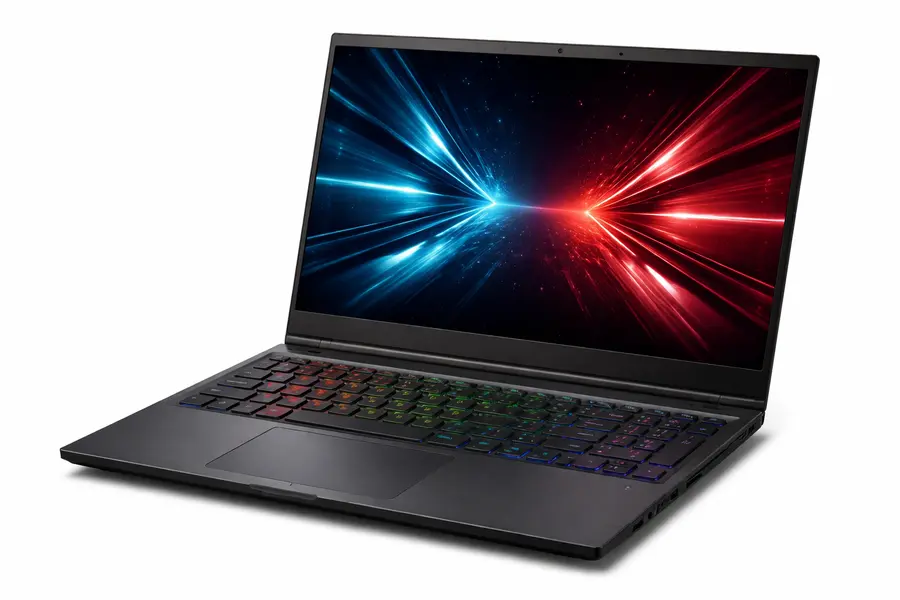
If you want the least amount of friction between buying a laptop and actually training models on it, the System76 Oryx Pro is the answer. System76 designs hardware specifically for Linux and ships every Oryx Pro with Pop!_OS 24.04 LTS pre-installed — including their new COSMIC desktop environment — or Ubuntu 24.04 LTS if you prefer a more familiar environment.
The oryp13 model features an AMD Ryzen AI 9 HX 370 processor (12 cores, 24 threads, 5.1GHz boost), paired with NVIDIA RTX 5070 graphics. You can configure it with up to 96GB of DDR5 5600MHz RAM and up to 8TB of M.2 PCIe Gen4 NVMe storage. The 16-inch 2K matte display with a 16:10 aspect ratio and 240Hz refresh rate is genuinely pleasant to work on for long sessions.
What really sets the Oryx Pro apart is the ecosystem around it. System76 validates, curates, and maintains their Deep Learning Suite — a toolchain that walks you through installing Anaconda, TensorFlow, PyTorch, Jupyter Notebook, and CUDA/cuDNN in a configuration that’s been tested on this exact hardware. PyCharm from JetBrains is pre-installed via their Toolbox. This matters more than it sounds: instead of spending a Saturday hunting driver bugs, you spend it actually writing code.
Connectivity is thorough: two USB 4 Type-C ports (40Gbps), HDMI, dual DisplayPort outputs via USB4, Wi-Fi 6E, Bluetooth 5.4, Gigabit Ethernet, and a microSD slot. System76 also ships from Denver, Colorado, offers lifetime support, and provides detailed upgrade guides — the RAM and storage are user-upgradeable.
2. System76 Serval WS — Best for Maximum Local Training Power
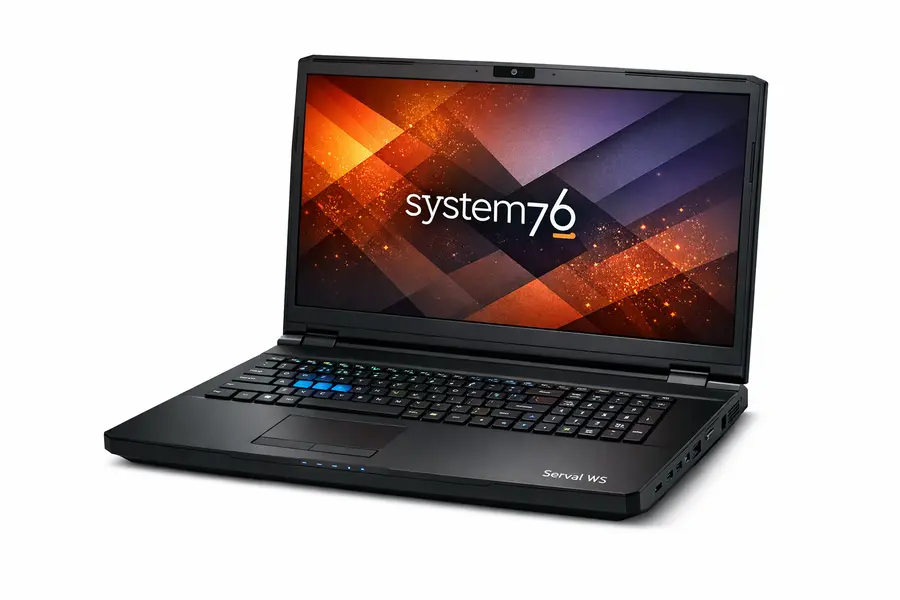
For researchers or engineers running multi-day training jobs locally, the Serval WS sits at the other end of the spectrum. It’s heavy (around 8.6 lbs) and it’s not designed to slip into a slim backpack — but it houses hardware configurations that rival small desktop workstations.
The Serval WS packs an Intel Core Ultra 9 275HX processor, and you can equip it with an RTX 5080 or RTX 5090 (with up to 24GB VRAM), up to 192GB of DDR5 RAM, and up to 20TB of NVMe storage across multiple slots. That RAM ceiling is remarkable in a portable form factor — it’s enough to load genuinely large datasets into system memory and avoid constant disk I/O during preprocessing.
Like the Oryx Pro, it ships with Pop!_OS or Ubuntu, arrives with System76’s firmware (Coreboot-based open source BIOS), and benefits from the same Deep Learning Suite. The 2K 240Hz display and robust port selection make it a proper workstation you can carry to conferences or between office locations.
3. ASUS ROG Zephyrus G16 (2026) — Best Thin-and-Light for ML
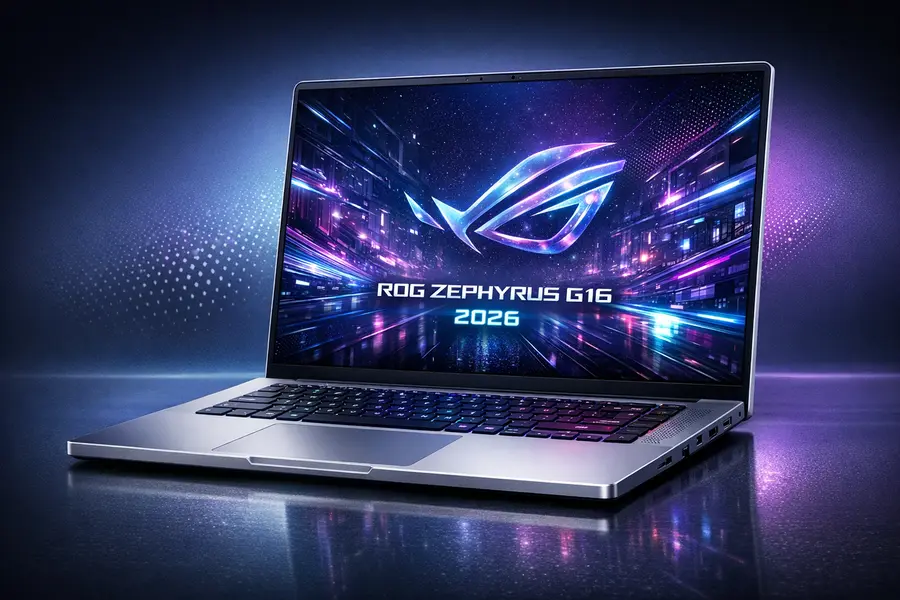
The 2026 ASUS ROG Zephyrus G16 runs Intel’s Core Ultra 9 386H (Panther Lake architecture) paired with up to an NVIDIA RTX 5090 Laptop GPU. At just 4.30 lbs and 0.59 inches thin, it compresses impressive compute into a chassis you’d actually want to carry daily.
The display alone is worth calling out: a 16-inch OLED panel with 2.5K resolution, 240Hz refresh rate, 1100 nits peak brightness, and VESA DisplayHDR True Black 1000 certification. Working on data visualizations or reviewing model outputs on this screen is a genuinely different experience from a typical 1080p matte IPS panel.
ASUS redesigned the cooling system for 2026, adding 16,724 precision-cut perforations to the intake mesh and widening the rear exhaust vent. These aren’t minor tweaks — they result in measurably better thermal headroom during sustained GPU loads, which matters for training runs that last longer than a few minutes. ASUS also supports up to 64GB of LPDDR5x-7467 RAM (soldered, so configure at purchase) and dual M.2 PCIe Gen4 SSD slots.
Linux compatibility on recent Zephyrus models has been strong. Ubuntu 24.04 installs cleanly on current hardware, and the NVIDIA proprietary drivers perform well. The ROG Armoury Crate software won’t be available, but the third-party GHelper app handles fan curves, power modes, and display refresh rates effectively.
4. Razer Blade 16 (2025/2026) — Best Premium Build for ML Power Users
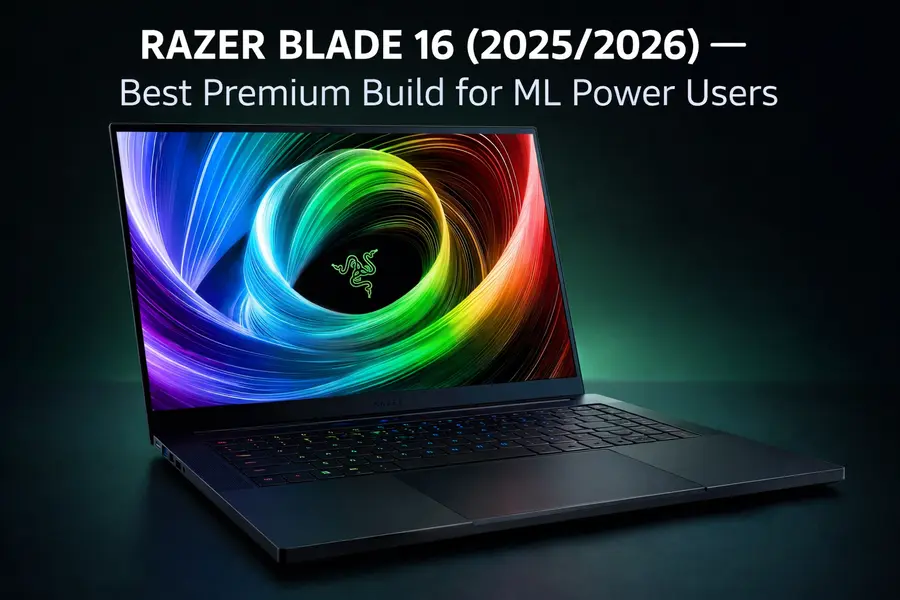
The Razer Blade 16 is arguably the most powerful thin-and-light laptop you can currently buy for deep learning, and it runs Linux better than its reputation suggests. The 2025/2026 configuration runs an AMD Ryzen AI 9 HX 370 paired with an NVIDIA RTX 5090 at up to 155W TGP — the highest GPU power budget in this laptop class. For context, the Zephyrus G16 runs its 5090 at 120W; the Blade runs 30% harder, which shows up directly in training speeds.
RAM is up to 64GB of LPDDR5x-8000 (soldered), and you can configure dual M.2 PCIe Gen4 slots. The 16-inch OLED display is sharp and color-accurate. Build quality is class-leading — the machined aluminum chassis feels genuinely premium in a way that matters during long portable work sessions.
Ubuntu 24.04 installs without drama on recent Blade 16 units. NVIDIA drivers, Wi-Fi, and the keyboard all work out of the box. Battery life suffers because of the powerful GPU, but that’s a fair trade for what you get. Razer Synapse software won’t be available on Linux, but you won’t miss it — the hardware defaults are sensible and kernel-level fan control tools work fine.
5. Lenovo ThinkPad P1 Gen 7 — Best for Enterprise and Research Environments
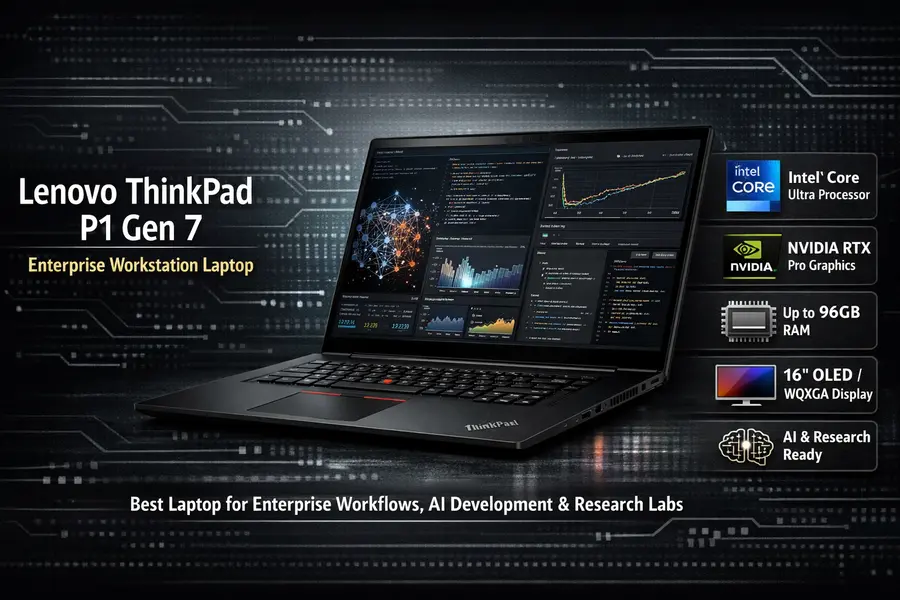
The ThinkPad P1 Gen 7 occupies a specific niche: it’s the laptop for researchers who work in institutional or enterprise environments where ISV certification, Linux Fedora/Red Hat support, and build reliability over multiple years of heavy daily use genuinely matter. It’s certified for RHEL and Ubuntu by Lenovo — meaning drivers are validated, suspend/resume is tested, and you won’t hit random hardware surprises six months in.
The Gen 7 ships with an Intel Core Ultra 7 165H (or Ultra 9 185H), NVIDIA RTX 4070 or RTX 5000 Ada laptop GPU (depending on configuration), up to 64GB of DDR5 RAM, and up to 2TB NVMe storage. The 16-inch WQXGA display at 500 nits is a step above most laptops in its class for outdoor or bright-office readability.
The keyboard is still the best in the business. ThinkPad keyboards have earned their reputation, and anyone who types for hours a day running scripts, editing configs, or writing research papers will feel the difference. The overall chassis is notably slim for a workstation-class machine at under 4 lbs depending on config.
This is the laptop for someone using PyTorch on Ubuntu 24.04 in a corporate environment with IT restrictions, a VPN, and a need for the machine to just work — every time.
6. Lenovo Legion 5i Gen 10 — Best Budget Linux Laptop for ML

illustrative image for Lenovo Legion 5i Gen 10 — Best Budget Linux Laptop for ML
Not every ML practitioner needs a $3,000+ machine. The Lenovo Legion 5i Gen 10 punches well above its price bracket by pairing an Intel Core i9-14900HX processor with the NVIDIA GeForce RTX 5070 Laptop GPU (8GB GDDR7, 115W TGP), a stunning 15.1-inch WQXGA OLED display at 165Hz, and up to 64GB DDR5 RAM — all starting around $1,799.
That OLED panel is the unexpected highlight at this price. Running at 2560×1600 (16:10 aspect ratio), it covers 100% DCI-P3, hits 500 nits, and carries VESA True Black 600 certification. Staring at training logs, Jupyter notebooks, or data visualizations on this screen for six hours is significantly less fatiguing than a typical 1080p IPS panel. LaptopMedia’s February 2026 review flagged it as the fastest RTX 5070 laptop they’d ever tested — the cooling system (dual fans, large rear exhaust) sustains high GPU clocks under load rather than throttling after the first few minutes.
Connectivity is thorough for the price: two USB-C ports, three USB-A 3.2, HDMI 2.1, Ethernet (RJ45), and Wi-Fi 7 — useful when transferring large datasets over a wired connection. Ubuntu 24.04 LTS installs without driver drama on current Gen 10 units; NVIDIA’s official Linux drivers, Wi-Fi, and the keyboard backlighting all work out of the box. RAM is upgradeable via standard DDR5 SO-DIMMs, which gives this machine some future headroom.
The main limitation is battery life — plan on keeping the power adapter handy during any real training run. And while 8GB of GDDR7 VRAM is sufficient for fine-tuning smaller models and running local inference, it’ll become a ceiling if you’re trying to train larger transformer architectures without offloading to system RAM or cloud.
How to Choose the Right Laptop for Your ML Workflow
The right machine depends heavily on what you’re actually doing.
If you’re primarily doing inference, fine-tuning smaller models, or coursework, the MSI Katana A17 AI gives you 64GB RAM and solid GPU performance without breaking the bank. Pair it with Google Colab or AWS for the occasional larger training run.
If you want everything pre-configured and just want to code, the System76 Oryx Pro is the most friction-free path from purchase to running your first training job. The Deep Learning Suite handles CUDA, cuDNN, TensorRT, and framework installation with minimal manual effort.
If portability is a priority and you need serious GPU horsepower, the ASUS ROG Zephyrus G16 or Razer Blade 16 are the strongest contenders in 2026. Both offer RTX 5090 in a chassis under 4.5 lbs, with good Linux compatibility. The Blade edges out the Zephyrus on raw GPU power; the Zephyrus wins on display quality and quieter operation.
If you’re in an enterprise or research institution, go with the ThinkPad P1 Gen 7. The ISV certification, validated Linux support, and Lenovo’s enterprise reliability track record are worth the premium in environments where downtime costs more than the hardware.
If you need a true local training powerhouse and don’t mind a heavy machine, the System76 Serval WS with RTX 5090 and up to 192GB RAM is the closest thing to a desktop workstation in portable form.
Linux Distro Recommendations for AI/ML in 2026
The hardware choice is only half the equation. For most users, Ubuntu 24.04 LTS remains the path of least resistance — CUDA 12.5+, ROCm 6.x, and all major ML frameworks install reliably, NVIDIA provides official Ubuntu packages, and the community documentation is vast.
Pop!_OS 24.04 LTS (System76’s distro) is particularly well-suited for the Oryx Pro and Serval WS — GPU drivers and ML toolchains are pre-configured. Fedora 41 is worth considering if you want the absolute latest PyTorch and library versions without waiting for Ubuntu backports. For total control and rolling updates, Arch Linux remains popular among power users who are comfortable managing their own environment.
Final Verdict
The best Linux laptops for AI & machine learning in 2026 are genuinely impressive machines by any standard. NVIDIA’s RTX 50-series brings fifth-generation Tensor cores and up to 24GB VRAM to portable form factors, and RAM configs that were workstation-exclusive just two years ago are now available in 4-pound laptops.
For most people starting their recommendation search here, the System76 Oryx Pro sits at the top of the list because it solves a real problem: getting a Linux ML environment actually working without fighting hardware. The ASUS ROG Zephyrus G16 is the best choice if you want maximum GPU performance in a portable, retail-available package. And if budget is the binding constraint, the MSI Katana A17 AI delivers more RAM than any competing laptop at its price point.
Whatever you pick, prioritize VRAM, system RAM, and Linux driver maturity over any other spec — those are the variables that will either accelerate your work or hold it back every single day.
Disclaimer
The laptop recommendations, specifications, and prices listed in this guide are based on information available as of March 2026 and are intended for general informational purposes only. Prices and availability may change without notice. We do not have affiliate relationships with any of the brands or retailers mentioned — all recommendations are based solely on research and publicly available data.
Always verify current specs, pricing, and availability directly with the manufacturer or retailer before making a purchase. Individual experiences with Linux compatibility may vary depending on your chosen distribution, kernel version, and specific hardware configuration.
About the Author