Do All CPUs Work on Linux? Compatibility Guide for Beginners
If you’ve ever asked yourself do all CPUs work on Linux, you’re not alone. It’s one of the most common questions from people making the switch to open-source operating systems — whether they’re building a new desktop, buying a laptop, or just tinkering with old hardware. The short answer is: mostly yes, but the nuances matter a lot depending on which CPU architecture you’re dealing with.
Linux is famously flexible. It powers everything from tiny embedded microcontrollers to the world’s top supercomputers. But not every processor gets the same level of support, the same out-of-the-box experience, or the same long-term driver coverage. This guide breaks it all down in plain language — covering x86/x86-64 (Intel and AMD), ARM chips, Apple Silicon, RISC-V, and a few legacy architectures worth knowing about.
The Short Version: What “Works” Actually Means
Before diving into specific processor families, it helps to understand what Linux compatibility actually involves. A CPU “working” with Linux means a few things happening together:
- The kernel supports the instruction set architecture (ISA). Linux must be compiled or available for that CPU’s language.
- Drivers exist for the rest of the chip. Modern CPUs include power management controllers, integrated graphics, thermal sensors, and more. All of these need Linux support.
- Your Linux distribution ships a build for that architecture. Even if the kernel supports something, your chosen distro needs to package everything for it.
- Software you need is compiled for that architecture. Chrome, Steam, VSCode — these need ports to run natively.
All four of these factors together determine whether a CPU really “works” on Linux or just technically boots.
x86 and x86-64: The Gold Standard for Linux Compatibility
If you’re running an Intel Core or AMD Ryzen desktop or laptop processor, congratulations — you’re in the sweet spot. The x86-64 architecture has been Linux’s primary home for decades. The Linux kernel, every major distro, and virtually every application you’ll want are compiled for 64-bit x86. Nothing to worry about here.
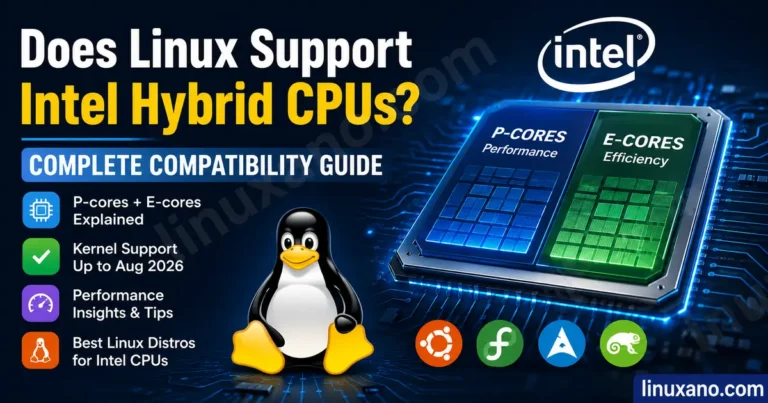
Intel Core (12th Gen and Newer)
Intel’s 12th Gen (Alder Lake) through current-generation processors work well on Linux, though a couple of things are worth knowing. Arrow Lake (Intel’s recent desktop generation) received kernel support starting with Linux 6.8, which resolved most of the driver issues that plagued early adopters. If you’re running a modern distribution — Ubuntu 24.04 LTS, Fedora 41+, or anything using kernel 6.8 and above — an Intel desktop CPU will behave exactly as you’d expect.
One genuine strength of Intel systems on Linux is Quick Sync, their dedicated video encoding hardware. It’s useful if you do any video work, streaming, or transcoding, and it’s accessible on Linux through tools like FFmpeg and Handbrake via VA-API. Intel’s integrated graphics also have mature open-source driver support (i915 and Xe drivers) that works reliably out of the box.
For ultraportable laptops, Intel’s Lunar Lake architecture (used in current-generation thin laptops like the Dell XPS 13 and ThinkPad X1 Carbon Gen 13) delivers exceptional battery life on Linux — often landing in the 18-22 hour range under light use. That’s a real-world advantage for people who work away from outlets.
AMD Ryzen (Zen 3 and Newer)
AMD’s Linux story has quietly become one of the best in the industry. As of April 2026, AMD Ryzen processors receive upstream Linux kernel support faster than Intel — a pattern driven by AMD’s active kernel contribution history. The amd-pstate driver, which handles CPU frequency scaling, translates cleanly into Linux’s standard cpufreq governors, giving you genuinely good power management without any configuration headaches.
On Ubuntu 24.04 LTS and Fedora 41+, AMD desktop CPUs configure correctly right out of the box. Modern sleep states (S0ix standby) work reliably on kernel 6.10 and above on AMD laptops.
For performance laptops, the Ryzen AI 9 HX 370 (used in machines like the ASUS ProArt PX13 and Framework Laptop 16) delivers strong multi-threaded sustained performance and excellent integrated graphics for Linux users doing development, compilation, containerization, or light GPU compute work.
Honest take on AMD vs. Intel for Linux in 2026: If you want the smoothest out-of-the-box Linux experience on a desktop or performance laptop, AMD Ryzen edges ahead. If you’re buying an ultraportable where battery life matters most, Intel Lunar Lake is currently the better choice. Both are excellent — the gap between them has narrowed significantly.
A Quick Look at CPU Options Available in the USA Right Now
| Processor | Architecture | Linux Compatibility | Best For |
|---|---|---|---|
| AMD Ryzen 7 9700X | x86-64 (Zen 5) | Excellent out of box | Developers, compilation, containers |
| Intel Core Ultra 7 258V (Lunar Lake) | x86-64 | Excellent (Kernel 6.8+) | Ultraportable laptops, battery life |
| AMD Ryzen AI 9 HX 370 | x86-64 (Zen 5) | Excellent | Performance laptops, GPU compute |
| Apple M1 / M2 (Asahi Linux) | ARM64 | Good (with caveats) | Enthusiasts, developers |
| Apple M3 / M4 | ARM64 | Early / Experimental | Developers only |
| Qualcomm Snapdragon X Elite | ARM64 | Good (Lenovo support) | ARM64 Linux workstation users |
| RISC-V (SiFive, StarFive) | RISC-V | Growing (not mainstream) | Developers, experimenters |
ARM CPUs on Linux: A Growing and Complicated Story
ARM is everywhere — your phone, Raspberry Pi boards, and now high-end laptops. Linux has always supported ARM in theory, but the desktop ARM experience on Linux has historically been messy because ARM hardware is far less standardized than x86.
Qualcomm Snapdragon on Linux Laptops
Qualcomm has been actively upstreaming drivers for their Snapdragon chips, and as of early 2026, Lenovo’s Snapdragon-based laptops (the Yoga ARM and ThinkPad ARM lines) offer one of the better native ARM64 Linux experiences. USB-C DisplayPort Alt Mode now works, battery life sits around 10 hours versus 14 on Windows (a trade-off worth knowing about), and most core functionality including WiFi, NVMe storage, and audio works well. The suspend behavior still has room to improve — standby reportedly draws about 4% battery per hour versus 0.5% on Windows, though for most users this is a minor annoyance rather than a dealbreaker.
If you want an ARM64 Linux laptop in the US market today, Lenovo’s Snapdragon machines are the most realistic option for daily drivers.
Raspberry Pi and Single-Board Computers
Raspberry Pi 5, which runs a Cortex-A76-based Broadcom chip, has excellent Linux support across Ubuntu, Debian, Raspberry Pi OS, and Fedora. These boards are ARM64 and get full distribution support with proper package repositories. For hobbyists, home servers, or learning environments, Raspberry Pi remains the easiest ARM Linux entry point.
Apple Silicon: Linux Is Possible, but Know What You’re Getting Into
Apple’s M-series chips are a fascinating case. They’re ARM64 processors, but Apple has built a tightly controlled hardware ecosystem around them. Apple does not officially support Linux on Macs — and yet, a remarkable volunteer project called Asahi Linux has been steadily making it work anyway.
M1 and M2: Genuinely Usable
Asahi Linux has been around for five years as of 2026, and it’s earned a reputation as one of the most polished AArch64 desktop Linux experiences available. On M1 and M2 Macs, you get a fully functional system: keyboard, trackpad, WiFi, NVMe, display, audio (with speaker safety protection), USB, GPU acceleration via a custom open-source Metal-compatible driver, and more. The flagship distro is Fedora Asahi Remix, which works well enough for many developers as a daily driver.
One lingering caveat is USB-C DisplayPort output. A “fairy dust” branch in the downstream Asahi kernel exists with experimental support, but it’s not yet officially shipped as a supported feature. Battery life on Linux also lands lower than macOS — roughly 10-14 hours versus 18-20 hours on macOS — due to power management differences.
M3: Early Stages, Not Ready for Most People
As of early 2026, Linux has been booted on M3 Macs, but the experience is still rough. Core input (keyboard, trackpad), NVMe, and display work, but GPU acceleration is missing — the system falls back to software rendering, which is slow and draining. Webcam, Touch ID, and Thunderbolt remain unsupported. The Asahi team is working through M3’s more complex DCP display firmware interface, which requires reverse engineering different from what worked on M1/M2.
The Asahi team’s philosophy is to never rush a half-finished release. M3 support will come when it’s ready, not before.
M4 and M5: Very Early
M4 and M5 hardware introduces additional restrictions that make development harder. Feature support is listed as work-in-progress across the board on the Asahi M4 feature support page. Unless you’re a kernel developer contributing to the effort, don’t buy an M4/M5 Mac expecting to run Linux as a daily driver anytime soon.
Bottom line on Apple Silicon: If you have an M1 or M2 Mac and want to experiment with Linux, Asahi Linux is genuinely impressive and usable for developers. If you’re shopping for a new laptop specifically to run Linux, you’ll have a much easier time with an x86 machine or a Snapdragon Lenovo than fighting Apple’s locked platform.
RISC-V: The Future Architecture, Not Quite Ready for the Desktop
RISC-V is an open-source, royalty-free CPU instruction set that’s genuinely exciting — and getting more real by the month. As of April 2026, Linux 7.0 was just released with continued RISC-V improvements, and Canonical has declared 2026 a milestone year for RISC-V Linux readiness. Ubuntu 26.04 LTS will be the first long-term support release supporting the RVA23 profile, giving hardware manufacturers a stable platform to build on.
What Actually Works on RISC-V Right Now
Boards like the StarFive VisionFive 2 and the Milk-V Jupiter can run Ubuntu, Fedora, and Debian. For lightweight server tasks — DNS filtering, VPN endpoints, small Git servers — these boards work reasonably well, and their low idle power draw makes them appealing for always-on setups. The Milk-V Jupiter 2, expected to ship in April 2026 at $199, brings RVA23 compliance, improved CPU performance, and 10GbE networking to the table.
The software ecosystem has genuinely matured. Multiple Linux distributions now provide official RISC-V builds, and the RVA22/RVA23 profile standardization has reduced the fragmentation that previously made software targeting difficult.
What Doesn’t Work Yet
RISC-V is not ready to replace your daily driver desktop. The performance gap versus x86 and ARM is still significant for general workloads, and the software ecosystem — while growing — still has gaps. Local LLM inference, home theater tasks, and general desktop replacement? Stick with x86 or ARM for now.
Who should consider RISC-V hardware today: software developers who need a native platform to test RISC-V code, architecture enthusiasts and students, and self-hosters who want to experiment with a third architecture alongside their existing x86 and ARM machines.
Legacy and Specialty Architectures: Do They Still Work?
32-bit x86 (i386/i686)
Most major distributions have dropped or are dropping 32-bit x86 support. Ubuntu dropped the i386 architecture from new installs years ago. Debian still ships it but support is narrowing. If you have genuinely old 32-bit-only hardware, you can still run lightweight distros like antiX, MX Linux, or Debian, but you’re working against the tide. This hardware is reaching end-of-viable-Linux-life.
PowerPC
IBM’s POWER architecture has solid Linux kernel support — it’s literally what runs Linux on many of IBM’s enterprise systems. Consumer PowerPC hardware (old Apple G4/G5 Macs) can still run specialized distros, though you’re in niche territory. If you have a POWER9 or POWER10 workstation, Linux runs excellently on it.
MIPS and SPARC
These are mostly embedded and server architectures. They have kernel support but aren’t relevant to most people buying hardware in the US consumer market in 2026. The full list of Linux-supported architectures is documented on Wikipedia’s Linux architecture page.
What About Very New CPUs? The “New Hardware Problem”
One thing beginners often overlook: very recently released CPUs sometimes have rough edges on Linux, even if the architecture is perfectly supported. When Intel released Arrow Lake, there were driver issues that took until kernel 6.8 to fully resolve. Early Ryzen mobile generations had thermal sensor quirks. Brand-new integrated graphics may not have full feature support until a few kernel releases after launch.
A good rule of thumb: if a CPU has been on the market for 6 to 12 months, it’s had time for community testing and upstream kernel patches to catch up. If you’re buying at launch day, check the Linux hardware forums (Phoronix, the Arch Linux wiki hardware pages, and relevant subreddits) before assuming everything will work perfectly from day one.
How to Check If Your Specific CPU Works on Linux
You don’t have to guess. Here’s how to research this before buying:
- Check the Linux Hardware Database at linux-hardware.org — it has thousands of community-submitted compatibility reports organized by hardware.
- Search the Arch Linux wiki for your specific CPU model. Even if you’re not using Arch, their documentation is exhaustive and hardware-neutral.
- Check Phoronix for benchmark coverage and driver news on your target CPU. If Phoronix has reviewed it on Linux, you’ll find real-world data.
- Look at kernel changelogs at kernel.org if you want the ground truth on when support for specific hardware was added.
- Search Reddit’s r/linux_hardware and r/linuxhardware for real user experiences with your target hardware.
For laptops specifically, the Linux Laptop Wiki (linux-laptop.net) and Notebookcheck’s Linux compatibility notes are worth consulting before you buy.
Practical Recommendations for Beginners in 2026
If you’re new to Linux and asking do all CPUs work on Linux because you’re trying to figure out what to buy, here’s the practical takeaway:
For a new desktop build: Either AMD Ryzen 7000/9000 series or a modern Intel Core Ultra processor will give you zero compatibility headaches. AMD gets a slight edge for out-of-the-box experience and power management quality on Linux.
For a new laptop (ultraportable): Intel Lunar Lake machines like the Dell XPS 13 9350 or ThinkPad X1 Carbon Gen 13 offer the best battery life on Linux right now. For a performance laptop, the Framework Laptop 16 with AMD Ryzen AI 9 is a Linux-first machine built by a company that actively supports Linux.
For a used/refurbished laptop: Lenovo ThinkPads from the past 5 years run Linux beautifully. HP Elitebooks and Dell Latitudes are solid choices too. Avoid very new hardware (less than 6 months old) unless you’ve verified compatibility.
For tinkering and learning: A Raspberry Pi 5 gives you a fully supported ARM64 Linux system for under $80. For x86, any AMD Ryzen 5000 series desktop CPU is well-supported, affordable used, and runs Linux without drama.
For Apple Silicon Macs you already own: If it’s an M1 or M2, Asahi Linux (via Fedora Asahi Remix) is worth trying. If it’s newer, wait.
Don’t buy: A brand-new cutting-edge CPU hoping Linux will catch up. The hardware will work eventually, but the out-of-the-box experience on day one of a new CPU launch can be genuinely frustrating.
Wrapping Up
So, do all CPUs work on Linux? The honest answer is that the vast majority of CPUs people buy in the US today work perfectly fine on Linux — especially anything x86-64 from Intel or AMD. ARM is increasingly viable, particularly on Snapdragon Lenovo laptops and Raspberry Pi boards. Apple Silicon works on M1/M2 with effort. RISC-V is coming along faster than anyone expected, but it’s still for enthusiasts and developers rather than general-purpose users.
The Linux kernel supports an enormous range of architectures, and the ecosystem around it has never been healthier. For a beginner picking hardware in 2026, the safest path is still a mainstream x86-64 machine from AMD or Intel — and from there, the world of Linux opens up without fuss.
Disclaimer
This article is intended for informational purposes only. CPU compatibility and Linux support details are based on publicly available data as of April 2026 and may change as new kernel versions, driver updates, and distribution releases roll out. Product availability, pricing, and specifications mentioned reflect the US market at the time of writing and may vary. Always verify hardware compatibility with your specific Linux distribution before making a purchase. The author is not responsible for any issues arising from hardware or software decisions made based on this content.
About the Author