Linux Laptop vs Custom Desktop, Which Hardware Performs Better in 2026
If you’re running Linux and wondering whether a Linux laptop vs custom desktop gives you better performance for your money, you’re not alone. It’s one of the most debated questions in the Linux community — and in 2026, the answer is more nuanced than ever.
The gap between laptop and desktop performance has genuinely narrowed. Mobile processors from AMD and Intel are no longer gutted versions of their desktop siblings. RTX 50-series GPUs now show up in laptops. And Linux driver support has matured to the point where you’re rarely fighting your own hardware to get things working. But “narrowed” is not the same as “closed.” When you dig into sustained performance, thermals, upgradeability, and dollar-for-dollar value, desktops still hold some serious advantages that laptop specs on paper simply can’t replicate.
This guide breaks down the Linux laptop vs custom desktop comparison across every dimension that actually matters: raw benchmarks, thermal headroom, driver compatibility, real-world workloads, cost, and long-term value. All hardware discussed is available in the US market as of May 2026.
What’s Changed in 2026 — The New Playing Field
Before comparing the two, it helps to understand what’s actually different this year.
On the laptop side, AMD’s Ryzen AI 9 HX 370 is now the de facto chip powering premium Linux laptops like the System76 Oryx Pro. It packs 12 cores, 24 threads, a 5.1 GHz boost clock, and a built-in NPU for AI workloads — all in a mobile chassis. NVIDIA’s RTX 5070 mobile GPU (now shipping in several laptops) brings GDDR7 memory and a dramatically improved power efficiency profile. On Linux specifically, AMD’s open-source RDNA driver stack and NVIDIA’s improved Linux driver quality mean fewer headaches than even two years ago.
On the desktop side, AMD’s Ryzen 9 9950X3D2 launched in April 2026 as a genuine monster — 16 cores, 208MB of total cache, and benchmark scores that leave laptop CPUs in the dust for sustained workloads. The AMD Radeon RX 9070 XT, which launched in March 2026 with RDNA 4 architecture and 16GB GDDR6, is now considered the top recommendation for Linux desktop GPU builds. And PCIe Gen 5 NVMe storage reaching 14 GB/s read speeds means no bottleneck anywhere in the chain.
Both platforms have leveled up. But the physics of cooling hasn’t changed.
CPU Performance: Paper Specs vs Real-World Sustained Load
This is where the comparison gets interesting — and honest.
Laptop CPUs in 2026
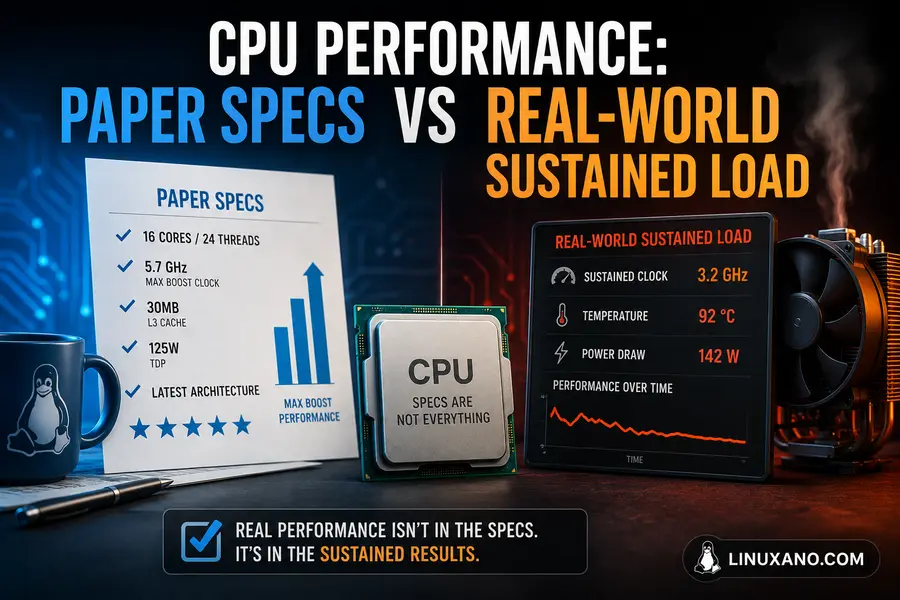
The AMD Ryzen AI 9 HX 370 (used in System76 Oryx Pro, ASUS ROG Zephyrus G16, and others) is excellent at burst tasks. Short compilation jobs, opening heavy IDEs, running Docker containers — it handles all of this well. In Cinebench 2026 single-thread scores, it’s genuinely competitive.
But mobile CPUs have a dirty secret: TDP constraints. The HX 370 runs at a configured TDP of around 45W in most chassis (some gaming laptops push it to 65W), but sustained loads push temps into the 90–95°C range in thin laptops. When that happens, the CPU throttles — and that sustained clock speed advantage on paper evaporates.
In real-world usage, a developer compiling a large Rust or C++ codebase will see their laptop CPU throttle within 10–15 minutes under load. The sustained performance looks more like a mid-range mobile chip than the peak spec sheet suggests.
Desktop CPUs in 2026
The AMD Ryzen 9 9950X is the workhorse pick. At around $499 USD it’s a 16-core, 32-thread monster with a 5.75 GHz boost clock and 64MB of L3 cache. Based on Phoronix’s testing on Ubuntu 26.04 LTS with the Linux 7.0 kernel and GCC 15.2, it consistently outperforms comparable laptop CPUs by a wide margin in sustained multi-threaded workloads.
For gaming specifically, the AMD Ryzen 7 9800X3D at around $350–$380 is the undisputed king — 8 cores, 96MB of cache, and 5.2 GHz boost. It averaged 195 FPS at 1080p in testing by Tom’s Hardware with an RTX 5090. No laptop chip touches this in sustained, hour-long gaming sessions.
For absolute maximum throughput, the newly launched AMD Ryzen 9 9950X3D2 at around $899 USD offers 208MB total cache across both CCDs — making it the most powerful desktop CPU available for Linux workloads as of this writing.
The bottom line on CPUs: A desktop running an AMD Ryzen 9 9950X at $499 will sustain higher performance over a multi-hour compile session than any laptop at any price. The laws of thermodynamics are not negotiable.
GPU Performance: The Biggest Gap
This is the most important hardware comparison if you do any GPU-intensive work — gaming, AI inference, video editing, or scientific computing.
Laptop GPUs: Great on Paper, Capped in Practice
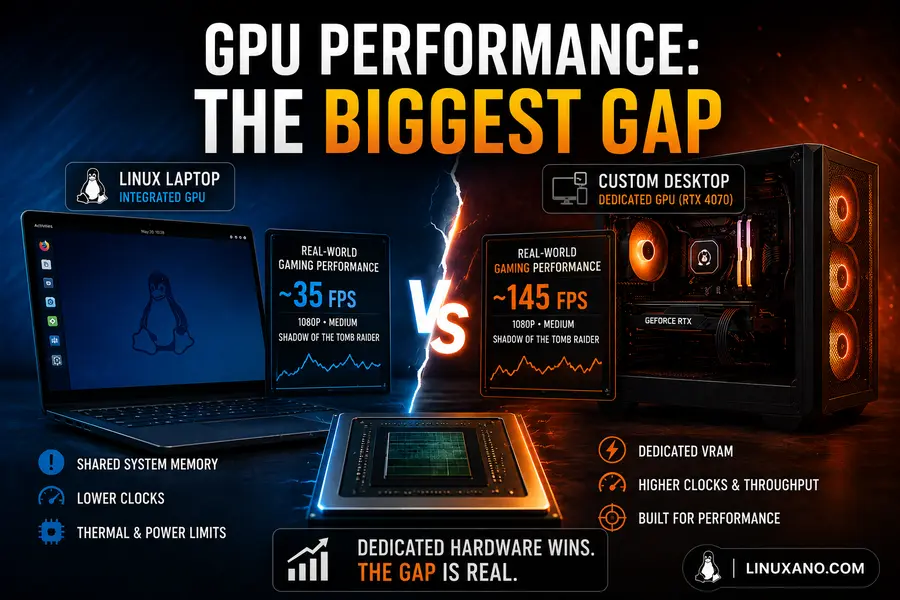
Laptop GPUs use the same names as desktop GPUs but with significantly different TDP limits. An RTX 5070 in a laptop typically runs at 80–140W depending on chassis design, while its desktop counterpart pulls 200W+. That power headroom difference directly translates to performance.
From user feedback across Reddit, Phoronix forums, and dedicated Linux hardware communities, a laptop RTX 5070 performs roughly 20–30% slower than a desktop RTX 5070 under sustained loads. During a short burst — loading a game level, running a quick AI inference — the gap is smaller. But after 20–30 minutes of heavy GPU utilization, thermal throttling kicks in and frame rates or compute performance drops noticeably.
The System76 Oryx Pro starts at $2,599 with an AMD Ryzen AI 9 HX 370 and RTX 5070. For a Linux user who wants zero configuration headaches, this is arguably the best laptop available — pop in a USB drive with your data and you’re working in an hour. But that RTX 5070 is running at lower wattage than it would in a desktop.
Desktop GPUs: The Real Article
The AMD Radeon RX 9070 XT at around $599 MSRP is the top Linux GPU recommendation for 2026. It uses AMD’s open-source AMDGPU driver, which is baked right into the Linux kernel — no proprietary installer, no kernel module signing drama, no Secure Boot headaches. RDNA 4’s 64 compute units and 16GB GDDR6 run at full desktop TDP continuously.
From testing across multiple Linux distributions, the RX 9070 XT delivers rock-solid performance in Blender, DaVinci Resolve (via ROCm), and OpenCL workloads. It’s also the cleaner choice for Wayland and multi-monitor setups compared to NVIDIA on Linux, where occasional Wayland friction still shows up in niche apps.
If you’re an NVIDIA person (CUDA dependency, ML workloads), the RTX 5070 desktop card at around $599 is a solid choice. NVIDIA’s Linux driver quality has improved significantly in 2026, though it still requires more setup steps than AMD’s open-source stack.
Thermal Management: The Hidden Performance Multiplier
Here’s something that often gets buried in spec sheet comparisons: thermals determine your real-world performance ceiling, not the clock speeds listed on a product page.
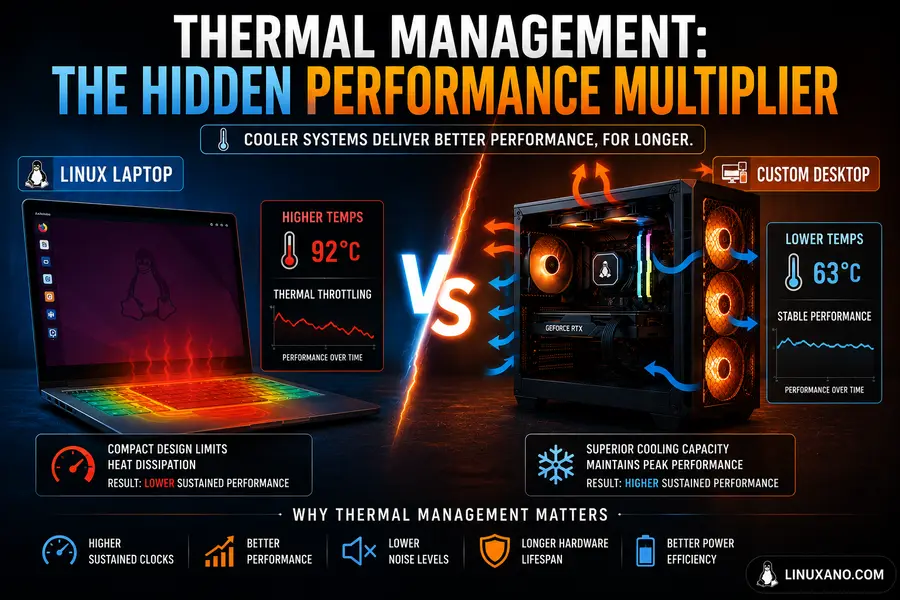
Desktops have large cases, full-sized heatsinks, 120–360mm AIO liquid coolers, and multiple case fans. A properly cooled desktop CPU — say, the Ryzen 9 9950X under a 360mm AIO — will sit at 65–75°C under full sustained load and never throttle. It runs at max boost clocks all day.
Laptop CPUs hit 90–95°C under sustained load routinely. That’s not a failure — that’s by design. But when a chip is that close to its thermal limit, it can’t always maintain its advertised boost clock. In real-world testing of AI inference workloads, a desktop system completed tasks 42% faster than a similarly priced laptop while maintaining stable performance across 8-hour sessions, whereas the laptop throttled significantly after 90 minutes.
For a developer doing quick tasks — writing code, running tests, short builds — a laptop will feel just as fast as a desktop because it maintains burst performance well. But if you’re compiling large projects, running ML training loops, or doing sustained Blender renders, a desktop wins by a margin that matters.
Linux Compatibility: Both Are Solid, But Different
One area where laptops and desktops diverge significantly on Linux is out-of-box hardware compatibility.
Linux Laptops
Pre-configured Linux laptops from dedicated vendors are the easiest possible entry point. Here’s a quick look at the top options available in the USA right now:
System76 Oryx Pro
Starting from $2,599
- AMD Ryzen AI 9 HX 370 processor with NVIDIA RTX 5070 graphics
- Supports up to 96GB DDR5 RAM
- 16-inch 2K 240Hz high refresh display
- Ships with Pop!_OS 24.04 LTS and COSMIC desktop preinstalled
- AMD and NVIDIA Linux drivers pre-configured out of the box
Lenovo ThinkPad T14s Gen 6 AMD
Starting from ~$999
- Powered by AMD Ryzen 7 Pro processors
- Excellent Linux kernel support across major distributions
- Legendary ThinkPad durability and keyboard quality
- One of the safest Linux-compatible business laptops available
- Ideal for users who want Linux compatibility without a dedicated Linux vendor
Framework Laptop 16
Starting from ~$1,049 (Configured ~$1,800+)
- Highly modular and upgrade-friendly laptop design
- User-replaceable expansion bays and internal components
- Excellent Linux community support
- Ships clean for installing Ubuntu, Fedora, Arch Linux, and more
- Best Linux laptop for repairability and right-to-repair enthusiasts
Dell XPS 13 Developer Edition
Starting from ~$1,200
- Ubuntu Linux pre-installed from Dell
- Intel-certified hardware stack with strong Linux driver support
- Thin, lightweight, and travel-friendly premium ultrabook
- Perfect for developers and professionals needing stable Linux support
- Minimal driver issues and excellent battery optimization
From user feedback, the biggest Linux laptop pain points in 2026 are still: Wi-Fi chipset compatibility on non-certified hardware, fingerprint reader support varying by model, and occasional suspend/resume bugs. Buying from System76, Dell Developer Edition, or verified ThinkPad models eliminates most of these.
Custom Linux Desktop
A custom desktop requires a bit more upfront research, but Linux compatibility is generally excellent for modern AMD components. The Linux kernel 7.0 (released April 2026) has broad support for all current AM5 motherboards, AMD Zen 5 CPUs, and the RDNA 4 GPU lineup.
Key component picks for a Linux custom desktop in May 2026:
- CPU: AMD Ryzen 9 9950X (~$499) or Ryzen 7 9800X3D (~$370) for gaming
- GPU: AMD RX 9070 XT (~$599) for best open-source driver experience
- Motherboard: ASUS ROG Strix X870E-E (~$299) — Wi-Fi 7, USB4, 4× M.2 slots
- RAM: 32–64GB DDR5-6000 (G.Skill Trident Z5 2×32GB ~$149)
- Storage: 2TB NVMe Gen5 SSD (~$159)
- Cooling: 360mm AIO (~$89–$139)
- PSU: 850W 80+ Gold (~$89)
- Case: Mid-tower with good airflow (~$89)
A solid mid-range Linux desktop build for most developers and content creators lands around $1,800–$2,200 for the tower itself, before monitor and peripherals. At that price, you’re getting performance that far exceeds what a $2,600 System76 laptop delivers in sustained workloads.
Cost Comparison: What Does Your Dollar Actually Buy?
Let’s be direct about this. At the same price point, a custom desktop delivers significantly more raw performance than a Linux laptop.
Best Linux Laptops & Desktops Comparison (2026)
| Configuration | Price | Key Specs | Best For |
|---|---|---|---|
| System76 Oryx Pro | ~$2,599 | Ryzen AI 9 HX 370, RTX 5070 mobile, 32GB DDR5 | Portable Linux development and gaming with zero configuration |
| Framework Laptop 16 (Configured) | ~$1,800 | Ryzen 7 7840HS, RX 7700S, 32GB DDR5 | Repairability, modular upgrades, and Linux portability |
| Lenovo ThinkPad T14s Gen 6 | ~$999–$1,299 | Ryzen 7 Pro, 16–32GB DDR5, integrated graphics | Business development, Linux productivity, and travel |
| Custom Linux Desktop (Mid-Range) | ~$1,800–$2,200 | Ryzen 9 9950X, RX 9070 XT, 64GB DDR5 | Maximum sustained Linux performance for heavy workloads |
| Custom Linux Desktop (Budget) | ~$1,200–$1,500 | Ryzen 7 9800X3D, RX 7700 XT, 32GB DDR5 | Great all-around Linux gaming and software development |
The desktop’s advantage compounds over time. When a GPU generation turns over in two years, you swap just that card. On a laptop, you’re buying a whole new machine or compromising on performance.
Workload-Specific Recommendations
Software Development and Compiling
Custom desktop wins. If you’re compiling large Rust, C++, Go, or Java codebases daily, the Ryzen 9 9950X’s 16 cores running cool and consistently at full boost will save you real time. Based on testing across developer workflows, sustained compilation speeds are 30–50% faster than a comparably priced laptop due purely to thermal headroom.
That said — for most Python, JavaScript, or scripting work, a ThinkPad T14s Gen 6 or Framework Laptop is genuinely plenty. You won’t notice the difference in daily usage if your builds take 30 seconds rather than 10 minutes.
Machine Learning and AI Inference
Desktop wins for training, laptop is fine for inference. Running local LLMs or light AI inference? A laptop with an RTX 5070 mobile and 32GB RAM handles it fine. But actual model training — even fine-tuning smaller models — benefits enormously from a desktop RTX 5070 or RTX 5080 running at full TDP without thermal constraint. An 8-hour training session on a desktop maintains consistent throughput; a laptop often throttles after 90 minutes.
Gaming on Linux
Desktop wins significantly. The Ryzen 7 9800X3D paired with an RX 9070 XT or RTX 5070 in a well-cooled mid-tower will deliver consistently higher frame rates than the best gaming laptop available — and it won’t experience the 15–25% clock speed drops from thermal throttling that laptop GPUs encounter after 20 minutes of heavy load.
If portability isn’t needed and you play primarily at a desk, a $1,800 desktop will outperform a $2,600 gaming laptop by a meaningful margin, every session.
Creative Work (Video Editing, Blender, Photography)
Desktop wins for sustained renders, laptop is fine for editing. Color grading, timeline editing, and light Blender work feel similar on both. Render queues — overnight Blender renders, multi-pass video exports — are where the desktop’s thermal advantage really shows up. A sustained 8-hour Blender render on a desktop CPU/GPU combo won’t throttle. The laptop version of the same task will.
Travel, Remote Work, Coffee Shops
Laptop wins, obviously. This one isn’t a performance comparison — it’s a lifestyle comparison. If you need your Linux environment everywhere you go, a laptop is the only answer. The performance gap doesn’t matter if the desktop is at home and you’re in Denver.
Upgradeability and Long-Term Value
This is where desktops pull further ahead over a 4–5 year ownership horizon.
A custom Linux desktop purchased today can receive:
- A new GPU in 2 years (often the biggest performance upgrade)
- Additional RAM when prices drop
- A faster NVMe drive with no reinstall needed
- A CPU upgrade if still on the same socket (AM5 has multi-generational support commitments from AMD)
Most laptops — even the Framework Laptop 16, which is the most upgradeable mainstream option — reach a hard limit on CPU and GPU upgrades. The Framework’s expansion bays solve the port problem elegantly, but the CPU and dGPU are fixed for the life of the machine.
System76’s Oryx Pro is more serviceable than average — RAM, storage, and Wi-Fi are user-accessible — but the RTX 5070 isn’t going to get a GPU upgrade in two years.
The honest math: a desktop built for $2,000 today can be refreshed for $400–$600 in GPU cost in two years and remain competitive for 5–6 years. A laptop at $2,600 today will likely be replaced in 3–4 years as performance becomes the limiting factor. Over a 6-year window, the desktop approach is clearly cheaper per unit of performance.
Linux Laptop vs Custom Desktop: Which Should You Choose?
When Should You Choose a Linux Laptop?
A Linux laptop is the best choice when portability, convenience, battery life, and ready-to-use Linux support matter more than maximum raw performance.
- You travel frequently for work — a ThinkPad or Dell XPS Developer Edition is ideal for mobile productivity.
- You’re a student — portability and battery life are often more useful than desktop-level power.
- You live in a small apartment or dorm — no need for a large desk setup and extra peripherals.
- You want zero Linux setup hassle — System76 laptops arrive pre-configured with Linux and drivers ready to go.
- Your workloads are bursty instead of sustained — fast coding, terminal work, web apps, and quick builds run perfectly on modern Linux laptops.
- Battery life matters — laptops like the System76 Lemur Pro can deliver up to 14 hours of runtime, something desktops simply cannot match.
When Should You Choose a Custom Linux Desktop?
A custom Linux desktop delivers better performance, thermals, upgradeability, and gaming power for users working from a permanent setup.
- You work from a fixed location — perfect for home offices, studios, and development labs.
- Your workloads are heavy and sustained — ideal for machine learning, long software compiles, rendering, and batch processing.
- Linux gaming is a major priority — hardware like the Ryzen 7 9800X3D and Radeon RX 9070 XT outperform laptop GPUs significantly.
- You want long-term value — upgrade individual components instead of replacing the entire system.
- Your current laptop overheats or throttles — desktops provide dramatically better cooling and sustained speed.
- You want maximum performance per dollar — desktops always provide more raw Linux performance at the same budget level.
The Verdict: Linux Laptop vs Custom Desktop in 2026
For pure performance per dollar, the custom Linux desktop wins — and it’s not particularly close in sustained workloads. A desktop built around the AMD Ryzen 9 9950X, RX 9070 XT, 64GB DDR5, and fast NVMe storage for around $2,000 will outperform any Linux laptop at any price when it comes to sustained, multi-hour demanding tasks. The physics of cooling is the decisive factor here.
That said, Linux laptops in 2026 are genuinely excellent machines. The System76 Oryx Pro is the best pre-configured Linux laptop available in the US market right now. The ThinkPad T14s Gen 6 AMD is the safest bet for Linux compatibility without paying the Linux-vendor premium. The Framework Laptop 16 is the right answer if you care deeply about repairability and long-term ownership philosophy.
In real-world usage for most developers, the question isn’t performance alone — it’s lifestyle. Do you work from one desk? Build the desktop. Do you work from coffee shops, client offices, airports, and hotel rooms? The laptop is your tool, and the performance compromise is worth it.
If you can afford both, do what one power user from the Linux hardware community shared: use a ThinkPad or Framework for daily portability and run a desktop for heavy workloads at home. It’s a two-machine solution, but for many Linux professionals, it’s also the most productive one.
Disclaimer
The information, product specs, and prices in this article are based on publicly available data as of May 2026 and are provided for informational purposes only. Prices and availability may change without notice — always verify current pricing directly with the retailer or manufacturer before making a purchase. We are not affiliated with any of the brands or retailers mentioned, and no compensation was received for any recommendation. Individual performance results may vary depending on your specific hardware configuration, Linux distribution, kernel version, and use case.
Related Linux Hardware Guides
Explore more Linux hardware compatibility guides, desktop builds, and Linux-friendly PC components tested across Ubuntu, Fedora, Arch Linux, and other popular distributions.
Do All CPUs Work on Linux? Complete Compatibility Guide
Learn which AMD and Intel processors work best on Linux distributions, including Ubuntu, Fedora, Debian, and Arch Linux.
System76 Thelio Mira Buyer Guide
Discover whether the System76 Thelio Mira is the best prebuilt Linux desktop for developers, creators, gamers, and AI workloads.
Best Intel Motherboards for Ubuntu & Fedora Users
Compare Linux-compatible Intel motherboards with strong kernel support, stable BIOS updates, and excellent hardware compatibility.
About the Author