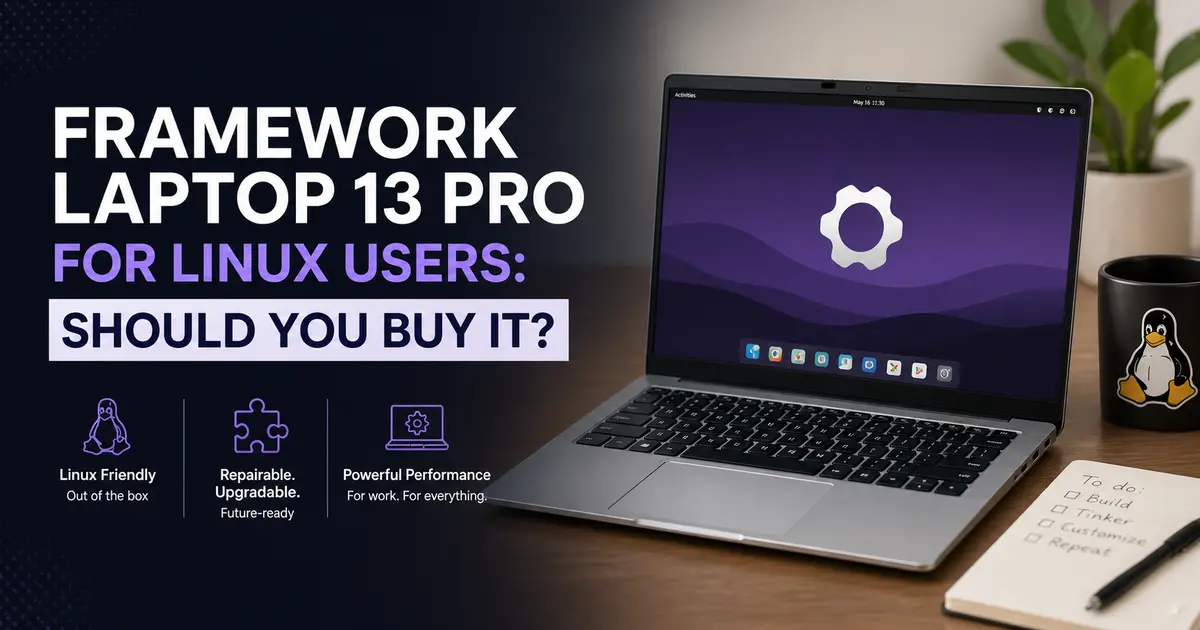
Framework Laptop 13 Pro for Linux Users: Should You Buy It?
Linux users have been burned before. We’ve bought laptops only to find that Wi-Fi drivers are janky, suspend/resume breaks, or the fingerprint reader just never works. Picking the wrong hardware can turn a clean Fedora install into a debugging nightmare. So when Framework announced the Framework Laptop 13 Pro for Linux users — positioning it outright as a “MacBook Pro for Linux” — that was a bold claim worth examining seriously.
Let’s cut through the hype and figure out whether this laptop actually delivers for the people who live in a terminal.
What Even Is the Framework Laptop 13 Pro?
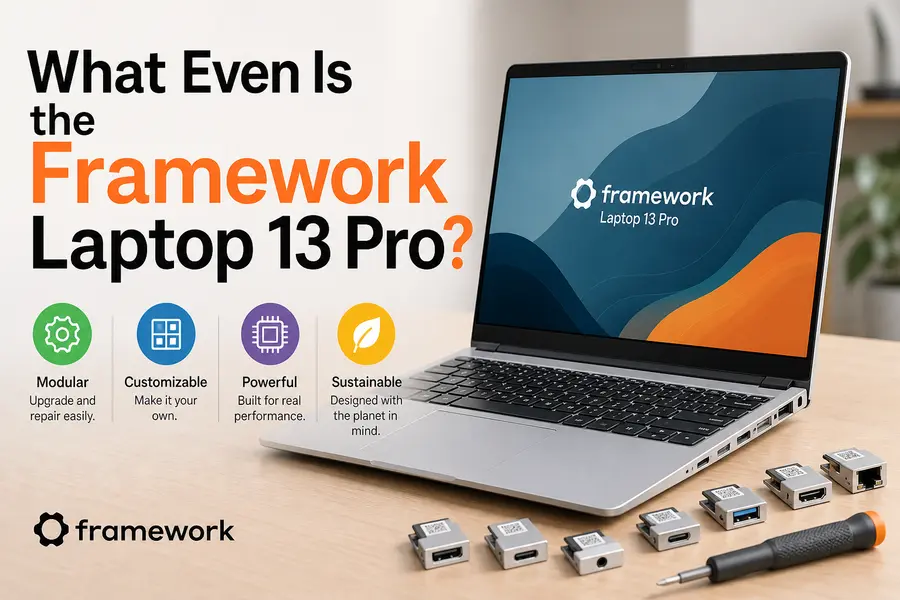
Framework has been making repairable, modular laptops since 2021 — the kind where you can swap out ports, upgrade RAM yourself, and replace a cracked screen without sending it to a repair shop. The Laptop 13 has always been their bread-and-butter 13-inch portable. But the 13 Pro, announced at the April 21, 2026 “Next Gen” event, is a ground-up redesign. It’s the first Framework laptop that doesn’t just earn the description “functional” — it genuinely earns the word “premium.”
First units ship in June 2026 for Intel configurations. AMD variants are expected in July or later depending on region. Demand has been steep: the Ubuntu pre-built configurations have reportedly been outselling Windows ones, which, if you follow the Linux market at all, is genuinely remarkable.
Full Specs at a Glance (2026)
| Component | Details |
|---|---|
| Display | 13.5″ LTPS LCD, 2880×1920, 3:2 ratio, 700 nits, 30–120Hz VRR, touch |
| Processors | Intel Core Ultra Series 3 (Ultra 5 325, X7 358H, X9 388H) or AMD Ryzen AI 300 |
| Memory | Up to 64GB LPCAMM2 LPDDR5X (modular, user-replaceable) |
| Storage | PCIe Gen 5 NVMe M.2, up to 8TB |
| Battery | 74Wh, claimed 20 hours (Framework-tested conditions) |
| Wi-Fi | Intel BE211 Wi-Fi 7 |
| Ports | Framework Expansion Card system (choose your ports) |
| Webcam | 1080p |
| Audio | Stereo speakers, Dolby Atmos tuned |
| OS Options | Ubuntu (pre-certified), Windows 11, or DIY (any OS) |
| Starting Price | $1,199 (DIY), $1,499 (pre-built Ubuntu) |
| Chassis | CNC-machined 6000-series aluminum |
Linux Support: This Is the Real Story
Ubuntu Certified — What That Actually Means
The Framework Laptop 13 Pro is Framework’s first Ubuntu Certified system. That certification isn’t marketing fluff — it means Canonical has physically tested the hardware, firmware, and drivers and confirmed they work reliably out of the box with Ubuntu. Every critical component: suspend/resume, Wi-Fi, Bluetooth, the touchpad, the webcam, the speakers, audio routing — all confirmed working without patching or workarounds.
For Linux users who have spent years following compatibility guides and debugging ACPI tables, this is a fundamentally different kind of purchase. You’re not betting on community reports from Reddit threads. You’re buying a laptop where the OS vendor has done the verification work for you.
Framework delivers firmware updates through LVFS — the Linux Vendor Firmware Service — which means your firmware updates appear in GNOME Software or via fwupdmgr just like any other update. No need to boot into Windows to flash firmware or hunt for obscure EFI update tools.
Distro Support Beyond Ubuntu
Framework doesn’t stop at Ubuntu. The company actively seeds development hardware and provides funding to a range of distributions — Fedora, Bazzite, NixOS, CachyOS, and Linux Mint all have explicit community support listed by Framework. In real-world usage, reports from the Framework community forums show Fedora 42 and NixOS working well on early review units, with Bazzite being a popular pick for those who want a gaming-oriented stack.
The DIY Edition ships with no OS, letting you install whatever you want. If you want Arch, Gentoo, or some deeply custom immutable distro, there’s nothing stopping you. The hardware has been selected specifically to avoid kernel driver development — every component uses upstream Linux drivers rather than out-of-tree modules.
The Wi-Fi 7 Situation
The Intel BE211 Wi-Fi 7 card is supported in Linux kernel 6.9 and above. Since most rolling and semi-rolling distributions are well past that by mid-2026 (Fedora 42 ships with kernel 6.12, Ubuntu 26.04 LTS with kernel 7.0), this shouldn’t be an issue for most users. If you’re on a very conservative LTS distro that hasn’t moved past kernel 6.5, you’ll want to check before assuming it works.
Performance: Intel Core Ultra Series 3 and the Battery Claim
The New Chips
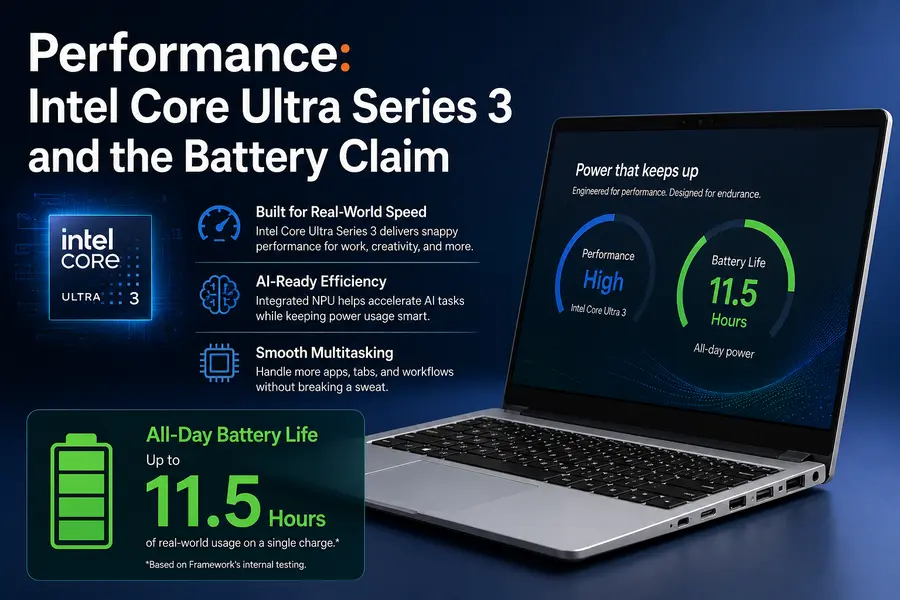
The Intel Core Ultra Series 3 lineup — Panther Lake architecture — is the headline hardware story here. The X7 358H configuration, which is Framework’s tested reference unit, pairs 16 cores with Intel Arc B390 integrated graphics. That Arc iGPU is notably more capable than what previous-generation Intel integrated graphics offered, and Framework demonstrated the X7 configuration running Cyberpunk 2077 at medium settings at around 69 fps during their event.
For AMD fans, the Ryzen AI 9 HX 370 option (12 cores, 24 threads, Radeon 890M graphics) is also available. Based on testing of the AMD Ryzen AI 300 mainboard in the previous Framework 13, this configuration delivers strong multi-core performance at a sustained 45W TDP. If you’re a developer who prefers the open-source AMDGPU driver stack — which has historically been more predictable on Linux than Intel’s — the AMD option is worth considering seriously.
Battery Life: The 20-Hour Claim, Honestly Examined
Framework claims up to 20 hours on the 74Wh battery — a 21% capacity increase over the previous generation. That number comes from a very specific test: Intel X7 358H, Arc B390 graphics, the 2.8K touch display at 250 nits, 60Hz, 30% speaker volume, Wi-Fi on, streaming Netflix 4K on Windows 11’s Best Power Efficiency mode.
In real-world Linux usage, you should expect something more in the 10–15 hour range for mixed productivity work — web browsing, coding, document editing. Heavy compilation jobs or sustained GPU workloads will bring that down considerably. The key improvement over earlier Framework 13 generations is that this now feels like a genuine all-day machine. The previous generation with AMD Ryzen AI 300 was getting 8–11 hours; this is meaningfully better.
One note for Linux users specifically: power management on Linux can vary by configuration. Running power-profiles-daemon or tuned on the right profile makes a tangible difference. Bazzite and Fedora both handle this reasonably well out of the box. If you’re building a custom install, it’s worth spending 30 minutes on power management setup.
The Hardware That Actually Matters for Daily Use
The Display
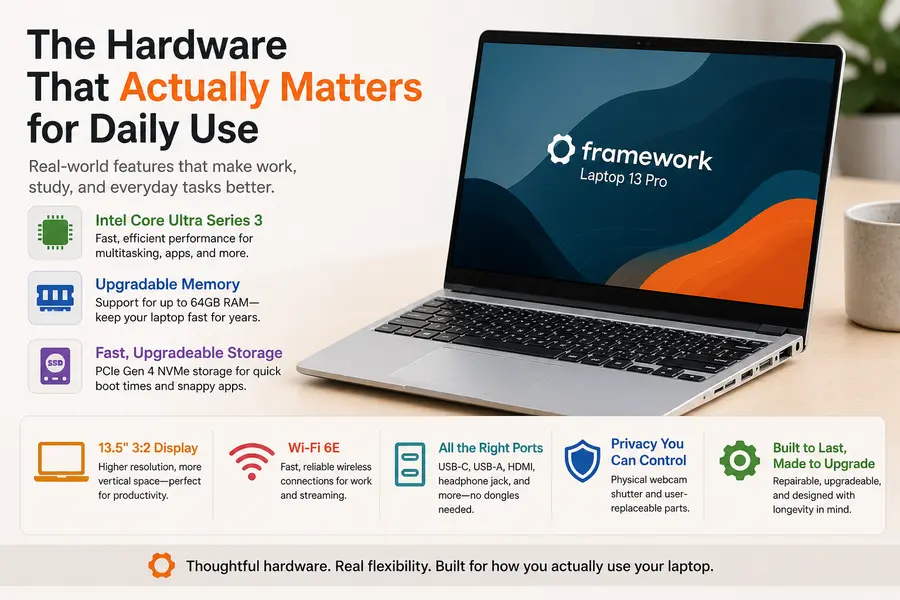
The 13.5-inch LTPS panel at 2880×1920 with a 3:2 aspect ratio is genuinely excellent. The 3:2 ratio gives you significantly more vertical space compared to 16:9 laptops — when you’re scrolling through code or a long document, that extra height is immediately noticeable. At 700 nits, outdoor usability is real rather than theoretical. The variable refresh rate (30–120Hz) is handled well under Linux via the Intel display driver.
The integrated touch support is a new addition for the 13-inch line. Touch works out of the box on any kernel 6.x or later with a Wayland-native session. If you’re still running X11, touch support is functional but gesture recognition is hit-or-miss depending on your compositor. For most GNOME and KDE Plasma users on Wayland — which should be most people at this point — it just works.
Per-panel color calibration is a detail Framework included this generation. The display covers 100% sRGB, which is the baseline in 2026, but the per-panel calibration means you’re not dealing with factory-line variance. From user feedback in early review coverage, the display consistency has been praised as noticeably better than the previous generation.
The Haptic Touchpad
The new 123.7mm × 76.7mm haptic touchpad powered by four piezoelectric actuators is probably the single biggest quality-of-life improvement in the 13 Pro compared to earlier models. The previous mechanical click trackpad was functional but felt like an afterthought. This new unit is tuned for both Windows and Linux, and feedback and gestures are fully configurable.
Under GNOME on Wayland, multi-finger gestures work well. Under KDE Plasma, the libinput configuration options give you fine-grained control. Compared to the MacBook Pro trackpad — which remains the industry benchmark — Framework’s implementation is competitive, not just “acceptable for Linux.”
The Keyboard
PCWorld’s hands-on evaluation gave the new keyboard a B+ rating, noting that Framework “nailed it” compared to previous models while falling slightly short of Microsoft Surface and ThinkPad standards. Based on early community impressions, the second-generation keyboard resolves the speaker-resonance rattle that plagued the AMD Ryzen AI 300 generation at high volumes. Actual travel depth and tactile feel have improved.
One curiosity: there are both a Settings key and a Framework logo key on the layout, and the icons are reportedly quite similar at a glance. This seems like a minor design oversight that will bother nobody after the first week of use, but it’s worth knowing before you sit down with it.
The Expansion Card System
This remains one of Framework’s most distinctive features. Instead of fixed ports, you have four Expansion Card slots — you choose what goes in them. Need three USB-C and one HDMI? Done. Want two USB-A, one USB-C, and one SD card? Also done. Cards available include USB-C, USB-A, HDMI, DisplayPort, Ethernet (including the new Whiz Pi 10G Ethernet card announced at the same event), microSD, and storage expansion cards.
For Linux users, this is especially useful. If you’re running a home server setup and occasionally need 10GbE connectivity, you can slot in the Ethernet card when needed. If you primarily work at a desk with a dock, you can configure your ports to match. The expansion cards work as standard USB devices under Linux — no special drivers, no firmware to flash.
Repairability and Upgradeability: The Long Argument
This is where Framework’s pitch is strongest and also where you need to be clear-eyed.
What “Modular” Really Means Here
Every component in the 13 Pro can be replaced with standard tools. The battery is a four-screw swap with a connector — not glued, not requiring heat guns. RAM is user-upgradeable (LPCAMM2 modules, up to 64GB, with higher densities coming as the market matures). Storage is standard M.2 NVMe with PCIe Gen 5 support. The display assembly replaces with a ribbon cable. The keyboard is a snap-in module.
Framework has maintained parts availability since 2021, which is better than most people expected from a relatively young hardware company. If you buy this laptop today, the realistic expectation is that you can still order a replacement battery in 2030. That’s not guaranteed, but Framework’s track record makes it plausible in a way it isn’t with Dell, HP, or Lenovo consumer lines.
The new LPCAMM2 memory standard is notable: it brings modular memory back to the table at LPDDR5X speeds (7467 MT/s), solving the problem that soldered LPDDR on thin laptops introduced. You get the efficiency and bandwidth of LPDDR without giving up the ability to upgrade later.
Backward Compatibility
Every old mainboard from previous Framework Laptop 13 generations fits the new chassis. If you bought a Framework 13 in 2022 and want the new chassis and display, you can buy just those parts and keep your existing mainboard. Conversely, if you have the new chassis and want to drop in an older mainboard while you wait for the budget to upgrade, that works too.
This kind of ecosystem continuity is essentially unmatched in the laptop market. It’s also why Framework’s community forums are genuinely useful — a large base of owners who have been upgrading and modifying these machines for years have developed deep institutional knowledge.
The Honest Downsides
No Dedicated GPU
The 13-inch chassis simply doesn’t have room for discrete graphics. The Intel Arc B390 integrated GPU is capable — meaningfully more so than previous-generation Intel iGPUs — but if your work involves CUDA, machine learning inference on a GPU, or you play games at high settings, the 13 Pro is the wrong laptop. The Framework 16 with its swappable GPU module (including an AMD Radeon RX 7700S with open-source AMDGPU driver support) is the answer if you need discrete graphics.
Price Has Crept Up
The DIY Edition starts at $1,199 for a Core Ultra 5 without RAM, storage, or OS. A fully configured Intel X7 358H pre-built with Ubuntu, 32GB RAM, and 1TB storage is significantly more. Global DRAM and NAND shortages in 2025–2026 have pushed component costs up across the board, and Framework has been transparent about this being supplier-driven. Even so, you’re paying a premium compared to similarly specced Lenovo ThinkPad or Dell XPS configurations — the premium is for repairability, modularity, and Linux citizenship.
Not Coreboot
If firmware transparency is your primary security concern, Framework is not System76. The 13 Pro uses EDK2-based firmware rather than Coreboot. The embedded controller firmware is open-source on GitHub, which is meaningful, but the main firmware isn’t auditable the way System76’s Coreboot setup is. If you’re in a threat model where firmware-level auditing matters, System76 remains the better choice. For most developers and power users, this is an acceptable trade-off.
Shipping Timeline
First Intel units ship June 2026. AMD variants are July or later. Demand pushed earlier batches out quickly, so if you’re reading this in May and you want one, you’re looking at at least a 4–6 week wait from order to delivery. This isn’t a criticism of the product, but it’s a practical consideration if you need a laptop immediately.
How It Compares to the Alternatives
vs. System76 Lemur Pro
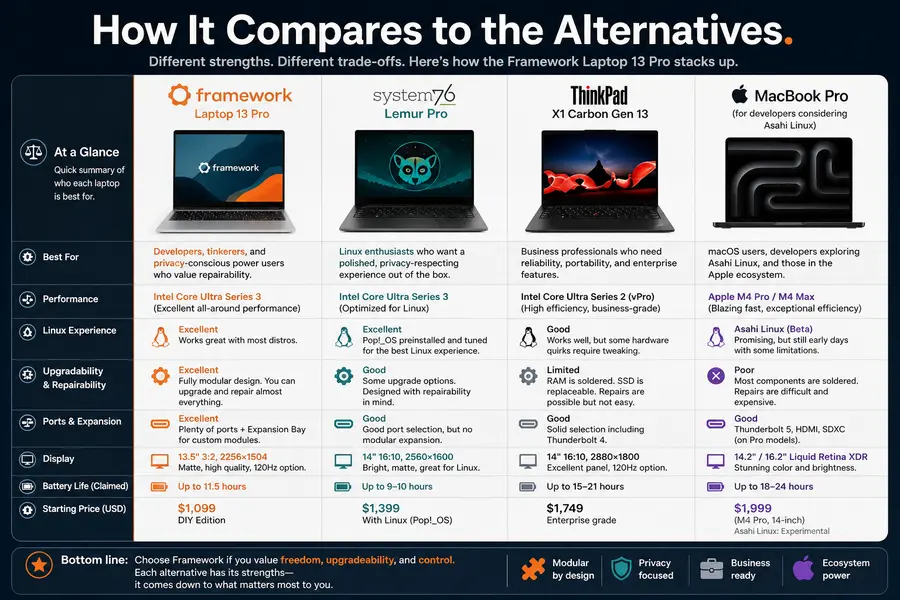
The Lemur Pro is lighter and has Coreboot firmware. For a developer who travels heavily and prioritizes maximum battery life and firmware transparency, it’s still compelling. However, it lacks the 13 Pro’s display quality, touchpad experience, and modularity depth. The Framework 13 Pro is the more refined everyday machine; the Lemur Pro is the principled choice for maximum openness.
vs. ThinkPad X1 Carbon Gen 13
The X1 Carbon remains excellent on Linux after decades of community driver work. It’s well-supported, has enterprise-grade build quality, and Lenovo’s Linux compatibility is broadly reliable. But repairability is limited compared to Framework, parts availability on older models is inconsistent, and you’re paying $2,500+ for the flagship configuration. Framework’s modularity argument gets stronger with every generation.
vs. MacBook Pro (for developers considering Asahi Linux)
Asahi Linux on Apple Silicon has matured significantly, but it still requires running a fork of the kernel with out-of-tree patches, and some hardware features remain incomplete. If you want to run Linux as a first-class citizen on supported hardware with no compromises on driver completeness, the Framework 13 Pro is the cleaner choice. If you’re happy living on the bleeding edge of kernel porting and want Apple’s battery life and build quality, Asahi is worth evaluating separately.
Verdict
The Framework Laptop 13 Pro is the closest thing the Linux community has had to a purpose-built premium laptop from a company that treats Linux support as a feature rather than an afterthought. The Ubuntu certification is real. The LVFS firmware updates work. The hardware components were selected for upstream Linux driver compatibility. The display is excellent. The battery life is finally competitive with the MacBooks that developers keep begrudgingly buying because the Linux alternatives weren’t good enough.
The price is real too — this isn’t cheap. And if you need a discrete GPU or Coreboot firmware, there are better-matched alternatives. But for a developer or power user who wants a thin, repairable, well-supported Linux laptop they can actually fix in five years when the battery starts dying, the Framework Laptop 13 Pro is the strongest answer available in mid-2026.
The fact that Ubuntu pre-builts are outselling Windows ones at launch says more about where this product sits than any spec sheet. Framework built the laptop Linux users have been asking for. Now they just need to keep shipping parts.
Disclaimer
This article is for informational purposes only. Specifications, pricing, and availability are based on publicly available data from Framework’s official announcements and product pages as of May 2026, and are subject to change without notice. We are not affiliated with Framework Computer or any other brand mentioned. Always verify current pricing and specs directly on the manufacturer’s website before making a purchase decision.
Framework Laptop 13 Pro for Linux Users — FAQs
Does the Framework Laptop 13 Pro run Linux out of the box?
Yes — it ships with Ubuntu pre-installed and is fully certified, so everything works from the first boot.
Can I upgrade the RAM myself later?
Absolutely — the LPCAMM2 memory is modular and user-replaceable, no technician needed.
Is the battery life good enough for a full workday on Linux?
For most productivity work, yes — expect 10–15 real-world hours, which comfortably gets you through the day.
Does it work with Fedora or NixOS, not just Ubuntu?
It does — Framework actively funds and seeds hardware to Fedora, NixOS, Bazzite, and CachyOS as well.
Is the DIY Edition hard to assemble?
Not at all — most people finish it in under 20 minutes with the one screwdriver included in the box.
About the Author