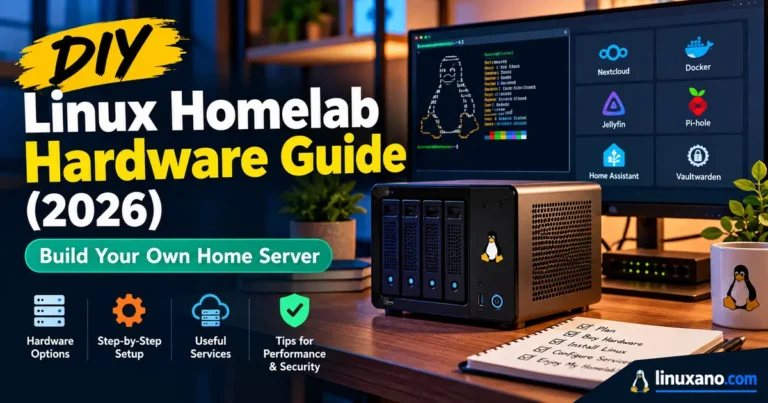
DIY Linux Homelab Hardware Guide (2026): Build Your Own Home Server
Pricing a home server this year can feel like a bad joke. Memory has gotten wildly expensive, hard drives cost more than they did a year ago, and even the Raspberry Pi has stopped being the bargain it once was.
The right box still costs far less than a rack of used enterprise gear, though, and it can sit in a closet sipping a few watts. This DIY Linux Homelab Hardware Guide covers what’s worth buying in October 2026, what to skip, and how to avoid the mistakes that are costing people real money right now.
A quick note on sourcing. I haven’t bench-tested these machines. Chip specs come from Intel’s documentation, measured numbers are credited to the reviewers who ran them, and prices are US retail snapshots from early October 2026. Confirm live prices before you buy.
What Changed in 2026
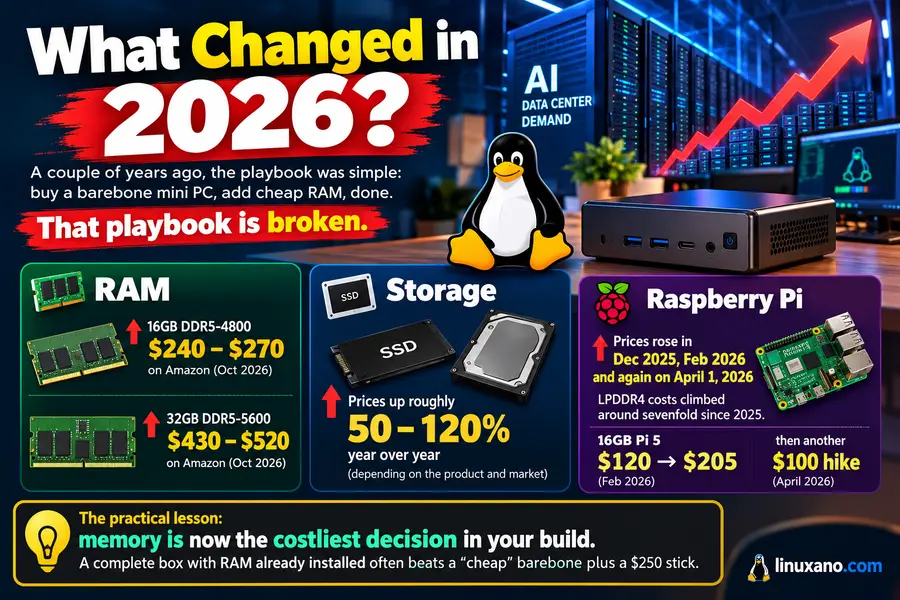
A couple of years ago, the playbook was simple: buy a barebone mini PC, add cheap RAM, done. That playbook is broken.
AI data-center demand has soaked up a huge share of memory and flash production, and consumers are feeling it:
- RAM: In early October, one 16GB DDR5-4800 SO-DIMM ran roughly $240–$270 on Amazon, and a 32GB DDR5-5600 stick cost about $430–$520.
- Storage: Retail trackers show SSD and hard-drive prices up roughly 50–120% year over year, depending on the product and market.
- Raspberry Pi: Prices rose in December 2025, February 2026 and again on April 1, when the company said LPDDR4 costs had climbed around sevenfold since 2025. The 16GB Pi 5 jumped from $120 to $205 in February, then took another $100 hike in April.
The practical lesson: memory is now the costliest decision in your build. A complete box with RAM already installed often beats a “cheap” barebone plus a $250 stick.
Start With the Job, Not the Hardware
Before you open a shopping tab, write down what the server has to do. Most homelabs fall into one of four buckets:
- Always-on utility box: Pi-hole, Home Assistant, a reverse proxy, Tailscale. Needs low power and silence, not speed.
- Virtualization node: Proxmox with a few VMs and containers. RAM capacity matters most.
- Network storage: Photos, backups, media. Drive bays and filesystem reliability matter most.
- Media server: Plex or Jellyfin with hardware transcoding. The iGPU matters.
Pick the primary job and size for it. One tiny box trying to do all four is how people end up frustrated.
The CPU Platforms Worth Considering
Four Intel chips dominate budget homelab buying. The differences are bigger than the product names suggest.
| Spec | Core 3 304 | Intel N150 | Core 3 N355 | Core i3-N305 |
|---|---|---|---|---|
| Architecture | Wildcat Lake (Intel 18A) | Twin Lake | Twin Lake | Alder Lake-N |
| Cores/threads | 5/5 (1 P + 4 LP E) | 4/4 | 8/8 | 8/8 |
| Max turbo | 4.3 GHz | 3.6 GHz | 3.9 GHz | 3.8 GHz |
| Power | 15 W base, 35 W turbo | 6 W | 15 W | 15 W |
| Memory | LPDDR5X-7467 / DDR5-6400 | DDR4-3200 / DDR5-4800 | Same as N150 | Same as N150 |
| Official max RAM | 64 GB | 16 GB | 16 GB | 16 GB |
| PCIe | 6 lanes, Gen 4 | 9 lanes, Gen 3 | 9 lanes, Gen 3 | 9 lanes, Gen 3 |
| Thunderbolt 4 | Yes | No | No | No |
| AV1 | Encode + decode | Decode only | Decode only | Decode only |
You can verify the newest entry on Intel’s own Core 3 304 specification page.
What the numbers mean in practice:
- The 304 is the speed pick. CNX Software’s Beelink EQi review recorded a single-core Cinebench R23 score of 1,732, against 1,030 for an i3-N305 box.
- The N355 barely moves the needle. ServeTheHome’s CWWK X86-P6 review found it nowhere near twice as fast as an N150 in the same chassis, partly because firmware power limits hold it back.
- Eight slow cores still win some jobs. In a multi-threaded 7-zip run, an eight-core N-series board beat the 304 by roughly 46%.
- Official RAM limits are conservative. The N-series is rated for 16 GB, yet Hardkernel has confirmed 32–64 GB SO-DIMMs on its N305 board.
Tier 1: The Silent Always-On Node (Intel N150)
If your server mostly runs lightweight services, the N150 is still the sensible choice. It runs cool, sips power and has mature Linux support.
MeLE Quieter DL (about $320). Fanless, with two Intel i226-V 2.5GbE ports, and MeLE markets it for firewall and homelab duty. The catch: the 8GB of RAM is soldered, so what you buy is what you keep.
Pros
- Single-digit to low-teens wattage at idle
- Dual 2.5GbE suits OPNsense and pfSense, since FreeBSD handles the i226-V well
- Completely silent
Cons
- Soldered memory means no upgrade path
- Four cores run out of steam beyond a few VMs
- The i226-V has a history of link drops on some kernel and BIOS combinations, so update firmware first
Kernel note: the N150’s graphics need Linux 6.9 or newer to work properly. Proxmox VE 8.x on its stock kernel won’t give you Quick Sync, but any 9.x release will.
Tier 2: The Proxmox Workhorse (Core 3 304)
For first-time virtualization builders, this is where I’d start. A faster core, PCIe Gen 4, Thunderbolt 4 and very low idle draw make the 304 a modern foundation.
Beelink EQ mini (about $409). It has 12GB of soldered LPDDR5, 512GB of UFS 3.1 storage, 10GbE, Wi-Fi 6E and two Thunderbolt 4 ports. Stock looked thin in early October.
Beelink EQi 24GB (about $599). This version uses a DDR5 SO-DIMM slot that Beelink says accepts up to 64GB, plus 10GbE with 2.5GbE and two PCIe 4.0 M.2 slots. Lon.TV measured it around 5.4 W idle, and because the memory is socketed, you can grow into it.
Pros
- Roughly double the single-thread speed of an N150
- AV1 encode in the media engine
- 10GbE at a price where it’s usually missing
Cons
- The platform is new, so you need Linux kernel 6.18 or later; Phoronix’s coverage shows 6.17 only added initial support and 6.18 made the display patches usable
- Proxmox VE 9.2 or newer is the target, as the Proxmox roadmap shows that release moved to the 7.0 kernel
- No FreeBSD reports exist yet, so skip it for firewalls
- Soldered-memory variants are a dead end if you outgrow them
Reviewers also hit rough edges: flaky Thunderbolt NVMe enclosures on Windows and weaker Wi-Fi throughput on Linux. Wire what matters and test any Thunderbolt storage before relying on it.
Tier 3: The NAS-First Build (Core i3-N305)
If drives are the point, a mini PC is the wrong shape.
TerraMaster F4-424 Pro (about $645, drives not included). Four bays, two M.2 NVMe slots, dual 2.5GbE, an i3-N305 and 32GB of DDR5 already fitted. At today’s prices, that RAM alone is worth over $430.
Pros
- Four hot-swappable 3.5-inch bays
- Bundled RAM is the real value this year
- Runs standard Linux, TrueNAS or Unraid, so there’s no vendor lock-in
Cons
- Overkill if your data fits on two NVMe drives
- Total cost climbs once you add disks
- Larger and louder than a mini PC
Choosing Drives
- Buy CMR, not SMR. WD Red Plus and Seagate IronWolf are the safe lines. Older non-Plus WD Red drives under 6TB use SMR and behave badly in RAID.
- Mid-2026 snapshots: IronWolf Pro 16TB was around $540 (about $34/TB), and WD Red Plus 12TB around $460 (about $38/TB). Compare per-terabyte pricing on the day you buy.
- Used enterprise drives can cut cost per terabyte, but treat warranty length as part of the price.
Is the Raspberry Pi 5 Still Worth It?
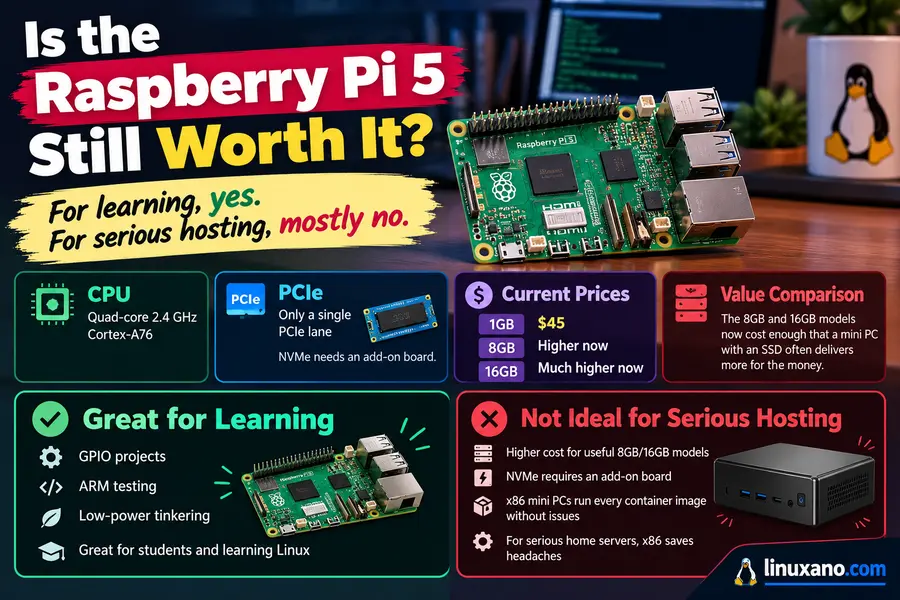
For learning, yes. For serious hosting, mostly no.
The Pi 5 uses a quad-core 2.4 GHz Cortex-A76 and exposes a single PCIe lane, so NVMe needs an add-on board. The 1GB model still costs $45, but the useful 8GB and 16GB versions now cost enough that a mini PC with an SSD often delivers more for the money.
Pick a Pi for GPIO projects, ARM testing or ultra-low-power tinkering. Otherwise x86 saves headaches, since every container image just works.
Tier 4: The Power-User Option
If you want 10GbE SFP+ and several NVMe drives, look at Minisforum’s MS-01 and MS-A2 class of mini workstations. Both offer dual 10GbE SFP+ and multiple M.2 slots.
Be realistic about cost. Add 32–64GB of today’s DDR5 and a few SSDs and the bill can pass $1,500. Configurations also drift in and out of stock, so confirm the exact CPU and RAM option before ordering.
Side-by-Side Comparison
| Build | CPU | RAM | Storage | Network | Idle power | Approx. US price* | Best for |
|---|---|---|---|---|---|---|---|
| MeLE Quieter DL | N150 | 8GB soldered | 128GB+ | 2× 2.5GbE | N150 boards: ~10–11 W** | ~$320 | Silent firewall, Home Assistant |
| Beelink EQ mini | Core 3 304 | 12GB LPDDR5 | 512GB UFS 3.1 | 10GbE | ~4–6 W** | ~$409 | Budget Proxmox starter |
| Beelink EQi 24GB | Core 3 304 | 24GB DDR5 SO-DIMM | 512GB UFS + 2 M.2 | 10GbE + 2.5GbE | ~5.4 W | ~$599 | Main Proxmox node |
| TerraMaster F4-424 Pro | i3-N305 | 32GB DDR5 | 4 bays + 2 M.2 | 2× 2.5GbE | Depends on drives | ~$645 (no drives) | NAS, backups, media |
| Raspberry Pi 5 | Cortex-A76 ×4 | 1–16GB | microSD / PCIe add-on | 1GbE | Low; varies | From $45 | Learning, GPIO |
*US retail snapshots, early October 2026. **Measured on a comparable or sibling board by reviewers, not this exact unit.
Memory: Where to Spend Your Money
Priorities, in order:
- Buy RAM capacity once. A Proxmox node starves for memory long before it runs out of CPU. Aim for 24–32GB if you can.
- Prefer socketed memory. An upgradeable SO-DIMM lets you grow when prices eventually fall.
- Don’t chase ECC on a mini PC. Most consumer boxes don’t expose it. If bit-perfect integrity on a 24/7 array matters, shop a different class of machine.
- Consider bundles. A complete box like the TerraMaster can undercut building from parts.
Raspberry Pi’s CEO has called the shortage temporary, but nobody knows the timeline. Don’t wait on a build you need today.
Storage Layout That Won’t Burn You
- Boot and VM disk: One or two NVMe drives. Mirror them in Proxmox so a single failure doesn’t take the node down.
- Bulk data: CMR hard drives in a mirror or RAID-Z.
- Backups: A separate machine, ideally offsite. RAID is not backup.
- UFS vs NVMe: Some mini PCs ship with UFS boot storage. It’s fine for the OS, but add NVMe for VM disks.
Networking Basics
- 2.5GbE is the new baseline, and it runs over the Cat5e cable you probably already have.
- 10GbE only pays off if you have something to saturate it, like a NAS plus a workstation. The switch adds real cost.
- Intel NICs are the safe choice for Linux and BSD firewalls. Realtek parts work but draw more mixed reports.
- Wire everything important. Wi-Fi under Linux often trails Windows on the same hardware.
Media Transcoding: What to Expect
If Plex or Jellyfin is your main job, the N-series is the known quantity. SpaceinvaderOne’s transcoding leaderboard shows Alder Lake-N chips handling a median of four simultaneous 4K HEVC to 1080p H.264 streams, and about two for tone-mapped 4K HDR. The HDR figure rests on very few clean runs, so treat it as a rough guide.
The 304 had no entry there as of early October. It has AV1 encode in hardware, but I’d wait for measured stream counts before building a media server around it.
Choosing Your Linux Setup
Proxmox VE 9.2 arrived on May 21, 2026 with the 7.0 kernel as its default, which makes it the right pick for newer hardware like the 304.
Ubuntu 26.04 LTS also ships a 7.0 kernel, so it suits plain Docker hosts and works well as a VM template under Proxmox using cloud images.
Rules of thumb:
- Containers and services: Ubuntu Server or Debian
- Several VMs with snapshots: Proxmox
- Storage-centric: TrueNAS or Unraid
- Firewall: OPNsense or pfSense on proven Intel i226-V hardware
Power, Noise and Running Costs
A server idling at 10 W uses about 88 kWh a year. At roughly 17 cents per kWh (check your own bill), that’s around $15 annually. A 6 W mini PC versus a 60 W old tower adds up over three years.
Idle draw varies more with NICs, drive count, fans and BIOS limits than with the CPU itself. Fanless boxes are silent but run warm in closed cabinets, so give them airflow.
Mistakes to Avoid
- Buying 8GB of soldered RAM for a Proxmox host
- Choosing SMR drives for RAID
- Skipping kernel checks on brand-new chips
- Building a firewall on hardware with no FreeBSD track record
- Paying extra for 10GbE you won’t use
- Skipping backups
FAQ
What is the best hardware for a beginner Linux homelab in 2026?
An Intel N150 mini PC with 16GB of RAM is the safest start: cheap, quiet and well supported. Step up to a Core 3 304 box if you plan to run Proxmox.
How much RAM do I need for a Proxmox homelab?
Aim for 24–32GB, since memory limits guest count more than CPU does. 16GB works for a few containers and one or two VMs.
Is a Raspberry Pi 5 good for a home server in 2026?
It’s great for learning and low-power projects, but price hikes make higher-RAM models poor value. A mini PC usually offers more performance per dollar.
Why are RAM and SSD prices so high in 2026?
AI data-center buildouts are absorbing a large share of memory and flash production. Makers like Raspberry Pi expect prices to ease once supply catches up.
Should I buy WD Red Plus or Seagate IronWolf for a NAS?
Both are CMR and both are reliable, so buy whichever costs less per terabyte that day. Avoid older non-Plus WD Red drives under 6TB because they use SMR.
Can I run OPNsense on the Core 3 304?
Not yet, because no one has reported Wildcat Lake running on FreeBSD. Use an N150 or N355 box with Intel i226-V ports for firewalls.
Conclusion
Building a server in 2026 means working around an expensive memory market, not abandoning the hobby. Buy a complete box with RAM included, favor socketed memory when possible, choose CMR drives for storage, and match the CPU to the real job instead of chasing benchmarks.
Treat this DIY Linux Homelab Hardware Guide as a starting point rather than a fixed shopping list. Prices and stock will keep moving, so verify listings, start small, back up your data, and grow the lab as your needs become clear.
Disclaimer: The information in this guide is provided for general informational purposes only. Prices, specifications, stock levels and software compatibility reflect US retail listings and published sources as of October 2026 and may change without notice, so please verify details with the manufacturer or retailer before you buy. Performance and power figures come from third-party reviewers and may differ on your hardware. Building and running a home server involves some technical risk, including data loss, so always keep backups and follow safe electrical practices. Product names and trademarks belong to their respective owners, and mention of a product is not a guarantee of results.
About the Author