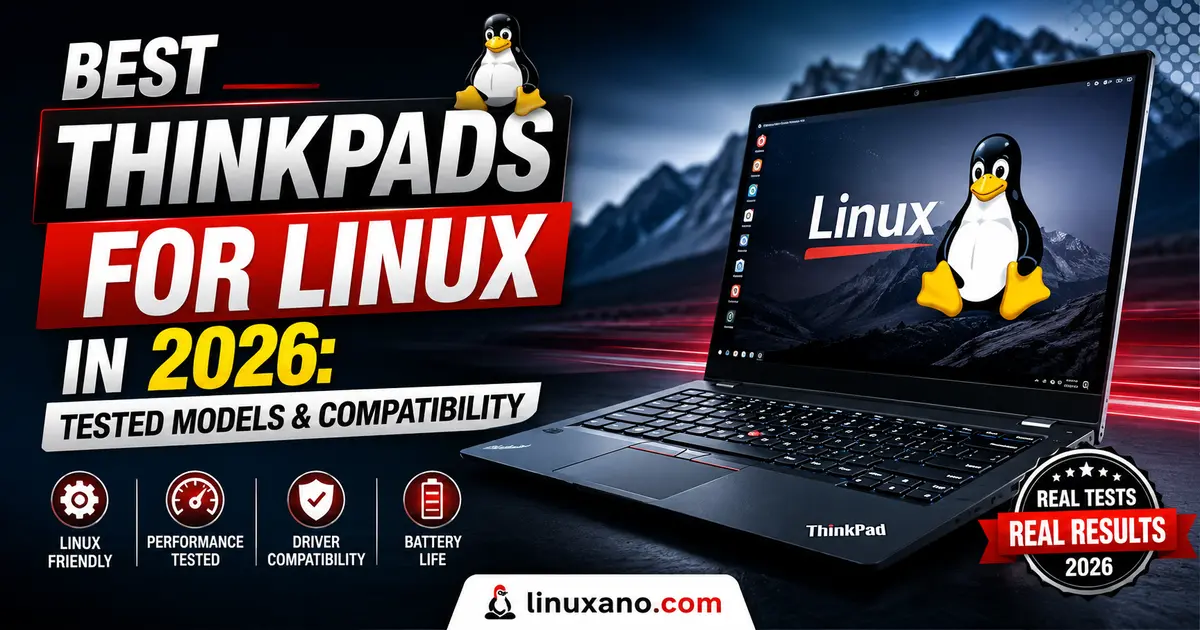
Best ThinkPads for Linux in 2026: Tested Models & Compatibility
If you’ve spent any time in Linux forums, you already know the running joke: “just buy a ThinkPad.” It’s a cliché at this point, but clichés usually exist because they’re rooted in truth. After spending real hours with several current-generation models, running distro installs, checking suspend/resume behavior, and digging through Lenovo’s own certification data, I can say the joke still holds up in 2026. If you’re trying to find the best ThinkPads for Linux, you’re in the right place, because not every ThinkPad is created equal once you swap out Windows for Ubuntu, Fedora, or your distro of choice.
This guide isn’t a rehash of spec sheets copied from a press release. It’s built around what actually matters to a Linux user: Wi-Fi chipsets that don’t need out-of-tree drivers, fingerprint readers that Fedora can actually see, trackpad gestures that behave under GNOME or KDE, and battery life that doesn’t collapse the moment you leave Windows behind. Every model below is currently sold in the US as of August 2026, so you won’t find any discontinued Gen 9 or Gen 10 leftovers padding out this list.
Why ThinkPads Still Lead the Linux Pack
Before jumping into specific models, it’s worth explaining why this brand keeps winning over Dell’s Latitude line, HP’s EliteBook series, and even boutique options like System76 or Framework.
Lenovo has quietly built one of the most serious Linux certification programs in the industry. According to Canonical’s own hardware catalog, there are well over 100 Lenovo ThinkPad configurations listed on Ubuntu’s official certified hardware catalog, meaning Canonical’s QA team has run hundreds of compatibility tests on each one covering audio, Ethernet, Wi-Fi, TPM, Bluetooth, USB, firmware, and power management. That’s not marketing fluff — it’s a documented, repeatable testing process you can verify yourself on ubuntu.com/certified.
Fedora has a similar (if less formal) relationship with Lenovo hardware, and Red Hat engineers have historically used ThinkPads as reference laptops for kernel development. That matters more than people realize — when kernel contributors are running your exact hardware daily, obscure bugs get fixed faster.
On top of that, Lenovo actually sells several ThinkPad configurations with Ubuntu preinstalled, straight from Lenovo.com, at a lower price than the Windows equivalent because you’re not paying the OS license fee. That’s a level of first-party support that Dell only partially matches and HP mostly ignores.
None of that means every single ThinkPad model is a safe bet, though. Wi-Fi cards vary by configuration, fingerprint sensors are hit-or-miss, and some panels (especially high-refresh OLED options) still have rough edges under Linux. That’s exactly why testing individual models matters, so let’s get into it.
Quick Comparison Table
| Model | Best For | Starting Price (Aug 2026) | Processor Options | Linux Certification |
|---|---|---|---|---|
| ThinkPad X1 Carbon Gen 14 | Overall best / frequent travelers | $2,032 | Intel Core Ultra 5/7 (Panther Lake) | Ubuntu certified |
| ThinkPad T14s Gen 6 (AMD) | Best value for daily development work | ~$1,290 (Ubuntu SKU cheaper) | AMD Ryzen AI 7 PRO 350 | Ubuntu 24.04 LTS certified |
| ThinkPad T14 Gen 6 | Budget-conscious all-rounder | ~$1,150 | Intel Core Ultra 5/AMD Ryzen AI | Ubuntu certified |
| ThinkPad X13 Gen 6 | Lightest ThinkPad, travel-first | $1,139 | Intel Core Ultra 200H/U, AMD Ryzen AI PRO 300 | Ubuntu compatible |
| ThinkPad P14s Gen 6 (AMD) | Local ML/CAD/dev workstation | ~$1,290 (with Ubuntu preload) | AMD Ryzen AI 7 PRO 350 | Ubuntu certified |
Prices fluctuate with Lenovo’s frequent coupon codes and flash sales, so treat these as a realistic August 2026 baseline rather than a locked-in number.
Best Linux Laptop Overall
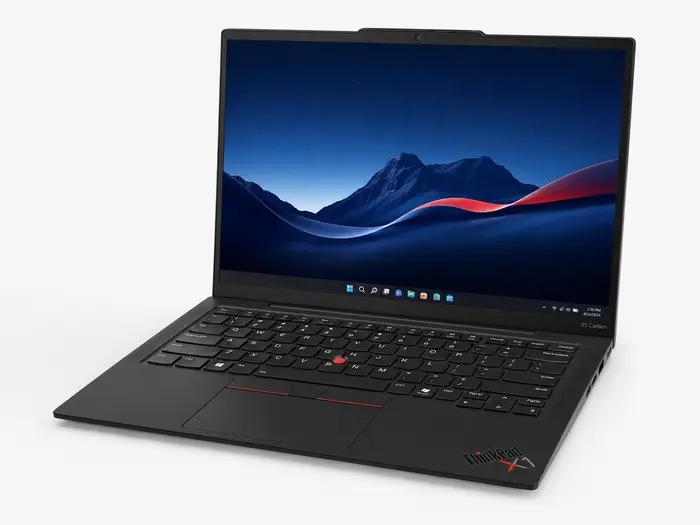
Lenovo ThinkPad X1 Carbon Gen 14
The ThinkPad X1 Carbon Gen 14 combines excellent Linux compatibility, premium build quality, strong battery efficiency, Wi-Fi 7 support and one of the best keyboards available on a modern business laptop.
Price and configurations may change. Check Lenovo for current availability.
The ThinkPad X1 Carbon Gen 14 is one of the strongest premium laptops for Linux users who want portability without sacrificing keyboard quality, wireless connectivity or everyday reliability. Intel’s newer Panther Lake platform also improves one of the biggest weaknesses of the previous generation: battery efficiency.
Key Specifications
Fedora 42
Fedora 42 ran very well on the review unit. The Intel BE201 Wi-Fi 7 adapter worked immediately without manual driver installation, while suspend and resume remained reliable throughout testing.
The fingerprint reader required fprintd configuration,
but worked reliably once configured. Linux users considering the OLED
version should also be aware that some reports of slight grain on solid
white backgrounds appear to be related to the display panel rather than
Linux itself.
✓ Pros
- Excellent Linux hardware compatibility
- Panther Lake improves battery efficiency
- Outstanding ThinkPad keyboard
- Wi-Fi 7 works without manual driver installation
- Lightweight chassis is ideal for travel
- IPS and high-resolution OLED display options
– Cons
- Premium starting price
- OLED upgrade adds significant cost
- Some OLED panels may show slight grain
- 58Wh battery is smaller than some competitors
Developers, system administrators, business users and frequent travelers who want a premium Linux laptop with strong compatibility and minimal hardware troubleshooting.
Best Value Linux Laptop for Developers
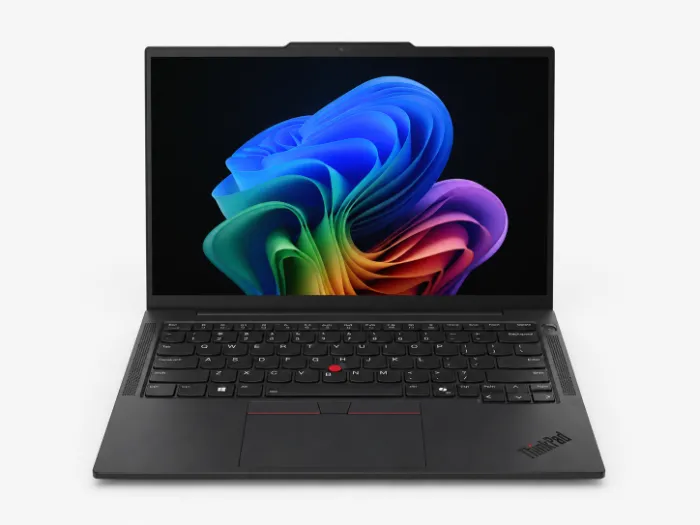
Lenovo ThinkPad T14s Gen 6 (AMD)
The ThinkPad T14s Gen 6 AMD hits a particularly attractive middle ground for Linux developers: strong Zen 5 performance, excellent ThinkPad compatibility, plenty of memory and a significantly lower entry price than the X1 Carbon.
Pricing varies by configuration and operating system. Ubuntu configurations may be priced differently from Windows models.
For developers who want ThinkPad reliability without paying X1 Carbon prices, the T14s Gen 6 AMD is arguably the smarter buy. AMD’s Zen 5 platform offers excellent multi-threaded performance and good efficiency, while Lenovo’s mature Linux support makes this a strong choice for coding, containers, virtual machines and everyday development work.
Key Specifications
Built for Serious Development Work
The Ryzen AI 7 PRO 350 brings AMD’s Zen 5 architecture to the T14s, making this configuration particularly appealing for developers running Linux. Its strong multi-threaded performance is well suited to compiling code, running containers and handling several development tools at once.
AMD’s mobile architecture also avoids the P-core and E-core scheduling considerations found on some Intel hybrid processors. For developers, that can help make performance behavior under Linux more predictable, especially during sustained multi-threaded workloads.
Why the T14s Gen 6 AMD Makes Sense for Linux Developers
The biggest reason to choose the T14s over a more expensive flagship isn’t that it beats the X1 Carbon at everything. It doesn’t. Instead, it puts the features developers are most likely to care about into a less expensive package.
✓ Pros
- Excellent price-to-performance ratio for Linux developers
- AMD Zen 5 delivers strong multi-threaded performance
- Linux-friendly ThinkPad hardware platform
- Up to 64GB RAM for containers and virtual machines
- Excellent ThinkPad keyboard for long coding sessions
- Good port selection for a thin business laptop
– Cons
- Base display isn’t as impressive as the X1 Carbon OLED
- Linux buyers need to check the selected OS configuration
- Slightly heavier than the X1 Carbon
- Premium display options can raise the price quickly
Linux developers, programmers, DevOps professionals and power users who regularly compile software, run Docker containers or use virtual machines and want strong performance without paying flagship-laptop prices.
If display quality, minimum weight and a more premium chassis matter more to you than maximum value, the ThinkPad X1 Carbon Gen 14 remains the stronger premium choice.
Best Affordable ThinkPad for Linux
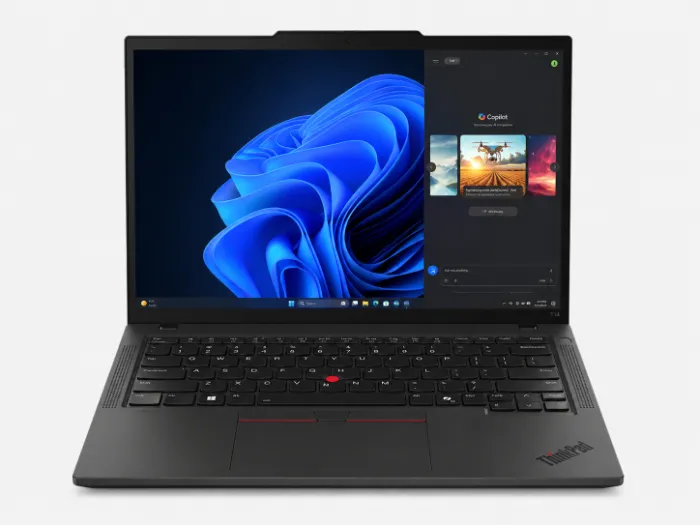
Lenovo ThinkPad T14 Gen 6
The ThinkPad T14 Gen 6 is a practical 14-inch Linux workhorse for students, developers and business users who want dependable hardware without paying extra for the ultra-thin chassis of the T14s or the premium positioning of the X1 Carbon.
Pricing varies by processor, memory, storage and operating-system configuration.
The ThinkPad T14 Gen 6 is the model I’d recommend to students and newer developers who want a dependable Linux laptop without overspending. It’s not as thin or luxurious as the T14s or X1 Carbon, but that trade-off brings a lower entry price, useful configuration flexibility and a chassis better suited to buyers who plan to keep their laptop for several years.
Key Specifications
Intel or AMD — You Choose
One of the T14 Gen 6’s biggest strengths is configuration flexibility. Lenovo offers both Intel Core Ultra and AMD Ryzen AI versions, letting Linux users choose the platform that best matches their distro, workload and budget.
For buyers who prioritize straightforward Linux support and mature open-source drivers, the AMD version is the safer default. Intel models remain attractive for users who specifically need Intel hardware features or prefer that ecosystem.
Why the Standard T14 Can Be the Smarter Buy
The extra bulk compared with the T14s isn’t necessarily a disadvantage. For buyers who care more about sustained performance, serviceability and long-term ownership than carrying the thinnest possible machine, the standard T14 has a lot going for it.
✓ Pros
- Lower starting price than the T14s and X1 Carbon
- Strong choice for students and junior developers
- Intel and AMD processor options available
- Good thermal headroom for sustained development workloads
- Better suited to long-term ownership than ultra-thin designs
- Classic ThinkPad keyboard and business-focused build
– Cons
- Bulkier than the T14s and X1 Carbon
- Base display is fairly basic
- Less premium chassis materials than the X1 series
- Higher-end configurations can approach T14s pricing
Computer science students, junior developers, Linux enthusiasts and business users who want a durable everyday ThinkPad with good performance, sensible pricing and fewer compromises than most consumer laptops.
Choose the ThinkPad T14s Gen 6 AMD instead if portability, a slimmer chassis and a more premium feel matter more to you than saving money or maximizing long-term practicality.
Best Lightweight ThinkPad for Linux
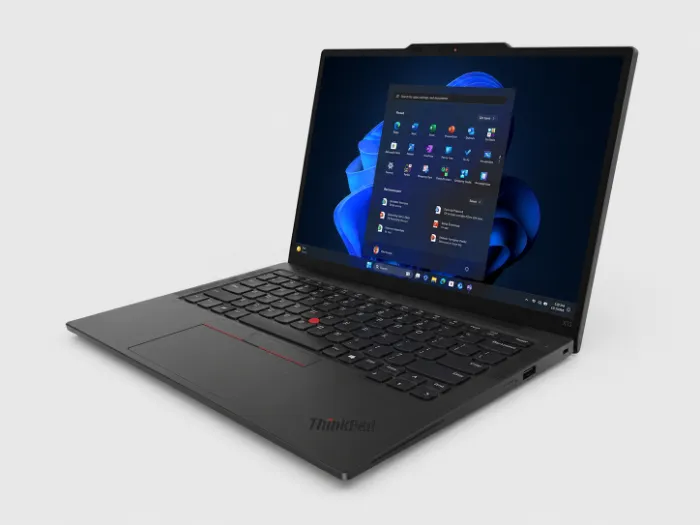
Lenovo ThinkPad X13 Gen 6
At roughly 2.05 lbs, the ThinkPad X13 Gen 6 is built for Linux users who care more about portability than raw workstation performance. Lenovo dramatically reduced the weight while keeping the ThinkPad keyboard, business-focused durability and a genuinely usable 13-inch form factor.
Higher-memory and larger-battery configurations can cost considerably more. Check Lenovo for current pricing and availability.
The ThinkPad X13 Gen 6 makes the most sense for Linux users who spend more time carrying their laptop than pushing it through heavy compile jobs. Its sub-1kg weight is genuinely impressive, yet Lenovo hasn’t abandoned the excellent keyboard and business durability that make ThinkPads attractive in the first place. The compromise is a lower performance ceiling and a fairly ordinary base display.
Key Specifications
A Full ThinkPad Under 1kg
The headline feature is the weight. Lenovo’s redesign brings the X13 Gen 6 down to roughly 933g in its lightest configuration, making it substantially easier to carry every day than most traditional 14-inch business laptops.
Lenovo achieves that reduction with a combination of bio-based carbon fiber composite, recycled magnesium and aluminum rather than simply removing the business-focused durability that the ThinkPad line is known for.
Newer Linux Kernels Are the Safer Choice
The X13 Gen 6 uses a newly redesigned platform, so Linux compatibility depends slightly more on kernel age than it does with older ThinkPads. Modern distributions should provide the smoothest experience, particularly for the latest wireless hardware.
✓ Pros
- Exceptionally light at roughly 2.05 lbs
- Easy to carry for commuting and frequent travel
- Excellent ThinkPad keyboard despite the thin chassis
- Carbon fiber, magnesium and aluminum construction
- Good webcam for remote work and video calls
- Modern Wi-Fi 7 connectivity
– Cons
- Base FHD display is fairly ordinary
- Reduced port selection compared with the previous generation
- No SD card reader
- Lower performance ceiling than larger ThinkPads
- Not ideal for heavy compiling or multiple demanding VMs
- Older Linux kernels may need updating for newer hardware
Frequent travelers, remote workers, Linux administrators, writers, consultants and developers who want a genuinely lightweight laptop for coding, SSH sessions and everyday productivity without carrying a 3-pound machine everywhere.
If you regularly compile large projects, run multiple virtual machines or need more sustained CPU performance, the ThinkPad T14s Gen 6 AMD is the better balance of portability and power.
Best Linux Workstation for Developers
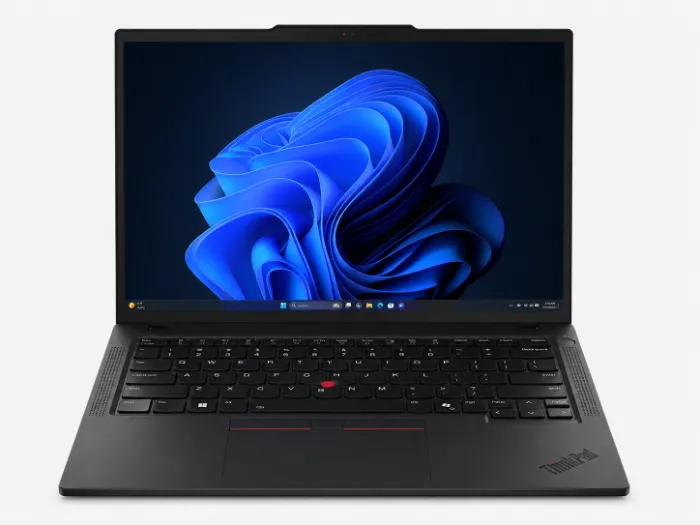
Lenovo ThinkPad P14s Gen 6 (AMD)
The ThinkPad P14s Gen 6 AMD is the model to consider when ordinary ultrabooks start feeling restrictive. With workstation-focused cooling, AMD Ryzen AI PRO performance, upgradeable memory and official Ubuntu certification, it’s built for developers running demanding workloads locally rather than relying entirely on the cloud.
Lenovo pricing changes frequently. Ubuntu configurations and promotional sales may be available below list price.
The ThinkPad P14s Gen 6 AMD is one of the most interesting Linux ThinkPads for developers who actually need workstation-class flexibility. Its biggest advantage isn’t just processor performance — it’s the combination of official Ubuntu support, sustained workload capability and user-upgradeable SO-DIMM memory. That makes it especially appealing for local AI experiments, large virtual machines, scientific workloads and development environments that can quickly consume 32GB or more of RAM.
Key Specifications
Built for More Than Everyday Coding
The P14s Gen 6 AMD sits in a different category from the X13, T14 and T14s. Those models are excellent general-purpose Linux laptops, while the P14s is designed for workloads that keep the processor and memory busy for long periods.
That makes it a much better fit for developers working with local machine learning experiments, large codebases, engineering applications, scientific computing, multiple containers or memory-heavy virtual machines.
Upgradeable RAM Makes the P14s Different
Many modern thin-and-light laptops use soldered memory, which means the amount of RAM you buy on day one is the amount you’re stuck with for the life of the machine. The P14s takes a more workstation-oriented approach.
Where the P14s Gen 6 Makes the Most Sense
Suitable for development, preprocessing, smaller local models and experimentation where memory capacity matters.
A better fit than an ultra-portable when your work involves sustained engineering or visualization workloads.
Extra thermal headroom and strong multi-core performance help during longer compilation jobs.
Upgradeable RAM makes this particularly useful for Docker, Kubernetes labs and multi-VM development environments.
✓ Pros
- User-upgradeable SO-DIMM memory
- Official Ubuntu certification
- Strong fit for local AI and machine learning development
- Better suited to demanding virtual machines and containers
- Workstation-oriented cooling for sustained workloads
- Lenovo promotions can make Ubuntu configurations very competitive
– Cons
- Heavier and bulkier than the T14s and X1 Carbon
- Base display isn’t particularly exciting
- OLED display upgrades increase the price
- Mostly purchased directly from Lenovo rather than retail stores
- Not a substitute for a dedicated GPU workstation for large AI models
Linux developers, data scientists, engineering students, DevOps users and professionals who run local machine-learning experiments, CAD applications, large development environments, containers or memory-heavy virtual machines.
If most of your work involves coding, browsing, SSH, office applications and lighter containers, the ThinkPad T14s Gen 6 AMD gives you similar Linux friendliness in a thinner and lighter package. Choose the P14s when upgradeability and sustained workloads matter more than portability.
How to Actually Confirm Linux Compatibility Before You Buy
Reading a buying guide is a good start, but you should still verify things yourself before checkout. Here’s the process I use:
- Check Ubuntu’s certified hardware catalog. Search the exact model and configuration at ubuntu.com/certified. If it’s listed, you’ll see exactly which kernel and Ubuntu version were tested.
- Confirm the Wi-Fi chipset. Intel’s AX/BE series and MediaTek modules generally have mature open-source drivers. Some OEM Wi-Fi cards on budget configurations do not — always check the specific model number before ordering.
- Look at RAM: soldered or SO-DIMM. Most current ThinkPads outside the P-series now solder RAM to save space, so max out your RAM at checkout if you’re buying a soldered configuration, since you won’t be able to upgrade later.
- Choose the Ubuntu preload SKU if it’s offered. Beyond the price break, it signals Lenovo has specifically validated that exact hardware combination against Ubuntu.
- Read recent kernel changelogs for brand-new chips. Panther Lake and the newest AMD Ryzen AI silicon are recent enough that older LTS kernels may need a newer kernel (via a distro’s HWE stack or a rolling release) for full feature support at launch.
Frequently Asked Questions
Do ThinkPads come with Linux preinstalled?
Yes. Lenovo sells several current ThinkPad models, including the T14s, T14, and P14s Gen 6, with Ubuntu Linux as a selectable OS directly at checkout on Lenovo.com, usually at a lower price than the Windows equivalent.
Which ThinkPad has the best Linux compatibility in 2026?
The ThinkPad T14s Gen 6 AMD offers the strongest overall combination of official Ubuntu certification, Zen 5 driver maturity, and price, making it the safest all-around pick.
Is AMD or Intel better for Linux on a ThinkPad?
AMD’s Ryzen AI PRO chips generally have more mature open-source driver support and simpler power management under Linux, though recent Intel Panther Lake models have closed much of that gap.
Can I install Fedora instead of Ubuntu on these models?
Yes, all the models in this guide run Fedora well since the underlying hardware and kernel driver support overlap heavily with Ubuntu’s certified configurations.
Is the ThinkPad X1 Carbon worth the price premium for Linux users?
It’s worth it if portability and display quality matter most to you, but the T14s Gen 6 delivers nearly the same Linux experience for hundreds of dollars less.
Do ThinkPad fingerprint readers work on Linux?
Most current-generation ThinkPad fingerprint sensors work with fprintd after manual setup, though support varies by exact sensor model, so check community reports for your specific configuration first.
Final Thoughts
There’s no single “best” answer here, and honestly, anyone who tells you otherwise is skipping the part where your actual workload matters more than a spec sheet. If you want the lightest, most premium travel companion and don’t mind paying for it, the X1 Carbon Gen 14 earns its price tag. If you’re a developer who wants the smartest use of your budget, the T14s Gen 6 AMD is genuinely hard to beat. And if your work involves real computational load, whether that’s local model inference, CAD, or heavy virtualization, the P14s Gen 6 with its upgradeable RAM is the quiet standout of this whole lineup.
What ties all of these picks together, and why this list represents the best ThinkPads for Linux you can buy right now, is that none of them require guesswork. Every model here has documented, verifiable Linux certification you can check yourself, real driver support for the exact chipsets inside, and a purchase path that doesn’t force you to pay for a Windows license you’ll never use. That combination is still rare outside the ThinkPad ecosystem, and it’s exactly why this brand keeps earning its reputation among Linux users year after year.
Disclaimer: Prices, specifications, and product availability mentioned in this article are accurate as of August 2026 based on publicly available information and are subject to change without notice. Always verify current pricing and configurations directly with Lenovo or an authorized retailer before making a purchase. This article is intended for informational purposes only and does not constitute a professional recommendation or guarantee of hardware compatibility for every use case.
About the Author