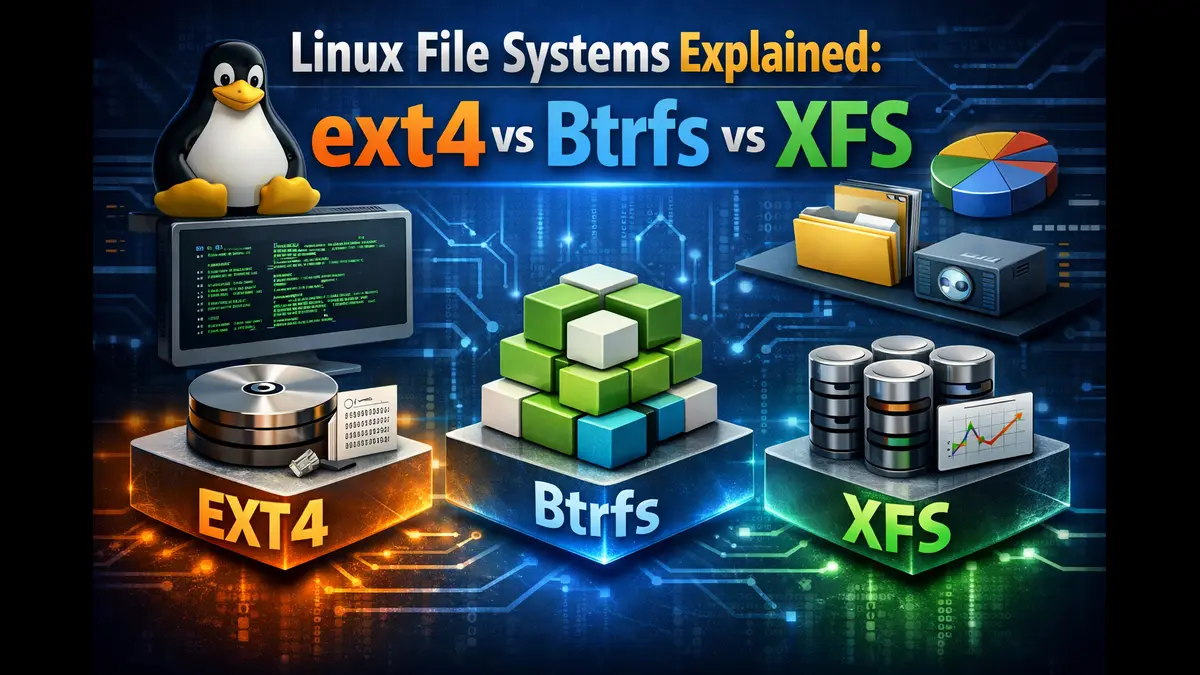
Linux File Systems Explained: ext4 vs Btrfs vs XFS
Choosing the right file system for your Linux installation can significantly impact your system’s performance, reliability, and data management capabilities. When it comes to Linux File Systems Explained: ext4 vs Btrfs vs XFS, understanding the differences between these three popular options helps you make an informed decision that matches your specific needs. Whether you’re setting up a home desktop, managing a server, or building a NAS device, each file system brings distinct advantages and trade-offs to the table.
Understanding Linux File Systems
A file system determines how data is organized, stored, and retrieved on your storage device. Think of it as the underlying structure that manages everything from how files are written to disk to how quickly they can be accessed. The choice between ext4, Btrfs, and XFS isn’t just about raw performance—it involves considering factors like stability, feature sets, scalability, and your intended use case.
ext4: The Reliable Standard
History and Development
The Fourth Extended File System, commonly known as ext4, emerged in 2008 as the successor to ext3. Developed by Theodore Ts’o, ext4 was designed to extend the capabilities of ext3 while maintaining backward compatibility. After more than 15 years of widespread use, ext4 has become the default file system for many major Linux distributions including Ubuntu, Debian, and Linux Mint.
Core Features and Architecture
ext4 implements several advanced technologies that contribute to its reliable performance:
Extent-Based Storage: Rather than tracking individual blocks, ext4 uses extents—ranges of contiguous physical blocks. A single extent can map up to 128 MiB of contiguous space with a standard 4 KiB block size. This approach reduces fragmentation and improves performance when handling large files.
Delayed Allocation: ext4 delays block allocation until data is actually written to disk. This strategy allows the file system to make smarter decisions about block placement, reducing fragmentation and improving write performance. The multiblock allocator works hand-in-hand with delayed allocation, allocating multiple blocks in a single operation rather than one at a time.
Journaling: ext4 maintains a journal that records file system operations before they’re committed to the main file system. This ensures quick recovery after unexpected shutdowns. The journal can be configured in three modes: journal (slowest but safest), ordered (default), and writeback (fastest but less safe).
File System Limits: ext4 supports volumes up to 1 exbibyte (EiB) and individual files up to 16 tebibytes (TiB) with standard 4 KiB block sizes. The file system uses 48-bit internal addressing, a significant upgrade from ext3’s 32-bit addressing.
Performance Characteristics
Based on recent benchmarks from the Linux 6.15 kernel testing in May 2025, ext4 continues to demonstrate strong performance across mixed workloads. The file system excels at:
- Small file operations and metadata-intensive tasks
- Random read/write operations
- Database workloads when using appropriate mount options
- General-purpose desktop and server usage
ext4’s mature codebase means it’s highly optimized for common workloads. Recovery using fsck is faster than previous versions due to unused inode tracking, with improvement ranging from 2 to 20 times depending on inode usage.
Use Cases and Limitations
ext4 remains the recommended choice for:
- Desktop and laptop systems
- General-purpose servers
- Boot partitions
- Systems requiring maximum compatibility
- Environments where stability is paramount
However, ext4 lacks some modern features found in newer file systems. It doesn’t support native snapshots, transparent compression, or built-in RAID functionality. The file system also can’t be shrunk, only expanded. For users requiring advanced data management features, ext4’s limitations become apparent.
Btrfs: The Modern Alternative
Design Philosophy and Evolution
Btrfs (B-tree file system) represents a fundamentally different approach to file system design. Chris Mason began development at Oracle in 2007, creating a copy-on-write (CoW) file system inspired by advanced features in ZFS and Reiser4. The project has seen contributions from multiple companies including Oracle, Fujitsu, Facebook, and SUSE.
Major Linux distributions have embraced Btrfs at different paces. Fedora made it the default file system in 2020, followed by SUSE Linux Enterprise Server. However, Red Hat announced in 2017 that it would not move Btrfs to production status in RHEL, instead keeping it as a technology preview.
Advanced Features
Btrfs offers capabilities that distinguish it from traditional file systems:
Copy-on-Write (CoW): When data is modified, Btrfs writes the new version to a different location rather than overwriting the original. This mechanism enables instant snapshots and protects against data corruption during write operations.
Snapshots and Subvolumes: Btrfs can create instant, space-efficient snapshots of subvolumes. These snapshots consume minimal space initially, only growing as data diverges from the original. The send/receive feature allows for incremental backups and replication between Btrfs file systems.
Built-in RAID Support: Btrfs includes native support for RAID 0, 1, and 10 configurations. However, as of January 2026, the Btrfs documentation and community continue to recommend against using RAID 5/6 profiles in production due to stability concerns, particularly for metadata.
Data Integrity: Btrfs maintains checksums for both data and metadata. When used with RAID configurations, the file system can automatically detect and repair corrupted data through its self-healing capability. The scrub utility scans the entire file system for integrity issues and attempts automatic repair.
Transparent Compression: Btrfs supports compression using zlib, lzo, and zstd algorithms. Files can be compressed on-the-fly, potentially improving both storage efficiency and read performance for compressible data. Compression can be enabled per-file, per-directory, or system-wide.
Flexible Storage Management: Btrfs can span multiple devices and supports online resizing in both directions. The file system can add or remove devices while mounted, though removing devices requires sufficient free space to redistribute data.
Performance Considerations
Recent benchmark testing on Linux 6.15 in May 2025 reveals Btrfs performance characteristics:
According to Phoronix testing with default mount options on NVMe SSD storage, Btrfs demonstrated competitive performance in many workloads but showed some overhead compared to ext4. The copy-on-write mechanism can impact write performance, particularly with small random writes.
Testing from early 2025 indicates Btrfs performs adequately for small data transfers but may show reduced speed with large sequential writes due to CoW overhead. Database workloads traditionally challenged Btrfs, though concurrent SQLite testing shows improvement over earlier kernel versions.
Maturity and Stability Status
As of January 2026, Btrfs core features are considered stable for production use. The file system has been the default in Fedora since 2020 and in openSUSE for even longer. However, some features remain under development behind the CONFIG_BTRFS_EXPERIMENTAL flag introduced in kernel 6.12.
Areas requiring caution:
- RAID 5/6 profiles remain unstable for production use
- The btrfs check –repair tool should only be used when advised by experienced users or developers
- Multi-device configurations require careful management to avoid certain edge cases
- File system repair capabilities, while improved, are still considered less mature than ext4’s fsck
Practical Applications
Btrfs works well for:
- Home NAS and file servers needing snapshot capability
- Developer workstations requiring easy system rollback
- Systems where storage flexibility is important
- Environments where data integrity verification is valuable
- Users wanting compression without third-party tools
The file system is particularly popular in rolling-release distributions like openSUSE Tumbleweed, where snapshot-based system recovery provides a safety net against updates.
XFS: The High-Performance Specialist
Origins and Development
Silicon Graphics developed XFS in the early 1990s for their IRIX operating system, specifically targeting high-performance computing and large-scale storage. SGI open-sourced XFS in 2000, and it was ported to Linux, becoming part of the mainline kernel in 2001. Red Hat Enterprise Linux adopted XFS as its default file system starting with RHEL 7.
Technical Architecture
XFS uses several design elements that enable its high performance:
Allocation Groups: XFS internally partitions the file system into equally sized allocation groups. Each group manages its own inodes and free space independently, enabling parallel operations across multiple CPU cores. This architecture provides excellent scalability for systems with high CPU counts.
B+ Tree Indexing: All user data and metadata are indexed using B-tree structures. This provides logarithmic scalability for most operations, with performance that doesn’t degrade significantly as the file system grows.
Extent-Based Allocation: Like ext4, XFS uses extents to track storage. The allocation algorithms are optimized for reducing fragmentation and maintaining performance over time.
Delayed Allocation: XFS accumulates writes in memory before allocating disk blocks, allowing for better placement decisions and reduced fragmentation. The multiblock allocator can reserve multiple blocks at once, improving efficiency.
Metadata Journaling: XFS journals only metadata, not data, focusing on quick crash recovery. The journal primarily contains entries describing changed portions of disk blocks. Recovery time depends on the number of operations to replay rather than file system size.
Performance Excellence
Testing on Linux 6.15 from May 2025 shows XFS delivering exceptional performance. In Phoronix benchmarks using default mount options on a PCIe 5.0 NVMe SSD, XFS achieved the fastest geometric mean performance across all tested file systems, running approximately 20% faster than F2FS, the next fastest option.
XFS particularly excels at:
- Large file handling and sequential I/O
- Parallel I/O operations with multiple threads
- High-throughput workloads
- Enterprise storage scenarios
- Media production and scientific computing
- Virtualization host storage
The file system’s allocation group design enables it to leverage multi-core CPUs effectively. Each allocation group can handle concurrent operations independently, scaling nearly linearly with available CPU cores.
XFS can show relatively slower performance for single-threaded, metadata-intensive workloads involving many small files. Historical benchmarks indicated ext4 could be significantly faster for operations like unpacking tarballs with numerous small files. However, improvements in XFS’s delayed logging mechanism, implemented around Linux 3.0, substantially addressed these metadata performance issues.
Feature Set and Limitations
XFS provides several useful capabilities:
- Online defragmentation while the file system remains mounted
- Online expansion to use additional storage space
- Quota journaling to avoid lengthy consistency checks after crashes
- Project quotas for directory tree restrictions
- Extended attributes (xattr) support
Notable limitations include:
- XFS cannot be shrunk, only expanded
- No native snapshot support (relies on volume manager)
- No built-in compression capability
- No built-in RAID functionality
- Journaling cannot be disabled (though an external journal is possible)
The lack of snapshot support means users typically rely on LVM or other volume management solutions to provide snapshot functionality.
Optimal Deployment Scenarios
XFS is the preferred choice for:
- File servers handling large files
- Database servers with high I/O demands
- Video editing and multimedia production systems
- Scientific computing and HPC environments
- Enterprise servers and data centers
- Systems with RAID storage arrays
- Backup servers processing large amounts of data
Red Hat’s choice of XFS as the default file system for RHEL reflects its reliability and performance in enterprise environments. The file system has decades of production use in demanding scenarios.
Comparative Analysis
Performance Comparison
Performance varies significantly based on workload characteristics. Recent testing provides these insights:
Sequential I/O: XFS typically leads in sequential read/write performance, especially with large files. ext4 follows closely, while Btrfs shows some overhead from copy-on-write operations.
Random I/O: ext4 often performs best for random read operations and small file handling. XFS scales well with multiple threads, while Btrfs can show increased latency due to its CoW mechanism.
Metadata Operations: ext4 generally handles metadata-intensive operations most efficiently. XFS has improved substantially but may still trail ext4 for single-threaded small-file operations. Btrfs CoW overhead can impact metadata performance.
Database Workloads: ext4 typically shows strong performance for database operations. XFS performs well for larger databases with proper tuning. Btrfs has improved but may show some overhead compared to alternatives.
Large Files: XFS excels with files in the gigabyte to terabyte range. ext4 performs well but may not match XFS throughput. Btrfs handles large files adequately though write operations show CoW overhead.
Reliability and Data Integrity
ext4: Extremely stable with over 15 years of production use. Journaling provides excellent crash recovery. No native data checksumming means silent corruption can go undetected. Well-tested fsck utility can recover from most failure scenarios.
Btrfs: Provides superior data integrity through checksumming of data and metadata. Self-healing capability when using RAID configurations. Snapshot capability enables quick recovery from logical errors. The repair tool (btrfs check) is less mature than ext4’s fsck.
XFS: Highly reliable with decades of production use in enterprise environments. Metadata journaling ensures quick, reliable recovery. Lacks data checksumming but considered very stable. The xfs_repair tool is mature and effective.
Scalability Comparison
Maximum Volume Size:
- ext4: 1 exbibyte (theoretical maximum)
- Btrfs: 16 exbibytes
- XFS: 8 exbibytes
Maximum File Size:
- ext4: 16 tebibytes
- Btrfs: 16 exbibytes
- XFS: 8 exbibytes
All three file systems scale adequately for virtually any realistic use case. XFS and Btrfs provide better performance scaling across multiple CPUs and large storage arrays.
Feature Comparison Table
| Feature | ext4 | Btrfs | XFS |
|---|---|---|---|
| Journaling | Yes (data + metadata) | CoW-based protection | Yes (metadata only) |
| Snapshots | No | Yes (instant, CoW) | No |
| Compression | No | Yes (zlib, lzo, zstd) | No |
| Built-in RAID | No | Yes (RAID 0, 1, 10) | No |
| Data Checksums | No | Yes | No |
| Online Resize | Grow only | Grow & shrink | Grow only |
| Backward Compatibility | ext2 / ext3 | None | None |
| Deduplication | No | Manual (post-process) | No |
| Send / Receive | No | Yes | No |
| Default in Major Distros | Ubuntu, Debian, Linux Mint | Fedora, openSUSE | RHEL, CentOS |
| Maturity Level | Very mature (2008) | Mature core, some experimental features | Very mature (2001) |
| Best Performance For | Mixed workloads, small files | Large volumes with snapshots | Large files, high throughput |
| CPU Overhead | Low | Medium (CoW operations) | Low to Medium |
| Memory Usage | Low | Medium to High | Medium |
Making Your Choice
For Desktop Users
Choose ext4 if: You want the most stable, proven option with maximum compatibility. You don’t need advanced features and prefer simplicity. Your system has limited RAM. You’re using older hardware.
Choose Btrfs if: You’re using a rolling-release distribution or want easy system recovery. You value the ability to take snapshots before major changes. You want transparent compression. You’re willing to accept some performance trade-offs for advanced features.
Choose XFS if: You work with very large files regularly (video editing, photography). You need maximum performance for specific workloads. You’re coming from RHEL/CentOS where it’s the default.
For Servers
Choose ext4 if: You’re running a general-purpose server with mixed workloads. You need maximum stability and proven reliability. You’re running database servers (especially with fsync-heavy operations). Simplicity and compatibility are priorities.
Choose Btrfs if: You’re building a NAS or file server. You need snapshot capability for backups. Storage flexibility is important. You want built-in RAID without LVM. Data integrity verification is valuable.
Choose XFS if: You’re handling very large files or high-throughput workloads. You’re running virtualization hosts. You’re managing media servers or backup systems. You need maximum parallel I/O performance. You’re in an enterprise RHEL/CentOS environment.
Storage Considerations
SSDs: All three file systems work well with SSDs. Btrfs CoW design is naturally SSD-friendly. ext4 performs excellently with proper mount options. XFS scales well with high-performance NVMe drives.
Hard Drives: ext4 remains a safe choice for traditional spinning disks. XFS excels for large files on HDDs. Btrfs offers flexibility but fragmentation may occur over time on HDDs without proper maintenance.
RAID Arrays: ext4 and XFS typically rely on hardware RAID or LVM/mdadm for redundancy. Btrfs offers native RAID but RAID 5/6 remain problematic. For hardware RAID, XFS is often preferred in enterprise settings.
Migration Considerations
From ext3 to ext4: Can be done in place without reformatting, though full benefit requires rewriting files.
From ext4 to Btrfs: Requires backup and reformat. Direct conversion tools exist but starting fresh is recommended.
From any to XFS: Requires backup and reformat.
Always maintain complete backups before any file system migration.
Performance Tuning Tips
ext4 Optimization
- Use noatime or relatime mount options to reduce write operations
- Adjust commit interval (default 5 seconds) based on your risk tolerance
- Disable barriers with battery-backed cache (caution: only with proper protection)
- Enable discard for SSD TRIM support
- Use appropriate I/O scheduler for your storage type
Btrfs Optimization
- Enable compression: compress=zstd:1 for good balance of speed and compression
- Use noatime to reduce CoW overhead
- Regular scrub operations: btrfs scrub start /mountpoint
- Monitor disk usage carefully: btrfs filesystem df /mountpoint
- Balance filesystem periodically: btrfs balance start -dusage=50 /mountpoint
- Manage snapshot count—keep it under 12 active snapshots when possible
XFS Optimization
- Use noatime (though relatime is default and efficient)
- Specify stripe unit and width for RAID arrays at creation
- Consider inode64 for multi-terabyte file systems
- Adjust log buffer size for write-intensive workloads
- Use allocation group size appropriate for your workload
- Regular maintenance with xfs_fsr for defragmentation if needed
Common Misconceptions
Myth: “Btrfs is unstable and shouldn’t be used in production.”
Reality: Core Btrfs features are stable and have been default in major distributions for years. Certain features like RAID 5/6 remain problematic, but standard usage is production-ready.
Myth: “ext4 is slow compared to modern file systems.”
Reality: ext4 continues to deliver excellent performance for most workloads and often outperforms alternatives for small files and metadata operations.
Myth: “XFS can’t handle small files.”
Reality: While historically slower for metadata operations, improvements in delayed logging and other optimizations have largely addressed this issue. XFS performs adequately for mixed workloads.
Myth: “You should always use the newest file system.”
Reality: Newer isn’t always better. ext4’s maturity makes it the safest choice for many scenarios. Feature requirements should drive the decision, not just novelty.
Conclusion
Choosing between ext4, Btrfs, and XFS depends on your specific requirements, workload characteristics, and feature needs. ext4 remains an excellent choice for general-purpose use, offering proven stability and solid performance. Btrfs provides modern features like snapshots and data integrity verification, making it ideal for users who need advanced storage management. XFS delivers exceptional performance for high-throughput scenarios and large files, explaining its popularity in enterprise environments.
For most desktop users, ext4 provides the best balance of stability, performance, and simplicity. System administrators should evaluate their specific workloads—Btrfs for file servers needing snapshots, XFS for high-performance applications, or ext4 for general servers prioritizing stability.
Remember that file system choice is just one component of a well-designed storage strategy. Regular backups, appropriate RAID configurations when needed, and proper monitoring matter more than the specific file system in many cases. Test your chosen file system with your actual workload when possible, and don’t hesitate to use different file systems for different purposes on the same machine.
The Linux file system landscape continues evolving, with each option improving through ongoing development. ext4 receives refinements for efficiency and compatibility. Btrfs adds features and stability improvements. XFS optimizes for modern hardware. This healthy ecosystem ensures Linux users have excellent options regardless of their specific needs.
Disclaimer
This article provides general guidance based on official documentation, benchmark testing, and community knowledge as of January 2026. File system performance and stability can vary based on specific hardware configurations, kernel versions, mount options, and workload patterns. Always test file systems with your specific use case when possible. Maintain regular backups regardless of your file system choice. For mission-critical deployments, consult official documentation and consider professional assessment of your requirements.
Frequently Asked Questions
Can I convert my ext4 partition to Btrfs without losing data?
While in-place conversion tools exist, they’re not recommended for production systems. The safest approach is backing up your data, reformatting the partition with Btrfs, and restoring your files. This ensures a clean Btrfs installation without potential issues from conversion artifacts.
Which file system is best for SSD longevity?
All three file systems work well with SSDs. Btrfs’s copy-on-write design is inherently SSD-friendly by distributing writes. ext4 and XFS perform excellently with TRIM support enabled. More important than file system choice are factors like enabling TRIM/discard, avoiding swap on SSDs when possible, and ensuring sufficient free space for wear leveling.
How do I check the health of my file system?
For ext4, use e2fsck /dev/device when unmounted. XFS provides xfs_repair for unmounted checks and xfs_scrub for online verification (experimental). Btrfs offers btrfs scrub for mounted file systems and btrfs check when unmounted. Regular monitoring is important—monthly scrubs for Btrfs and XFS, and periodic checks for ext4.
Does using Btrfs snapshots significantly impact performance?
Snapshots themselves have minimal performance impact as they’re created instantly using copy-on-write. However, accumulating many snapshots (particularly 20+) can slow down operations because the file system must track multiple versions of data blocks. Keep snapshot count reasonable—under 12 is recommended for optimal performance—and delete old snapshots you no longer need.
Should I use XFS or ext4 for a database server?
Both work well, but considerations differ. ext4 often provides better performance for small, random write patterns typical of many databases, especially with fsync-heavy operations. XFS excels if your database files are very large and you have a multi-threaded, high-throughput workload. Test both with your specific database and workload patterns. Many production database servers successfully use either file system with proper tuning.
Recommended Reading
Curious how processor choice impacts Linux performance? This in-depth guide compares AMD Ryzen vs Intel Core performance on Linux laptops, covering real-world benchmarks, efficiency, and kernel-level tuning.
Read the full comparison →About the Author