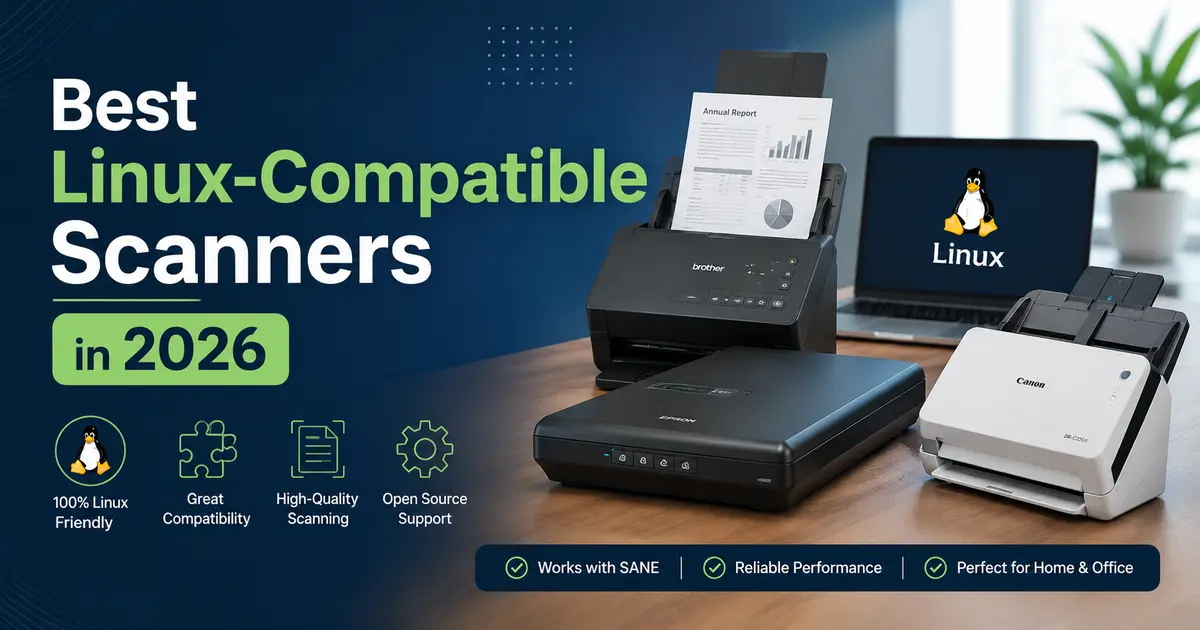
Best Linux-Compatible Scanners in 2026
If you’ve ever plugged in a scanner on a Linux machine and watched absolutely nothing happen — no dialog box, no detection, just silence — you already know the pain. Picking the right hardware matters a lot on Linux. The good news? The ecosystem in 2026 is genuinely better than it’s ever been, and there are some excellent scanners that work reliably, right out of the box (or close to it).
This guide covers the best Linux-compatible scanners you can buy in the USA right now, whether you’re setting up a home office, running a small business, doing archival work, or just need something that scans documents without a headache. We’ll also break down what to look for before you buy, and explain the SANE framework that powers scanning on Linux.
Why Linux Scanner Compatibility Still Matters in 2026
Linux adoption has been climbing steadily — estimates put desktop Linux usage above 5% in the US market, and that doesn’t count servers, developer workstations, or ChromeOS devices running Linux environments. Despite this growth, scanner manufacturers still design primarily for Windows and macOS. Linux users often find themselves relying on community-maintained drivers or third-party software to make hardware work.
The cornerstone of scanning on Linux is SANE — which stands for Scanner Access Now Easy. It’s the open-source framework that lets Linux talk to scanners from dozens of manufacturers. Most modern scanner brands including Brother, Epson, HP, Canon, and Fujitsu have at least some SANE support, but the quality and completeness of that support varies significantly by model.
When shopping for the best Linux-compatible scanners, you want to look for:
- Official SANE backend support listed on the SANE project’s supported devices page
- Official Linux drivers published by the manufacturer (.deb or .rpm packages)
- IPP-over-USB or eSCL (AirScan) support, which enables driverless network scanning
- Community reports confirming it works on Ubuntu, Fedora, Debian, or your distro of choice
With that foundation in place, let’s get into the actual hardware.
Best Linux-Compatible Scanners in 2026
1. Brother ADS-2700W — Best Overall Linux Document Scanner
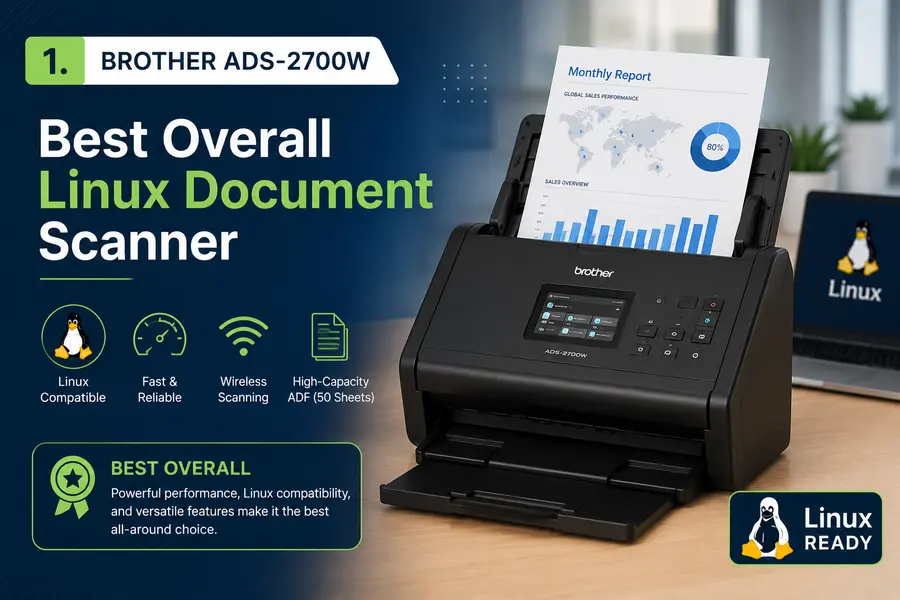
If there’s one scanner that consistently tops community recommendations for Linux users, it’s the Brother ADS-2700W. Brother has long been considered the most Linux-friendly scanner and printer brand, and this model is a prime example of why.
It supports all three connectivity options — USB 2.0, Wi-Fi, and Gigabit Ethernet — and works natively with Linux via Brother’s official brscan4 driver package. The driver installs cleanly on both .deb and .rpm-based systems, and the SANE integration is rock-solid.
Key specs:
- Scan speed: 35 pages per minute (duplex)
- ADF capacity: 50 sheets
- Optical resolution: 600 x 600 DPI (interpolated up to 1200 DPI)
- Touchscreen LCD for standalone operation
- Auto de-skew and blank page removal
The ADS-2700W also supports scanning directly to FTP, email, and USB drives without a PC involved — handy for shared office environments. The CIS sensor is efficient and fast, though serious photo archivists may prefer a CCD-based flatbed for ultimate image accuracy.
Linux compatibility: Excellent. Official brscan4 driver, confirmed working on Ubuntu, Debian, Fedora, Arch Linux, and Linux Mint.
Price: Around $450–$500 on Amazon and at major US retailers.
Best for: Small businesses, home offices, anyone who needs fast reliable document scanning on Linux without fuss.
2. Brother ADS-3350W — Best High-Speed Linux Scanner
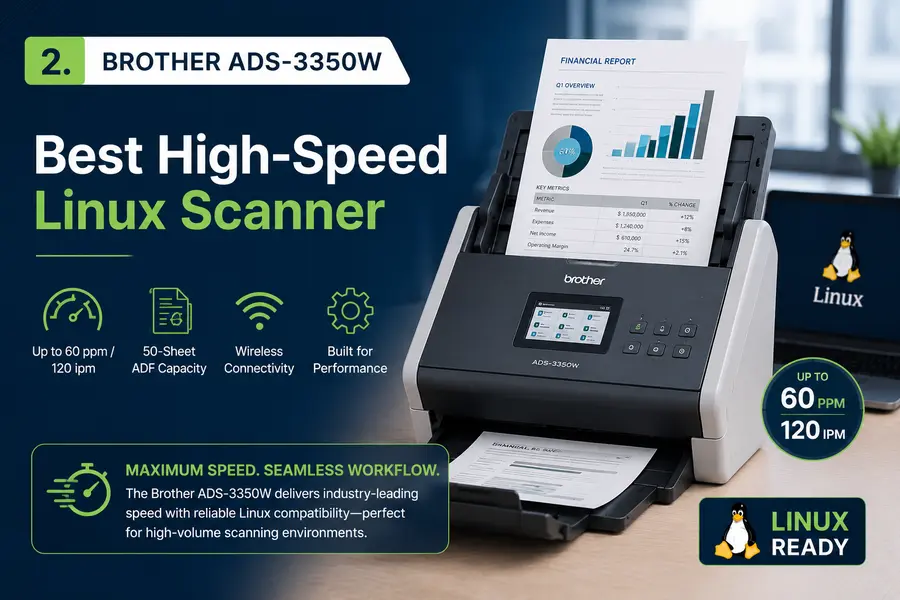
The Brother ADS-3350W is the next step up from the ADS-2700W, and it makes a strong case for itself if you’re scanning high volumes regularly. It bumps the speed up to 40 pages per minute and includes a 2.8-inch touchscreen, USB, Wi-Fi, and Ethernet connectivity.
Like all modern Brother scanners, it ships with Linux support built in through the official brscan5 driver package available directly from Brother’s website. Setup on Ubuntu or Fedora takes maybe ten minutes, and it just works from that point on.
Key specs:
- Scan speed: 40 ppm duplex
- ADF capacity: 60 sheets
- USB 3.0, Wi-Fi, Ethernet
- Supports scan-to-cloud, scan-to-email, scan-to-FTP
The ADS-3350W is also ENERGY STAR certified, which is a nice bonus for anyone running it in a busy office all day.
Linux compatibility: Excellent. Official brscan5 driver, broad distro support.
Price: Around $429 at Walmart and Amazon.
Best for: Medium-volume offices, legal or healthcare environments needing fast throughput on Linux.
3. Epson WorkForce ES-400 II — Best Epson Scanner for Linux
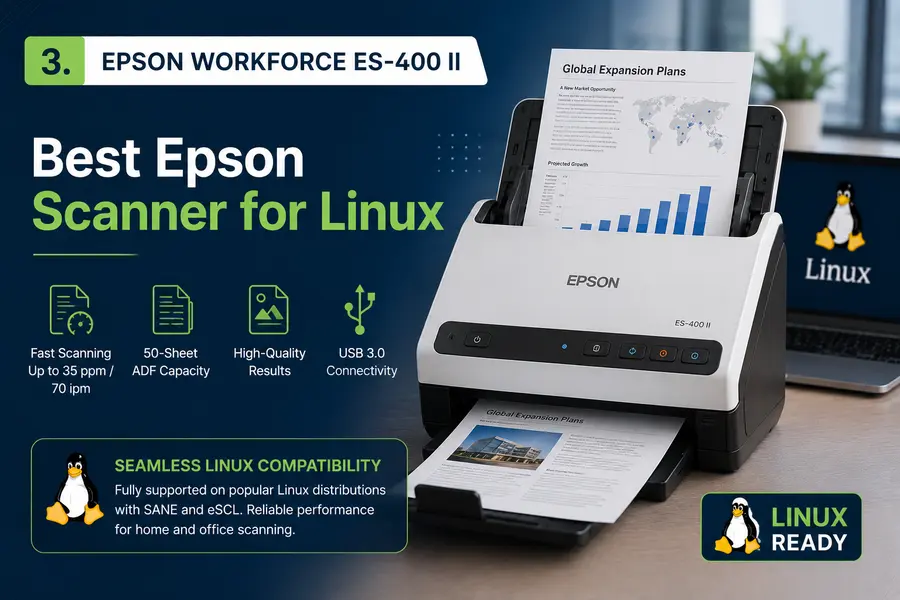
Epson’s relationship with Linux has improved considerably. The Epson WorkForce ES-400 II is a solid mid-range document scanner with official Linux support through Epson’s epsonscan2 driver, which is available as both .deb and .rpm packages from Epson’s website.
It’s a duplex ADF scanner that scans at up to 35 ppm, and the CCD sensor inside delivers better image quality than CIS-based alternatives — especially noticeable when scanning photos or documents with fine print.
Key specs:
- Scan speed: 35 ppm duplex (color and mono)
- ADF capacity: 50 sheets
- CCD sensor
- USB 3.0 connectivity
- Supports long document mode (up to 240 inches)
One thing that stands out: the CCD sensor on this model is notably better for mixed media scanning compared to most CIS-based competitors in the same price bracket. Documents come out crisp, and photo digitization looks genuinely accurate.
Linux compatibility: Good. Official epsonscan2 driver. USB scanning works reliably; wireless scanning via sane-airscan requires a bit of extra configuration but is well-documented.
Price: Around $380 at Walmart and Amazon.
Best for: Users who want better scan quality for mixed documents and occasional photos, on a Linux setup.
4. Epson WorkForce ES-500W II — Best Wireless Linux Scanner
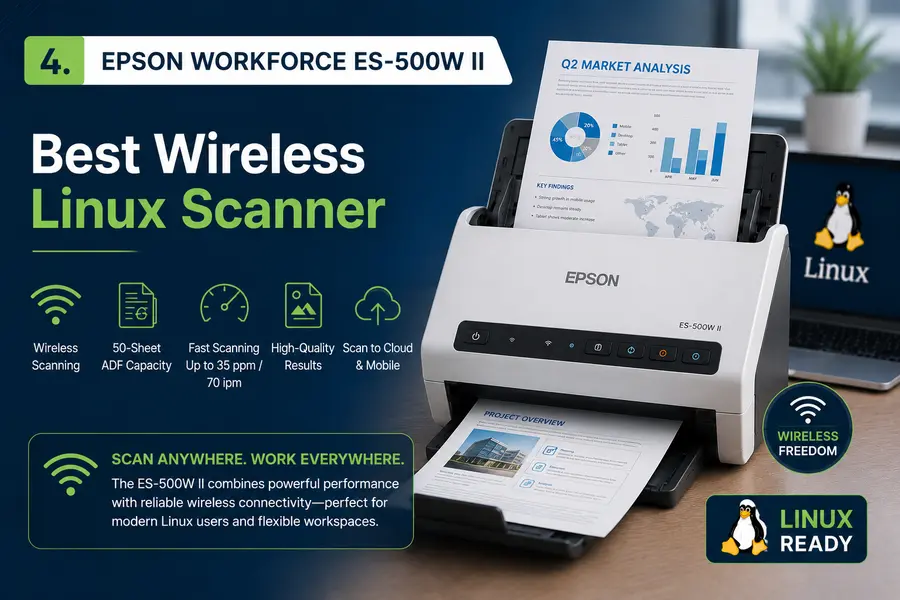
The Epson WorkForce ES-500W II adds wireless capability to the ES-400 II formula, making it one of the best wirelessly-connected Linux scanners available today. It supports Wi-Fi and USB connectivity and includes NFC tap-to-scan functionality.
The scanner works with Epson’s epsonscan2 backend on Linux, and for wireless operation, sane-airscan handles network discovery cleanly on most modern Linux distros. It scans at 35 ppm in duplex and features Epson’s ReadyScan LED technology, which means it’s ready the moment you press the button — no warm-up wait.
Key specs:
- Scan speed: 35 ppm duplex
- Wi-Fi, NFC, USB 3.0
- CCD sensor, 600 DPI optical resolution
- ADF capacity: 50 sheets
- Long document scanning up to 240 inches
Linux compatibility: Good to excellent. epsonscan2 for USB, sane-airscan for wireless.
Price: Around $400–$4550 at major US retailers.
Best for: Offices where the scanner is shared across multiple Linux (or mixed OS) machines on a network.
5. Brother MFC-L2760DW — Best Linux All-in-One Under $200

Not everyone needs a dedicated document scanner. If you want print, copy, scan, and fax in one box that plays nice with Linux — and doesn’t break the budget — the Brother MFC-L2760DW is hard to beat.
It’s a monochrome laser all-in-one with a 35-page ADF, duplex printing, Wi-Fi, and Ethernet. Brother’s official Linux drivers (brscan4 for scanning, brgenml1 for printing) are widely supported and install cleanly on virtually every major distro.
Key specs:
- Print/scan speed: 32 ppm
- Duplex printing and scanning
- 35-page ADF
- Wi-Fi, Ethernet, USB
- Up to 1200 x 1200 DPI print resolution
For a home user or small team on Linux, this punches well above its price point. The laser engine means toner is cheap to run long-term, and the Linux support is genuinely first-class.
Linux compatibility: Excellent. Official Brother drivers, confirmed across Ubuntu, Mint, Fedora, Arch.
Price: Around $180–$200 at Walmart, Amazon, Best Buy.
Best for: Home users and small offices who want a single multi-function device that works seamlessly on Linux.
6. HP OfficeJet Pro 9015e — Best HP All-in-One for Linux
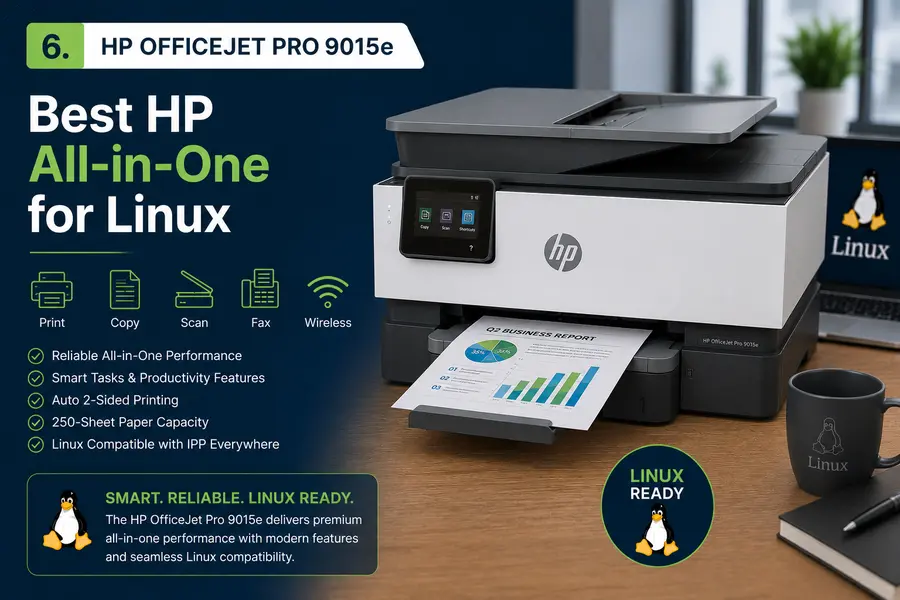
HP’s support for Linux runs through HPLIP — the HP Linux Imaging and Printing project — which remains one of the most mature Linux hardware support frameworks available. The HP OfficeJet Pro 9015e benefits directly from this, with clean HPLIP support for both printing and scanning.
The 9015e is a color inkjet all-in-one with a 35-page ADF, automatic duplex, Wi-Fi 5, and Ethernet. It’s a capable machine for mixed document and photo scanning in a home or small business setting.
Key specs:
- Print speed: up to 22 ppm color
- ADF: 35 sheets
- 2.7-inch color touchscreen
- Wi-Fi, Ethernet, USB
- Scanning resolution: 1200 DPI optical
Setup on Linux using the hp-setup tool from HPLIP is generally straightforward. HP also regularly updates HPLIP (the latest update was in May 2026), so new models get support relatively quickly.
Linux compatibility: Good. HPLIP support, works on Ubuntu/Debian/Fedora. Wi-Fi scanning may require sane-airscan on some distros.
Price: Around $200–$230 at Amazon and Best Buy.
Best for: Users already in the HP ecosystem, or those who prefer the HPLIP framework.
7. Fujitsu ScanSnap iX1600 — Best Premium Linux Document Scanner
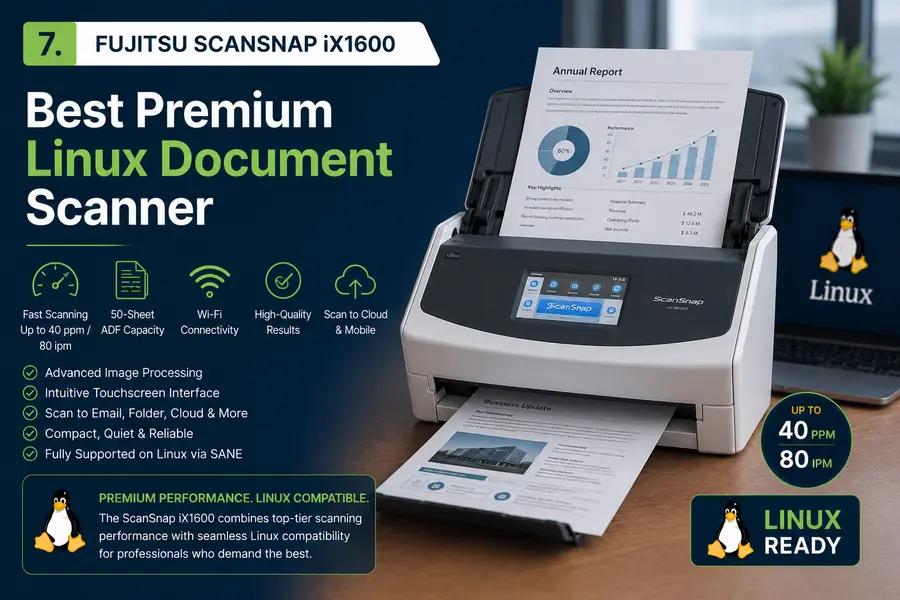
The Fujitsu ScanSnap iX1600 sits at the higher end of the consumer document scanner market, and for good reason. It’s fast, smart, and capable of handling high-volume scanning with ease — up to 40 ppm in duplex mode with a 50-sheet ADF.
On Linux, the iX1600 works via the sane-fujitsu backend, which is part of the standard SANE backends package. It has been confirmed working in the SANE project’s own issue tracker, and VueScan (the premium third-party scanning application) also includes a reverse-engineered driver for it, providing an alternative path if the native SANE backend gives you trouble.
Key specs:
- Scan speed: 40 ppm duplex
- ADF capacity: 50 sheets
- Wi-Fi and USB connectivity
- 4.3-inch color touchscreen
- Supports scan-to-cloud (Dropbox, Google Drive, Evernote, etc.)
One note: the ScanSnap series was originally Windows/Mac-only in software terms, but the hardware-level SANE support has made it increasingly usable on Linux, especially via VueScan.
Linux compatibility: Good via sane-fujitsu backend or VueScan. Some advanced cloud features require Fujitsu’s own ScanSnap Home app, which isn’t Linux-native.
Price: Around $450–$500 at Amazon.
Best for: Power users and businesses who want top-shelf scan quality and speed, and don’t mind a slightly more involved Linux setup.
8. Canon imageFORMULA DR-C230 — Best Canon Scanner for Linux
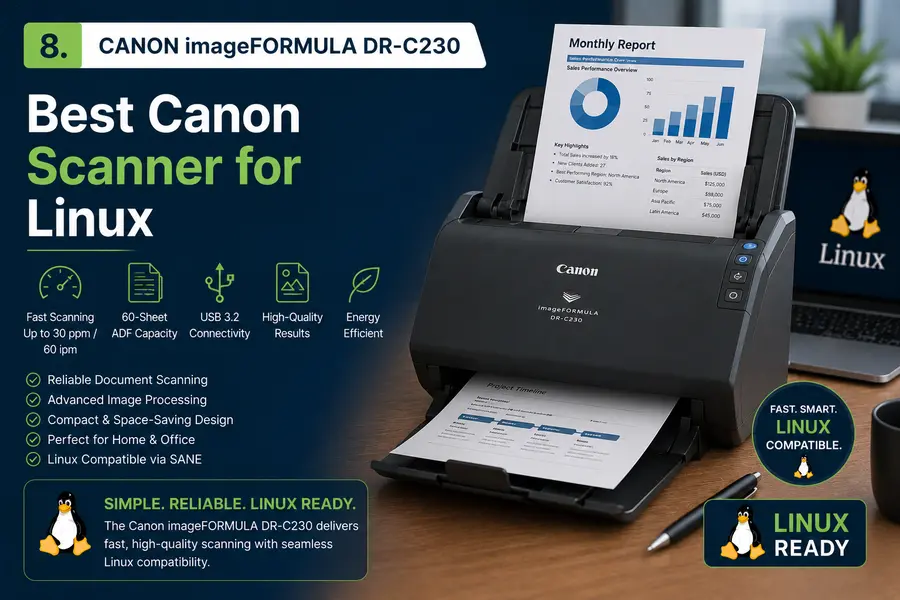
Canon’s imageFORMULA series has SANE backend support, and the DR-C230 is one of the better options from Canon for Linux users. It’s a compact upright document scanner with a 60-sheet ADF that scans at 30 ppm in color duplex.
Canon’s Linux support for this model comes through the sane-canon_dr backend. The scanner’s U-Turn paper path design handles business cards, thick cards, and fragile documents well without crumpling them — a practical feature for office use.
Key specs:
- Scan speed: 30 ppm duplex
- ADF capacity: 60 sheets
- USB connectivity
- Optical resolution: 600 DPI
- Compact upright footprint
Linux compatibility: Good via sane-canon_dr backend. Confirmed working on Ubuntu. No official Linux driver from Canon for this model, so SANE is the primary route.
Price: Around $350–$400 at Amazon and B&H Photo.
Best for: Compact office environments where desk space is at a premium, and SANE-based scanning is acceptable.
9. Brother ADS-1350W — Best Compact Wireless Linux Scanner
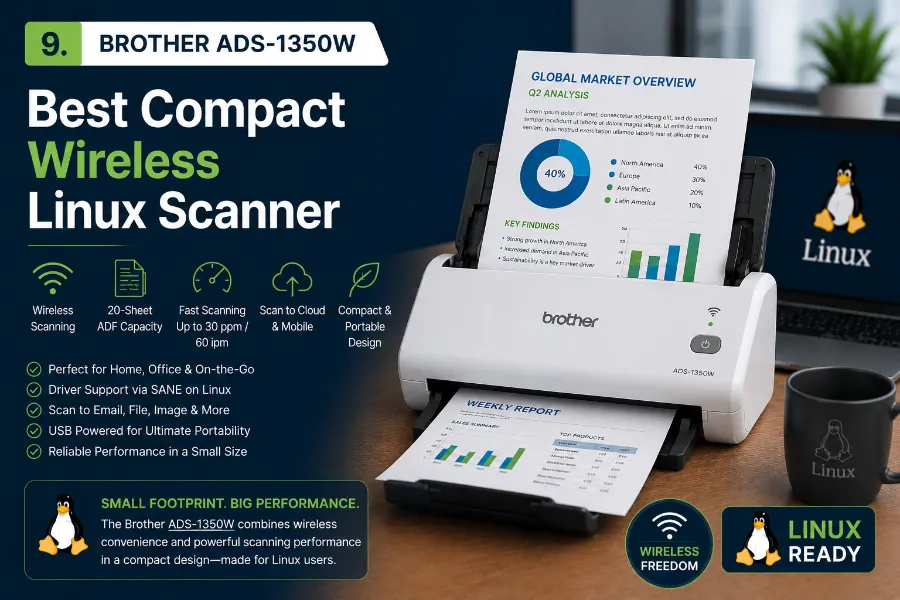
For users who want wireless scanning in a smaller footprint, the Brother ADS-1350W is a compelling choice. It’s a compact desktop document scanner that scans at 30 ppm duplex and connects via Wi-Fi or USB.
Like all Brother devices, it uses the official brscan5 Linux driver, which installs cleanly and integrates well with SANE-based applications like Simple Scan or XSane.
Key specs:
- Scan speed: 30 ppm (simplex and duplex)
- Wi-Fi, USB connectivity
- ADF capacity: 20 sheets
- Single-pass duplex scanning
- Compact, lightweight design
The 20-sheet ADF is smaller than some competitors, which makes it better suited for personal use than heavy office workflows. But for a home user or remote worker on Linux, it’s one of the cleaner wireless scanning experiences available at this price point.
Linux compatibility: Excellent. Official brscan5 driver.
Price: Around $290 at Walmart and Amazon.
Best for: Remote workers, home office users who want wireless scanning with minimal Linux setup friction.
10. Epson Perfection V39 II — Best Flatbed Scanner for Linux Photos
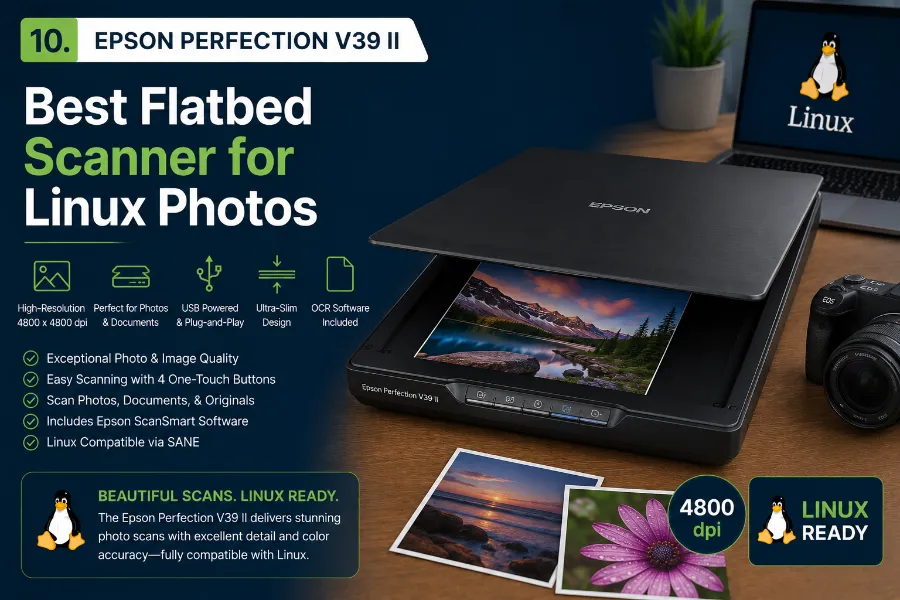
Sometimes you need a proper flatbed. For digitizing photos, artwork, film negatives, or oddly shaped documents, flatbed scanners are irreplaceable — and the Epson Perfection V39 II is one of the most Linux-friendly flatbeds available in the US market.
Epson flatbed scanners have excellent SANE support through the epson2 backend, and Epson’s own epsonscan2 driver covers the V39 series cleanly.
Key specs:
- Optical resolution: 4800 x 4800 DPI
- Scan area: 8.5 x 11.7 inches
- USB powered (no separate power adapter needed)
- LED illumination, no warm-up time
- Supports documents, photos, and film (with adapter)
It’s a budget-friendly flatbed that produces excellent results for personal archiving. At this price range, don’t expect the speed or feature set of a document feeder scanner — but for quality still-image digitization on Linux, it’s hard to beat.
Linux compatibility: Excellent. epson2 SANE backend, widely tested across distros.
Price: Around $90–$110 at Amazon and Best Buy.
Best for: Photo archivists, artists, anyone who needs quality flatbed scanning on a Linux desktop.
🖨️ Linux Scanning Software: What to Use in 2026
Choosing a Linux-compatible scanner is important, but the software you use matters just as much. Below are the most popular Linux scanning applications in 2026, covering everything from simple document scans to advanced OCR and PDF workflows.
📄 Simple Scan
The default scanning application on most GNOME-based Linux distributions. It offers a clean, beginner-friendly interface and handles everyday scanning tasks with minimal setup.
⚙️ SANE / XSane
SANE powers scanner support across Linux, while XSane provides a more advanced graphical frontend. Ideal for users who need fine-grained control, batch scanning, and professional-level settings.
📑 NAPS2
A modern cross-platform scanning tool available on Linux via Flatpak. Supports PDF creation, OCR, and a familiar Windows-style interface that many users appreciate.
📚 gscan2pdf
Designed for document-heavy workflows. Excellent for multi-page scanning, OCR processing, PDF creation, and long-term digital archiving of paperwork.
💎 VueScan
A premium third-party scanning solution from Hamrick Software. Particularly valuable for older scanners lacking Linux drivers, thanks to support for hundreds of devices through reverse-engineered drivers.
What to Look For When Buying a Linux-Compatible Scanner
Before pulling the trigger, run through this quick checklist:
1. Check the SANE supported devices list first
The SANE project maintains an official database at sane-project.org that lists every supported scanner by manufacturer and model. If your target model isn’t on that list, proceed with caution.
2. Look for official manufacturer Linux drivers
Brother, Epson, and HP all publish official Linux drivers for most of their current lineup. Canon is more hit-or-miss. Fujitsu relies primarily on the community SANE backend.
3. Consider connection type
USB is the most reliable on Linux. Wi-Fi scanning works well on Brother and Epson devices but may require sane-airscan for discovery on some distros. Network (Ethernet) scanning is excellent for shared environments.
4. ADF vs. flatbed
Document feeders are great for bulk paperwork. Flatbeds are essential for photos, bound books, or fragile items. Some all-in-ones offer both.
5. Check community forums before buying
Reddit’s r/linux and r/linuxhardware, the Ubuntu Community Help Wiki, and Arch Linux’s wiki all have scanner compatibility reports worth reading. A quick search for “[model name] Linux” often tells you everything you need to know.
🏆 Best Linux-Compatible Scanners in 2026
The following Linux scanner comparison table highlights the best document scanners, all-in-one printers, and flatbed scanners that work reliably with Ubuntu, Fedora, Debian, Arch Linux, and other popular distributions.
| Scanner Model | Type | Speed | Linux Driver Support | Connectivity | Price (USD) |
|---|---|---|---|---|---|
| Brother ADS-2700W | ADF Document Scanner | 35 ppm | brscan4 (Official) | USB / Wi-Fi / Ethernet | ~$450 |
| Brother ADS-3350W | ADF Document Scanner | 40 ppm | brscan5 (Official) | USB / Wi-Fi / Ethernet | ~$390 |
| Epson ES-400 II | ADF Document Scanner | 35 ppm | epsonscan2 (Official) | USB | ~$380 |
| Epson ES-500W II | ADF Document Scanner | 35 ppm | epsonscan2 / airscan | USB / Wi-Fi | ~$450 |
| Brother MFC-L2760DW | All-in-One Printer | 32 ppm | brscan4 (Official) | USB / Wi-Fi / Ethernet | ~$180 |
| HP OfficeJet Pro 9015e | All-in-One Printer | 22 ppm | HPLIP (Official) | USB / Wi-Fi / Ethernet | ~$220 |
| Fujitsu ScanSnap iX1600 | ADF Document Scanner | 40 ppm | sane-fujitsu / VueScan | USB / Wi-Fi | ~$480 |
| Canon DR-C230 | ADF Document Scanner | 30 ppm | sane-canon_dr | USB | ~$375 |
| Brother ADS-1350W | ADF Document Scanner | 30 ppm | brscan5 (Official) | USB / Wi-Fi | ~$290 |
| Epson Perfection V39 II | Flatbed Scanner | — | epson2 / epsonscan2 | USB | ~$100 |
💡 Tip: For the best Linux experience, prioritize scanners with official Brother, Epson, or HPLIP driver support. These typically require less setup and offer better long-term compatibility across Ubuntu, Fedora, Debian, Linux Mint, and Arch Linux.
Final Thoughts
The landscape for the best Linux-compatible scanners in 2026 is better than it’s ever been. Brother continues to lead the pack in terms of official Linux driver support and ease of setup. Epson has meaningfully improved its Linux story with the epsonscan2 driver and solid AirScan support. HP’s HPLIP project remains a mature, reliable ecosystem. And for advanced users willing to dig a little deeper, the SANE framework opens up support for a remarkably wide range of hardware.
If you’re looking for a single recommendation: the Brother ADS-2700W for dedicated document scanning, or the Brother MFC-L2760DW if you want a capable all-in-one at a price that won’t hurt. Both work without drama on virtually every major Linux distro.
For photo work, the Epson Perfection V39 II delivers quality flatbed scanning at an affordable price. And if budget isn’t the primary concern and you want premium speed, the Fujitsu ScanSnap iX1600 is worth the investment — especially alongside VueScan.
Whatever your workflow, the hardware options are there. Pick based on your volume, connectivity needs, and budget, and you’ll be scanning on Linux without any of the frustrations that used to come with the territory.
Disclaimer
The information provided in this article is for general informational purposes only. Product prices, availability, and compatibility details may change over time — always verify current specs and Linux driver support directly with the manufacturer before purchasing. We are not responsible for any decisions made based on the content of this post.
Looking to build the ultimate Linux workstation? Explore these expert Linux hardware guides covering storage, gaming PCs, and plug-and-play peripherals that work seamlessly with Ubuntu, Fedora, Debian, Linux Mint, Arch Linux, and other popular distributions.
About the Author