Best Laptop Specifications for Running Linux Smoothly in 2027
If you’ve ever installed Linux on a new laptop and found the Wi-Fi dead, the fan screaming, or the lid refusing to wake the machine, you already know that hardware choice matters. Linux itself is rarely the problem. A mismatch between the laptop and the kernel usually is.
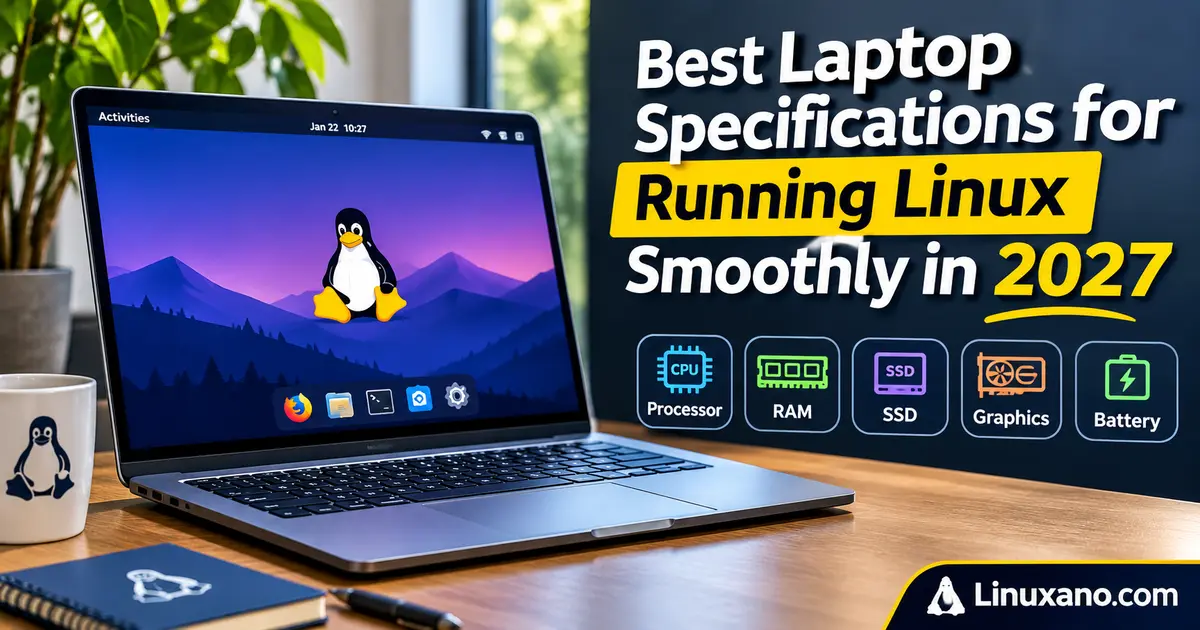
This guide covers the Best Laptop Specifications for Running Linux Smoothly in 2027, including the CPU, RAM, storage, graphics, Wi-Fi, battery and display choices that separate a laptop that just works from one that needs weekend-long troubleshooting. It also compares five laptops sold in the US that fit those specs, with real starting prices and honest trade-offs.
How We Put This Guide Together
Full transparency first: this article is built on research, not on a lab full of review units. We compared manufacturer spec sheets, Canonical’s Ubuntu certification database, Linux release notes, and published reviews from outlets such as Wired, Engadget, HotHardware, and Notebookcheck.
Every laptop below was picked using four filters:
- Sold in the US market today
- Listed or certified for Linux by the maker or by Canonical, or shipped with Linux preinstalled
- Built on current-generation silicon (Intel Core Ultra Series 3 or AMD Ryzen AI)
- Priced openly enough that a buyer can plan a budget
Where something is a general rule of thumb rather than a sourced fact, we say so.
Why Hardware Choice Matters More on Linux
On Windows, the manufacturer ships the drivers. On Linux, support lives in the kernel and in open-source projects. Whether your fingerprint reader, webcam or sleep mode works depends on whether someone wrote and merged that support.
The good news is that this has improved a lot. Ubuntu 26.04 LTS launched on April 23, 2026 with Linux kernel 7.0 and GNOME 50. Canonical highlights improved support for Intel Core Ultra Series 3 (“Panther Lake”) chips, including Xe3 graphics and the built-in NPU. New laptop silicon now works with a mainstream distro on day one. A few years ago, you’d have waited months.
The Specifications That Actually Matter
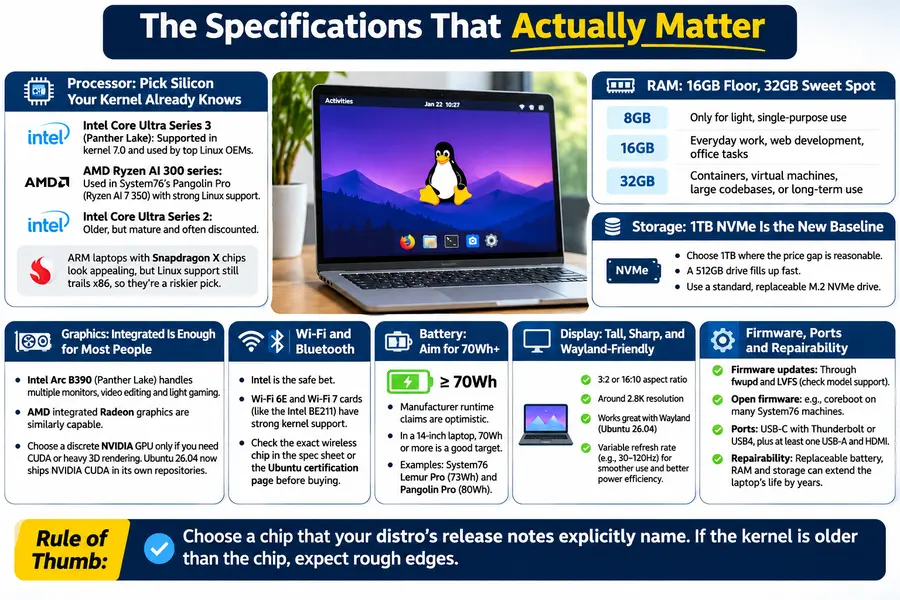
Processor: Pick Silicon Your Kernel Already Knows
The safest choices for 2027 are:
- Intel Core Ultra Series 3 (Panther Lake): Supported in kernel 7.0 and used by Framework, System76, Lenovo and Dell in their current lineups.
- AMD Ryzen AI 300 series: Used in System76’s Pangolin Pro (Ryzen AI 7 350). AMD’s open graphics stack has a long Linux track record.
- Intel Core Ultra Series 2: Older, but mature, and often discounted now.
ARM laptops with Snapdragon X chips look appealing on paper. In our research, Linux support still trails x86 for everyday use, so they’re a riskier pick if you want a laptop that simply works.
Rule of thumb: Choose a chip that your distro’s release notes explicitly name. If the kernel is older than the chip, expect rough edges.
RAM: 16GB Floor, 32GB Sweet Spot
Ubuntu 26.04’s published minimum is 6GB, but that describes whether the installer will run, not whether your day will go smoothly. A browser with plenty of tabs, an IDE, a chat app and a few containers will chew through 16GB quickly.
- 8GB: Only for light, single-purpose use
- 16GB: Everyday work, web development, office tasks
- 32GB: Containers, virtual machines, large codebases, or keeping the laptop five years or more
RAM and flash storage prices have been elevated by global supply pressure, and Framework has said publicly that its price increases reflect supplier costs. That makes upgradeable memory more valuable. If you can buy 16GB now and add more later, you may save money. Always check whether the memory is soldered.
Storage: 1TB NVMe Is the New Baseline
A 512GB drive fills up fast once you add Docker images, a second distro or a game library. Choose 1TB where the price gap is reasonable. A standard, replaceable M.2 NVMe drive is the best option for Linux, because proprietary storage modules can complicate upgrades and recovery.
Graphics: Integrated Is Enough for Most People
Intel’s Arc B390 graphics, found in higher-end Panther Lake chips, handle multiple monitors, video editing and light gaming. AMD’s integrated Radeon graphics are similarly capable.
Choose a discrete NVIDIA GPU only if you need CUDA or heavy 3D rendering. Ubuntu 26.04 is the first release to ship NVIDIA CUDA in its own repositories, which simplifies setup. Hybrid graphics (switching between integrated and discrete) still adds more battery and driver complexity than a single integrated GPU.
Wi-Fi and Bluetooth: Intel Is the Safe Bet
This is the spec buyers forget, and it causes more frustration than any other. Intel’s Wi-Fi 6E and Wi-Fi 7 cards, such as the BE211 listed in several Ubuntu-certified configurations, have strong kernel support. Before buying, find the exact wireless chip in the spec sheet. If it isn’t listed, ask the seller or check the certification page.
Battery: Aim for 70Wh or More
Manufacturer runtime claims are optimistic, but capacity is a useful guide. In a 14-inch laptop, 70Wh or more is a good target. System76’s Lemur Pro uses 73Wh, and the Pangolin Pro uses 80Wh.
Display: Tall, Sharp, and Wayland-Friendly
Ubuntu 26.04 is now Wayland-only on the desktop, with X11 apps running through Xwayland. Wayland handles fractional scaling far better than the old setup, so higher-resolution panels are practical.
A 3:2 or 16:10 panel at roughly 2.8K is ideal. The extra vertical space is helpful for coding, spreadsheets and reading. Variable refresh rate (like the 30 to 120Hz range on the Framework 13 Pro) helps smooth scrolling and can reduce power draw.
Firmware, Ports and Repairability
These are quieter specs that decide whether you’ll still like the laptop in year four:
- Firmware updates through fwupd and LVFS: Widely supported by major vendors, but confirm for your exact model.
- Open firmware: System76 has long shipped coreboot-based firmware on many machines.
- Ports: USB-C with Thunderbolt or USB4, plus at least one USB-A and HDMI, saves you from carrying dongles.
- Repairability: Replaceable batteries, RAM and storage can extend a laptop’s life by years.
Common Linux Laptop Gotchas (and How to Avoid Them)
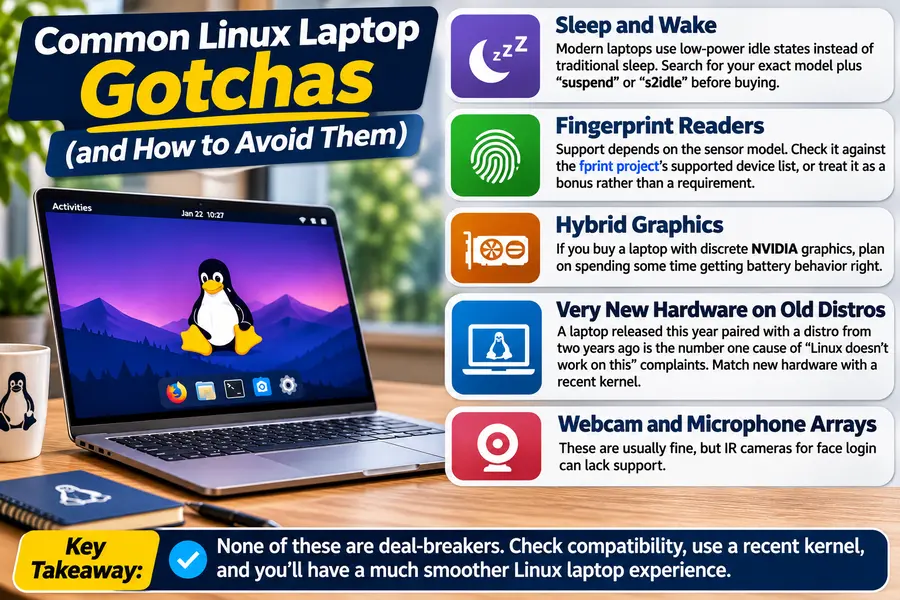
A few problems come up repeatedly in Linux laptop discussions. None are deal-breakers, but they’re worth checking before you commit.
- Sleep and wake: Modern laptops use low-power idle states instead of traditional sleep. Search for your exact model plus “suspend” or “s2idle” before buying.
- Fingerprint readers: Support depends on the sensor model. Check it against the fprint project’s supported device list, or treat it as a bonus rather than a requirement.
- Hybrid graphics: If you buy a laptop with discrete NVIDIA graphics, plan on spending some time getting battery behavior right.
- Very new hardware on old distros: A laptop released this year paired with a distro from two years ago is the number one cause of “Linux doesn’t work on this” complaints. Match new hardware with a recent kernel.
- Webcam and microphone arrays: These are usually fine, but IR cameras for face login can lack support.
How to Verify Linux Compatibility Before You Buy
- Search Ubuntu’s certified hardware list. Canonical tests specific laptop configurations and publishes the results. It’s the closest thing to an official compatibility guarantee. See the Ubuntu certified laptops database.
- Match the exact configuration. Certification can apply to one processor and Wi-Fi card but not another.
- Read recent user reports. Search for the model name plus your distro from the last few months, not from two years ago.
- Check the return policy. If something doesn’t work, a 14 to 30 day return window is your safety net.
The Best Linux-Friendly Laptops You Can Buy in the US
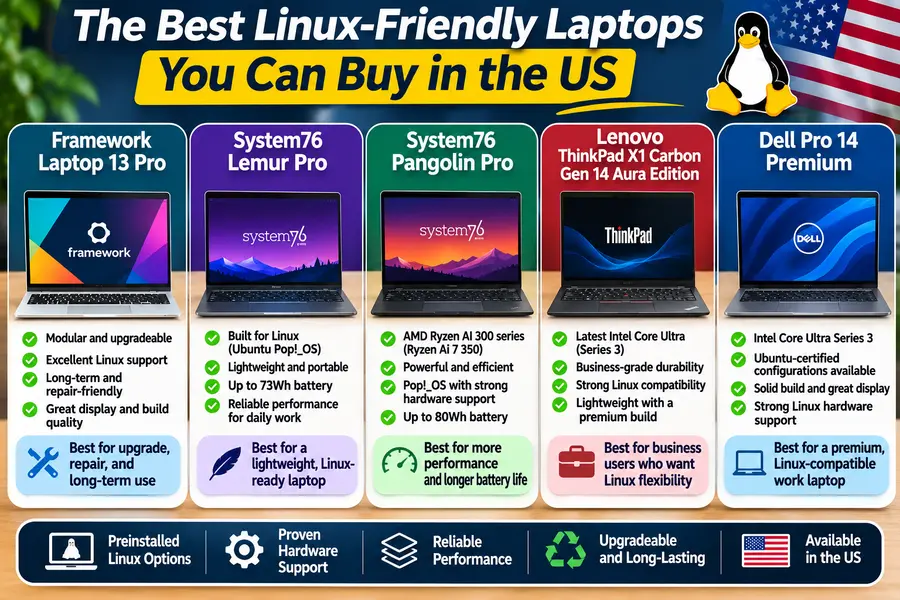
Prices below are starting prices from manufacturers or published reviews. Final costs depend on configuration and promotions.
1. Framework Laptop 13 Pro: Best for Repairability and Long-Term Value
Announced on April 21, 2026, the Framework Laptop 13 Pro is a ground-up redesign of the brand’s flagship. It runs Intel Core Ultra Series 3 processors and uses a CNC aluminum chassis. The 13.5-inch 2880 x 1920 touchscreen is 3:2 with a 30 to 120Hz variable refresh rate. It also has a haptic touchpad, weighs 1.4 kg, and is 15.85mm thick.
The standout feature is LPCAMM2 memory, which gives you upgradeable RAM in a thin design. The DIY Edition starts at $1,199, and pre-built models start around $1,459 to $1,499. Framework says the new parts are compatible with earlier Laptop 13 mainboards, so existing owners can upgrade piece by piece.
Pros:
- Parts are available through Framework’s marketplace for repair and upgrades
- Upgradeable memory and storage
- Works with parts from earlier Framework 13 generations
Cons:
- Sold through Framework’s website only, not through retail stores
- Shipping batches have run months out, so check lead times before ordering
- The DIY Edition means supplying your own operating system
Who should skip it: Anyone who needs the laptop in their hands this week, or who would rather not assemble anything.
2. System76 Lemur Pro (2026): Best for Battery Life and Light Travel
System76 refreshed the Lemur Pro in July 2026 with Intel Core Ultra Series 3 chips and added a 16-inch variant. Both sizes use a 73Wh battery, and System76 claims up to 18 hours of battery life. The 14-inch model weighs about 998g, and the 16-inch about 1.34 kg. It includes Wi-Fi 7 and starts at $1,999.
Buyers can choose Pop!_OS 24.04 with the COSMIC desktop, Ubuntu 24.04 LTS, or Ubuntu 26.04 LTS. System76 also publishes guides for upgrading RAM and storage.
Pros:
- Very light for its battery capacity
- Linux preinstalled and supported by the manufacturer
- 14-inch and 16-inch options, with a number pad on the larger size
Cons:
- Higher entry price than many Windows laptops with similar chips
- The Core Ultra X7 358H, the best graphics option, adds to the cost
- The Core Ultra 5 325 is offered only on the 14-inch model
Who should skip it: Budget-focused buyers who don’t value the weight and battery advantages.
3. System76 Pangolin Pro: Best for a Big Screen and AMD Power
The Pangolin Pro is a 16-inch laptop with an AMD Ryzen AI 7 350, a 165Hz display and an 80Wh battery. It weighs about 3.64 lbs and starts at $1,699 with 16GB of RAM and a 500GB drive. Wired scored it 8 out of 10 in its review.
Pay close attention to the configurator. Large RAM and storage upgrades are expensive, and a fully loaded build can approach $6,000. For most people, a mid-tier configuration is the better value.
Pros:
- Large, fast display suited to coding and creative work
- AMD graphics have strong open-source driver support
- Generous port selection
Cons:
- Starting price is $400 above the previous Pangolin
- RAM and storage upgrade pricing is steep
- Heavier than the ultraportable options
Who should skip it: Anyone who commutes with their laptop daily and wants something under 3 lbs.
4. Lenovo ThinkPad X1 Carbon Gen 14 Aura Edition: Best Keyboard and Portability
ThinkPads have long been a Linux favorite, and the Gen 14 is a major redesign. It uses a “Space Frame” chassis, weighs around 2.15 lbs (0.977 kg), and is designed to be repairable, with a modular keyboard. It offers Intel Panther Lake processors, up to a 2.8K 120Hz OLED display, and an optional haptic trackpad. Reviewers have also noted the return of the Right Ctrl key.
On Linux, Canonical lists the X1 Carbon Gen 14 with the Core Ultra 7 356H and Intel BE211 Wi-Fi as certified for Ubuntu 24.04 LTS. The X1 2-in-1 Gen 11 with Arc B390 graphics is certified too.
Lenovo announced a starting price of $1,999 at launch, though published reviews have listed configurations from around $2,139 to $2,249, and retailer listings with 32GB of RAM have been higher. Prices vary a lot by configuration and retailer.
Pros:
- Excellent keyboard and sub-1 kg weight
- Certified Ubuntu configurations
- More repairable than past X1 Carbons
Cons:
- Expensive once you add RAM and storage
- Ubuntu certification listed is for 24.04, so confirm your distro choice on the exact configuration
- Reviewers note it’s aimed mainly at business and IT buyers
Who should skip it: Value-minded buyers who want maximum performance per dollar.
5. Dell Pro 14 Premium: Best for Business and Education Buyers
Dell’s XPS name has given way to the Dell Pro lineup in its business range, and Dell lists Ubuntu 24.04 as an operating system option on the Pro 14 Premium (PA14260). The laptop starts at 2.54 lbs and 16.78mm thick, with a magnesium chassis. Processor options include the Core Ultra 5 335, Core Ultra 7 365, and 16-core Core Ultra 7 366H.
Ubuntu has certified three configurations, including the Core Ultra 7 366H with Intel Wi-Fi 7 BE211, with certification dates of June 12, 2026. Dell also maintains official Linux support documentation.
In the US, Dell configurations start with the Core Ultra 7 365 vPro, and pricing depends heavily on options. Expect prices north of $2,000 for typical builds, and check Dell’s site for current promotions.
Pros:
- Strong warranty and enterprise support options
- Several certified processor configurations
- Ubuntu available as a factory option
Cons:
- Linux-preinstalled availability varies by configuration
- Less open to user repair than Framework
- Premium pricing for a business-focused design
Who should skip it: Home users and hobbyists who don’t need vPro or enterprise management features.
Comparison Table
| Laptop | Processor | Linux Support | Starting Price (US) | Weight | Best For |
|---|---|---|---|---|---|
| Framework Laptop 13 Pro | Intel Core Ultra Series 3 | DIY, bring your own OS | $1,199 (DIY), about $1,459+ pre-built | 1.4 kg | Repairability, upgrades |
| System76 Lemur Pro 14″ | Core Ultra 5 325 / X7 358H | Pop!_OS or Ubuntu preinstalled | From $1,999 | About 998g | Battery life, travel |
| System76 Pangolin Pro | Ryzen AI 7 350 | Pop!_OS or Ubuntu preinstalled | From $1,699 | About 3.64 lbs | Big screen, AMD |
| Lenovo ThinkPad X1 Carbon Gen 14 | Core Ultra 7 356H and others | Ubuntu certified (24.04) | About $1,999 to $2,250+ | About 2.15 lbs | Keyboard, portability |
| Dell Pro 14 Premium | Core Ultra 5/7 (335, 365, 366H) | Ubuntu option, certified | Varies; typically $2,000+ | From 2.54 lbs | Business support |
Which Laptop Fits Your Budget?
Compare these Linux-friendly laptops by price range and choose the right option for your needs.
Choosing the Right Distro for Your New Laptop
Your distribution affects smoothness as much as your laptop does.
- Ubuntu 26.04 LTS: Five years of standard security updates through April 2031, with the newest kernel of any Ubuntu LTS so far. A strong default for new hardware.
- Pop!_OS with COSMIC: Tuned for System76 hardware and a good fit for their laptops.
- Fedora and other fast-moving distros: These tend to receive newer kernels sooner, which can help with very recent hardware.
If you buy a laptop released within the last year, start with a distro that ships a recent kernel. Older releases may not recognize new hardware correctly.
Quick Buyer’s Checklist
Before you buy a Linux laptop, check these eight important specifications.
0 of 8 checks completed
Conclusion
The Best Laptop Specifications for Running Linux Smoothly in 2027 come down to a handful of principles: choose a processor your kernel already supports, get at least 16GB of RAM (32GB if you can), favor Intel Wi-Fi, and stay with integrated graphics unless you truly need CUDA. Add a 70Wh-plus battery and a sharp 3:2 or 16:10 display, and you have a machine that should serve you for years.
With Ubuntu 26.04 LTS shipping kernel 7.0 and manufacturers like Framework, System76, Lenovo and Dell actively supporting Linux, this is one of the easiest times in years to buy a laptop and have it work out of the box. Verify your exact configuration, check current pricing and lead times, and pick the machine that fits how you actually work.
Frequently Asked Questions
How much RAM do I need for Linux in 2027?
16GB is a good minimum for everyday work, and 32GB is better for developers or anyone running containers or virtual machines.
Is AMD or Intel better for Linux laptops?
Both work well. Intel Core Ultra Series 3 is supported in kernel 7.0 and has strong Wi-Fi support, while AMD offers excellent integrated graphics.
Do I need an NVIDIA GPU to use Linux?
No, integrated graphics handle most tasks. You only need NVIDIA if you rely on CUDA for machine learning or demanding 3D work.
Is Ubuntu 26.04 LTS good for new laptops?
Yes, it ships with Linux kernel 7.0, which adds support for Intel Core Ultra Series 3 processors and Xe3 graphics. It’s supported until April 2031.
Which laptop brands support Linux officially?
System76 ships Linux on all its laptops, while Dell and Lenovo certify select models with Ubuntu. Framework supports Linux and lets you choose your own operating system.
Should I buy a laptop with soldered RAM?
Only if the amount you buy will be enough for the life of the laptop. If you’re unsure, choose a model with upgradeable memory.
Can I run Linux on an ARM laptop?
It’s possible, but support is still more limited than on Intel and AMD, so ARM isn’t the safest choice for a smooth Linux experience right now.
How can I check if a laptop works with Linux?
Search Ubuntu’s certified hardware list for the exact model and configuration, then read recent user reports for your chosen distribution.
Disclaimer: Specifications, prices, availability and certification status were gathered from manufacturer pages, Canonical, and published reviews as of November 2026 and may change without notice. Always confirm current details with the seller before buying. This article is for informational purposes only and is not a guarantee of hardware compatibility.
About the Author