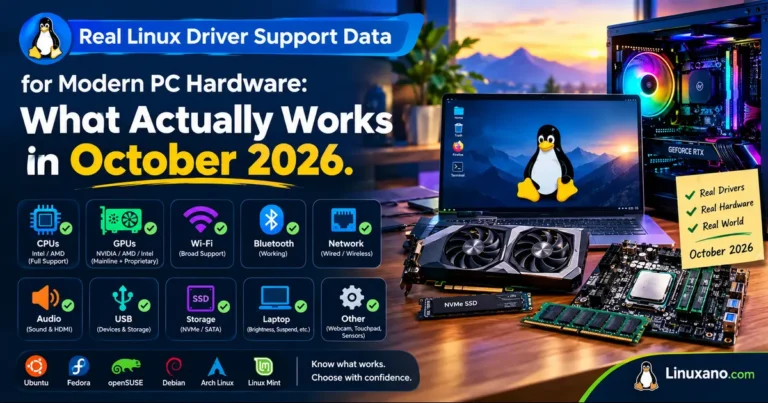
Real Linux Driver Support Data for Modern PC Hardware: What Actually Works in October 2026
Buying a PC for Linux used to mean crossing your fingers. These days it is more about knowing which layers of the stack to check. Kernel version, Mesa, firmware and your distro’s release schedule all decide whether a new laptop feels polished or half-finished.
This guide collects Real Linux Driver Support Data for Modern PC Hardware from the newest releases and surveys available this month. You should finish reading it knowing what to buy, which distro suits it, and which areas still need patience.
A quick note on method. The facts below come from the Linux 7.3 release (October 18, 2026), Mesa 26.2.x release notes, distro release schedules, NVIDIA’s 615 driver branch, Phoronix’s testing on real 2026 laptops, and Valve’s September 2026 Steam survey. Where something is my own judgement rather than a published figure, I say so.
The Big Picture: Where Linux Stands Right Now
Linus Torvalds released Linux 7.3 on Sunday, October 18, 2026. It brings new hardware enablement, better behavior on GPUs with limited VRAM, and a long list of laptop and handheld additions.
Distros are lining up around it:
- Ubuntu 26.10 shipped with Linux 7.3 and GNOME 51.
- Fedora 45 slipped and is now scheduled for October 27.
- Arch Linux’s October ISO shipped with kernel 7.2.7.
- Ubuntu 26.04 LTS still sits on the Linux 7.0 and Mesa 26.0 generation.
That last point matters. The same laptop can feel quite different on two distros, simply because one ships a kernel and Mesa build six months newer.
Why “kernel version” is only half the story
A working Linux machine needs four layers to agree:
- The kernel driver: amdgpu, Intel Xe/i915, nouveau, or NVIDIA’s open modules.
- User-space graphics: Mesa, Vulkan, and your Wayland compositor.
- Firmware: GPU microcode, Wi-Fi, audio and NPU blobs from linux-firmware.
- Platform drivers: hotkeys, fan control, power limits, keyboard lighting.
Most “Linux doesn’t support my laptop” stories come from the last two layers. The kernel can be flawless while a function key stays dead.
What Linux 7.3 Changed for Real Hardware
Release notes read like acronym soup, so here is the useful version, grouped by what you might own. The full list is in Phoronix’s Linux 7.3 feature overview.
AMD: Zen 6 groundwork and kinder treatment for older GPUs
AMD saw plenty of activity this cycle.
- The HSMP driver gained Protocol v7 for Zen 6 Family 1Ah Model 80H processors, and the AMD PMF driver added support for the same family.
- EPYC Turin (Zen 5) servers get per-CCD temperature monitoring through the k10temp driver.
- Radeon GPUs from GFX6 to GFX9 gained DRM format modifier support, which improves compatibility between graphics APIs and Wayland compositors.
- Cards with limited video memory handle tight situations better thanks to a new resource allocation approach.
- The AMDGPU driver gained DCN 6.0 display support for next-generation graphics, which is groundwork rather than something on shelves today.
If you game on an 8 GB card, the low-VRAM change is the one you are most likely to feel. If you run an older Radeon, the format modifier work quietly removes some Wayland headaches.
Intel: ready before the hardware is
Intel’s story this cycle is about early readiness.
- Linux 7.3 promotes Nova Lake graphics to stable, with no more
force_probeoverride needed. - Mesa 26.2.2 followed in September by enabling Nova Lake S, H, HX and U integrated graphics by default, rather than making users wait for Mesa 26.3.
- Directed package-level thermal interrupts arrive as an efficiency improvement.
- The Intel Computer Vision Sensing driver is ready for Nova Lake.
- Preparation began for Intel Starfire, a Panther Lake-derived SoC for extreme environments such as space.
Early upstream support is a good sign, but it is not the same as a polished launch. New silicon still benefits from fresh Mesa and firmware, so a newer distro is the safer pairing.
NVIDIA: nouveau and NVK keep advancing
NVIDIA remains the most layered case.
On the open-source side, the nouveau kernel driver now supports H.264 hardware decoding on Turing (RTX 20 series) GPUs through the Vulkan Video API, with the Mesa NVK driver doing the user-space work.
For most RTX owners, the practical route is still NVIDIA’s own driver. The 615 branch is current, with version 615.78.08 landing in early October. Ubuntu already packages open-module builds of 615 for 7.x kernels, including 7.3. NVIDIA publishes the open GPU kernel modules on GitHub if you want to see exactly what is being built.
Laptops and handhelds
This is where Linux 7.3 feels most like a modern PC release:
- ASUS: dedicated ProArt key support on the ProArt PX13, and the Armoury driver can adjust power limits on more devices.
- HP: GPU MUX switching plus separate CPU and GPU fan PWM controls.
- Lenovo: newer ThinkPads gain a USB Type-C security option that allows charging while blocking data.
- Samsung: Galaxy Book6 Pro support.
- Uniwill-based laptops: keyboard backlight control, AC auto-boot and USB power sharing.
- Handhelds: MSI Claw M Center keys and the OneXPlayer X2 Mini Pro.
- Mini PCs: a new Ryzen AI Halo LED driver for lighting control on mini PCs built around Ryzen AI Max+ processors.
Apple Silicon: progress, but low expectations
Linux 7.3 ships bring-up code for Apple’s M3 Pro, Max and Ultra. It is early, and there is no GPU support yet. If you want Linux on a Mac today, M1 and M2 remain the realistic options.
Peripherals and networking
A few smaller items matter for daily use:
- Initial support for Valve’s 2026 Steam Controller.
- Logitech HID++ 2.0 reprogrammable buttons.
- Realtek RTL8261C and RTL8261D networking support.
- USB-C cable capability checks for DisplayPort and Thunderbolt alternate modes, which could finally explain why one cable works and its lookalike does not.
Real Hardware Test Data: Panther Lake and Wildcat Lake
Feature lists tell you what exists. Testing tells you what it does. Phoronix recently ran two useful comparisons on current Intel hardware.
Framework Laptop 13 Pro (Core Ultra X9 388H, Arc B390)
In a September 2026 Ubuntu 26.10 test on this Panther Lake laptop, Vulkan GravityMark performance on the Arc B390 was unchanged between Ubuntu 26.04 LTS and 26.10, but Vulkan ray-tracing improved with Mesa 26.2 paired with Linux 7.3.
Power consumption on the Core Ultra X9 388H was also slightly lower on Ubuntu 26.10, and some OpenGL games benefited from the newer graphics stack.
What this tells you: Panther Lake runs fine on the LTS release, but the newer stack gives measurable gains. You can upgrade Ubuntu 26.04’s kernel and Mesa manually, or wait for the hardware enablement stack that arrives with Ubuntu 26.04.2 in February.
CHUWI UniBook (Core 3 304, 8 GB RAM, 256 GB NVMe)
Phoronix also tested this low-cost Wildcat Lake laptop. Ubuntu 26.04 LTS already worked well out of the box, and Ubuntu 26.10 with Linux 7.2 or newer plus Mesa 26.2 was expected to deliver better performance.
The lesson is encouraging for budget buyers. Cheap new Intel laptops are no longer a Linux gamble, though a newer stack still helps.
Real-World Usage Data: Who Is Running Linux?
Driver support matters because people use it. Valve’s monthly survey is imperfect but is the largest public look at real PCs, and GamingOnLinux’s September 2026 breakdown is a good summary.
September’s headline numbers:
- Windows: 95.03% (up 1.08 points)
- Linux: 3.05% (down 0.85 points)
That looks dramatic, but GamingOnLinux notes that Linux tends to dip when Simplified Chinese language share rises, which suggests a sampling swing rather than people leaving.
The longer view helps:
- March 2026 hit a record 5.33%.
- Since then, Linux has bounced between roughly 3 and 4%.
- In August, AMD CPUs powered the upper 60% range of Linux gamers, versus about 45% on Windows.
- SteamOS held about 21% of Linux share in August.
The AMD figure is the strongest hint about driver quality. People settle on hardware that behaves, and AMD’s upstream-first approach shows in the data.
September’s most-used Linux distros on Steam:
| Distro | Share |
|---|---|
| Arch Linux | 10.67% |
| Linux Mint 22.3 | 8.74% |
| Fedora 44 KDE | 2.81% |
| EndeavourOS | 1.86% |
| Debian 13 “Trixie” | 1.71% |
| Nobara 44 KDE | 1.69% |
Comparison Table: Driver Support by Hardware Category (October 2026)
The status column is drawn from the sources above. The experience rating is my own judgement.
| Hardware category | Linux 7.3 status | User-space needs | Out-of-box experience | Best-fit distro |
|---|---|---|---|---|
| AMD Radeon GPUs | amdgpu in-kernel; GFX6–GFX9 modifiers; DCN 6.0 groundwork | Mesa (RADV, RadeonSI) | Excellent | Any current distro |
| Intel Panther Lake (e.g., Framework 13 Pro) | Mature in-kernel | Mesa 26.2+ for best results | Very good | Ubuntu 26.10, Fedora, Arch |
| Intel Wildcat Lake (e.g., CHUWI UniBook) | Works on 26.04 LTS | Mesa 26.2 for extra speed | Good | Ubuntu 26.04 or 26.10 |
| Intel Nova Lake | Graphics promoted to stable | Mesa 26.2.2+ | Promising, not yet on shelves | Rolling or fresh releases |
| NVIDIA GeForce RTX | Open modules on 615; nouveau/NVK progressing | NVIDIA 615 or Mesa NVK | Good, may need manual setup | Ubuntu, Nobara, Bazzite |
| AMD Zen 6 platforms | Early HSMP/PMF groundwork | Newer firmware | Not shipping yet | Wait for launch-era kernels |
| Laptop platform features | New ASUS, HP, Lenovo, Samsung, Uniwill support | Vendor-specific daemons | Varies by model | Recent or rolling releases |
| Handhelds and mini PCs | MSI Claw, OneXPlayer X2 Mini Pro, Ryzen AI Halo LEDs | SteamOS or gaming distro | Good on supported models | SteamOS, Bazzite |
| Apple M3 Pro/Max/Ultra | Early bring-up, no GPU | None usable yet | Not recommended | Stay on M1/M2 |
A quick guide to the ratings: “Excellent” and “Very good” mean a mainstream distro is enough. “Good, may need manual setup” means plan ten minutes for a driver install. “Not shipping yet” means watch the next two kernel cycles.
Which Distro Gets You These Drivers Soonest?
Kernel timing is the easiest lever you control.
Ubuntu 26.10 ships Linux 7.3 and Mesa 26.2, so it has everything above. The trade-off is a shorter support window than an LTS release.
Ubuntu 26.04 LTS is the stable choice. It runs older kernel and Mesa versions, but you can upgrade them manually, and the newer hardware enablement stack arrives with 26.04.2 in February.
Fedora is the one to watch this week. With Fedora 45 now due on October 27, anyone buying hardware in the next few days should check that date first.
Arch and its derivatives track upstream closely, which explains their strong showing in Steam’s distro data. A rolling release is how most people get brand-new hardware working in the first weeks.
Linux Mint is the conservative pick. Mint 27 “Adrien” is planned for Christmas and will end point releases, so check how it handles kernel updates before relying on it for new hardware.
Beyond the GPU: Wi-Fi, Audio, Sleep and Fingerprints
GPU drivers get the headlines, but daily frustration often comes from smaller parts. This section is practical guidance rather than survey data.
Wi-Fi and Bluetooth
Intel and Qualcomm-based cards generally have the best track record. Rarely seen budget chips are where problems tend to show up. Always check the exact chipset, not the brand on the box.
Audio
Laptop audio relies on quirks tables in the kernel, and Linux 7.3 added a fresh batch of them for laptops and other audio hardware. A brand-new laptop may need a kernel update before its speakers or microphone work perfectly.
Suspend and battery life
Sleep problems usually trace back to firmware, not the kernel. Update through fwupd or your vendor’s tool before blaming Linux.
Fingerprint readers
Support depends on the exact sensor. Check compatibility lists for your specific model, because two laptops with similar specs can use different sensors.
Security note
Hardware support is only half of reliability. A newly reported Spectre-v2 variant able to leak kernel memory is a reminder to apply kernel and microcode updates promptly.
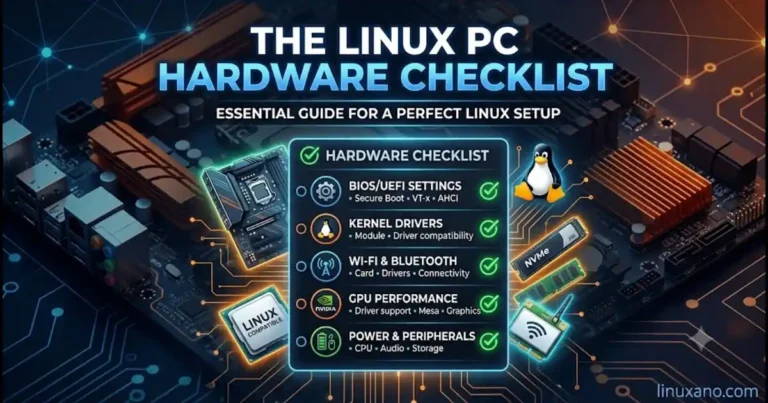
A Practical Linux Hardware Checklist Before You Buy
Use this Linux PC and laptop compatibility checklist before buying new hardware. Verify wireless drivers, graphics support, kernel versions and firmware to reduce the risk of unexpected compatibility problems.
Which GPU should you choose for Linux?
AMD: Often a strong choice for open-source graphics drivers and Linux gaming. Intel: Integrated graphics can be a good option for efficient everyday computing. NVIDIA: Can deliver excellent performance, but driver installation and feature support may require extra attention. Always verify the exact GPU, distribution and workload.
Tip: Tick each item as you complete it. These checkboxes work locally in your browser; your selections are not saved automatically.
Pros and Cons of Buying Modern Hardware for Linux Right Now
Pros
- Intel and AMD now land driver code before products ship, so day-one support is realistic.
- Laptop vendor features such as MUX switches, fan curves and USB-C security options are reaching the mainline kernel.
- Handheld and mini PC support is widening quickly.
- Open-source NVIDIA work, through NVK and open kernel modules, is steadily narrowing the old gap.
- Real-world testing on Panther Lake and Wildcat Lake shows even budget laptops work well on current Ubuntu releases.
Cons
- Early upstream support often means rough edges until Mesa and firmware catch up.
- Apple’s newest chips are still far from daily-usable.
- Distro schedules, like Fedora 45’s delay, can postpone the kernel you actually get.
- LTS releases trade newer drivers for stability, so brand-new hardware may need manual upgrades.
- Steam survey data swings month to month, so adoption numbers are a trend indicator, not an exact count.
Linux Hardware Guide
Common Mistakes That Make Good Hardware Look Bad
Linux hardware problems are not always caused by faulty components. Outdated graphics libraries, immature drivers and overlooked laptop features can affect performance and compatibility.
MISTAKE 01
Judging a Driver on Release Day
New hardware support can improve through subsequent fixes and stable updates. Test the exact device, review known issues and allow the relevant kernel release to mature before concluding that the hardware is unsupported.
MISTAKE 02
Updating the Kernel but Not Mesa
A newer Linux kernel does not automatically provide the latest graphics features. Mesa also matters for supported GPUs using its drivers. Check kernel, Mesa and firmware compatibility together when troubleshooting graphics performance.
MISTAKE 03
Trusting a Single Benchmark
One benchmark run or a single month’s hardware survey is only a snapshot. Compare results across multiple tests, software versions and independent sources, and consider real-world workloads before judging Linux hardware performance.
MISTAKE 04
Forgetting the Laptop Platform Layer
Screen brightness, fan controls, function keys, suspend and power management can depend on platform-specific drivers and firmware, not just GPU drivers. Research the exact laptop model and test these features before buying.
The Takeaway
Check the entire Linux software stack, compare reliable test results and verify laptop-specific features. Real hardware compatibility depends on the exact components, firmware, drivers and distribution—not simply the newest kernel version.
Frequently Asked Questions
Does Linux 7.3 support the newest AMD and Intel hardware?
It adds early Zen 6 groundwork and promotes Intel Nova Lake graphics to stable, but both are launch preparation rather than finished experiences.
Is NVIDIA still difficult on Linux in 2026?
It is easier than before because the 615 branch supports open kernel modules, though some distros still need a manual driver install.
Which Linux distro has the newest kernel right now?
Ubuntu 26.10 ships Linux 7.3, and rolling distros like Arch generally follow upstream closely.
Does Intel Panther Lake work well on Linux?
Yes, testing on the Framework Laptop 13 Pro showed it running well on Ubuntu 26.04 LTS, with extra ray-tracing and efficiency gains on Ubuntu 26.10.
Can I run Linux on an Apple M3 Pro, Max or Ultra Mac?
Not practically yet, since Linux 7.3 offers only early bring-up with no GPU support.
Is Linux gaming share really falling?
Steam showed 3.05% in September 2026, but the drop looks like sampling noise since 2026 has ranged from roughly 3% to a record 5.33%.
Do I need Linux 7.3 for my laptop to work?
Not always, but newer ASUS, HP, Lenovo and Samsung models gained platform features in 7.3 that older kernels lack.
Final Thoughts
The headline from this month’s data is that Linux hardware support has moved from catching up to getting ahead of launch, especially for AMD and Intel. NVIDIA is improving through its open modules and the community’s NVK work, and laptop vendors’ features keep arriving in the mainline kernel.
Still, Real Linux Driver Support Data for Modern PC Hardware tells a more careful story than the headlines. Upstream support is the first step, not the finish line. Your distro’s kernel, Mesa version and firmware decide how the machine actually feels, and brand-new platforms need a few weeks to mature.
If you are buying this month, pick AMD or Intel graphics for the smoothest path, choose a distro that ships Linux 7.3 or upgrades easily, and verify your exact laptop model before paying. You can follow upstream releases at kernel.org and read the plain-language summary of this release at OMG! Ubuntu. Do that, and Linux will treat modern hardware far better than its reputation suggests.
Disclaimer: This article is for general information only. Driver support varies by exact model, firmware version and distribution, and figures reflect sources available in October 2026. Always check your manufacturer’s and distro’s current documentation before buying hardware or changing system drivers.
More Linux Hardware Compatibility Guides
Planning a Linux PC build? Explore these guides to check motherboard compatibility, processor support and hardware choices before you buy.
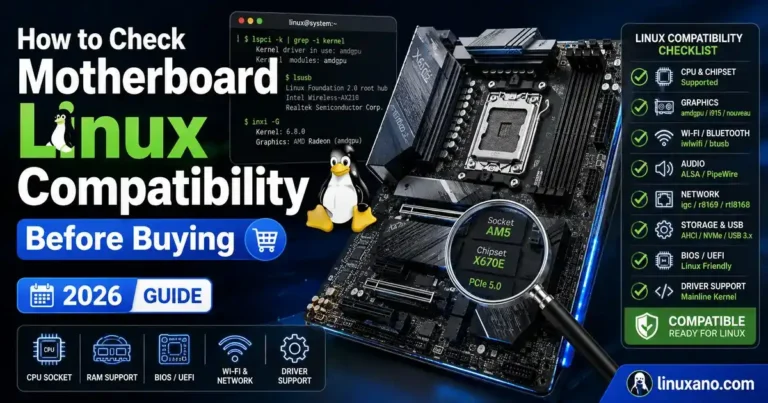
How to Check Motherboard Linux Compatibility Before Buying
Learn how to verify chipset, Wi-Fi, Bluetooth, Ethernet, audio and BIOS support before choosing a motherboard.
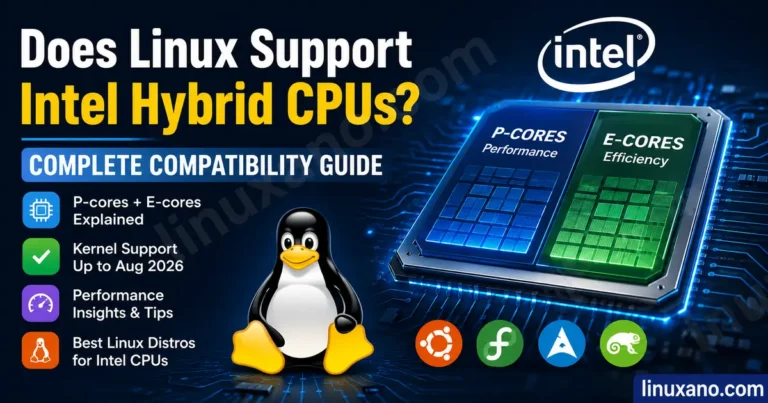
Read compatibility guide →Does Linux Support Intel Hybrid CPUs?
Understand Linux support for Intel P-cores and E-cores, CPU scheduling, kernel versions and modern processor generations.
Explore Intel CPU support →Best Linux-Compatible Motherboards for AMD Ryzen
Compare AMD Ryzen motherboard options and learn what to check for Linux networking, BIOS updates, storage and future upgrades.
View Ryzen motherboard guide →About the Author