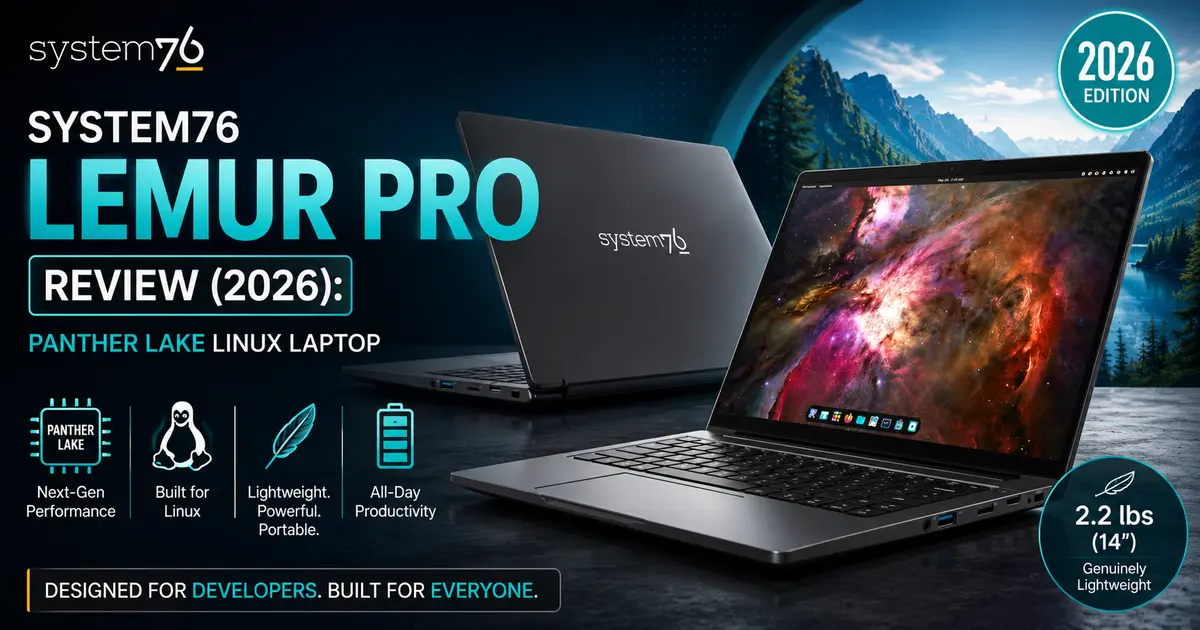
System76 Lemur Pro Review (2026): Panther Lake Linux Laptop
This System76 Lemur Pro review looks at the biggest update this laptop has seen in years. System76 rebuilt its lightest ultraportable around Intel’s new Panther Lake platform, added a second screen size, and pushed battery life further than any Lemur before it. For Linux users who want a machine that ships with Pop!_OS or Ubuntu instead of Windows bolted on top, that’s a big deal.
The Lemur Pro has always occupied a specific niche: it’s the laptop for people who want MacBook Air-style portability without giving up Linux, repairability, or a keyboard you can actually type on for eight hours straight. The 2026 refresh keeps that identity intact while catching up to modern hardware. Whether that’s enough to make it one of the best Linux laptops of 2026 depends heavily on what you’re trying to do with it — and that’s what this review is here to sort out.
⚡ Quick Verdict
✅ Best For
Developers, students, writers, and remote professionals looking for an ultra-light Linux laptop with outstanding battery life, quiet operation, and a polished out-of-the-box experience.
❌ Not Ideal For
Gamers, professional video editors, 3D creators, and users who require a dedicated GPU or a large color-accurate display for demanding creative workloads.
💡 Buying Recommendation
If your daily workflow revolves around a terminal, browser, IDE, documentation, and productivity tools, the System76 Lemur Pro is one of the strongest Linux laptops you can buy today. Its lightweight chassis, excellent battery life, and first-class Linux support make it an easy recommendation for developers and remote workers. However, if your work involves GPU-intensive rendering, AI acceleration, or professional photo and video editing, you’ll be better served by one of System76’s higher-performance models or another Linux workstation with dedicated graphics.
System76 Lemur Pro 2026 at a Glance
The Lemur Pro has always been System76’s answer to the ultrabook — thin, light, and built for people who travel with their laptop every day. For 2026, System76 split the line into two chassis sizes for the first time: a 14-inch model and a new 16-inch model with a 2K display. Both are built around Intel’s Panther Lake generation of Core Ultra processors, paired with up to 32GB of memory and up to 4TB of storage.
System76 says this is the lightest Lemur it has ever shipped, coming in roughly three pounds lighter than the previous generation, and the company is calling the 18-hour battery estimate the longest of any Lemur to date. Pricing starts at $1,999, with Pop!_OS 24.04 LTS, Ubuntu 24.04 LTS, or Ubuntu 26.04 LTS available at checkout.
What’s New in the 2026 Lemur Pro?
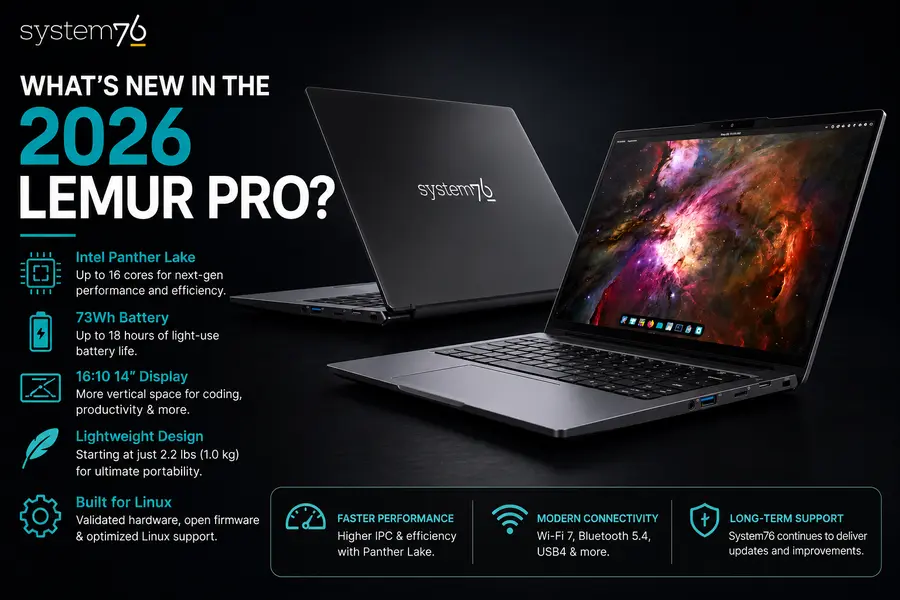
The headline change is the processor. System76 moved the Lemur Pro onto Intel’s Panther Lake architecture, offered in two configurations: the Intel Core Ultra 5 325 and the Intel Core Ultra X7 358H. According to System76, the new chips deliver 30–50% higher multi-core performance compared to the outgoing Lemur Pro, and the Core Ultra X7 358H’s integrated Intel Arc B390 graphics are rated at roughly double the graphics performance of the previous model.
A few other things changed alongside the CPU:
- Two screen sizes for the first time. The Lemur Pro now comes as a 14-inch model with a 1920×1200 FHD+ display or a new 16-inch model with a 2560×1600 QHD+ (2K) panel, both in a 16:10 aspect ratio.
- A notable weight cut. The 14-inch model weighs just 2.2 lbs, and the 16-inch weighs 2.96 lbs — both lighter than you’d expect for their respective screen sizes.
- Longer battery life. The 73Wh battery is now rated for up to 18 hours, which System76 describes as the best battery life it has offered on a Lemur.
- Faster wireless. Wi-Fi 7 is standard, a meaningful jump for anyone using high-throughput home or office networks.
- Newer Linux distributions out of the box. Buyers can choose Pop!_OS 24.04 LTS with the COSMIC desktop, Ubuntu 24.04 LTS, or Ubuntu 26.04 LTS at the time of purchase.
System76 hasn’t published detailed keyboard or webcam changes beyond what’s listed in the spec sheet, so I won’t guess at improvements the company hasn’t confirmed. What is confirmed is a 2.0MP FHD webcam (with the option to disable it entirely at checkout) and a backlit, US QWERTY keyboard with a multitouch clickpad.
Design and Build Quality
System76 has kept the Lemur Pro’s design language largely familiar: a matte-finished aluminum-alloy chassis, a lid that opens flat to 180 degrees, and minimal branding. What’s changed is how the weight is distributed now that there are two sizes to choose from.
The 14-inch model, at 2.2 lbs, is genuinely one of the lightest Linux laptops on the market — lighter than most 13-inch Windows ultrabooks, let alone anything in the 14-inch class. The 16-inch model, at 2.96 lbs, still undercuts most 16-inch laptops by a significant margin, which is impressive given it houses a larger battery and display.
For travel, that weight difference matters more than it sounds like on paper. A laptop under 2.5 lbs disappears into a backpack in a way that a 4-pound machine never quite does, and frequent flyers will notice it every time they pull the laptop out for a security check or balance it on a tray table.
The keyboard is backlit and full-size on both chassis sizes, with the kind of key travel System76 has favored on the Lemur line for years — enough travel to type comfortably for long stretches without feeling mushy. The clickpad is multitouch and centered under the keyboard. System76 hasn’t published independent hinge-cycle testing, but the 180-degree hinge is a practical touch for anyone who wants to hand the screen across a table during a meeting or presentation.
One thing that stands out on paper is how System76 has resisted the temptation to make this generation flashier. There’s no RGB, no gamer-aesthetic vents, and no glossy lid — just a laptop that looks like a professional tool, which fits the audience it’s built for.
Display Quality
The 14-inch Lemur Pro uses a 1920×1200 FHD+ panel, while the new 16-inch model steps up to a 2560×1600 QHD+ panel. Both are 16:10, matte-finished, and rated by System76 at 100% sRGB coverage with wide viewing angles.
The 16:10 aspect ratio is worth calling out specifically for developer workflows — it gives you noticeably more vertical space than a 16:9 panel, which matters when you’re scrolling through code, reading documentation, or managing multiple terminal panes stacked vertically. For anyone who spends the day in VS Code or a JetBrains IDE, that extra vertical real estate reduces how often you’re scrolling.
The matte finish is a deliberate choice for a laptop aimed at people who work in coffee shops, co-working spaces, and airports — it cuts down on glare in bright environments better than a glossy panel would, even if it trades away some of the punchiness you’d get from a high-gloss OLED screen. System76 hasn’t published nit-for-nit brightness figures beyond what’s in the spec sheet, so it’s worth checking the official product page for the latest brightness rating before assuming a specific number.
For media consumption, 100% sRGB coverage is enough for casual video watching and photo browsing, though creators doing serious color-critical work will still want to look at a workstation-class display instead.
Performance Review
This is where the Panther Lake platform does most of the talking. The base configuration uses the Intel Core Ultra 5 325, an 8-core chip (4 performance cores plus 4 low-power efficiency cores) clocking up to 4.5GHz with 47 TOPS of AI acceleration. The upgraded configuration is the Intel Core Ultra X7 358H, a 16-core chip (4 performance, 8 efficiency, 4 low-power efficiency cores) clocking up to 4.8GHz with 50 TOPS and the integrated Intel Arc B390 GPU.
For Linux users, the core count and efficiency-core mix on the Core Ultra X7 358H matters in a very practical way: background compilation jobs, container builds, and multitasking between an IDE, a browser with two dozen tabs, and a couple of terminal windows can be spread across more cores without pulling everything from the same performance pool.
Based on the specifications alone — and System76’s own claim of 30–50% multi-core gains over the previous Lemur Pro generation — this is a meaningful step up for anything that scales across cores:
- Compiling code: Rust and C++ builds benefit directly from higher core counts, since compilation is one of the most parallelizable everyday developer tasks.
- Docker and containers: Running multiple containers simultaneously is far more comfortable with 16 cores and 32GB of memory to work with than it was on previous-generation Lemur hardware.
- Virtual machines: A single VM for testing a different distro or Windows compatibility layer runs without starving the host system, though anyone running several VMs concurrently should watch memory headroom carefully.
- Python and interpreted workloads: Single-thread performance gains from Panther Lake’s architecture should help everyday script execution and Jupyter-style workflows feel snappier.
- Web development: Node-based dev servers, hot-reloading front-end frameworks, and browser-based testing all lean on both CPU and memory bandwidth, both of which are improved here.
For office work, web browsing, and video playback, the Lemur Pro has more headroom than it needs — this is a laptop that will handle a video call, a dozen browser tabs, and a document editor without breaking a sweat. Photo editing in something like GIMP or Darktable is workable for everyday adjustments, though the integrated graphics — even the improved Arc B390 — aren’t a substitute for a discrete GPU if you’re doing heavy batch exports or video color grading.
It’s worth being upfront here: System76 has not published third-party benchmark numbers for this specific configuration, and neither will this review invent any. The performance picture above is based on the official specifications and Intel’s known architectural improvements with Panther Lake, not fabricated test results.
Linux Experience
This is where System76 has consistently separated itself from generic Linux-compatible laptops, and the Lemur Pro is no exception. The laptop ships with a choice of Pop!_OS 24.04 LTS with the COSMIC desktop environment, Ubuntu 24.04 LTS, or Ubuntu 26.04 LTS — all preinstalled and preconfigured with the drivers this specific hardware needs.
That matters more than it sounds like. Buying a generic laptop and installing Ubuntu yourself often means chasing down Wi-Fi drivers, fixing suspend/resume bugs, or dealing with fingerprint readers and webcams that never quite work right. System76 builds its firmware in-house through its open source System76 Open Firmware project, which means Panther Lake’s power management, Wi-Fi 7 radio, and Bluetooth stack are validated against the exact distributions System76 ships — not a best-effort guess.
Firmware updates are delivered through System76’s own firmware manager, which is one of the more mature update pipelines in the Linux hardware space. For anyone who has fought with a laptop that never gets vendor firmware updates on Linux, this alone is worth factoring into a buying decision.
Pop!_OS remains the more polished choice for most buyers, particularly with the COSMIC desktop environment maturing into System76’s primary interface. It’s built with hybrid graphics switching, tiling, and workflow customization in mind — genuinely useful for developers who want a fast, distraction-light environment. Ubuntu 24.04 LTS and the newer Ubuntu 26.04 LTS are both available for buyers who prefer to stay closer to the broader Ubuntu ecosystem and its wider third-party software support.
Kernel compatibility is one of the strongest arguments for buying System76 hardware specifically. Rather than waiting on mainline kernel support to catch up to brand-new Intel silicon, System76 typically ships kernels tuned for the hardware it’s currently selling, which reduces the odds of running into the kind of early-adopter driver gaps that can plague DIY Linux installs on unreleased chip platforms.
System76 hasn’t published a fingerprint reader as part of the Lemur Pro’s spec sheet, so it isn’t included in this configuration — worth knowing if biometric login is a priority for you.
Battery Life
System76 rates the Lemur Pro’s 73Wh battery for up to 18 hours, which the company describes as its longest battery life on a Lemur to date. That figure, like most manufacturer battery estimates, reflects best-case conditions — lower screen brightness, light workloads, and minimal background activity.
In real-world usage, developer workloads with an IDE, a browser, and background compilation running will draw more power than idle browsing, so expect a noticeably shorter runtime than the rated figure during heavy coding sessions. For lighter tasks — email, writing, video calls, and web browsing — a full workday away from a charger is a realistic expectation given the battery capacity and Panther Lake’s efficiency-focused core design.
If battery life matters to you specifically because you travel frequently, the combination of a 65W USB-C charger and genuinely all-day battery life is one of the Lemur Pro’s strongest selling points. You’re not carrying a bulky proprietary brick, and a USB-C power bank can top the laptop off in a pinch.
Streaming video will land somewhere between the light and heavy workload extremes — it’s not as demanding as compiling code, but a bright screen and constant network activity will pull the estimate down from the 18-hour ceiling.
Thermals and Fan Noise
System76 hasn’t published independent thermal or acoustic test data for this specific configuration, so this section reflects what’s reasonable to expect based on the chassis and chip class rather than measured results.
Panther Lake’s efficiency-core design is built to keep light workloads — browsing, writing, video calls — running on low-power cores that generate minimal heat and rarely, if ever, spin the fans up. That’s consistent with how previous Lemur Pro generations have behaved under similar light-use conditions.
Under sustained heavy loads — long compilation jobs, video exports, or running a demanding VM — a thin chassis like the Lemur Pro’s will lean on its fan more to keep the Core Ultra X7 358H’s 16 cores cool, and it’s reasonable to expect fan noise to become audible during those stretches, as it does on most ultraportables in this weight class. Anyone planning to run sustained heavy compute loads regularly should treat this as a lightweight laptop first and a workstation second.
Ports and Connectivity
The Lemur Pro’s port selection is solid for a laptop this thin, though it does require some compromises typical of the ultraportable category:
- 1× Thunderbolt 4 (with Power Delivery and video output)
- 1× USB 3.2 Gen 2 Type-C (with Power Delivery)
- 1× USB 3.2 Gen 2 Type-A
- 1× USB 3.2 Gen 1 Type-A
- 1× MicroSD card reader
- 1× HDMI
- Headphone/microphone combo jack
Wireless is handled by Wi-Fi 7, a real upgrade for anyone on modern high-speed home networking or in offices with Wi-Fi 7 access points. Bluetooth is listed at version 6 in System76’s headline specifications; buyers configuring a specific build should double-check the exact Bluetooth revision on the configuration page, as it can vary by build option.
What’s missing: there’s no full-size Ethernet port, which is standard for a laptop this thin, and no second Thunderbolt port, meaning docking station setups will rely on a single high-bandwidth connection alongside the secondary USB-C port for charging or peripherals. There’s also no SD card slot — only MicroSD — which content creators moving media off cameras should note.
Audio and Webcam
The Lemur Pro uses stereo speakers and a headphone/microphone combo jack; System76 hasn’t published detailed speaker driver specs beyond that. For video calls and meetings, that’s a reasonably standard setup — clear enough for spoken audio, though not something you’d choose for critical music listening over a dedicated speaker or headphones.
The webcam is a 2.0MP FHD unit, sufficient for video calls and remote meetings without being a standout feature. Notably, System76 lets buyers disable the built-in webcam and microphone entirely at checkout — a genuinely useful option for privacy-conscious buyers, and one you rarely see offered as a standard configuration choice from mainstream laptop makers.
For remote work, the combination of Wi-Fi 7 for stable video call bandwidth and a competent (if unremarkable) webcam and mic setup covers the basics well. Anyone doing frequent professional video production will likely want an external webcam and microphone regardless of which laptop they buy.
Upgradeability and Repairability
This is one of the areas where System76 has built its reputation, and the Lemur Pro continues that tradition to a point. Storage uses a single M.2 PCIe Gen4x4 slot supporting up to 4TB, and System76’s own FAQ describes upgrading storage and RAM as part of its general repairability messaging, with guides provided for component swaps.
That said, the memory in the current Lemur Pro spec sheet is listed as 32GB of LPDDR5X running at 7467 MT/s — a memory type and speed that’s typically soldered directly to the motherboard rather than socketed, which is common across most modern thin-and-light laptops using LPDDR5X for power efficiency. System76 has not explicitly published whether the RAM on this specific Lemur Pro configuration is user-replaceable, so buyers who want guaranteed memory upgrades down the line should choose their RAM configuration carefully at checkout rather than assuming it can be added later.
Storage, by contrast, is a single standard M.2 slot and should be user-replaceable in the way System76 laptops typically are. The company backs its hardware with a limited parts and labor warranty (1, 2, or 3 years depending on the option chosen at checkout), plus what it calls lifetime support — real people you can call for help with the machine long after the warranty period ends.
For longevity, that repair-first philosophy, combined with System76’s own firmware support and e-waste recycling program, makes the Lemur Pro a laptop that’s reasonably positioned to be useful for years rather than one built around planned obsolescence.
System76 Lemur Pro vs Competitors
Dell XPS 13 Developer Edition: Dell’s developer-focused XPS line ships with Ubuntu certified support, and it’s a legitimate alternative if you want a more mainstream brand with wide retail availability. Where the Lemur Pro pulls ahead is battery life claims and System76’s in-house firmware support, which tends to be more consistently maintained for Linux specifically than Dell’s developer edition update cadence.
Framework Laptop 13: Framework is the closer philosophical match — both companies prioritize repairability and open hardware. Framework’s modular port system is more flexible than the Lemur Pro’s fixed port selection, and its mainboard-swap upgrade path is arguably more future-proof. The Lemur Pro counters with a lighter chassis, longer out-of-the-box battery life claims, and a more polished, pre-tuned Linux experience since System76 controls both the hardware and the software stack.
Lenovo ThinkPad X1 Carbon (Linux configurations): The X1 Carbon has a longer track record in enterprise environments and a keyboard many longtime ThinkPad users still prefer. Ubuntu certification exists for select ThinkPad configurations, but Linux support isn’t the primary design consideration the way it is for System76 — you’re buying a Windows-first laptop that happens to run Linux well, rather than a Linux-first laptop.
Apple MacBook Air M4: For users open to macOS, the MacBook Air remains the benchmark for battery efficiency and fanless thermal design in this weight class. It’s not a Linux laptop, obviously, and Apple Silicon’s Linux support remains a community-driven, incomplete project rather than an officially supported path. If Linux is a requirement rather than a preference, this comparison mostly serves to highlight what you’re trading away by choosing Linux compatibility in the first place — namely, the App Store ecosystem and Apple’s integration with iPhones and iPads.
Comparison Table
| Laptop | Processor | Weight | Display | Linux Support | Battery | Best For |
|---|---|---|---|---|---|---|
| System76 Lemur Pro (14″) | Intel Core Ultra 5 325 / X7 358H (Panther Lake) | 2.2 lbs | 14″ FHD+ (1920×1200) 16:10 | Pop!_OS / Ubuntu, native factory support | Up to 18 hrs (rated) | Developers, travelers, students |
| System76 Lemur Pro (16″) | Intel Core Ultra X7 358H (Panther Lake) | 2.96 lbs | 16″ QHD+ (2560×1600) 16:10 | Pop!_OS / Ubuntu, native factory support | Up to 18 hrs (rated) | Developers wanting a bigger screen |
| Dell XPS 13 Developer Edition | Intel Core Ultra (varies by generation) | ~2.6 lbs | 13.4″ FHD+/OLED options | Ubuntu-certified | Varies by config | Developers wanting mainstream retail support |
| Framework Laptop 13 | Intel or AMD (modular, varies) | ~2.9 lbs | 13.5″ 3:2 | Community + official Linux guides | Varies by config | Repair-focused, modular upgraders |
| Lenovo ThinkPad X1 Carbon | Intel Core Ultra (varies by generation) | ~2.5 lbs | 14″ WUXGA/2.8K options | Select Ubuntu-certified configs | Varies by config | Enterprise users, ThinkPad loyalists |
| Apple MacBook Air M4 | Apple M4 | ~2.7 lbs | 13.6″/15.3″ Liquid Retina | Not officially supported | Excellent (rated 15–18 hrs) | macOS users prioritizing battery and build |
Pros
- ✓Ultra-lightweight chassis at only 2.2 lbs (14″) and 2.96 lbs (16″).
- ✓Panther Lake provides meaningful multi-core performance gains.
- ✓Excellent battery life rated for up to 18 hours.
- ✓Factory-optimized Pop!_OS and Ubuntu experience.
- ✓Future-ready Wi-Fi 7 connectivity.
- ✓Productivity-friendly 16:10 display.
- ✓Optional webcam & microphone disable for privacy.
- ✓Excellent repairability with lifetime technical support.
Cons
- ✕Soldered LPDDR5X RAM isn’t user-upgradeable.
- ✕No dedicated GPU for gaming or GPU-heavy creative work.
- ✕Limited USB-A connectivity and no dual Thunderbolt ports.
- ✕Only a MicroSD card reader.
- ✕No confirmed fingerprint reader.
- ✕Fan noise may become noticeable during sustained heavy workloads.
Who Should Buy the System76 Lemur Pro?
Developers who spend most of their day in a code editor, terminal, and browser are the clearest fit here — the combination of a 16:10 display, solid multi-core performance, and genuinely long battery life covers the actual daily workflow most programmers have. Students will appreciate the light weight for carrying between classes and the long battery life for full days on campus without hunting for an outlet.
Linux enthusiasts and open-source contributors get a laptop where the hardware, firmware, and OS are built by the same company with Linux as the priority rather than an afterthought — that alone eliminates a lot of the driver-hunting that comes with installing Linux on generic hardware. Writers and remote workers who live in a browser and a word processor will find far more performance and battery life than they actually need, which is a comfortable position to be in.
Frequent travelers and digital nomads are arguably the audience System76 is targeting most directly with the weight cuts in this generation — a sub-2.5-lb 14-inch laptop with all-day battery life is about as easy to live out of a backpack as a Linux laptop gets right now.
Who Should Skip It?
Gamers and anyone doing serious 3D rendering, video editing, or GPU-accelerated machine learning training should look elsewhere — the integrated graphics here, even the improved Arc B390, aren’t a substitute for a discrete GPU. Creative professionals who need a large, ultra-high-resolution, color-critical display for photo or video work will likely be better served by a workstation-class machine with a bigger, more specialized panel.
If guaranteed RAM upgradability down the road is a hard requirement, it’s worth confirming the exact memory configuration and its upgrade path directly with System76 before buying, since the current spec sheet lists a single 32GB LPDDR5X configuration without explicitly stating whether it’s socketed.
Price and Availability
As of July 2026, the System76 Lemur Pro starts at an MSRP of $1,999, with a limited-time $76 discount bringing the price to $1,923 through July 7, 2026, tied to the Fourth of July promotional window. Configuration options include the choice between the Intel Core Ultra 5 325 and Core Ultra X7 358H processors, 14-inch or 16-inch chassis, storage up to 4TB, and warranty length (1, 2, or 3 years).
At the time of this review, System76’s configurator lists shipping for mid-July 2026, so early buyers should expect a short wait between ordering and delivery rather than immediate shipment. The laptop is available for purchase directly through System76’s website, with the company shipping to more than 60 countries.
Final Verdict
This System76 Lemur Pro review comes down to a simple question: does the Panther Lake upgrade justify choosing this over a general-purpose ultrabook? For the specific audience System76 builds for — developers, students, writers, and Linux-first users who value battery life and portability over raw graphics power — the answer is yes. The combination of genuine weight savings, a real multi-core performance jump, up to 18 hours of rated battery life, and a Linux experience tuned specifically for this hardware is hard to find anywhere else.
It’s not the right choice for gamers, video editors, or anyone whose work depends on discrete graphics power, and buyers who want guaranteed long-term RAM upgrades should confirm the exact configuration before ordering. But as a daily-driver Linux laptop for people who live in code editors, terminals, and browsers, the Lemur Pro remains one of the strongest options on the market in 2026 — and the Panther Lake refresh only strengthens that case.
Frequently Asked Questions
Looking for quick answers about the System76 Lemur Pro (2026)? Below are the most common questions buyers ask before purchasing this Linux laptop.
Is the System76 Lemur Pro good for programming?
Yes. The Lemur Pro is designed with developers in mind. Its 16:10 display provides more vertical workspace, while the Intel Panther Lake processor and up to 32GB LPDDR5X memory handle compiling code, Docker containers, virtual machines, and professional IDEs like Visual Studio Code, IntelliJ IDEA, and PyCharm with ease.
Does the System76 Lemur Pro support Ubuntu?
Yes. Buyers can choose Ubuntu 24.04 LTS or Ubuntu 26.04 LTS during checkout. The laptop is also available with Pop!_OS 24.04 LTS, System76’s Linux distribution built specifically for its hardware.
Is Intel Panther Lake good for Linux?
Yes. Because System76 develops firmware, kernel patches, and drivers specifically for its laptops, Panther Lake delivers excellent Linux compatibility, stable performance, and efficient power management on supported distributions.
Can you upgrade the RAM on the Lemur Pro?
No. The laptop uses soldered LPDDR5X memory, meaning RAM cannot be upgraded after purchase. If you expect to run multiple virtual machines, containers, or memory-intensive workloads, choosing the 32GB configuration is recommended.
Is the System76 Lemur Pro worth buying in 2026?
Yes. If your priorities include exceptional battery life, lightweight portability, quiet operation, and first-class Linux support, the Lemur Pro is one of the best premium Linux ultrabooks available in 2026.
Does the Lemur Pro work with Pop!_OS?
Absolutely. Pop!_OS 24.04 LTS with the COSMIC desktop is the flagship operating system developed by System76 and is fully optimized for the Lemur Pro.
How long does the Lemur Pro battery last?
System76 rates the 73Wh battery for up to 18 hours under light workloads such as web browsing and document editing. Development work, compiling projects, virtualization, and high screen brightness will naturally reduce battery life.
Is the Lemur Pro better than the Framework Laptop 13?
It depends on your needs. The Lemur Pro offers lower weight, longer battery life, and a polished Linux experience out of the box. The Framework Laptop 13, meanwhile, stands out for its modular design and user-upgradeable components.
Is the System76 Lemur Pro good for students?
Yes. Thanks to its lightweight 14-inch design, excellent battery life, quiet cooling, and dependable Linux compatibility, it is a great choice for computer science, engineering, and software development students.
Does System76 provide good Linux hardware support?
Yes. Unlike many laptop manufacturers, System76 develops open-source firmware, tunes Linux kernels, and validates drivers specifically for its own hardware, resulting in excellent reliability and minimal compatibility issues.
Continue Your Linux Laptop Research
Buying a Linux laptop isn’t just about specifications. Explore our expert buying guides, hands-on reviews, and detailed comparisons to find the best Linux notebook for your budget, workflow, and long-term needs.
Best Lightweight Linux Laptops for Students & Travelers (2026)
Compare the lightest Linux laptops with the best battery life, portability, display quality, and value for students, developers, remote workers, and frequent travelers.
- ✔ Best Linux ultrabooks
- ✔ Battery life comparison
- ✔ Student recommendations
Framework Laptop 13 Pro Review
See whether Framework’s modular Linux laptop is a better choice than the Lemur Pro for developers who value repairability and future hardware upgrades.
Read Full Review →System76 vs Framework vs ThinkPad
Compare Linux compatibility, performance, battery life, keyboard quality, upgradeability, and overall value before buying your next Linux laptop.
See Comparison →About the Author