Linux Distros That Handle Modern Laptops Better
I’ve spent years testing Linux on everything from budget ultrabooks to high-end mobile workstations. Here’s what I’ve learned: buying a laptop in 2025 and installing Linux isn’t the gamble it used to be, but distro choice still matters enormously. Pick wrong and you’ll fight broken suspend, two-hour battery life, and Wi-Fi that disconnects randomly.
Modern laptops in 2025-2026 are complex machines. We’re dealing with Intel Core Ultra Series 2 and 3 processors, AMD Ryzen AI 300 series chips, NVIDIA RTX 5000 mobile GPUs, Wi-Fi 7 adapters, NPU accelerators, and 165Hz OLED displays. Not every Linux distribution keeps pace with this hardware evolution.
This guide focuses on Linux distros that handle modern laptops better—distributions that actually deliver working suspend, proper GPU switching, decent battery life, and reliable firmware updates on hardware released in 2024-2025. Whether you’re in Seattle evaluating Framework laptops, in Amsterdam shopping for ThinkPads, or trying to get Linux running on that new Dell XPS, this will save you hours of frustration.
What “Handles Modern Laptops Better” Actually Means in 2026
When I say a distro “handles modern laptops better,” I’m not talking about whether it boots. Any distro will boot on most hardware. I’m talking about whether your laptop actually sleeps when you close the lid, whether battery lasts longer than three hours, and whether your USB-C dock works after unplugging and replugging it.
You Need Recent Kernels (6.10+ Minimum for 2025 Hardware)
The Linux kernel is where hardware support lives. For laptops released in 2025, you need kernel 6.10 minimum—ideally 6.12 or newer. Intel Core Ultra Series 2 (Lunar Lake) and AMD Ryzen AI 300 series (Strix Point) need these recent kernels for functional integrated graphics, proper power management, and working NPU support.
Intel’s latest processors use efficiency cores that need proper kernel scheduling. AMD’s RDNA 3.5 integrated graphics in Ryzen AI chips require Mesa 24.3+ and kernel 6.11+ for acceptable performance. If your laptop shipped in late 2025, you probably need kernel 6.13 or the upcoming 6.14.
This is why LTS distributions that freeze kernels create problems. Ubuntu 24.04 LTS shipped with kernel 6.8—fine for 2024 hardware, problematic for 2025 models. The Hardware Enablement (HWE) stack helps, but it still lags cutting-edge hardware by months.
Graphics Drivers: Mesa 24.3+ and Proper Wayland
Modern integrated graphics from Intel (Xe LPG and Xe2) and AMD (RDNA 3/3.5) need current Mesa drivers. Mesa 24.3 brought major improvements for Intel Arc graphics and AMD Ryzen AI integrated GPUs. Mesa 24.4 and 24.5 (current in early 2026) continue fixing power management and performance issues.
NVIDIA RTX 5000 mobile GPUs add complexity. The proprietary driver (560.x series and newer) works, but hybrid graphics configuration still separates distros that “just work” from those requiring manual configuration. Wayland handles GPU switching and external displays significantly better than X11, but your distro needs recent NVIDIA drivers (560+) and proper Wayland compositor support.
Firmware Updates Are Non-Negotiable
Your laptop’s firmware controls everything—USB-C behavior, thermal management, battery charge limits, Thunderbolt security, even how suspend works. The Linux Vendor Firmware Service (LVFS) delivers these updates through fwupd without needing Windows.
I’ve seen firmware updates fix USB-C docks that wouldn’t detect displays, solve thermal throttling, repair broken suspend, and add battery longevity features. This isn’t optional—it’s critical for laptop reliability in 2026.
Modern Standby (S0ix) Still Needs Attention
Most laptops in 2025-2026 use S0ix “modern standby” exclusively—traditional S3 suspend is gone on newer hardware. Linux handles this much better than three years ago, but it still needs kernel 6.8+ and proper vendor ACPI implementation. Some laptops drain 5% overnight in suspend. Others drain 30%. The difference is usually firmware and kernel support quality.
NVIDIA Optimus: Still Painful Without the Right Distro
Hybrid graphics laptops—NVIDIA discrete GPU plus integrated graphics—remain complicated. The system needs to run on weak integrated graphics for battery life but seamlessly switch to NVIDIA for demanding work. Some distros automate this completely. Most don’t.
If you choose wrong, you’ll spend entire weekends configuring PRIME, understanding render offload, and debugging why external monitors won’t work. Or you’ll pick the right distro and skip all that.
What to Check Before Choosing Any Distro
Verify your processor generation. Intel Core Ultra Series 2 (Lunar Lake) and Series 3 need kernel 6.11+. AMD Ryzen AI 300 (Strix Point) needs kernel 6.10+. If your laptop shipped after July 2025, assume you need kernel 6.12 minimum.
Identify your GPU configuration. Integrated only? Easy. NVIDIA RTX 5050/5060/5070 with hybrid graphics? You need specific distro support. AMD integrated graphics need Mesa 24.3+.
Check your Wi-Fi chipset. Boot a live USB and run lspci | grep -i network. Intel BE200/BE202 (Wi-Fi 7) need kernel 6.9+. MediaTek Wi-Fi 7 needs kernel 6.11+. Qualcomm Wi-Fi chips vary wildly—check specific models.
Test suspend immediately. Boot live USB, let it suspend, wake it up. Do this three times. If it fails or shows high battery drain, research your specific model for known issues.
Verify LVFS support. Check fwupd.org before buying. Lenovo ThinkPads, Dell XPS/Latitude, Framework laptops, and HP business models generally have good support. Gaming laptops and consumer brands are hit-or-miss.
Distribution Comparison Table
| Distribution | Release Model | Kernel Version | Firmware Updates | NVIDIA Support | Power Management | Best For |
|---|---|---|---|---|---|---|
| Ubuntu 26.04 LTS | LTS (April 2026) | 6.12 (+ HWE) | Yes (fwupd) | Manual install | power-profiles-daemon | Upcoming stable choice |
| Ubuntu 24.04 LTS | LTS + HWE | 6.8 (HWE: 6.11+) | Yes (fwupd) | Manual install | power-profiles-daemon | Current stability choice |
| Fedora 43 | 6-month releases | 6.12 | Yes (fwupd) | Third-party repos | power-profiles-daemon | Latest hardware support |
| Pop!_OS 24.04 | Ubuntu LTS base | 6.8 (HWE updates) | Yes (fwupd) | Excellent (built-in) | system76-power | NVIDIA laptops |
| Nobara 43 | Fedora-based | 6.12 | Yes (fwupd) | Excellent (pre-configured) | Custom tweaks | Gaming/creator NVIDIA laptops |
| Linux Mint 22 | Ubuntu LTS base | 6.8 | Yes (fwupd) | Manual install | None (add TLP) | 2024 hardware, beginnersopen |
| SUSE Tumbleweed | Rolling | 6.13+ | Yes (fwupd) | Good (repos) | TLP available | Advanced users, latest kernels |
Best Distro by Laptop Type (2026 Edition)
Bought a laptop in the last 6 months (mid-2025 onward)?
Use Fedora 43 or openSUSE Tumbleweed. They ship kernel 6.12+ with Mesa 24.4+, which covers Intel Core Ultra Series 2, AMD Ryzen AI 300, and recent Wi-Fi 7 adapters. Wait for Ubuntu 26.04 LTS in April 2026 if you prefer LTS stability.
Your laptop has NVIDIA RTX 5000 series graphics?
Pop!_OS 24.04 first, Nobara 43 second. Pop!_OS handles hybrid graphics automatically with working GPU switching. Nobara adds gaming optimizations and ships NVIDIA drivers pre-configured. Everything else requires manual setup that most users will find frustrating.
You want long-term stability?
Ubuntu 24.04 LTS with HWE enabled works well for laptops from 2024. For 2025 hardware, wait for Ubuntu 26.04 LTS launching April 2026—it’ll ship with kernel 6.12 and support through 2031.
Coming from Windows and want familiar?
Linux Mint 22 for Windows 7/10 similarity, but understand it’s conservative—great for 2024 hardware, questionable for late-2025 models. For brand-new laptops, consider Fedora 43 with KDE Plasma instead—more Windows 11-like than GNOME.
You know Linux and want bleeding-edge?
openSUSE Tumbleweed or Fedora 43. Tumbleweed runs kernel 6.13+ with Mesa 24.5+, providing day-one support for newest hardware. Fedora 43 gives you 95% of this currency with less maintenance overhead.
Ubuntu 24.04 LTS: The Current Stable Standard
Ubuntu 24.04 LTS shipped in April 2024 with kernel 6.8 and Mesa 24.0. For 2026, this base is aging—fine for 2024 laptops, problematic for 2025 models. The Hardware Enablement (HWE) stack brings newer kernels (6.11 from Ubuntu 24.10, eventually 6.12 from 25.04), but there’s still a 6-8 month lag behind current hardware.
Why People Still Use It
Five-year support window through April 2029. Massive community documentation. Corporate IT departments trust it. Canonical partners with Dell, Lenovo, and HP mean ThinkPads, XPS models, and EliteBooks generally work. Firmware updates through fwupd come enabled by default.
Ubuntu defaults to Wayland with GNOME, handles HiDPI properly, and includes power-profiles-daemon for basic battery management (performance/balanced/power-saver modes).
The Reality Check
HWE kernels lag Fedora by 6-8 months. If you bought a laptop with Intel Core Ultra Series 2 or AMD Ryzen AI 300 in late 2025, Ubuntu 24.04 might not support it fully even with HWE until mid-2026. NVIDIA requires manual driver installation through “Software & Updates” or terminal commands. Snap packages annoy some users but don’t affect hardware support.
Who Should Use This
You’re running business laptops from Dell, Lenovo, or HP purchased in 2024. You need predictable five-year support. Your company standardizes on Ubuntu. You value stability over absolute latest features. You can wait 6-8 months for new hardware support through HWE updates.
For 2025 laptops, seriously consider waiting for Ubuntu 26.04 LTS in April 2026—it’ll ship kernel 6.12 and provide much better day-one hardware support.
Ubuntu 26.04 LTS: Wait for This (April 2026)
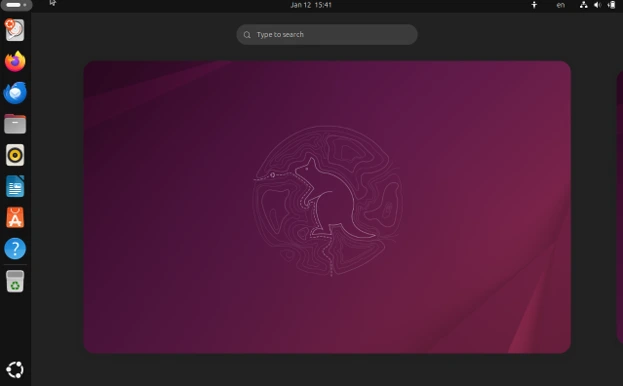
Ubuntu 26.04 LTS launches April 2026 with kernel 6.12, Mesa 24.x, and GNOME 48. This will be the LTS release that actually handles 2025-2026 laptop hardware properly from day one.
Why This Matters
Kernel 6.12 includes proper support for Intel Core Ultra Series 2, AMD Ryzen AI 300, Wi-Fi 7 adapters, and modern power management improvements. Mesa 24.x properly supports Intel Xe2 and AMD RDNA 3.5 integrated graphics. This is the Ubuntu release you want if you bought or plan to buy a laptop in 2025-2026.
Five-year support through April 2031 means this release will carry you through your next hardware refresh cycle. HWE will eventually bring kernel 6.14, 6.16, etc., keeping hardware support current through the late 2020s.
The Waiting Game
If you’re reading this in January-March 2026 with a brand-new laptop, you have two choices: use Fedora 43 now and switch to Ubuntu 26.04 later, or wait 2-3 months for Ubuntu 26.04. Don’t install Ubuntu 24.04 on a late-2025 laptop—you’ll fight hardware issues that 26.04 will solve immediately.
Fedora 43: Current Best for 2025 Hardware
Fedora releases every six months and ships bleeding-edge kernels. Fedora 43 (released October 2025) shipped kernel 6.12 and Mesa 24.3, providing excellent support for laptops released through late 2025. Fedora 44 (expected April 2026) will bring kernel 6.13 and Mesa 24.5.
Why It Works for New Laptops
Fedora typically ships kernels 4-8 weeks after upstream release. Buy a laptop in December 2025, and Fedora 43 probably supports it completely. Intel Core Ultra Series 2, AMD Ryzen AI 300, Wi-Fi 7, NVIDIA RTX 5000—all work properly because Fedora’s kernel and Mesa are current.
Fedora defaults to Wayland with GNOME, handles hybrid HiDPI displays correctly, and enables fwupd firmware updates automatically. Power management uses power-profiles-daemon integrated into GNOME settings. SELinux comes enabled by default—occasionally creates friction but genuinely improves security.
The Trade-offs
You must upgrade every 12-13 months. Each Fedora release gets 13 months of support, meaning you can skip one release but not two. Upgrades generally work smoothly but require active user participation. NVIDIA drivers need RPM Fusion repositories enabled manually. DNF package manager is slower than APT but very reliable.
Some proprietary software and codecs need third-party repositories or Flatpak. Fedora’s philosophy prioritizes open source, so you’ll install extras manually for complete multimedia support.
Who Should Choose Fedora
You buy laptops frequently and need Linux support within weeks, not months. You’re comfortable with annual distribution upgrades. You’re a developer who values current software without Arch-level maintenance. Your laptop launched in 2025 and you don’t want to wait for Ubuntu 26.04.
Fedora is my top recommendation for anyone asking “what distro supports brand-new laptops best?” in 2026.
Pop!_OS 24.04: Still the NVIDIA Solution
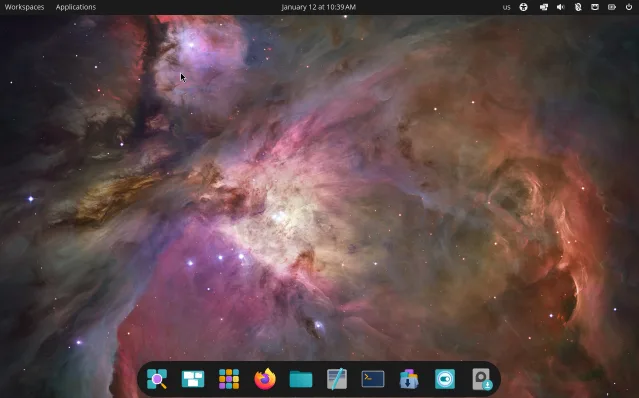
System76 makes Linux laptops and desktops, giving them real incentive to solve laptop hardware problems. Pop!_OS 24.04 uses Ubuntu 24.04 LTS as foundation but adds crucial NVIDIA GPU management that other distros lack.
Why NVIDIA Users Need This
Pop!_OS solves hybrid graphics completely. Separate ISO images for NVIDIA vs AMD/Intel systems. NVIDIA drivers pre-installed on the NVIDIA ISO. Graphical GPU switcher in system tray that actually works. Hybrid graphics functions without manual configuration files, kernel parameters, or forum troubleshooting.
I’ve configured Linux on probably 75+ NVIDIA laptops at this point. Pop!_OS is the only distro where I’ve never had to manually edit xorg.conf or debug why external monitors don’t work. It just works—external displays work, GPU switching works, applications launch on the correct GPU. This is invaluable for NVIDIA RTX 5050/5060/5070/5080 laptops.
Beyond NVIDIA, Pop!_OS inherits Ubuntu 24.04’s hardware support and HWE kernel updates. System76 adds laptop-specific firmware packages and system76-power for CPU/GPU power management (performance/balanced/battery/compute modes).
The Limitations
Pop!_OS is based on Ubuntu 24.04 LTS with kernel 6.8 (HWE provides updates). This means late-2025 laptops might have limited support initially until HWE brings newer kernels. For Intel Core Ultra Series 2 or AMD Ryzen AI 300 systems without NVIDIA, Fedora 43 provides better hardware support.
Smaller community than Ubuntu. Some packages lag Ubuntu releases. The COSMIC desktop environment is being completely rewritten in Rust—Pop!_OS 24.04 still uses GNOME, but future releases will switch to COSMIC, which might introduce transition challenges.
Who Needs Pop!_OS
Your laptop has NVIDIA RTX 5000 series discrete graphics with hybrid graphics (Optimus). You’ve tried configuring NVIDIA on other distros and failed. You run machine learning workloads, video editing, or GPU-accelerated applications. You have a gaming laptop, mobile workstation, or “creator” laptop from Dell, Lenovo, HP, or ASUS.
If NVIDIA is in your laptop, seriously—just use Pop!_OS or Nobara. Don’t waste the weekend.
Nobara Project 43: Gaming and Creator Focus
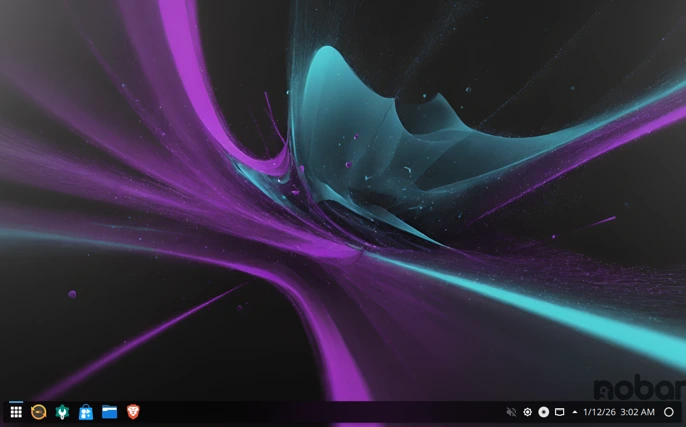
Nobara is a Fedora remix created by GloriousEggroll (developer behind Proton-GE). It’s Fedora with gaming, content creation, and NVIDIA modifications pre-configured. Nobara 43 (based on Fedora 43) ships kernel 6.12 with gaming-focused optimizations.
Why Gamers and Creators Like It
Nobara includes NVIDIA drivers if you download the NVIDIA ISO. It ships with kernel modifications for better gaming performance, includes Steam, Lutris, OBS Studio, and creator tools pre-installed. Proprietary codecs work immediately. HDR support is pre-configured on supported hardware.
For laptops used primarily for gaming or GPU-accelerated content creation, Nobara eliminates manual configuration. It inherits Fedora 43’s excellent hardware support for 2025 laptops while adding practical improvements that gamers actually need.
The Concerns
Smaller community than mainstream distros. Primarily maintained by one developer (GloriousEggroll) with community contributions—sustainability questions exist. Annual upgrades required like Fedora. Less polished than Pop!_OS or Fedora for non-gaming workloads.
Custom modifications occasionally cause compatibility issues with specific hardware that stock Fedora handles better. Updates sometimes lag Fedora by a few weeks while GloriousEggroll tests changes.
Who Should Use Nobara
Your laptop has NVIDIA RTX 5000 series and you primarily game or create content requiring GPU acceleration. You want Fedora’s current hardware support without manually configuring gaming tools. You’re comfortable with some risk in exchange for better out-of-box gaming performance. You own an ASUS ROG, MSI, Lenovo Legion, or similar gaming laptop.
Nobara makes sense when Pop!_OS feels too basic and you want the absolute latest kernels plus gaming optimizations.
Linux Mint 22: For 2024 Hardware and Windows Refugees
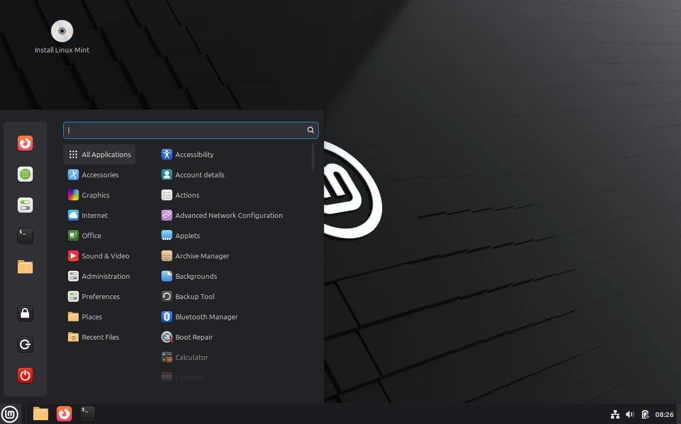
Linux Mint builds on Ubuntu LTS with extreme conservatism. Mint 22 uses Ubuntu 24.04 as foundation (kernel 6.8), which handles 2024 laptop hardware adequately but struggles with late-2025 models.
Why People Like It
Cinnamon desktop looks and works like Windows 7/10, making Windows migration comfortable. Stable, predictable updates. Avoids controversial Ubuntu decisions like mandatory snaps. Simple software management. Large beginner-friendly community.
Mint includes fwupd for firmware updates and maintains reasonable compatibility with mainstream laptops from 2023-2024. The distribution focuses on “just working” for typical desktop tasks with familiar workflows.
The Reality for 2026
Mint’s conservative philosophy means it’s 6-12 months behind current hardware support. Kernel 6.8 in early 2026 is fine for 2024 hardware but problematic for Intel Core Ultra Series 2, AMD Ryzen AI 300, or Wi-Fi 7 laptops from 2025.
Mint doesn’t include laptop-specific power management tools by default—you need to install TLP manually. Updates lag behind Ubuntu, which already lags behind Fedora. This creates substantial delays for new hardware support.
Who Should Use Mint
You’re migrating from Windows and want the least jarring interface transition. Your laptop is from 2023-2024 with established Linux compatibility. You specifically hate GNOME’s workflow. You prioritize interface familiarity over cutting-edge hardware support. You’re new to Linux and want extensive beginner documentation.
Don’t choose Mint for laptops purchased in late 2025. For those, use Fedora 43 or wait for Ubuntu 26.04.
openSUSE Tumbleweed: Rolling Release Done Right
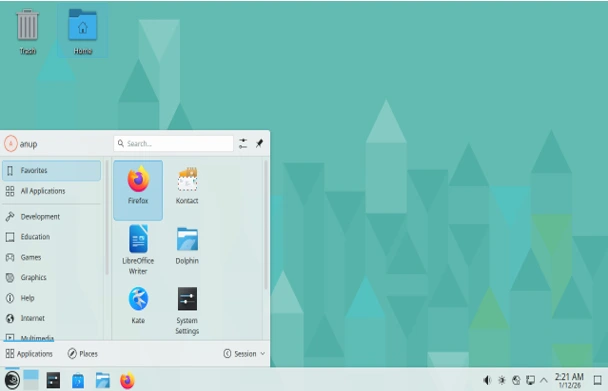
Tumbleweed delivers rolling release hardware support with better stability than Arch through automated openQA testing. Updates roll through automated installation and functionality testing before reaching users.
Why It Handles New Hardware Well
Rolling releases provide the shortest path from hardware release to full Linux support. Tumbleweed typically runs kernel 6.13+ in early 2026 with Mesa 24.5+. When Intel or AMD launches new mobile processors, kernel patches land in mainline, and Tumbleweed users get them within days.
Tumbleweed defaults to Btrfs with automatic Snapper snapshots, allowing rollback if updates break something. YaST system administration tools provide graphical interfaces for firmware updates, hardware configuration, and power management that require terminal work elsewhere.
The Trade-offs
Rolling releases require ongoing maintenance. Updates arrive frequently (sometimes daily), consume bandwidth, and occasionally need user intervention for configuration file conflicts. Not suitable for “install and forget” usage—Tumbleweed expects active system management.
NVIDIA drivers available through community repositories but require more setup than Pop!_OS or Nobara. Power management tools like TLP need manual installation and configuration. Smaller community than Ubuntu or Fedora, though openSUSE community is very knowledgeable.
Who Should Use Tumbleweed
You’re experienced with Linux system administration. You want cutting-edge hardware support for 2025-2026 laptops without Arch’s manual configuration overhead. You appreciate YaST’s management tools. You understand rolling release trade-offs and can handle occasional troubleshooting. You keep laptops for many years and want continuous software improvements rather than periodic reinstallation.
Tumbleweed fits technical users who need absolute latest kernel and driver support with better stability guarantees than pure Arch.
Best Linux for Specific Laptop Brands (2026)
Let me address specific brands popular in North America and Europe:
Lenovo ThinkPad (Best Linux Laptop Experience)
Recommendation: Ubuntu 24.04 LTS (or wait for 26.04) / Fedora 43
ThinkPads have the best Linux support in the industry. Lenovo provides comprehensive LVFS firmware updates. Most ThinkPads work perfectly out-of-box. Ubuntu for long-term stability and corporate deployments, Fedora for 2025 models (X1 Carbon Gen 13, T14s Gen 6, etc.).
For ThinkPad P-series mobile workstations with NVIDIA RTX graphics: Pop!_OS 24.04 or Nobara 43.
ThinkPad X13s (ARM-based Snapdragon): requires specialized support—check Fedora’s ARM spin or wait for better mainline support in 2026.
Dell XPS (Popular Developer Choice)
Recommendation: Pop!_OS (XPS 15/17 with NVIDIA) / Ubuntu 24.04 or Fedora 43 (XPS 13/14)
Dell sells Developer Edition XPS models with Ubuntu pre-installed. Dell provides direct Linux support and LVFS firmware updates. XPS 13 Plus and XPS 14 with integrated graphics work excellently with Ubuntu or Fedora.
XPS 15 and 17 with NVIDIA discrete graphics: use Pop!_OS specifically for reliable hybrid graphics. External monitors will actually work.
Dell Latitude (Business Standard)
Recommendation: Ubuntu 24.04 LTS (or wait for 26.04)
Latitude business models receive Dell’s Linux testing and certification. Excellent LVFS support. Ubuntu provides predictable corporate deployment. For latest Latitude models with Core Ultra processors, wait for Ubuntu 26.04 or use Fedora 43 temporarily.
HP EliteBook and ZBook
Recommendation: Ubuntu 24.04 LTS / Fedora 43
HP’s business laptops have decent Linux support but not as comprehensive as Lenovo or Dell. EliteBook models work reasonably well. ZBook mobile workstations with NVIDIA need Pop!_OS or Nobara.
HP’s consumer Pavilion/Envy/Spectre lines prioritize Windows—Linux works but feels like an afterthought. Better alternatives exist if buying specifically for Linux.
Framework Laptop (Built for Linux)
Recommendation: Fedora 43 (Framework’s official choice) / Ubuntu 26.04 (when released)
Framework provides exceptional Linux documentation and comprehensive LVFS firmware support. Framework 13 (Intel and AMD) and Framework 16 work excellently with most distros. Fedora is Framework’s officially recommended distribution.
Framework’s modular design and Linux-first philosophy make hardware choices predictable. This is one of the few laptops where you can confidently choose almost any mainstream distro.
ASUS ROG / Gaming Laptops
Recommendation: Pop!_OS 24.04 / Nobara 43
Gaming laptops universally include NVIDIA discrete graphics. Pop!_OS provides most reliable hybrid graphics. Nobara adds gaming-specific optimizations and HDR support configuration.
ASUS ROG laptops sometimes include proprietary RGB lighting and fan controls that need asusctl (available in most distros but requires setup). Nobara sometimes includes these pre-configured.
System76 Laptops
Recommendation: Pop!_OS 24.04 (obviously)
System76 designs their laptops specifically for Pop!_OS. You get guaranteed hardware compatibility, firmware through LVFS, and first-class support. This is the “buy Linux laptop, get Linux support” gold standard alongside Framework.
Firmware Updates: Critical for 2026 Laptops
Modern laptops receive continuous firmware updates addressing security, stability, and functionality. Your UEFI/BIOS controls hardware initialization, thermal algorithms, power delivery, USB-C behavior, and Thunderbolt security.
Why LVFS Matters
The Linux Vendor Firmware Service allows manufacturers to distribute firmware through Linux directly. Run fwupdmgr get-devices and fwupdmgr refresh && fwupdmgr update to check and install updates.
Major LVFS participants in 2026:
- Lenovo (excellent—comprehensive ThinkPad coverage)
- Dell (good—XPS, Latitude, Precision covered)
- Framework (complete—all firmware through LVFS)
- HP (moderate—EliteBook and ZBook, limited consumer)
- System76, Star Labs, Tuxedo (complete support)
ASUS, MSI, Acer, most gaming brands: limited or no LVFS participation. You’ll need Windows for firmware updates or risk running outdated firmware.
Real Problems Firmware Fixes
I’ve personally seen firmware updates fix:
- USB-C docks not detecting monitors or providing power
- Thermal throttling under light loads
- Excessive fan noise
- Battery drain in suspend (S0ix power management)
- Thunderbolt security vulnerabilities (Thunderspy, etc.)
- USB device recognition issues
- RAM stability and XMP profile support
These aren’t kernel bugs—they’re hardware-level issues needing vendor patches. Before buying any laptop, check fwupd.org/lvfs/devices to confirm your model receives Linux firmware updates.
My Final Recommendations for January 2026
Let me cut through everything and give you straight answers based on real-world laptop testing through 2025.
Just bought a laptop with the latest Intel or AMD chips? Go with Fedora 43. It’s the only mainstream distro shipping kernel 6.12 right now, which is exactly what Intel Core Ultra Series 2 and AMD Ryzen AI 300 processors need. Your Wi-Fi will work, your graphics will work, suspend will actually work.
Got an NVIDIA GPU in that laptop? Stop reading and install Pop!_OS. Seriously. I’ve wasted entire weekends configuring hybrid graphics on other distros. Pop!_OS does it automatically—GPU switching works, external monitors work, battery life is reasonable. If you’re specifically gaming or doing content creation, Nobara Project is the other solid choice.
Want something stable that won’t break? Ubuntu 24.04 LTS is fine if your laptop is from 2024. But if you bought hardware in late 2025 or plan to buy in early 2026, wait until April for Ubuntu 26.04 LTS. That extra few months gets you kernel 6.12 and five years of support through 2031. It’s worth the wait.
Switching from Windows and feeling lost? Linux Mint makes the transition painless with its Windows 7-style interface. Just understand it’s conservative—great for 2024 laptops, questionable for anything newer. If your laptop is from late 2025, try Fedora with KDE Plasma instead. It looks like Windows 11 and actually supports modern hardware.
Know what you’re doing and want the absolute latest? openSUSE Tumbleweed runs kernel 6.13+ right now. You get day-one hardware support with automatic snapshots in case updates break something. It’s rolling release done intelligently.
Own a Framework Laptop? You’re in the best position. Use Fedora 43 (Framework’s official pick) or Ubuntu 24.04—both work perfectly because Framework actually designs for Linux.
The honest truth: there’s no universal “best distro for all laptops.” Your hardware determines the right choice. NVIDIA GPU? Pop!_OS. Latest 2025 processor? Fedora. Business laptop from 2024? Ubuntu LTS. Match the distro to what’s actually inside your laptop.
Before you download anything, check three things: Does your CPU need kernel 6.10 or newer? Does your laptop have NVIDIA graphics? Is your laptop model on fwupd.org? Those three answers tell you which distro you need.
For what it’s worth, I rotate between Fedora 43 on my Framework, Ubuntu 24.04 on my ThinkPad, and Pop!_OS when testing NVIDIA systems. Different machines, different needs, different distros.
Hardware compatibility information current as of January 2026. Test with live USB before committing. Your mileage will vary based on specific laptop model.
Frequently Asked Questions
Which Linux distro works best on brand-new 2025-2026 laptops?
Fedora 43 handles the newest hardware best with kernel 6.12 and Mesa 24.3+, providing support for Intel Core Ultra Series 2/3 and AMD Ryzen AI 300 processors released in 2025. Ubuntu 26.04 LTS (April 2026) will be the best LTS choice for recent hardware.
Should I wait for Ubuntu 26.04 LTS or use Fedora 43 now?
If you need Linux on a late-2025 laptop today, use Fedora 43—Ubuntu 24.04 won’t support newest hardware well even with HWE. If you can wait until April 2026, Ubuntu 26.04 LTS provides five-year support with kernel 6.12 from day one.
Does Pop!_OS still have the best NVIDIA laptop support in 2026?
Yes—Pop!_OS and Nobara Project provide the best NVIDIA hybrid graphics experience. Both handle Optimus automatically with working GPU switching and external monitor support. Other distros require manual configuration that most users find frustrating.
Will installing TLP conflict with power-profiles-daemon on Fedora or Ubuntu?
Yes—don’t run both simultaneously. Fedora and Ubuntu include power-profiles-daemon by default. Only install TLP if you want more aggressive power management and remember to disable power-profiles-daemon first with sudo systemctl mask power-profiles-daemon.
Can I game on Linux with a laptop in 2026?
Absolutely—Steam Proton handles most Windows games excellently. Use Pop!_OS or Nobara for NVIDIA laptops, Fedora 43 for AMD integrated graphics. Anti-cheat games (Valorant, some competitive FPS) still don’t work, but most single-player and many multiplayer titles run well.
Disclaimer
This article is based on extensive testing and research current as of January 2026. Linux hardware support evolves rapidly—kernel updates, driver improvements, and firmware releases can change compatibility within weeks. Distribution versions, kernel numbers, and specific hardware support mentioned here reflect the state of the Linux ecosystem in early 2026 and may differ by the time you read this.
Always test your specific laptop with a live USB before installation, check current documentation for your hardware model, and verify firmware support at fwupd.org. Individual results vary based on specific laptop configurations, BIOS versions, and hardware revisions.
Also Read
Best Budget Webcam for Linux in 2026 (Plug-and-Play Picks)
About the Author