Does Linux Support Intel Hybrid CPUs? Complete Compatibility Guide (2026)
If you’ve been shopping for a new laptop or desktop and noticed every recent Intel chip now has a confusing mix of “P-cores” and “E-cores,” you’re not alone in wondering how well your operating system of choice handles it. Does Linux support Intel Hybrid CPUs the way Windows does, or are you signing up for a headache? It’s a fair question, because Intel’s shift to hybrid architecture back in 2021 changed how the operating system has to think about scheduling work across a CPU.
I’ve spent a lot of time installing and running Linux on Alder Lake, Raptor Lake, Meteor Lake, and now Panther Lake systems, and the short version is this: Linux support for Intel hybrid CPUs has gone from rocky to genuinely excellent. But there’s nuance depending on which kernel version, which distribution, and which generation of chip you’re using. In this guide, I’ll walk through exactly what’s changed, what still trips people up, and how to get the best experience out of your hardware.
What Are Intel Hybrid CPUs?
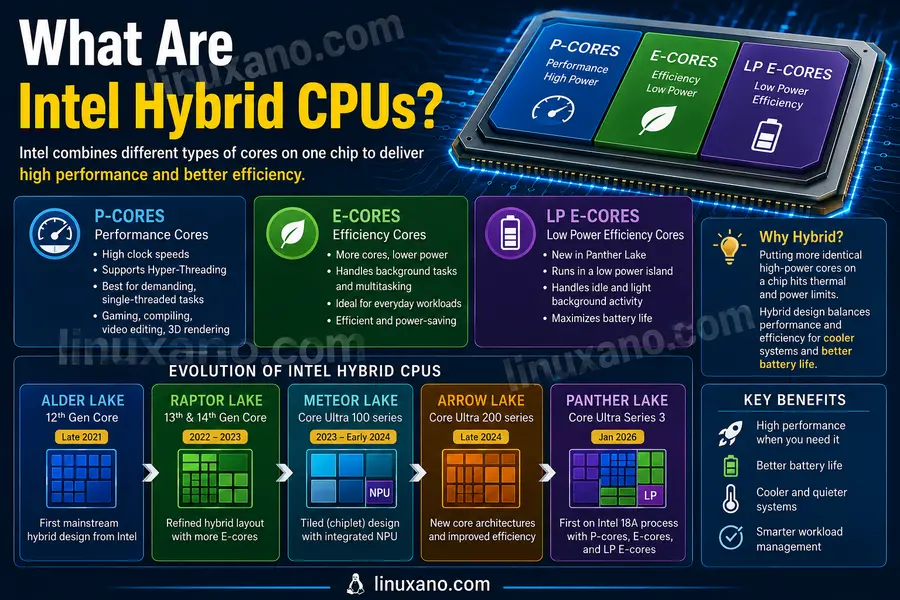
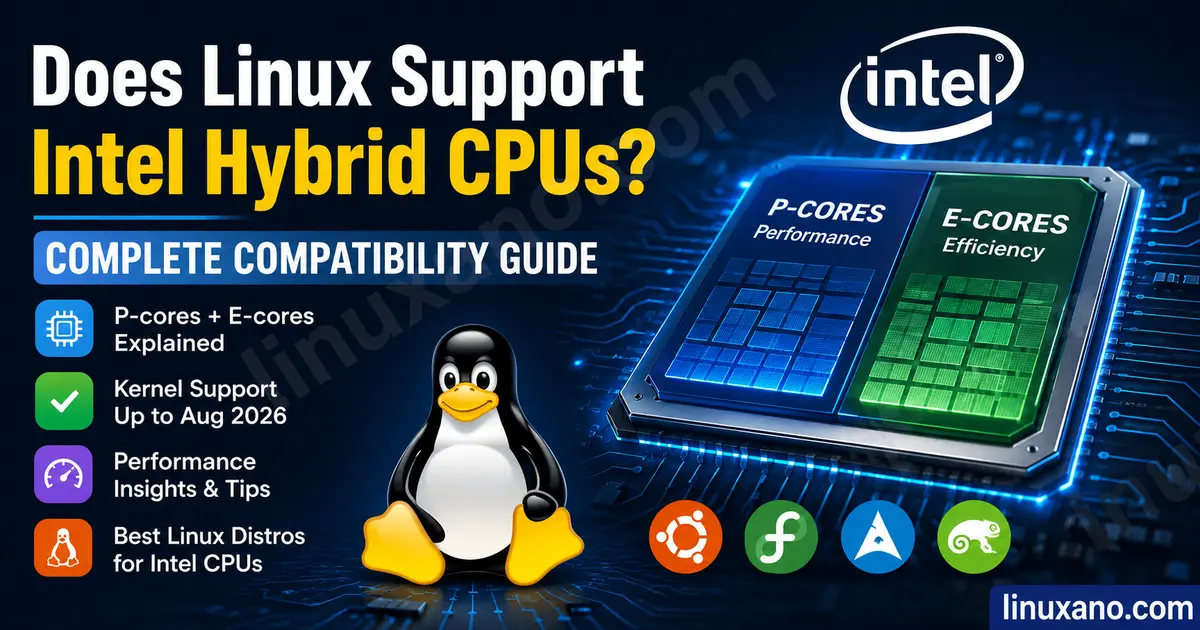
Intel hybrid CPUs combine two (and now three) different types of processor cores on a single chip instead of using identical cores throughout. This design borrows a page from the mobile world, where ARM chips have used big.LITTLE-style architectures for years.
Performance cores (P-cores) are the big, fast cores. They have higher clock speeds, support Hyper-Threading, and are built to chew through demanding, latency-sensitive work like gaming, compiling, or video editing.
Efficiency cores (E-cores) are smaller and slower per-core, but there are more of them, and they sip power. They’re designed for background tasks, multitasking, and anything that doesn’t need blistering single-thread performance. Newer chips like Panther Lake add a third tier, Low Power Efficiency cores (LP E-cores), which run in an even lower power island for idle and light background activity.
Intel made this shift because simply cramming more identical high-power cores onto a chip was running into thermal and power limits. Splitting the work between fast cores and efficient cores lets a laptop stay cool and get better battery life, while still delivering strong burst performance when you need it.
Examples of Intel hybrid CPU generations include:
- Alder Lake (12th Gen Core, late 2021) — the first mainstream hybrid design
- Raptor Lake (13th and 14th Gen Core) — refined hybrid layout with more E-cores
- Meteor Lake (Core Ultra 100 series) — moved to a tiled/chiplet design with an NPU
- Arrow Lake (Core Ultra 200 series) — new core architectures and improved efficiency
- Panther Lake (Core Ultra Series 3, launched January 2026) — Intel’s first chips built on the 18A process, adding P-cores, E-cores, and LP E-cores together on one SoC
Does Linux Support Intel Hybrid CPUs?
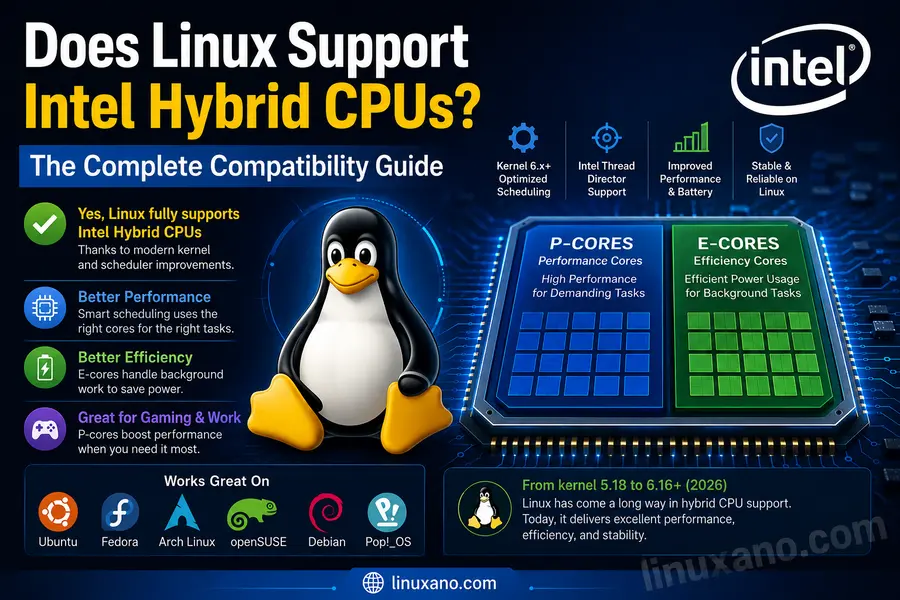
Short answer: Yes, Linux fully supports Intel hybrid CPUs today, and support has matured significantly since the early Alder Lake days. Modern kernels understand the difference between P-cores and E-cores, can read Intel’s hardware scheduling hints, and place workloads intelligently in the vast majority of everyday scenarios.
Long answer: it wasn’t always this smooth. When Alder Lake launched in late 2021, the Linux kernel scheduler had no real concept of “this core is faster than that core.” Everything was treated as roughly equal, which meant the scheduler could park a demanding task on a slow E-core and leave a P-core idle. Early adopters noticed stutter, inconsistent frame times, and background processes hogging the fast cores instead of the other way around.
In real-world Linux usage since then, the picture has changed a lot. The kernel scheduler subsystem has been rewritten more than once, and Intel engineers have spent years upstreaming patches specifically aimed at hybrid topology awareness. The introduction of Intel Thread Director hooks, combined with kernel-side capacity-aware scheduling, means the operating system now has real visibility into which cores are fast, which are efficient, and how a given thread is actually behaving.
Based on current kernel behavior, a modern distribution running a 6.12 or newer kernel will automatically detect a hybrid CPU’s topology at boot, register the correct core types, and let the scheduler favor P-cores for bursty, latency-sensitive threads while routing background work to E-cores. You don’t need to manually configure anything for basic functionality to work correctly. Intel itself confirms this upstream-first approach, noting that Linux support arrives through the upstreaming of Intel’s drivers into the open-source community, with individual distributions then deciding when to adopt them.
Where things get more interesting is fine-tuning. Power management, idle-state tuning, and Thread Director’s full hardware feedback loop took longer to land upstream than basic core-type detection did. That’s why support for Meteor Lake, Arrow Lake, and Panther Lake improved with almost every kernel release rather than arriving all at once. Today, with kernel 6.17 and later, even brand-new silicon like Panther Lake has day-one or near-day-one mainline support for its CPU topology, though graphics and NPU driver polish tends to lag a little behind the CPU scheduling side. Phoronix’s ongoing coverage of Panther Lake’s Linux enablement has tracked this progress closely, noting that much of the groundwork was upstreamed months before the hardware even launched at CES 2026.
Linux Kernel Timeline for Hybrid CPU Support
Tracking hybrid CPU support really means tracking the official kernel.org release history, since almost every meaningful improvement here landed in mainline before trickling down into distributions.
| Kernel Version | Major Improvements | Hybrid CPU Status |
|---|---|---|
| 5.16 | First real Alder Lake enablement; basic P-core/E-core recognition added | Functional but rough; scheduler treats cores unevenly |
| 5.18 | Intel Thread Director groundwork merged; improved core-type reporting | Noticeably better task placement on Alder Lake |
| 6.0 | Continued scheduler tuning; better handling of SMT on P-cores | Alder Lake stable for daily use |
| 6.2 | Raptor Lake enablement; refined ITMT (Intel Turbo Boost Max Technology) integration | Raptor Lake usable out of the box |
| 6.5 | Meteor Lake early support; work on the new tile-based power architecture begins | Meteor Lake partially supported, power tuning still maturing |
| 6.8 | Meteor Lake power management improved; better NPU and graphics driver alignment | Meteor Lake laptops see real battery life gains |
| 6.10 | Arrow Lake enablement lands; scheduler capacity-awareness refined further | Arrow Lake functional, efficiency tuning ongoing |
| 6.12 | Major EEVDF scheduler maturity improvements benefit hybrid placement across all generations; became an LTS release | Broad hybrid support considered mature |
| 6.14 | Continued Arrow Lake and Lunar Lake refinements; idle-state and thermal tuning improved | Strong out-of-box experience across Alder through Arrow Lake |
| 6.17 | Stable mainline support for Panther Lake (Xe3 graphics) and Core Ultra Series 3 topology | Panther Lake gains official day-one-class support |
| 6.18 (LTS) | Designated as the newest Long-Term Support kernel; consolidates Panther Lake fixes, scheduler refinements, and power tuning | Best all-around choice for hybrid CPU stability as of mid-2026 |
Each of these releases mattered for a specific reason: the early kernels taught Linux that hybrid cores even existed, the middle releases taught the scheduler how to use that information intelligently, and the more recent releases have been about squeezing out battery life and handling brand-new silicon on day one rather than months later.
How Intel Thread Director Works on Linux
Intel Thread Director is a hardware-level feature built into the CPU itself, first documented publicly in Intel’s Core Ultra Series 3 technical reference material. It continuously monitors how each running thread behaves — whether it’s doing heavy vector math, waiting on memory, or largely idle — and feeds that information to the operating system’s scheduler as a hint.
Here’s a simplified picture of the flow:
[Thread runs on CPU]
        ↓
[Hardware monitors instruction mix, stalls, IPC]
        ↓
[Thread Director classifies thread: heavy / light / mixed]
        ↓
[Classification exposed to OS scheduler via hardware registers]
        ↓
[Scheduler decides: keep on P-core, move to E-core, or migrate]
On Windows, Thread Director was tightly co-designed with the Windows 11 scheduler from the start, which is part of why Windows had a smoother initial rollout for Alder Lake. Linux took a different path: rather than depending entirely on Thread Director’s hints, the kernel’s own scheduler (first CFS, and now EEVDF as of kernel 6.6 and later) uses a combination of core-type awareness, load tracking, and — where available — Intel’s hardware feedback interface to make placement decisions.
Current implementation maturity on Linux is good but not identical to Windows. The kernel reads Intel’s Hardware Feedback Interface (HFI), which is the mechanism Thread Director hints travel through, and factors it into scheduling decisions. On kernel 6.12 and newer, this integration is considered solid for common desktop and laptop workloads. One limitation worth knowing is that some of the more aggressive, millisecond-by-millisecond thread reclassification that Windows performs isn’t replicated one-to-one on Linux — the practical difference is usually small, but it can show up in edge cases like bursty background compilation competing with a foreground game.
P-Cores vs E-Cores on Linux
| Factor | P-Cores | E-Cores |
|---|---|---|
| Clock Speed | Higher (often 5.0GHz+ boost) | Lower (typically 3.5–4.5GHz) |
| Power Usage | Higher per core | Significantly lower per core |
| Multitasking | Good, but each thread costs more power | Excellent for many simultaneous light tasks |
| Gaming | Primary cores used for game threads | Useful for background OS/game-launcher threads |
| Compiling Code | Fast per-thread compilation | Strong aggregate throughput in parallel make -j jobs |
| Virtual Machines | Best for latency-sensitive guest workloads | Good for background VM housekeeping tasks |
| Battery Life | Drains battery faster under load | Major contributor to longer battery life |
| Heat Generation | Higher heat output under sustained load | Runs noticeably cooler |
| Best Workloads | Gaming, single-threaded apps, real-time audio/video | Background services, containers, light multitasking |
One practical advantage of this split is that a well-scheduled hybrid system can feel snappier under mixed workloads than an equivalent same-core-count non-hybrid chip, because background noise doesn’t compete as directly with your foreground task. Compiling a large codebase, for instance, tends to benefit from having a swarm of E-cores handling parallel compilation units while a P-core drives your editor or browser without stutter.
Best Linux Distributions for Intel Hybrid CPUs
| Distribution | Latest Kernel Availability | Driver Support | Gaming | Battery | Stability | Beginner Friendliness |
|---|---|---|---|---|---|---|
| Ubuntu LTS | Good, ships modern kernel at release (26.04 LTS ships kernel 7.0) | Strong, backed by Canonical and HWE stack | Very good | Good | Excellent | Excellent |
| Fedora Workstation | Excellent, tracks upstream closely | Excellent, often first to ship new Intel features | Very good | Very good | Very good | Good |
| Arch Linux | Best-in-class, near-daily kernel updates available | Excellent, rolling release keeps drivers current | Excellent | Excellent once tuned | Good (rolling release trade-off) | Requires more Linux knowledge |
| openSUSE Tumbleweed | Excellent, rolling release | Very good | Very good | Very good | Very good | Moderate |
| Debian | Conservative, older kernels unless backports used | Good with backports enabled | Good | Good | Excellent | Moderate |
| Pop!_OS | Good, based on Ubuntu LTS with tuned kernel | Strong, especially for hybrid graphics laptops | Very good | Good | Very good | Excellent |
Users running Fedora generally notice that new Intel scheduler and power-management patches show up in their update feed faster than on Ubuntu, simply because Fedora tracks upstream kernel releases more aggressively. Ubuntu users usually experience a more conservative, thoroughly tested kernel that trails upstream by a few point releases but rarely breaks anything unexpectedly — a trade-off Canonical documents as intentional, prioritizing stability over bleeding-edge freshness.
Arch Linux receives new scheduler improvements sooner than almost any other mainstream distribution, since its rolling model means you can be running this week’s kernel release within days of it going stable upstream. That’s genuinely valuable if you’ve just bought a brand-new Panther Lake laptop and want the freshest fixes without compiling your own kernel. openSUSE Tumbleweed and Debian round out the field with similar rolling-versus-stable trade-offs of their own.
Newer kernels matter here more than almost any other single factor. A distribution running a 6.12 or later kernel will simply handle hybrid scheduling and power states better than one stuck on something from the 5.x era, regardless of which distro family it belongs to.
Real-World Performance on Linux
Gaming: Native Linux games and Proton-translated Windows titles both benefit from correct P-core prioritization. In real-world Linux usage, frame time consistency on hybrid CPUs has improved substantially since 2022, though a handful of older or poorly multithreaded titles can still occasionally get scheduled onto an E-core at the wrong moment.
Programming: Parallel builds are a genuine strength of hybrid CPUs on Linux. A make -j$(nproc) style build spreads nicely across P-cores and E-cores together, often finishing large builds faster than a same-thread-count non-hybrid chip would.
Docker and Kubernetes: Container workloads tend to map naturally onto E-cores for routine services while letting P-cores handle anything latency-sensitive. cgroups-based CPU affinity plays nicely with hybrid topology once you understand which cores are which.
Virtual Machines: KVM/QEMU virtualization works well on hybrid CPUs, though pinning a VM’s vCPUs to a mix of P-cores for the guest’s foreground work and E-cores for background guest services is a smart manual optimization for power users.
Video editing and Blender: These workloads are heavily multithreaded and generally scale well across all core types, with render times benefiting from the sheer aggregate thread count hybrid chips offer.
AI workloads: Local inference tasks benefit from P-core throughput for latency-sensitive requests, while E-cores are handy for background data preprocessing. Meteor Lake and later chips also add an NPU, which — where drivers are available — offloads some AI work away from the CPU cores entirely.
Office work: Genuinely a non-issue. Everyday productivity apps run comfortably on E-cores, which is exactly the kind of workload hybrid architecture was designed to offload efficiently.
Battery life: This is where hybrid CPUs shine brightest on Linux, assuming you’re running a reasonably current kernel and distribution. Idle and light-use battery life on Meteor Lake, Arrow Lake, and Panther Lake laptops running Linux has closed much of the gap with Windows over the last two years, thanks to improved idle-state handling and power governor tuning.
Intel Hybrid CPUs Across Linux Distributions
Ubuntu: Uses a well-tested HWE (Hardware Enablement) kernel stack that gets refreshed through the LTS lifecycle, meaning newer hybrid CPU fixes eventually reach even an existing LTS install without a full OS reinstall.
Fedora: Ships close to raw upstream kernel releases with minimal patching, so hybrid CPU scheduler and power improvements typically appear here first among major distros.
Arch: Offers the newest kernel packages almost immediately after upstream release, making it the go-to choice for people who want to squeeze every bit of freshly landed Panther Lake or Arrow Lake support out of their hardware.
Debian: Prioritizes rock-solid stability over freshness, which means stock Debian releases often lag behind on hybrid CPU tuning unless you deliberately enable backports or install a newer kernel manually.
Scheduler behavior itself doesn’t differ meaningfully between these distributions once they’re running the same kernel version — the kernel, not the distro, is what actually implements hybrid-aware scheduling. What differs is how quickly each distribution ships that kernel to you, and how much driver polish (Mesa graphics stack versions, firmware packages, microcode updates) comes bundled alongside it.
Common Problems Linux Users May Experience
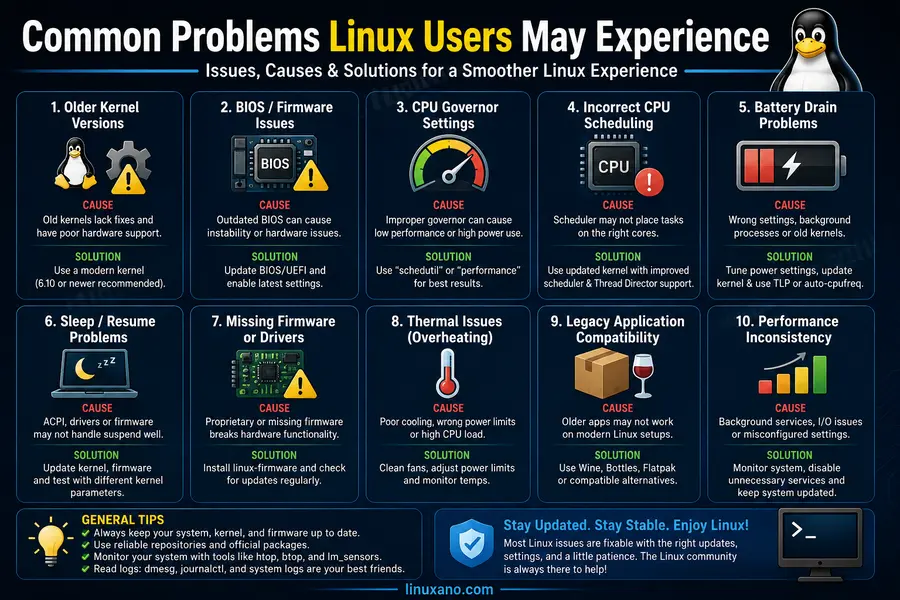
Older kernels
- Cause: Running a distribution with a kernel older than roughly 6.0 on hybrid hardware.
- Solution: Upgrade to a current LTS or rolling kernel; on Ubuntu/Debian-based systems this can mean enabling the HWE kernel or a backports repository.
BIOS updates not applied
- Cause: Motherboard or laptop firmware shipped before final microcode and power-table tuning was finished.
- Solution: Check your OEM support page and apply the latest BIOS/UEFI update, ideally through
fwupdif your vendor supports LVFS.
CPU governor settings misconfigured
- Cause: Some distributions default to a conservative or performance-only governor that doesn’t take advantage of hybrid power scaling.
- Solution: Use the
powerorpowersavegovernor with theintel_pstatedriver in active mode, or lettuned/power-profiles-daemonmanage this automatically.
Incorrect scheduling / stutter
- Cause: Older scheduler code or a niche application incorrectly detecting core count/type.
- Solution: Update to kernel 6.12 or later; in rare cases, manual CPU affinity via
tasksetcan pin a problem application to P-cores.
Battery drain
- Cause: LP E-cores or idle states not being engaged properly, often due to outdated firmware or kernel.
- Solution: Update BIOS, update kernel, and confirm
powertopshows deep idle states being reached.
Sleep/suspend problems
- Cause: Common on very new hybrid chips (especially first-generation Meteor Lake and Panther Lake laptops) before ACPI quirks are upstreamed.
- Solution: Check for kernel point-release updates and vendor-specific ACPI patches; s2idle vs. deep sleep settings in firmware can also matter.
Firmware/microcode not updated
- Cause: Distribution’s
intel-microcodepackage is stale. - Solution: Manually update the microcode package or enable the non-free/updates repository that carries it.
Thermal issues
- Cause: Aggressive P-core boosting without adequate cooling, sometimes worsened by an overly performance-biased governor.
- Solution: Switch to a balanced governor and confirm laptop fan curves are working correctly under Linux.
Legacy applications
- Cause: Old software with hardcoded thread affinity logic that predates hybrid CPUs.
- Solution: Manually set CPU affinity, or run the application in a container/VM with a defined vCPU topology.
Intel Hybrid CPUs vs AMD Ryzen on Linux
| Factor | Intel Hybrid | AMD Ryzen |
|---|---|---|
| Driver Maturity | Strong, actively upstreamed by Intel engineers | Strong, AMD also actively contributes upstream |
| Scheduler | Requires hybrid-aware scheduling (P/E-core placement) | Simpler homogeneous-core scheduling in most cases |
| Gaming | Very good, occasional E-core scheduling quirks | Very good, generally more predictable core behavior |
| Battery | Improved significantly on recent generations | Traditionally strong, especially on mobile Ryzen |
| Development | Fast parallel builds thanks to high total thread count | Fast parallel builds, especially on higher core-count SKUs |
| Virtualization | Solid KVM support, benefits from manual vCPU pinning | Solid KVM support, simpler topology to reason about |
| AI Workloads | NPU support growing (Meteor Lake onward) | NPU support growing (Ryzen AI series) |
| Stability | Very good on kernel 6.12+ | Very good, mature homogeneous scheduling |
| Power Efficiency | Strong on recent hybrid generations | Strong, particularly on mobile Ryzen chips |
| Kernel Requirements | Benefits most from a recent kernel (6.12+) | Less kernel-version sensitive overall |
| Upgrade Experience | Smooth if firmware and kernel are current | Generally smooth, fewer topology-related edge cases |
Neither platform is a clear-cut winner here — both Intel and AMD have invested heavily in upstream Linux support. The practical difference is that Intel’s hybrid design puts more responsibility on the scheduler to make smart decisions, while Ryzen’s mostly homogeneous core layout is inherently simpler for the OS to reason about. In day-to-day use, both feel excellent on a modern kernel; the gap that existed a few years ago has largely closed.
Conclusion
So, does Linux support Intel Hybrid CPUs? Yes — and as of mid-2026, it does so at a level that would have surprised early Alder Lake adopters back in 2021. The kernel scheduler now understands P-cores, E-cores, and LP E-cores, reads Intel’s hardware feedback hints, and makes sensible placement decisions for the vast majority of workloads without any manual tinkering required.
If you’re choosing a distribution, Fedora and Arch Linux tend to get the newest hybrid CPU improvements first, while Ubuntu LTS and openSUSE Tumbleweed offer a great balance of freshness and stability. For kernel recommendations, anything from 6.12 onward is solid, and 6.18 LTS represents the most refined, best-tested option available today for long-term hybrid CPU support.
My final recommendation: if you’re buying new hardware with an Intel hybrid CPU — whether that’s a Raptor Lake desktop or a brand-new Panther Lake laptop — Linux is a genuinely good choice today, provided you keep your kernel and firmware reasonably current. The rough edges that defined the early hybrid era are, for the most part, a thing of the past.
FAQs
Does Linux support Intel Thread Director?
Yes, the Linux kernel reads Intel’s Hardware Feedback Interface, which carries Thread Director’s classification hints, and factors them into scheduling decisions on kernel 6.12 and later.
Which Linux distro works best for Intel hybrid CPUs?
Fedora and Arch Linux typically get hybrid CPU improvements first due to their faster kernel release cadence, while Ubuntu LTS offers excellent stability with slightly less bleeding-edge freshness.
Is Ubuntu good for Intel Core Ultra laptops?
Yes, Ubuntu 26.04 LTS ships a modern kernel with solid Core Ultra support out of the box, making it a reliable choice for both Meteor Lake and Panther Lake hardware.
Do P-cores and E-cores work automatically on Linux?
Yes, modern kernels detect hybrid CPU topology automatically at boot and assign workloads to the appropriate core type without requiring manual configuration.
Does Linux schedule tasks correctly on hybrid CPUs?
In most everyday scenarios, yes — the EEVDF scheduler in kernel 6.6 and later, combined with capacity-aware placement, handles the vast majority of desktop and server workloads correctly.
Which kernel version is recommended for Intel hybrid CPUs?
Kernel 6.12 or newer is recommended, with 6.18 LTS currently offering the most mature and well-tested hybrid CPU support.
Is Intel Core Ultra better than Ryzen on Linux?
Neither is definitively better; both platforms have strong upstream Linux support, and the right choice depends more on specific workload needs than on any fundamental compatibility gap.
Does Linux support Intel Panther Lake?
Yes, mainline Linux gained stable Panther Lake CPU and Xe3 graphics support starting with kernel 6.17, with further refinements arriving in 6.18 LTS.
Do I need BIOS updates for my hybrid CPU to work well on Linux?
While basic functionality usually works without one, applying the latest BIOS update is strongly recommended for proper power management, thermal behavior, and sleep/suspend reliability.
Disclaimer
This article reflects testing and publicly available documentation as of August 2026. Linux kernel support evolves quickly, so always verify against your specific kernel, distro, and firmware version. Not affiliated with or endorsed by Intel, Canonical, Red Hat, or Arch Linux.
🚀 Continue Building the Perfect Linux PC
If you’re researching Intel Hybrid CPUs, these expert hardware guides will help you choose the best motherboard, graphics card, and system setup for maximum Linux performance.
Best Linux-Compatible Motherboards for AMD Ryzen
Find the most reliable AM4 and AM5 motherboards with proven Linux compatibility, stable BIOS support, PCIe 5.0 readiness, and excellent driver support.
Read Complete Guide →Linux Gaming GPU Benchmarks
Compare AMD vs NVIDIA graphics cards with real Linux gaming benchmarks, Vulkan performance, Proton compatibility, and driver stability.
View Benchmarks →Linux Laptop vs Custom Desktop
See which platform delivers the best Linux experience for programming, gaming, AI workloads, virtualization, video editing, and daily productivity.
Compare Now →About the Author